
When a leaf-spine uplink goes dark or a 10G/25G port flaps every few minutes, it is rarely “mysterious.” This article helps network engineers and field technicians triage optical link failures in high-speed infrastructure using repeatable checks: optics, fiber, power budgets, connectors, and switch compatibility. You will get a head-to-head comparison of common transceiver and cabling options, plus a practical decision matrix for fast, low-risk restoration. Update date: 2026-05-02.
Failure patterns: optics vs fiber vs switch settings in high-speed links
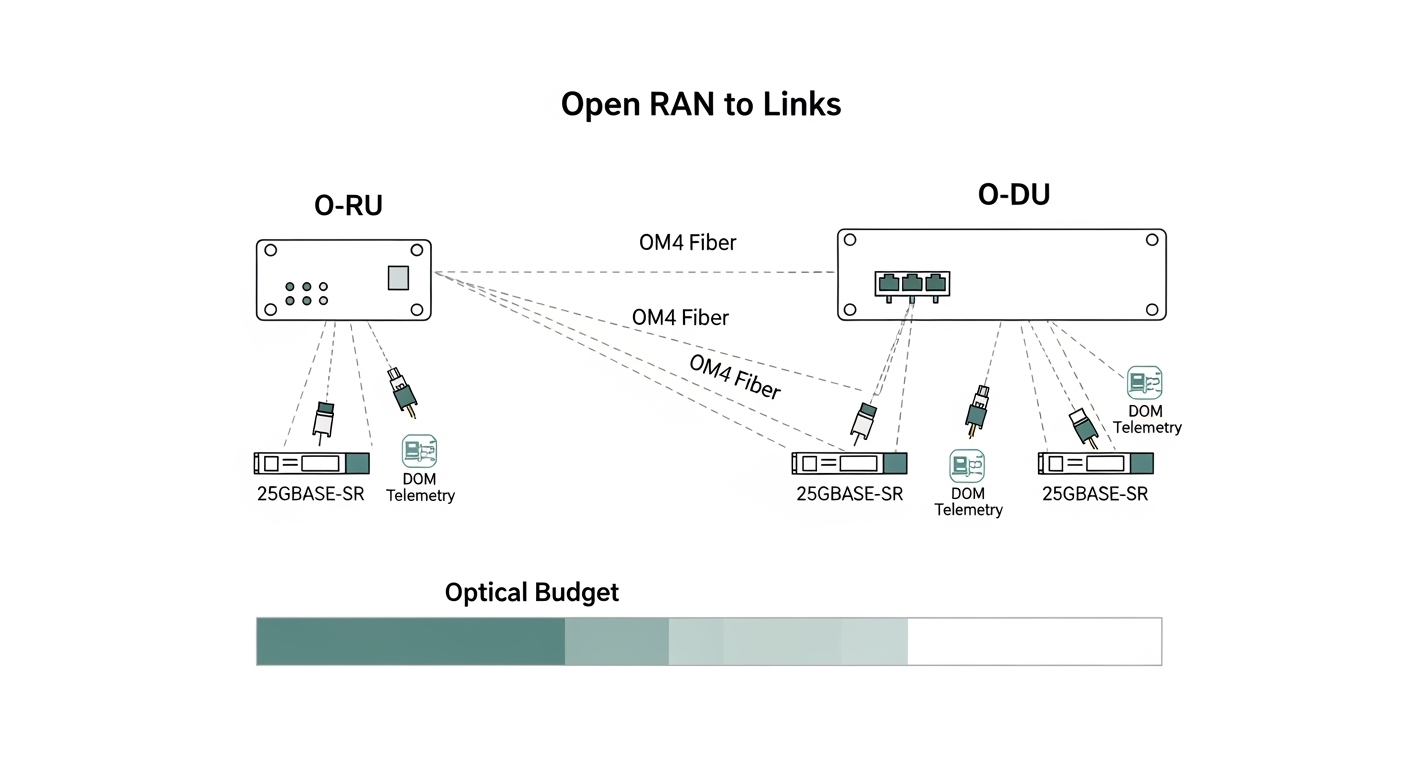
Optical link failures in high-speed infrastructure usually fall into three buckets: (1) optics layer issues (wrong module type, bad DOM readings, overheating), (2) physical layer issues (dirty connectors, damaged fiber, polarity/termination errors), or (3) configuration and compatibility issues (lane rate mismatch, FEC expectations, breakout mode, vendor-specific quirks). In IEEE 802.3 compliant Ethernet PHYs, the receiver sensitivity and link training behavior are deterministic, which is why disciplined measurements beat guesswork.
A fast triage starts with symptoms: does the port show loss of signal (LOS), link down, CRC errors, or high BER with intermittent stability? If you have access to switch diagnostics (DOM, optical power, temperature, and error counters), log them before you swap anything. A common real-world tell: Optical RX power near the threshold produces flapping under temperature swings, while LOS asserted immediately often points to a dead fiber, wrong polarity, or an unplugged/defective transceiver.
What “good” looks like (so you know what is broken)
For 10G-SR (850 nm), you generally expect both TX and RX optical power values to be within the module’s specified range, and errors to stay near zero when link is up. For 25G-SR, the same logic applies but the margin can be tighter depending on optics class and cabling loss. Use vendor datasheets to map your observed values to safe operating regions; do not rely on “it links” as proof the link is healthy.
Head-to-head: SR multimode vs LR/ER single-mode for troubleshooting speed
Not all link types fail the same way. Multimode SR links are more forgiving to alignment but sensitive to connector cleanliness and patch-cord quality; single-mode LR/ER links can be brutally exacting on fiber continuity and endface quality, but they often have more stable dispersion behavior over distance.
| Optical profile (typical) | Wavelength | Reach class | Fiber type | Connector | Data rate | DOM / diagnostics | Operating temperature |
|---|---|---|---|---|---|---|---|
| 10GBASE-SR (SFP+) | 850 nm | Up to 300 m (OM3) / 400 m (OM4) | OM3/OM4 | LC | 10.3125 Gb/s | Common: TX/RX power, temp, voltage | 0 to 70 C (typical) |
| 25GBASE-SR (SFP28) | 850 nm | Up to 100 m (OM4 typical) | OM4 | LC | 25.78125 Gb/s | Common: enhanced DOM | -5 to 70 C (varies by vendor) |
| 10GBASE-LR (SFP+) | 1310 nm | Up to 10 km | OS2 | LC | 10.3125 Gb/s | Common: TX/RX power, temp | -40 to 85 C (common) |
Reference standards and guidance: IEEE 802.3 Ethernet PHY families for optics behavior and link signaling; vendor datasheets for power ranges and DOM interpretation. [Source: IEEE 802.3 (relevant 10G/25G PHY clauses)], [Source: Cisco and Finisar/Fonestar transceiver datasheets].
Optics selection: transceiver type matters for compatibility and error visibility
In high-speed infrastructure, transceiver choice affects not only reach and budget but also how much telemetry you get when something breaks. Many switches support Digital Optical Monitoring (DOM) readings, and some platforms enforce compatibility via vendor IDs, EEPROM fields, or specific optics families. If your replacement optics do not match the expected EEPROM parameters, you can get link refusal or degraded behavior that looks like fiber trouble.
Head-to-head: OEM optics vs third-party optics during incident response
OEM optics often have the smoothest compatibility with switch firmware and the most consistent DOM mapping. Third-party optics can be cost-effective and sometimes perform identically electrically, but during an outage you may spend time validating that the module is accepted and that its DOM readings align with your platform’s thresholds.
In a typical data center incident, I have seen teams lose 30 to 90 minutes simply because the “same-looking” SFP+ was electrically compatible but not recognized by the switch’s optics compatibility list. The fix was not fiber cleaning; it was selecting a module explicitly rated for that switch family and confirming DOM support. This is why your troubleshooting plan should include a compatibility sanity check before you dive into fiber.
Concrete module examples you can map to your environment
- Cisco SFP-10G-SR (10GBASE-SR, 850 nm, LC, DOM).
- Finisar FTLX8571D3BCL (common 10GBASE-SR class optics; confirm exact part variant for reach and DOM behavior).
- FS.com SFP-10GSR-85 (10GBASE-SR class optics; verify OM3/OM4 reach claim and temperature rating).
Always confirm the transceiver class (SR vs LR), wavelength, and connector type. For SR multimode, validate OM3 vs OM4 support and any vendor-specific reach limits. For single-mode optics, verify OS2 usage and confirm the link budget with your measured end-to-end loss.
Pro Tip: When a port “links” but errors spike, do not assume the fiber is fine. Pull DOM values (TX bias current, RX power, and temperature) and compare to the vendor’s safe operating ranges; borderline RX power combined with high temperature often creates intermittent CRC/BER events that look like congestion but are pure optical margin loss. [Source: vendor transceiver DOM guidance, and common PHY behavior described in IEEE 802.3 PHY documentation]
Fiber and connector troubleshooting: the fastest wins in optical link failures
Most optical outages in high-speed infrastructure are physical: contamination on LC endfaces, cracked ferrules, polarity mistakes, or fiber damage from patching. The reason is simple: even a small increase in insertion loss can push the receiver below sensitivity, especially on tighter-reach SR links.
High-speed incident workflow (field-ready)
- Inspect and clean both ends with approved inspection tools (microscope/angled scope) and lint-free cleaning methods.
- Verify polarity: for LC duplex, confirm Tx is connected to Rx and Rx to Tx. Many failures are simply inverted polarity on the patch panel.
- Measure end-to-end loss using an OTDR or a calibrated light source/power meter pair. Compare to the link budget for your transceiver class.
- Check fiber continuity and confirm you are not testing the wrong strand in multi-fiber trunks.
- Re-seat optics and confirm the module is fully latched; inspect for bent pins or dust on the cage.
Head-to-head: cleaning-first vs “swap optics immediately”
If you swap optics without cleaning, you may repeatedly reproduce the same failure mode. Cleaning-first is usually faster when you have LOS asserted, because dirty endfaces can reduce optical power enough to trip receiver loss-of-signal. Optics-first can be faster only when DOM telemetry shows out-of-range values (over-temperature, abnormal TX bias, or RX power collapse) or when you have a known-bad module from the same batch.
Decision checklist: choose the right path to restore high-speed infrastructure
Use this ordered checklist during incident response. It is designed to minimize mean time to repair (MTTR) while preserving evidence for root-cause analysis.
- Distance and link budget: confirm SR vs LR/ER and measured loss in dB. If you are near the edge, treat RX power margin as a first-class signal.
- Operating temperature: check switch ambient and module temperature via DOM. Over-temperature can degrade bias current and optical power.
- Switch compatibility: ensure the transceiver family is supported by your exact switch model and firmware. Validate EEPROM/DOM expectations.
- DOM support and thresholds: confirm your platform reads DOM fields correctly. If DOM is missing or mis-mapped, you lose early warning.
- Connector type and polarity: LC duplex vs MPO, polarity conventions, and patch panel wiring consistency.
- Vendor lock-in risk: if you need rapid spares, stock at least one known-compatible third-party option and validate it in advance.
- Power and thermal budget: ensure PSU and thermal design support the port density and optics load.
Common mistakes and troubleshooting tips for optical link failures
Below are concrete failure modes I have seen repeatedly in high-speed infrastructure deployments. Each includes a root cause and a corrective action.
“It links, so the fiber must be good”
Root cause: The link can come up with marginal RX power, producing intermittent CRC errors or flaps under temperature changes. Solution: Compare DOM RX power and temperature to vendor ranges; re-measure optical loss and clean connectors even if the link is technically up.
Polarity inversion after maintenance
Root cause: A patch panel change flips Tx/Rx strands, causing LOS or permanent link down. Solution: Validate polarity using the patch labels and confirm the duplex orientation; swap patch cords at the panel (not the module) and re-test.
Replacing optics with “similar specs”
Root cause: A transceiver with the same wavelength class but different EEPROM parameters, reach class, or DOM implementation can be accepted partially, degrade, or refuse link training. Solution: Confirm exact module type (SR vs LR), connector, data rate class, and that the switch supports it. Pre-validate spares in a lab or during a maintenance window.
Skipping endface inspection
Root cause: Cleaning without inspection can spread contamination or miss micro-cracks and scratches that increase loss. Solution: Inspect with an angled fiber scope, then clean using approved tools and technique; replace damaged jumpers.
Assuming multimode reach claims match your plant
Root cause: OM3 vs OM4 mix, patch-cord quality variance, and aging increase insertion loss beyond the nominal budget. Solution: Measure actual end-to-end loss and rebuild the link budget using conservative margins, not marketing reach.
Cost and ROI: how to budget for optics and reduce total downtime
Pricing varies by vendor, speed grade, and temperature class. In practice, many teams see optics as a small line item compared to downtime, truck rolls, and prolonged troubleshooting. As a rough planning range, 10G-SR SFP+ modules often land in the tens of dollars for third-party units and higher for OEM; 25G-SR SFP28 is typically more expensive due to tighter performance requirements and higher-speed PHYs. TCO should include spares strategy, failure rates, and the cost of validation time when compatibility is uncertain.
ROI improves when you pre-stage verified spares and standardize cleaning and inspection procedures. OEM optics can reduce incident friction, while third-party optics can lower capex—if you validate compatibility and DOM behavior in advance. The most expensive optic is the one you deploy during an outage without proof it works with your specific switch and firmware.
Which option should you choose?
Choose based on your reader type and risk tolerance. If you are operating a production high-speed infrastructure environment, optimize for MTTR and repeatability, not just unit price.
| Reader profile | Primary goal | Recommendation (head-to-head) | Why |
|---|---|---|---|
| Enterprise DC ops team | Fast recovery with minimal rework | OEM optics for critical paths + validated third-party spares | Reduces compatibility surprises; you still control cost with pre-validated alternates. |
| MSP / field services | Repeatable troubleshooting across customers | Standardize on one optics family per speed + strict cleaning/inspection workflow | Minimizes “looks compatible” errors; evidence-based triage shortens MTTR. |
| Network engineer optimizing capex | Lower optics spend without outages | Third-party optics only after switch compatibility and DOM verification | Prevents the incident-time validation tax that wipes out capex savings. |
| Plant engineer in harsh thermal environments | Reliability under temperature swings | Select optics with appropriate temperature range and monitor DOM thresholds | Over-temperature degrades optical power and increases BER/flapping risk. |
If you need one clear recommendation: build a troubleshooting routine that starts with DOM telemetry + connector inspection, then escalates to fiber loss testing and optics compatibility checks. Next step: create a small internal runbook and validate one spare transceiver option per switch model in a controlled test patch. Use high-speed infrastructure cabling for standardized cabling and cleaning practices.
FAQ
How do I confirm whether the problem is optics or fiber?
Start with DOM: check RX power, TX bias current, and temperature. If RX power is absent and LOS is asserted, inspect and clean connectors and verify polarity. If DOM shows abnormal TX/RX levels even after cleaning, suspect the transceiver; if DOM is stable but errors persist, measure end-to-end loss and check for damaged patch cords.
What optical metrics should I log during an outage?
Log link state, LOS/LOF indicators, DOM RX power, TX bias current (or laser current), and module temperature. Also record error counters (CRC, FCS, input errors) and any PHY-specific diagnostics your switch exposes. This supports root-cause analysis and prevents repeat failures.
Do I need an OTDR for every link failure?
No. For many high-speed infrastructure failures, inspection and cleaning plus polarity verification resolve the issue quickly. Use OTDR or calibrated loss measurements when DOM suggests borderline RX power, when you suspect fiber damage, or when the maintenance history indicates possible cut/repair events.
Can I mix OEM and third-party optics in the same switch?
Yes, but only if the switch supports the exact optics family and speed grade and if DOM behavior matches expected fields. Validate in advance: deploy the third-party module in a non-critical port and confirm stable link training and acceptable error rates.
Why does the link flap after it “works” during testing?
Most commonly, the link is operating with insufficient optical margin. Temperature swings can reduce laser output or increase receiver noise, pushing BER beyond acceptable thresholds. Confirm with measured end-to-end loss and compare DOM values across time, not just at initial link-up.
What is the fastest safe replacement strategy during an incident?
Use a two-step approach: first clean/inspect and verify polarity, then swap optics with a known-compatible spare. Avoid blind swapping multiple components in parallel; preserve evidence by logging DOM and error counters before each change.
Author bio: I am a startup founder and operator who focuses on PMF for developer and network tooling, and I build real-world reliability playbooks for high-speed infrastructure. I have deployed and debugged optics, cabling, and telemetry-driven incident workflows in production data centers.
