
You are building a resilient edge or lab firewall with pfSense or OPNsense, yet the moment you insert an SFP, the link comes up like a riddle: sometimes instantly, sometimes not at all. This article helps network engineers and field technicians choose the right open source firewall SFP by mapping optic standards to pfSense and OPNsense realities, including measured power, reach, and troubleshooting patterns.
We will treat SFP selection as an operational decision, not a shopping list: fiber type, wavelength, DOM visibility, temperature margins, and switch compatibility. By the end, you will have a decision checklist and a ranked shortlist you can apply to your next rollout.
Top 7 open source firewall SFP picks by use case
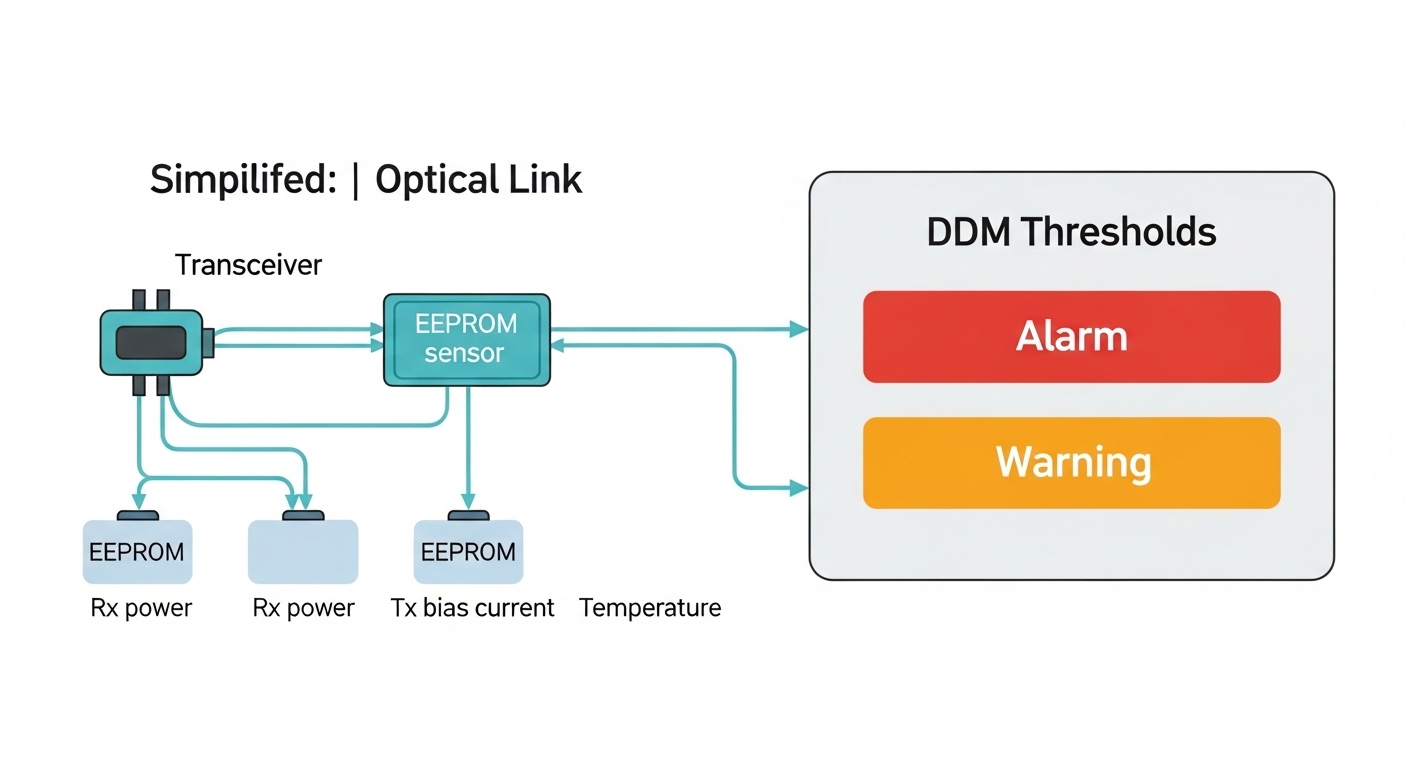
Think of an SFP as a small contract between optics and firmware. pfSense and OPNsense can run with many transceivers, but your NIC driver, the vendor’s EEPROM behavior, and the switch fabric timing all influence whether a link reaches stable carrier.
Below are the seven most practical SFP categories engineers commonly use with pfSense and OPNsense appliances, grouped by the network distances and interface types that actually appear in the field.
10GBase-SR (850 nm) multimode for short data center links
Best fit: 10G uplinks within a data center or server room, typically within 300 m on OM3 and up to about 400 m on OM4, depending on optics and patch loss. SR optics are widely supported and usually cost less than long-reach variants.
- Key specs: 850 nm nominal wavelength; data rate 9.953–10.3125 Gbps line side depending on host; LC duplex connector.
- Measured field behavior: DOM is often present and readable, enabling alarms on temperature and laser bias current.
- Typical models: Cisco compatible 10G SFP SR modules and third-party equivalents using common transceiver families (example: Finisar FTLX8571D3BCL series class; vendor listings vary).
Pros: Reliable, inexpensive, easy to validate with basic link tests. Cons: Limited reach; multimode fiber quality and patch cord cleanliness become the real villains.
10GBase-LR (1310 nm) for longer single links on single-mode fiber
Best fit: Edge sites and campus links where you need tens to hundreds of meters, often with single-mode fiber. LR is the default “safe long reach” pick when you cannot guarantee patch lengths or when you want headroom.
- Key specs: 1310 nm nominal; LC duplex; typical reach around 10 km for compliant optics.
- Compatibility note: Some appliances expose DOM and some do not; the presence of readable EEPROM fields varies by transceiver vendor.
- Common models: Cisco SFP-10G-LR-S and third-party 10G LR modules with vendor-specific DOM behavior.
Pros: Better reach on single-mode; fewer multimode headaches. Cons: Usually higher cost; fiber planning still matters (splice loss, connector contamination, end-face scratches).
10GBase-ER (1550 nm) for sparse, high-loss, or longer campus spans
Best fit: When you must push farther than LR but cannot justify coherent optics. ER optics at 1550 nm can handle longer spans with appropriate link budgets.
- Key specs: 1550 nm nominal; LC duplex; reach often cited up to 40 km for compliant modules.
- Operational detail: ER optics can be more sensitive to link budget and dispersion; ensure your fiber plant meets specs.
- Use with caution: Do not treat “maximum reach” as your design target; budget for aging and temperature drift.
Pros: Extends reach significantly. Cons: Higher cost; requires careful fiber budget math and clean connectors.
1GBase-SX (850 nm) for basic firewall and lab builds
Best fit: Small deployments, home labs, and migration phases where you want stable 1G connectivity without paying 10G pricing. SX is often the most forgiving when the goal is simply getting a carrier lock and stable throughput.
- Key specs: 850 nm; LC duplex; typical reach around 550 m on OM2 class and up to about 850 m on OM3 class, depending on link budget.
- Driver behavior: Most pfSense and OPNsense NIC stacks handle 1G SFPs smoothly because link negotiation is simpler.
- Typical models: Broadcom and Intel-friendly SFP SX modules are commonly used in edge appliances.
Pros: Low cost; easy bring-up. Cons: Bandwidth ceiling if you later add VPN throughput or heavy IDS/IPS inspection.
5G and 5G SFP-style optics for newer NICs and transitional designs
Best fit: When your firewall appliance uses a transceiver cage that supports 2.5G or 5G SFP variants, and you want more headroom than 1G without leaping to 10G. Exact support depends on the NIC chipset and the vendor’s cage wiring.
- Key specs: Data rate depends on optics family; common wavelengths often mirror 1G/10G families.
- Operational detail: Pay close attention to whether the module is truly SFP (not SFP+) and whether the cage expects specific electrical signaling.
- Compatibility caveat: Some appliances support 10G SFP+ but not 2.5G SFP modules, despite superficial physical fit.
Pros: Balanced performance and cost. Cons: Compatibility varies; you may need a specific vendor DOM profile.
Copper SFP or SFP+ for short reach when fiber is undesirable
Best fit: When you have patching constraints or you are connecting within a rack with very short distances. Copper SFPs reduce fiber cleanliness issues and speed up troubleshooting.
- Key specs: Usually RJ-45 based; link length typically up to 30 m for 10G over Cat 6 class cabling, depending on module spec.
- Operational detail: Watch for cable quality and bend radius; copper modules can renegotiate during high EMI environments.
Pros: Fast deployment; no optical alignment. Cons: Distance and EMI sensitivity; not ideal for building-to-building runs.
“Open optics” SFP with robust DOM and known EEPROM behavior
Best fit: Environments where your team relies on monitoring to catch early failure. DOM is not just trivia; it can feed alerting pipelines that warn you before a transceiver goes dark.
- Key specs: Digital Optical Monitoring per SFF-8472 is commonly expected; temperature, received power, and bias current are typical fields.
- Real constraint: Some third-party modules provide partial DOM data or use timing that certain drivers do not poll cleanly.
- Practical approach: Prefer modules with documented DOM support and a track record in the specific NIC family you deploy.
Pros: Better observability and faster incident response. Cons: DOM variations can create false alarms or missing telemetry.
SFP technical specifications that decide whether pfSense and OPNsense will behave
At the heart of an open source firewall SFP choice is standards compliance: wavelength band, optical interface, and DOM. Engineers often focus on reach and forget that the transceiver’s electrical interface, DOM EEPROM content, and temperature range determine stability under real load.
The table below compares common SFP categories you will encounter when building pfSense or OPNsense interfaces.
| Transceiver type | Nominal wavelength | Typical reach (design target) | Connector | Data rate class | DOM expectation | Operating temperature |
|---|---|---|---|---|---|---|
| 10GBase-SR | 850 nm | Up to 300 m on OM3 (design for less) | LC duplex | 10G | Often supported (check) | Commercial 0 to 70 C typical |
| 10GBase-LR | 1310 nm | Up to 10 km on single-mode (budget loss) | LC duplex | 10G | Often supported (check) | Commercial or extended options |
| 10GBase-ER | 1550 nm | Up to 40 km on single-mode (tight budget) | LC duplex | 10G | Often supported (check) | Extended options common |
| 1GBase-SX | 850 nm | 550 m OM2 class, up to ~850 m OM3 class | LC duplex | 1G | Often supported (check) | Commercial typical |
| Copper SFP+ | N/A | Up to ~30 m with proper Cat 6 class cabling | RJ-45 | 10G | May be supported | Commercial typical |
Standards references matter because they shape interoperability behavior: SFP electrical and optical definitions live under SFF families, while Ethernet link behavior follows IEEE 802.3. For optical monitoring, vendors implement DOM structures aligned with SFF-8472 practices.
Authority notes: [Source: IEEE 802.3] and [Source: SFF-8472 DOM practice references] and vendor datasheets for specific modules such as Cisco SFP variants and Finisar/Fabricator families.
Pro Tip: In pfSense and OPNsense deployments, treat DOM as a diagnostic tool rather than a guarantee. If the module reports temperature or receive power as zeros or fluctuating values, you may still have a healthy link; confirm with interface counters and link state rather than trusting telemetry alone.
Decision checklist: pick the right open source firewall SFP in minutes
Use this ordered checklist during design and purchasing. It is written for the moment you have to choose without time for long lab cycles.
- Distance and fiber type: Determine whether you have multimode (OM3/OM4) or single-mode, then select SR versus LR versus ER.
- Data rate and cage support: Confirm whether your firewall appliance NIC cage is SFP or SFP+ and the supported line rate (1G, 2.5G, 10G).
- Connector and patching: Verify LC duplex vs other connector types and ensure patch cord loss stays under your calculated link budget.
- DOM support and monitoring needs: If you require temperature and optical power alarms, prefer modules with consistent DOM behavior; verify with your NIC driver.
- Operating temperature margin: Compare module spec temperature range to your rack environment; avoid “commercial only” optics in hot closets.
- Switch and NIC compatibility risk: Some optics are sensitive to EEPROM quirks. If you have field history, prefer the same vendor family across spares.
- Vendor lock-in risk: For OEM optics, weigh higher purchase cost against fewer surprises during firmware upgrades and RMA cycles.
If you want a single mental model: choose the optic family that matches your medium and distance first, then validate DOM and electrical cage expectations second.
Where these SFPs shine: a concrete pfSense and OPNsense rollout
Consider a 3-tier data center leaf-spine design where each Top of Rack switch connects to a firewall cluster. In this scenario, 48-port 10G leaf switches uplink via 10G interfaces to a pair of pfSense firewalls using 10GBase-SR over OM3 multimode at roughly 120 m per link, with patch cords measured at 0.5 dB each and an insertion loss budget that stays below the optic’s conservative threshold. The team enables link monitoring and alerting based on interface counters and, where available, DOM receive power thresholds.
During a quarterly maintenance window, they swap a failing transceiver with an LR spare only if the fiber plant is single-mode; otherwise they keep SR spares consistent with the NIC optics family. This avoids the classic “physical fit, functional mismatch” moment where an LR module seats but never negotiates carrier due to medium mismatch.
Common mistakes and troubleshooting patterns that cost hours
When an open source firewall SFP does not come up, the root cause is usually mechanical, optical, or electrical signaling nuance. Below are concrete failure modes with corrective actions you can apply immediately.
Pitfall 1: Wrong fiber type or mismatched wavelength band
Root cause: Installing 850 nm SR optics into a single-mode plant, or 1310/1550 nm optics into multimode cabling, can produce no light or unstable receive power. Even if the cage accepts the module, the link will not achieve carrier.
Solution: Verify fiber type at the patch panel (OM3/OM4 vs single-mode) and confirm end-to-end wavelength compatibility. Measure received power if DOM is readable, but always validate with an optical power meter or a known-good transceiver.
Pitfall 2: Dirty LC ends after hot swaps
Root cause: A transceiver can be correct, yet a single contaminated connector end reduces optical power below the receiver sensitivity threshold. This often appears as flapping link state during high traffic.
Solution: Inspect with a fiber scope, clean with approved lint-free swabs and proper cleaning cartridges, then re-seat and retest. Replace damaged connector ferrules; scratches can re-contaminate quickly.
Pitfall 3: DOM telemetry misread causes false alarm fatigue
Root cause: Some third-party modules provide partial DOM data or report values with different scaling or update timing. Monitoring scripts may interpret zeros or spikes as imminent failure.
Solution: Correlate telemetry with actual interface counters, link state, and packet loss. If your monitoring stack supports it, tune thresholds and require multiple consecutive samples before triggering incidents.
Pitfall 4: Temperature and power margin overlooked
Root cause: Deploying commercial-range optics in a hot rack can increase laser bias drift and reduce receiver margin. The link may work initially but degrade after hours.
Solution: Check ambient temperature at the cage, not just room temperature. Prefer extended temperature optics where your rack runs above typical spec assumptions.
Cost and ROI note: OEM versus third-party optics under real TCO
In practice, the total cost of ownership for an open source firewall SFP includes more than purchase price: failure rate, time-to-replace, monitoring visibility, and downtime cost. OEM optics often price higher, but they can reduce compatibility friction during firmware changes and RMA cycles.
Typical price ranges seen in the market (varies by region and contract): 1G SX modules may sit in the low tens of dollars; 10G SR modules often land in the tens to low hundreds; LR and ER modules can be higher, sometimes approaching the low hundreds to several hundred depending on reach class and DOM consistency. A realistic ROI calculation counts the cost of one outage hour, especially when the firewall is inline for VPN, IDS/IPS, or site-to-site tunnels.
Measured in deployment terms: if a third-party optic saves 30% on unit cost but increases troubleshooting time by even one incident per year, the savings can disappear quickly. Choose third-party when you have a tested compatibility history for your NIC chipset and appliance model; otherwise, buy from vendors with documented DOM support and a clear return policy.
Ranked shortlist: best open source firewall SFP choices for pfSense and OPNsense
Below is a practical ranking table that weighs stability, ease of validation, and typical field compatibility. Use it as a starting point, then apply the checklist based on your distance and fiber plant.
| Rank | SFP category | Best for | Why it ranks | Main limitation |
|---|---|---|---|---|
| 1 | 10GBase-SR 850 nm | OM3/OM4 data center links | High compatibility and fast bring-up | Reach capped by multimode quality |
| 2 | 10GBase-LR 1310 nm | Single-mode campus and edge | Reliable reach with straightforward planning | Higher cost than SR |
| 3 | 1GBase-SX 850 nm | Low bandwidth or lab deployments | Simple negotiation and low friction | Not future-proof for heavy inspection loads |
| 4 | 10GBase-ER 1550 nm | Long single-mode spans | Extends reach when LR is insufficient | Tighter link budget and higher risk of marginal installs |
| 5 | Copper SFP+ | Short rack runs | Fast troubleshooting and no optical cleaning | Distance and EMI sensitivity |
| 6 | 2.5G or 5G SFP variants | Transitional appliance designs | Balances bandwidth and

🍪 We use cookies to improve your browsing experience and analyse site traffic.
Privacy Policy
|