
If you are rolling out Open RAN and you are seeing flaky link drops, high BER, or “mystery” incompatibility between vendors, the root cause is often optical transceiver operations—not the radios. This guide helps field engineers and network ops teams choose, validate, and troubleshoot SFP/SFP28/QSFP optics in Open RAN transport. You will get a practical selection checklist, a specs comparison table, and concrete failure modes you can reproduce in a lab.
Why Open RAN optics fail in the real world
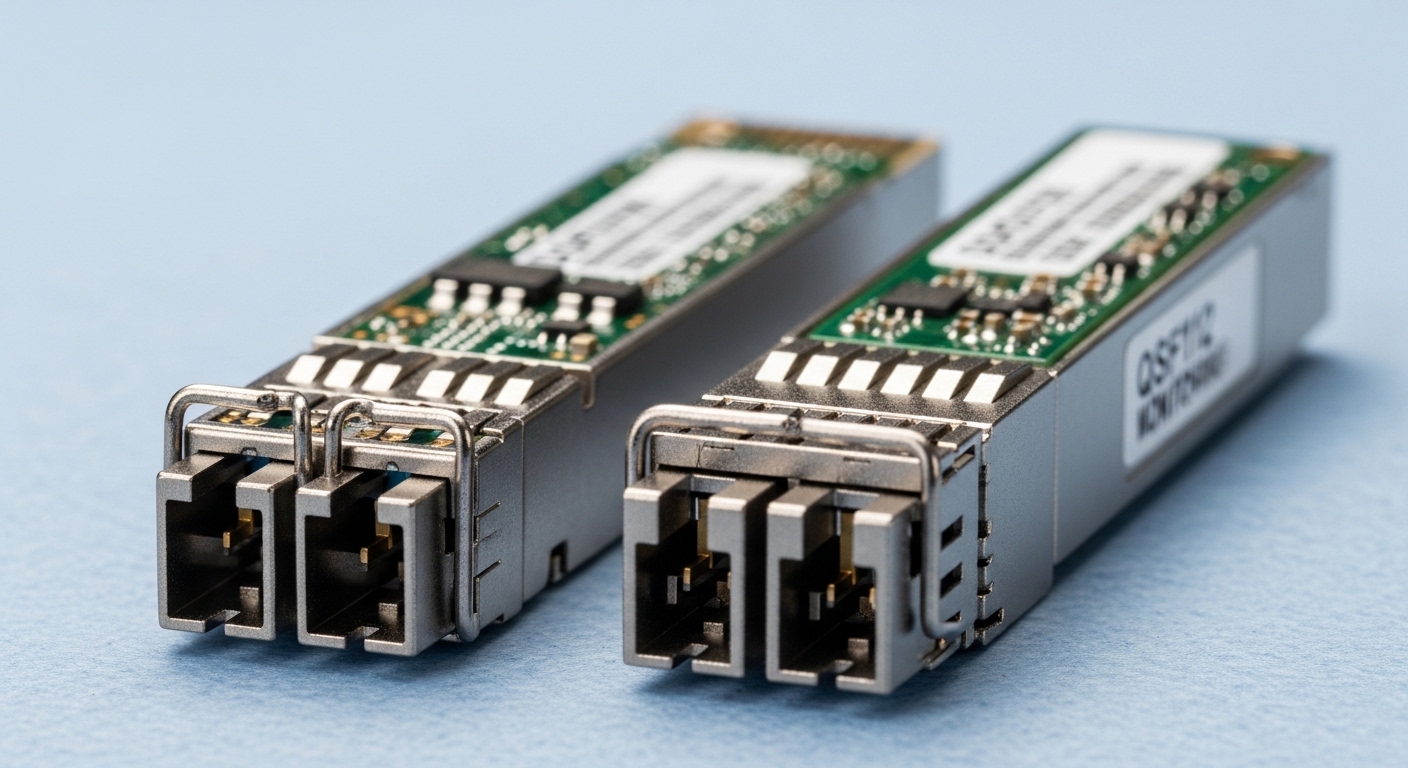
In Open RAN, optical transceivers sit between distributed units (DU), radio units (RU), and the fronthaul/midhaul transport layer. That means you are dealing with tight latency budgets, strict link budgets, and vendor-specific behavior around diagnostics, timing, and power states. The most common operational issues come from mismatches in wavelength/connector type, DOM interpretation, or thermal/power margins at the exact temperature extremes your cabinet sees. IEEE 802.3 defines physical-layer behavior, but the practical details live in vendor datasheets and how your switch or OLT reads the DOM.
Operational hotspots that matter for uptime
- DOM and alarm handling: switches may treat “threshold exceeded” as a hard fault depending on firmware.
- Link budget drift: fiber aging, connector contamination, and patch panel rework change received power (Rx) over time.
- Thermal margin: compact enclosures and high ambient can push transceivers toward power or temperature limits.
- Vendor transceiver behavior: some optics negotiate cleanly; others require specific compliance settings on the host.
Key optical specs to verify before you plug anything in
Before you install optics in an Open RAN site, verify the parameters that directly affect link stability and interoperability. Focus on wavelength, reach class, optical power (Tx/Rx), connector type, and the host interface data rate. Then validate temperature range and DOM support because those are the “silent” differences that cause alarms or throttling. For standards alignment, use IEEE 802.3 for Ethernet PHY expectations and vendor datasheets for transceiver electrical and optical limits.
Comparison table: common transceivers you will see in Open RAN transport
Below is a practical comparison of typical modules used for fronthaul and aggregation links. Exact values vary by vendor and part number, so treat this as a checklist reference, not a guarantee.
| Spec | 10G SR (SFP+) | 25G SR (SFP28) | 10G LR (SFP+) | 40G SR4 (QSFP+) |
|---|---|---|---|---|
| Typical wavelength | 850 nm | 850 nm | 1310 nm | 850 nm |
| Typical reach class | Up to 300 m MMF | Up to 100 m MMF (often OM3/OM4 dependent) | Up to 10 km SMF | Up to 150 m MMF |
| Connector | LC duplex | LC duplex | LC duplex | LC duplex or MPO (depends on QSFP variant) |
| DOM diagnostics | Supported on most modern models (Tx/Rx power, temp) | Supported on most modern models (Tx/Rx, temp, bias) | Supported on most models | Supported on most models |
| Operating temperature | 0 to 70 C (or extended variants) | 0 to 70 C (or extended variants) | -40 to 85 C available on enterprise/transport SKUs | 0 to 70 C common; extended variants exist |
| Power class | Low power; typical few hundred mW | Low power; typical few hundred mW | Higher than SR in many designs | Higher due to multi-lane optics |
| Where it fits | Short MMF spans in cabinets/MEC halls | Higher throughput MMF inside sites | Longer SMF runs between floors/buildings | High-density aggregation from RU/DU to fabric |
For concrete examples, many deployments use OEM or compatible optics such as Cisco SFP-10G-SR, Finisar FTLX8571D3BCL, and FS.com SFP-10GSR-85. For Open RAN specifically, the transport profile you choose (fronthaul eCPRI options vs midhaul Ethernet) will determine whether you need 10G, 25G, 40G, or higher rates. Always check the host switch’s transceiver compatibility list and firmware release notes.
Standards and vendor documents to cite in your change record
- [Source: IEEE 802.3 Ethernet PHY standards]
- [Source: ETSI RAN and Open RAN-related specifications]
- Transceiver datasheets for exact Tx power, Rx sensitivity, and DOM alarm thresholds (vendor-specific)
Pro Tip: In many Open RAN cabinets, link instability is less about “bad optics” and more about DOM alarm thresholds. If the host switch is configured to treat a low Rx power warning as a hard link flap, you can see intermittent resets even when the link would otherwise meet BER targets. Capture DOM readings (Tx bias, Rx power, temperature) at install time and after any patch panel change.
Build an Open RAN optics acceptance test that actually catches problems
Skipping validation is how you end up with a field replacement cycle that costs days. A good acceptance test takes 30 to 90 minutes per batch and prevents most interoperability issues. The goal is to confirm physical layer health, verify DOM interpretation, and validate that the optical link meets your planned link budget under worst-case temperature and connector loss.
Step-by-step: what to measure on day one
- Inspect connectors: clean LC/MPO ends with lint-free wipes and approved cleaning tools; verify with a fiber microscope or inspection scope.
- Confirm module identity: record vendor part number, wavelength, and DOM capability from the host UI or CLI.
- Check Rx power and link margin: after link comes up, log Rx optical power (dBm), Tx power (dBm), and temperature. Keep a baseline.
- Validate error counters: monitor CRC/FCS errors, symbol errors, and any vendor-specific BER proxy counters for at least 15 to 30 minutes.
- Stress for thermal behavior: if the site runs hot, let the module sit until it reaches steady temperature; re-check DOM and counters.
- Document alarms: note any DOM threshold warnings, “unsupported DOM,” or “module not qualified” messages.
Real-world deployment scenario: what this looks like at a site
In a 3-tier Open RAN deployment with a DU-to-aggregation layer using 25G Ethernet and a RU-to-DU fronthaul segment using 10G optics, a team might run 48-port ToR switches in each cabinet. Suppose each DU connects to two aggregation switches for redundancy using 25G SR optics over OM4 fiber with patch panel sections that total about 3.5 dB insertion loss per path. During acceptance, they log Rx power around -4 to -6 dBm (vendor-dependent) and verify zero CRC errors for 30 minutes. Two weeks later, a technician re-terminates a patch cord; the Rx power drops by 2 dB and a DOM low threshold warning appears, causing link flaps every few hours until the cleaning is redone.
Selection checklist for Open RAN optics (so you do not get burned)
When you choose optics for Open RAN, you are balancing performance, interoperability, and operational risk. Use this checklist in order. If you cannot answer a question with a datasheet or a host compatibility note, pause and validate in a lab test with your exact switch firmware.
- Distance and fiber type: MMF vs SMF, OM3/OM4 grades, and expected connector/patch loss.
- Data rate and host port type: SFP+, SFP28, QSFP+, and the exact speed the host negotiates.
- Wavelength and reach class: 850 nm SR vs 1310 nm LR; do not rely on “it worked elsewhere.”
- Connector format: LC duplex vs MPO/MTP for multi-lane optics; verify polarity and MPO keying.
- DOM support and interpretation: check whether the host reads standard DOM fields and how it reacts to threshold alarms.
- Operating temperature: confirm the module meets cabinet ambient and airflow conditions; prefer extended temperature SKUs for outdoor or poorly ventilated enclosures.
- Switch compatibility and firmware: use the vendor’s transceiver compatibility list; test with the same firmware version you will deploy.
- Vendor lock-in risk: OEM optics often have fewer surprises, but third-party optics can be fine if DOM behavior and electrical characteristics match your host.
OEM vs third-party: the ROI view that engineers care about
Typical pricing ranges vary a lot by geography and volume, but as a rule of thumb: OEM enterprise optics often cost more per module, while third-party compatible optics can be cheaper. In many real sites, the total cost of ownership (TCO) is driven by downtime and labor, not just purchase price. If a third-party module triggers frequent DOM alarms or incompatibility events, the savings can disappear quickly due to truck rolls and extended maintenance windows. Document your failure rates and mean time to replace (MTTR) by vendor over a few months to make the decision data-driven.
Common pitfalls and troubleshooting tips for Open RAN optical links
Here are failure modes you can expect to see in the field. Each includes a root cause and a fix you can apply immediately. If you run these checks in order, you will usually isolate optics vs fiber vs host configuration within 30 minutes.
Pitfall 1: “Link up but performance is bad” (CRC storms)
- Root cause: dirty connectors or marginal optical power leading to rising BER and CRC errors under load.
- What to do: clean both ends, re-inspect with a scope, and compare Rx power before and after cleaning; confirm the fiber type matches (OM3/OM4 vs wrong grade).
Pitfall 2: Intermittent flaps only after warm-up
- Root cause: thermal margin issue or host power management behavior interacting with transceiver temperature thresholds.
- What to do: log module temperature and DOM alarms over time; ensure airflow and verify extended temperature modules are used when cabinet ambient exceeds plan.
Pitfall 3: “Unsupported module” or DOM warning causes shutdown
- Root cause: DOM fields or threshold behavior not matching what the host expects, often with compatible optics or mismatched firmware.
- What to do: check host event logs; update switch firmware if allowed; validate a known-good OEM module in the same port; compare DOM readings and threshold flags.
Pitfall 4: Wrong connector polarity or MPO mis-keying (multi-lane optics)
- Root cause: transmitter/receiver lanes swapped or MPO polarity mismatch, especially after rework.
- What to do: verify MPO keying and polarity method (A/B) per your patching standard; test with a polarity-correct MPO adapter and confirm lane alignment.
Pitfall 5: Link budget mismatch after “it should fit” assumptions
- Root cause: unaccounted losses from patch panel changes, extra jumpers, or connectors with higher than expected insertion loss.
- What to do: re-measure end-to-end loss with an OTDR or certified insertion loss meter; update budget calculations and set conservative margins for future maintenance.
FAQ for buying and operating Open RAN optical transceivers
What fiber type is most common for Open RAN optics?
For short runs inside sites, OM3/OM4 multimode fiber is common for SR optics at 10G and 25G. For longer runs between cabinets/buildings, SMF with 1310 nm LR optics is typical. Always validate against your measured insertion loss and connector count, not just the nominal reach.
Can I mix transceiver vendors in Open RAN?
In many cases, yes, but mixing increases interoperability risk around DOM diagnostics and host compatibility. The safest approach is to keep a consistent transceiver family per host switch model and firmware. If you must mix, validate in a lab and confirm DOM alarms do not trigger link shutdown behavior.
How do I confirm DOM is working correctly?
After the link comes up, record Rx power, Tx power, temperature, and any vendor-specific alarm flags. Then compare those readings to a known-good module and watch for threshold events during a warm-up period. If the host logs “unsupported DOM” or “threshold exceeded” repeatedly, treat it as an operational risk, not a harmless warning.
Why do I see CRC errors even when the link is “up”?
CRC errors usually indicate a physical-layer quality problem: dirty connectors, insufficient optical power, or a link budget that is too tight. Clean and re-inspect, then compare Rx power to your acceptance baseline. If errors correlate with temperature changes, check thermal airflow and confirm extended temperature module selection.
What is the biggest operational risk with third-party optics?
The biggest risk is not raw performance; it is how the optics behave with your specific host firmware and how DOM thresholds are handled. A third-party module can be electrically compatible yet still trigger host alarms that cause flaps. Mitigate this by using a documented compatibility list and running an acceptance test that logs DOM and error counters.
Do I need an OTDR for every Open RAN change?
You do not need OTDR for every minor patch, but you should use certified insertion loss testing or OTDR when spans change, when you see recurring errors, or after major rework. If your failures correlate with connector work, a microscope plus insertion loss measurement is usually faster than full OTDR sweeps.
If you take one action next, build a lightweight acceptance test that logs DOM and error counters and ties them to your fiber loss baseline. Then standardize optics per switch model and firmware to reduce interoperability surprises in your Open RAN transport.
Related reading: Open RAN fronthaul vs midhaul optics selection
Author bio: I have deployed and troubleshot Ethernet optics in telecom transport and data center edge networks, including multi-vendor DOM interoperability issues. I focus on repeatable lab-to-field workflows, measurable link budgets, and operational checks that prevent downtime.
