
In Open RAN deployments, the most expensive surprises rarely come from radios; they come from optics that do not match the fiber plan, temperature envelope, or switch optics behavior. This article helps network architects and field engineers select the right optical networking transceivers for fronthaul and midhaul links, with attention to reach, power, DOM support, and operational resilience. You will get practical selection criteria, a head-to-head comparison of common transceiver options, and troubleshooting patterns seen in live rollouts.
Open RAN fronthaul vs midhaul: which optical networking links you are really buying
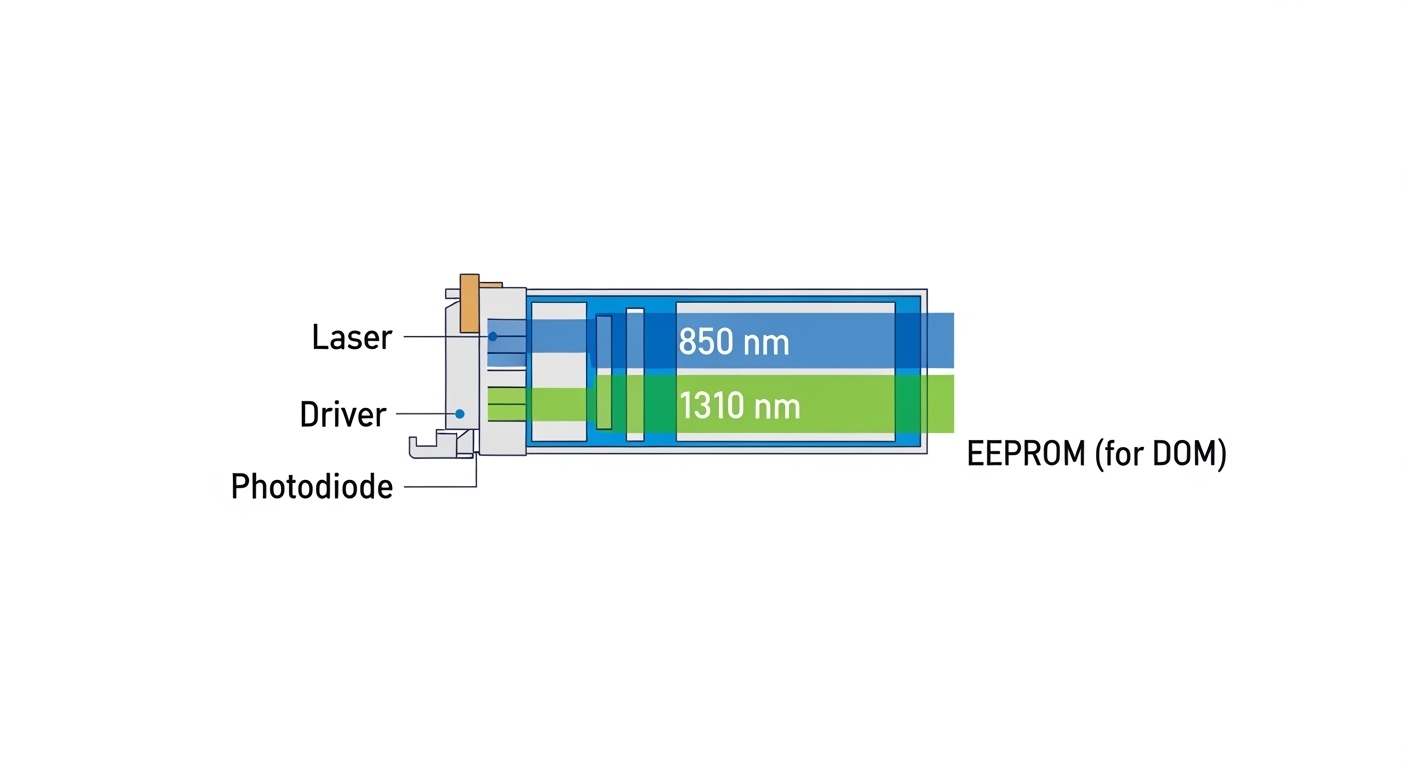
Open RAN typically splits traffic across multiple planes: fronthaul (very latency-sensitive and often higher bandwidth density) and midhaul (more forgiving but still strict on availability). Your transceiver choice depends on the link budget and the physical topology: indoor patch panels in a central unit (CU) room versus longer runs to distributed units (DU) in meet-me rooms or remote cabinets. Engineers often treat “10G optics” as one bucket, but the fiber grade, connector losses, and transceiver power class decide whether the link margin survives temperature swings and aging.
Fronthaul constraints that affect transceiver selection
Fronthaul optics are usually deployed over short-to-mid distances with deterministic latency targets, so you prioritize signal integrity and consistent behavior during link bring-up. In practice, you should verify that the transceiver meets the expected IEEE 802.3 interface and that your switch supports that module profile without forcing unstable fallback modes. DOM telemetry matters here because you will want to correlate optical power drift with alarms during maintenance windows.
Midhaul constraints and the “reach first” mindset
Midhaul may traverse longer fiber runs between sites, where reach and link budget dominate. The same switch can behave differently across module types, particularly when it applies vendor-specific electrical retimers or autonegotiation quirks. If you are standardizing across multi-vendor gear, you will want transceivers with clear compliance statements and stable power levels across temperature ranges.
Head-to-head: SFP/SFP+ SR, LR, and 10G/25G CWDM optics for Open RAN
To choose wisely, compare transceivers by reach, wavelength, connector type, and power behavior. For many Open RAN rollouts, the “most common mismatch” is assuming that SR and LR behave the same under the same switch configuration. They do not: SR is optimized for short multimode links at 850 nm, while LR typically uses 1310 nm single-mode optics with different dispersion and link budget dynamics.
Core specification comparison
The table below maps typical transceiver choices used in optical networking for enterprise and telecom gear. Always validate with your switch transceiver compatibility list and the transceiver datasheet, because vendor implementations vary even when the form factor is identical.
| Transceiver type (form factor) | Data rate | Wavelength | Typical reach | Fiber type | Connector | DOM support | Operating temperature | Representative part numbers |
|---|---|---|---|---|---|---|---|---|
| 10GBASE-SR (SFP+) | 10 Gb/s | 850 nm | ~300 m (OM3), ~400 m (OM4) | Multimode (OM3/OM4) | LC | Often supported (varies) | 0 to 70 C (commercial) or -40 to 85 C (extended) | Cisco SFP-10G-SR, Finisar FTLX8571D3BCL, FS.com SFP-10GSR-85 |
| 10GBASE-LR (SFP+) | 10 Gb/s | 1310 nm | ~10 km | Single-mode (OS2) | LC | Often supported (varies) | 0 to 70 C or -40 to 85 C | Finisar FTLX1312D3BCL, Cisco SFP-10G-LR |
| 25GBASE-SR (SFP28) | 25 Gb/s | 850 nm | ~70 m (OM3), ~100 m (OM4) | Multimode (OM3/OM4) | LC | Commonly supported | 0 to 70 C or -40 to 85 C | FS.com SFP28-25GSR, Finisar 25G-SR families (varies) |
| 25G CWDM (QSFP28) | 25 Gb/s | ~1270 to 1610 nm grid | ~2 to 20 km (depends on optics and grid) | Single-mode (OS2) | LC | Commonly supported | 0 to 70 C or -40 to 85 C | Vendor families vary; confirm exact wavelength and grid |
What engineers notice in real deployments
SR modules at 850 nm are cost-effective for short indoor runs, but they are sensitive to multimode fiber quality and patch panel cleaning practices. LR and CWDM optics shift the wavelength into ranges that behave better over longer runs, but they increase dependency on single-mode fiber certification and connector polishing quality. In Open RAN cabinets, you will often see condensation and dust as the hidden enemies, so you should treat cleaning and dust caps as part of the optical networking plan rather than an afterthought.
Pro Tip: In field audits, the fastest way to prevent “it links today, it fails in three weeks” behavior is to compare received optical power telemetry (DOM) at commissioning and again after thermal cycling. If the transceiver vendor reports a typical RX power threshold for alarms, you can set early warning levels in your monitoring system before the switch declares a hard fault.
Selection criteria checklist for Open RAN transceivers
When optical networking choices are constrained by vendor ecosystems and cabinet realities, a checklist saves time and prevents costly rework. Use the ordered factors below exactly as you would in a change request, because each item maps to a measurable risk.
- Distance and fiber type: Confirm whether the run is OM3/OM4 multimode or OS2 single-mode. Verify patch panel losses and connector counts, not just the declared run length.
- Reach vs link margin: Use the transceiver datasheet link budget and your measured insertion loss. For multimode, account for modal conditioning and differential mode delay risks in older fiber.
- Switch compatibility: Validate the exact switch model and port behavior with the module type. Some platforms enforce strict vendor OUI checks or apply different equalization profiles per module class.
- DOM and monitoring integration: Ensure the transceiver supports digital optical monitoring and that your telemetry stack can ingest it. For Open RAN, DOM enables proactive maintenance during seasonal temperature changes.
- Operating temperature envelope: Cabinets can swing widely. Prefer extended temperature (-40 to 85 C) modules when the DU site experiences unconditioned airflow.
- Connector standard and cleaning readiness: Confirm LC vs other connector types, and ensure you have dust-free handling procedures and cleaning kits rated for fiber connectors.
- Budget and supply chain risk: Compare OEM lead times against third-party availability. In telecom rollouts, a missing batch can be more costly than a higher unit price.
- Vendor lock-in risk: Decide early whether you will standardize on OEM optics for guaranteed interoperability or accept third-party modules with a documented compatibility test plan.
Cost and ROI: OEM optics vs third-party modules in optical networking
In Open RAN rollouts, the optics bill is often a small fraction of the radio and switching spend, yet optics downtime can be disproportionately disruptive. OEM transceivers may cost more per unit, but they often reduce interoperability risk and provide consistent DOM behavior across firmware revisions. Third-party optics can be cost-effective, but your ROI depends on how quickly you can validate compatibility and how well your operational team can handle edge-case behaviors.
Realistic price ranges and TCO thinking
As a rule of thumb, common 10GBASE-SR SFP+ modules often fall into a range that can differ by multiples between OEM and third-party sources, especially for extended temperature variants. In many markets, OEM pricing can run roughly two to three times the cost of a compatible third-party module, while extended-temperature third-party pricing can narrow the gap. TCO should include not only purchase price, but also labor time for swap-and-rollback, spare inventory strategy, and the probability of field failure under harsh thermal conditions.
Operational resilience costs you should model
Model the cost of a failed optics link as time-to-repair plus the risk of upstream congestion. If your Open RAN topology relies on redundant links, a partial optics failure might only degrade capacity; if it is single-homed, the same failure can cause a service interruption. DOM telemetry and alarm thresholds can reduce mean time to detect, which is where even slightly higher optics costs can pay back.
Common pitfalls and troubleshooting in Open RAN optical networking
Optical networking problems tend to be theatrical at first—blinking LEDs, intermittent link flaps—but they usually have technical roots. Below are concrete failure modes you can recognize and fix with disciplined procedures.
Multimode SR installed on the wrong fiber type
Root cause: A 10GBASE-SR or 25GBASE-SR module is inserted into a port connected to OS2 single-mode fiber, or the reverse occurs during patch panel rework. The wavelength and modal behavior mismatch can produce “link down” or unstable error bursts.
Solution: Verify fiber type by documentation and by field testing (OTDR traces and/or certified test reports). Label patch cords and implement a port-to-fiber mapping spreadsheet during commissioning so future changes do not drift.
Link flaps caused by dirty connectors or damaged endfaces
Root cause: Connector contamination increases attenuation and can push RX power below the transceiver alarm threshold, especially after thermal cycling. Even minor scratches can increase back reflections and degrade signal quality.
Solution: Clean with approved procedures, inspect with a fiber microscope, and replace questionable jumpers. In high-density DU cabinets, enforce a standardized cleaning kit and a “clean before connect” rule during maintenance windows.
Switch rejects modules or negotiates inconsistently
Root cause: Some switches enforce strict compatibility or have different equalization settings per module class. If a third-party module does not fully comply with expected electrical characteristics, the link may come up with reduced performance or fail during reload.
Solution: Use the switch vendor compatibility list and run a burn-in test for the exact module SKU and firmware combination. Confirm that the transceiver reports expected capabilities via DOM and that the switch logs show no module identification errors.
Power budget mistakes during long-run deployments
Root cause: Teams often budget only cable length and forget patch panel loss, splice loss, and connector mated pair losses. This is especially common when a site expansion adds new cross-connects without re-issuing fiber test results.
Solution: Recalculate link budget using measured insertion loss. For single-mode LR/CWDM, ensure dispersion and OS2 compliance are within datasheet assumptions, and validate with OTDR for major reflectance events.
Decision matrix: choose the right optical networking option by scenario
The matrix below summarizes trade-offs engineers consider when selecting transceivers for Open RAN. It is deliberately practical: the best choice is the one that matches your fiber reality and your operational risk tolerance.
| Scenario | Recommended optics | Why it fits | Main risk | Mitigation |
|---|---|---|---|---|
| Short indoor DU patching, certified OM4 available | 10GBASE-SR (SFP+) or 25GBASE-SR (SFP28) | Low cost, easy install, predictable behavior on OM4 | Multimode sensitivity to fiber quality | Use certified OM4, clean connectors, validate DOM RX power |
| Campus or site-to-site links using OS2 single-mode | 10GBASE-LR (SFP+) or higher-rate LR variants | Longer reach, stable single-mode performance | Budget errors from patching and splices | Recalculate link budget using measured loss, OTDR check |
| Fiber-constrained runs needing higher density | CWDM optics (QSFP28 or vendor equivalent) | Wavelength multiplexing increases capacity per fiber | Wrong wavelength pairing and filter mismatch | Lock the CWDM grid plan end-to-end and verify wavelength tables |
| Harsh cabinet temperatures and limited maintenance windows | Extended temperature modules with strong DOM | Improved resilience under thermal cycling | Alarm thresholds and monitoring gaps | Set monitoring thresholds, verify alarm behavior in lab |
| Multi-vendor switching and strict interoperability requirements | OEM or pre-tested third-party with compatibility evidence | Lower risk of module identification issues | Third-party edge-case behaviors | Run a compatibility matrix test for each switch model |
Which option should you choose?
If you have certified OM4 and short indoor runs, start with SR modules because they deliver strong performance per dollar and simplify operational handling. If your Open RAN topology depends on OS2 single-mode for longer distance, choose LR optics and treat link budget as a first-class deliverable, not a spreadsheet afterthought. If fiber strands are scarce and you need higher density, CWDM can be the right move, but only when your wavelength plan is locked and verified across both ends.
For field teams who manage many sites with mixed switch models, the safest path is to standardize on optics with validated compatibility and reliable DOM telemetry, even if unit cost is higher. The next step is to align your transceiver selection with your fiber certification package and your switch compatibility tests using the optical networking related topic list for your organization.
FAQ
Q: Are SR and LR transceivers interchangeable in optical networking?
No. SR typically uses 850 nm over multimode fiber, while LR uses 1310 nm over single-mode fiber. Swapping them can lead to no link or unstable performance, especially if the fiber type is not what the module expects.
Q: How important is DOM for Open RAN optical networking?
DOM is highly valuable because it lets you track RX power, optical bias, and temperature trends that predict failures. In real deployments, DOM-based alerting often reduces mean time to detect by flagging drift before the switch declares link loss.
Q: Can I use third-party transceivers safely?
Yes, but only after you validate compatibility with your exact switch models and firmware. A practical approach is to run a controlled burn-in test and capture DOM telemetry and switch log behavior during reloads.
Q: What certification data should I request before installing optics?
Request certified fiber test results for the specific strands, including insertion loss and OTDR traces where appropriate. For CWDM, also confirm the wavelength grid plan and end-to-end wavelength pairing.
Q: Why do links flap after thermal cycling?
Common causes include dirty connectors, marginal link budgets, or transceivers operating near alarm thresholds. Use DOM telemetry to confirm whether RX power is drifting and inspect connectors after temperature swings.
Q: Which standard should my transceivers comply with?
Verify that the transceiver aligns with the relevant IEEE 802.3 interface and that vendor datasheets specify compliance details. Also cross-check your switch documentation for supported transceiver types and DOM behavior.
Updated on 2026-05-02. The recommendations in this article are grounded in IEEE 802.3 interface behavior and vendor datasheet practices, and they reflect operational realities seen during Open RAN rollouts.
Author bio: I design resilient optical networking architectures for telecom and enterprise environments, focusing on measured link budgets, telemetry-driven maintenance, and compatibility testing. I write from field experience deploying mixed-vendor transceivers across high-density racks and remote cabinets where uptime is the only acceptable metric.
Sources: IEEE 802.3; Cisco transceiver compatibility and switch documentation; Finisar transceiver datasheets; FS transceiver product documentation
