
Open RAN deployments live and die by optical link stability, yet problems often look identical at the alarms level. This article helps field engineers and NOC teams run network maintenance on Open RAN fronthaul or midhaul fiber by walking through six essential optical checks that isolate faults quickly. You will get a practical spec comparison table, a decision checklist, troubleshooting pitfalls with root causes, and an ROI note for transceiver and test equipment choices.
Why optical faults in Open RAN look like “random” network issues
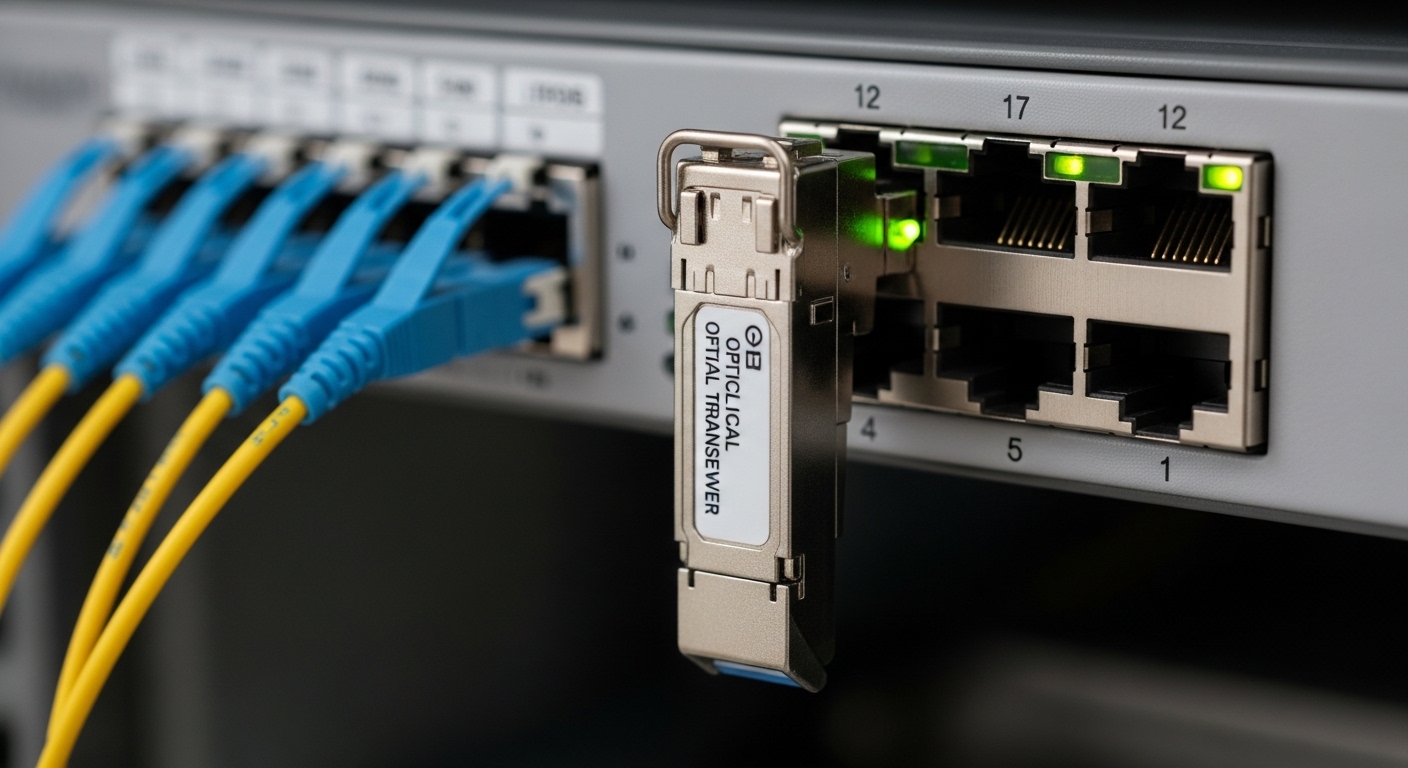
In Open RAN, a single broken or marginal optical path can cascade into higher-layer symptoms: PRACH failures, jitter buffer underruns, RLC retransmits, or time-sensitive DU-CU instability. Because many vendors surface only generic link-state alarms, the fastest path is to treat the optical layer as a deterministic system: verify physical optics (power, fiber type, cleanliness), then verify electrical/optical transceiver behavior (DOM telemetry, thresholds, lane errors). IEEE 802.3 defines the Ethernet physical-layer behavior for SFP/SFP+/QSFP optics, and most Open RAN transports follow Ethernet framing over optical links; that means link training and error counters can be used as objective signals. [Source: IEEE 802.3 working group overview via Ethernet optics background: https://www.ieee802.org/3/]
From my field experience supporting mixed vendor CUs and DUs, the most time-consuming failures are not total outages but “barely passing” links: a connector with micro-contamination, a fiber bend near a tray edge, or an SFP/QSFP whose transmit power is drifting near the receiver sensitivity limit. Those issues often pass link-up tests yet fail under temperature swings or higher burst traffic.
What “six checks” means in practice
The six checks below are ordered to minimize time-to-isolation. You start with the most reversible and most common causes (connectors, fiber type, power budget), then move to transceiver telemetry and alarm semantics, and finally validate timing and transport assumptions. This order is especially useful when the radio site is operational and you must minimize downtime windows for network maintenance.
Six essential optical checks for Open RAN links
Use these checks on the exact pair of endpoints that carry fronthaul or midhaul traffic. If you have parallel links (A/B), compare both paths side-by-side; consistent asymmetry usually points to one specific fiber or transceiver rather than a system-wide issue.
Confirm fiber type and polarity end-to-end
Mis-matched fiber type (OM3 vs OM4 vs OS2) and reversed polarity are classic causes of low optical budgets. Verify labeling at both ends, then confirm connector style and ferrule cleanliness. For 10G multimode optics, OM3/OM4 support depends on the specific transceiver and reach class; for single-mode, OS2 is typical for LR/ER optics. Also confirm the patch panel polarity convention (for LC: Tx-to-Rx mapping) so you do not accidentally run transmit into transmit.
Clean connectors using an inspection-first workflow
In Open RAN, a tiny contamination film can reduce received power enough to trigger CRC errors, link resets, or BER excursions. Always inspect first with a fiber microscope; cleaning without inspection can smear residue deeper into the ferrule or damage coatings. Follow a controlled cleaning procedure and re-inspect before reconnecting.
Measure optical power and compare to the power budget
Optical power measurements should be compared to the vendor’s specified launch power and receiver sensitivity for the exact module part number. If you are using a power meter, verify calibration date and wavelength setting (e.g., 850 nm for SR, 1310/1550 nm for LR/ER). In the field, I often see “it links up” but the receive power is only marginally above sensitivity, leaving no headroom for seasonal temperature drift or connector re-seat cycles.
Pull DOM telemetry and validate thresholds under load
Digital Optical Monitoring (DOM) is designed for exactly this kind of network maintenance. Read temperature, bias current, Tx power, Rx power, and vendor-specific diagnostics via the transceiver’s management interface. Then validate that the counters and DOM values hold steady during traffic load, not just at idle. Many Open RAN alarms correlate better with DOM excursions than with link-state alone.
As a rule: if DOM shows Tx power is high while Rx power is low, the issue is usually in the fiber path (loss, contamination, polarity). If DOM shows Rx power is normal but errors increase, the issue shifts toward electrical lane problems, optics aging, or higher-layer timing/transport mismatch.
Validate link error counters and lane behavior
For 10G/25G/50G/100G optics, check port counters: receive errors, FCS/CRC errors, symbol errors (where available), and link resets. For QSFP/QSFP28/OSFP style optics, vendor platforms often expose per-lane diagnostics through transceiver DOM and platform-specific diagnostics. In Open RAN, transient errors can map to air-interface performance degradation even if the link stays up.
Re-check timing assumptions for fronthaul transport
Optical continuity alone does not guarantee fronthaul correctness. Validate that the transport configuration matches the expected Open RAN profile: latency budgets, synchronization source behavior (e.g., IEEE 1588 PTP), and any required buffering settings. If you observe optical link stability but persistent application-layer issues, timing misalignment can be the root cause. IEEE 1588-2008 governs precision time protocol behavior; verify that the network maintenance window includes time sync validation, not only optic checks. [Source: IEEE 1588 overview: https://standards.ieee.org/standard/1588-2008.html]
Optics spec reality check: choose the right module class for the budget
Engineers often troubleshoot optics without re-confirming that the module type matches the required reach and fiber grade. The table below compares typical characteristics you will encounter in Open RAN fronthaul or midhaul networks. Exact values vary by vendor part number, so always use the datasheet for the specific module SKU installed.
| Module example | Typical wavelength | Reach class | Connector | Typical DOM | Operating temp range | Power profile (field reality) |
|---|---|---|---|---|---|---|
| Cisco SFP-10G-SR | 850 nm | ~300 m (OM3), ~400 m (OM4) | LC | Tx/Rx power, temp | Commonly -5 C to 70 C (vendor-specific) | Low link margin if connectors are dirty |
| Finisar FTLX8571D3BCL | 850 nm | Up to ~300 m class (depends on OM) | LC | Tx/Rx power, bias current | Vendor-specific industrial ranges exist | Bias drift can show as rising Rx error rates |
| FS.com SFP-10GSR-85 | 850 nm | ~300 m class (depends on OM) | LC | DOM supported (varies by SKU) | Vendor-defined | Third-party compatibility hinges on platform DOM support |
| Typical LR (SFP+/QSFP+) class (example: vendor LR) | 1310 nm | ~10 km class | LC | Tx/Rx power, temp | Vendor-specific | More tolerant of local connector loss, still needs cleaning |
For Open RAN, treat the power budget as a living calculation: fiber attenuation plus connector loss plus patch panel loss plus any splitters (if present). Then subtract your operational headroom requirement. If your measured Rx power is within a few dB of threshold, you are effectively running a “maintenance debt” schedule.
Selection criteria for network maintenance: a decision checklist
When you replace optics or plan maintenance spares, engineers usually weigh more than reach. Below is the ordered checklist I recommend when coordinating with radio site operations and transport teams.
- Distance and fiber grade: confirm OM3/OM4 or OS2 and the exact installed length including patch leads.
- Transceiver class and wavelength: SR at 850 nm for multimode; LR/ER at 1310/1550 nm for single-mode.
- Switch compatibility: verify the host port supports the module type and that it accepts the DOM behavior your platform expects.
- DOM support and alarm mapping: ensure your NMS can read DOM and correlate DOM excursions to port error counters.
- Operating temperature: remote sites can exceed lab specs; validate module and host temperature ranges for the enclosure.
- Vendor lock-in risk: if you depend on a specific OEM optic for alarm interoperability, factor replacement lead times and procurement constraints.
- Testability: ensure your maintenance tooling can measure at the correct wavelength and that you can inspect connectors reliably.
Pro Tip: In Open RAN optical incidents, compare DOM Rx power against port error counters during a controlled traffic burst. A “stable Rx power but rising CRC/FCS errors” pattern often indicates electrical lane stress or a host-side issue, while “dropping Rx power with stable lane stats” strongly points to fiber loss or contamination.
Common pitfalls and troubleshooting tips (root cause + fix)
Below are frequent failure modes I have seen during optical link restoration and preventive network maintenance in radio-access networks. Each includes a concrete root cause and solution path.
Pitfall 1: Cleaned the connector but skipped inspection
Root cause: Micro-debris or coating damage can remain even after a wipe, and smearing can worsen attenuation.
Solution: Inspect with a fiber microscope before and after cleaning. If you see scratches or persistent residue, replace the patch lead or re-terminate.
Pitfall 2: Assumed “OM4 will work anywhere” for SR optics
Root cause: Some installed links use patch cords or splices with unknown grade, and the actual end-to-end channel loss exceeds the SR power budget.
Solution: Verify end-to-end fiber grade with documentation and, when possible, OTDR validation. Recalculate reach using measured attenuation and connector loss.
Pitfall 3: Replaced optics but ignored DOM compatibility and thresholds
Root cause: Third-party optics may present DOM data differently or the host may enforce compatibility checks, resulting in noisy alarms or reduced link stability.
Solution: Use vendor datasheets for the exact host platform, confirm DOM readout fields, and test under expected temperature ranges. Keep OEM optics as a baseline for incident comparison.
Pitfall 4: Measured power at the wrong wavelength or used the wrong reference
Root cause: Power meters can be set to an incorrect wavelength, and reference calibration can drift if the calibration interval is missed.
Solution: Confirm wavelength settings, use known-good reference cables/adapters, and verify calibration status before concluding that the link is “bad.”
Cost and ROI note: what to budget for network maintenance
Optics themselves are only a slice of total cost. In many enterprise and RAN transport environments, a typical replacement SFP/SFP+/QSFP module might range from $50 to $400 depending on speed, reach, and OEM vs third-party pricing. OEM modules often cost more but can reduce compatibility friction and shorten mean time to repair when alarms and DOM mapping are consistent.
Test equipment drives ROI: a fiber microscope plus a calibrated optical power meter can prevent repeat truck rolls. If your organization experiences even one additional site visit per year due to unresolved optical ambiguity, the equipment usually pays back quickly through reduced labor and downtime. For TCO, include failure rates, spares lead times, and the operational cost of maintaining multiple transceiver types for compatibility.
FAQ: Open RAN optical checks during network maintenance
How do I tell if the issue is fiber loss versus a bad transceiver?
Check DOM Rx power and compare it to expected thresholds while observing error counters. If Rx power is low and DOM indicates consistent Tx power, fiber loss or contamination is more likely. If Rx power looks normal but errors spike, suspect transceiver health, host port issues, or lane-level instability.
What is the fastest order of operations when the link flaps?
Start with connector inspection and cleaning, then confirm polarity and fiber type, then measure optical power and compare to the datasheet budget. After that, pull DOM telemetry and correlate it with port error counters. Finally, validate timing and transport settings if optical metrics appear healthy.
Should we always replace optics, or can we recover them?
Many optical incidents are recoverable by cleaning and reseating after inspection. If DOM shows persistent bias current anomalies or temperature-related excursions beyond spec, replacement is typically more reliable than repeated cleaning. Keep spares that match the exact speed and DOM behavior expected by the host.
Do third-party SFP/QSFP modules work reliably for Open RAN?
They can, but compatibility is not just about electrical standards; it also includes DOM behavior and host alarm handling. Validate with the specific switch or optical platform, and test in the temperature range you operate. Maintain an OEM baseline for incident triage when time is critical.
How often should we run preventive network maintenance on optical links?
For stable sites, a quarterly inspection cadence is common, with immediate inspection after any patch-panel work or environmental disruption. High-dust or vibration environments may require more frequent checks. The key is correlating maintenance windows with operational triggers, not calendar dates alone.
What evidence should I capture in a maintenance ticket?
Record measured Tx/Rx power, DOM readings (temperature, bias current, Tx power, Rx power), port error counters, and the exact module part numbers and serials. Also include fiber type, patch panel location, and whether polarity was verified. This evidence makes root-cause analysis faster and reduces repeat visits.
If you want to systematize your next outage response, use the six optical checks above as a repeatable network maintenance runbook and track outcomes against DOM and error counters. For broader transport context, see Open RAN network timing and synchronization maintenance to align optical stability with timing correctness.
Author bio: Senior software and hardware engineer with 10+ years in optical transport and RAN backhaul operations, including hands-on incident response and lab-to-field validation. Focused on measurable reliability: power budgets, DOM telemetry correlation, and repeatable maintenance playbooks.
