
Multi-cloud growth turns your data center optical plant into a moving target: new tenants, shifting traffic profiles, and mixed vendors across leaves, spines, and edge. This article compares practical transceiver and fiber-path options engineers choose when optimizing optics for multi-cloud environments, with an emphasis on compatibility, reach, power, and operations. It helps network and facilities teams that must keep latency predictable while reducing transceiver failures and costly re-cabling.
Fiber and transceiver paths: what changes in a multi-cloud data center
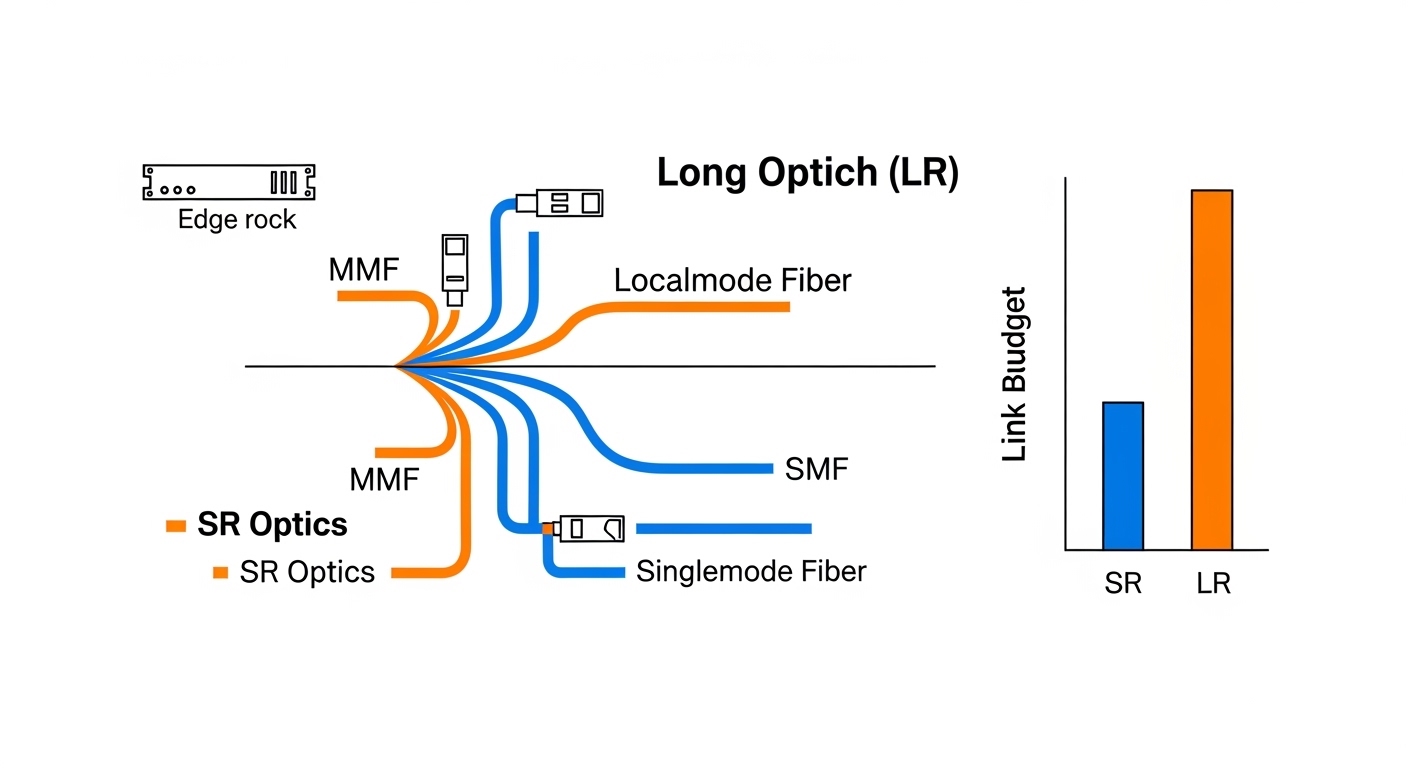
In a multi-cloud data center, you rarely run a single “perfect” design. You inherit legacy 10G/25G links, add 40G/100G for east-west traffic, and sometimes extend to metro cloud interconnects over longer fibers. The optical decision is therefore a chain: optics type (SFP28/SFP-DD/QSFP-DD/OSFP), wavelength plan (SR vs LR vs DR4/FR4), fiber type (OM3/OM4/OM5 vs OS2), and connector/patching model. Each link must also match switch optics support, including vendor-specific EEPROM fields and DOM behavior.
Two common “paths” teams compare
Path A: Short-reach SR inside the building — 850 nm multimode for leaf-spine and top-of-rack aggregation. Most teams prefer OM4 or OM5 to support higher speeds and reduce margin risk. This path simplifies cabling and patching, since multimode transceivers are typically lower cost and easier to standardize.
Path B: Longer reach LR/DR/FR for aggregation and cloud edge — 1310 nm or 1550 nm single-mode for inter-rack, inter-row, or metro extension. This path often appears when you must connect to a different building, a carrier meet-me room, or a multi-tenant cloud exchange point. Single-mode optics and fibers have higher upfront material cost but can reduce future rework.
Pro Tip: In modern switch deployments, the fastest way to avoid “mystery link flaps” is to standardize on transceivers that fully support your vendor’s DOM and optics validation workflow. Even when a module is electrically compatible, some platforms reject modules based on EEPROM flags, lane mapping, or threshold defaults.
Performance comparison: reach, wavelength, and optical budget
When you compare optics for a data center, performance is more than “max meters.” Engineers must account for insertion loss from patch cords, splice loss, connector cleanliness, and aging. A link that barely meets the budget can fail after maintenance crews re-terminate or after a new patch panel increases loss.
Spec snapshot: common module families
The table below compares typical transceiver families used in multi-cloud data center optical designs. Exact values vary by vendor and revision, so treat these as planning baselines and verify against your switch’s optics matrix and the module datasheet.
| Option | Data rate | Wavelength | Typical reach | Fiber type | Connector | Operating temp | Power class (typical) |
|---|---|---|---|---|---|---|---|
| Cabling SR (850 nm) | 10G/25G/40G/100G | 850 nm (SR) | Up to 300 m (OM3) / 400-500 m (OM4) / ~600 m (OM5) | OM3/OM4/OM5 multimode | LC | 0 to 70 C (standard) or broader if enterprise-rated | ~1.0 to 4.0 W depending on form factor |
| Single-mode LR | 40G/100G/200G | 1310 nm (LR) | ~10-20 km (module-dependent) | OS2 single-mode | LC | 0 to 70 C or extended | ~2.0 to 6.0 W depending on performance |
| Single-mode DR/FR | 100G/200G/400G | 1310/1550 nm variants | ~40 km to 80 km or more (module-dependent) | OS2 single-mode | LC/SC (varies) | 0 to 70 C or extended | ~3.0 to 10 W depending on reach |
Latency and signal integrity considerations
At the link layer, optics selection influences latency only indirectly through reach and equalization, but it strongly impacts signal integrity. In multimode SR designs, differential mode delay (DMD) and modal noise can matter at higher speeds; OM5 can offer improved bandwidth characteristics for wavelength-division friendly planning. In single-mode, chromatic dispersion and polarization effects are handled by the transceiver’s DSP, but you still need correct fiber type, APC versus UPC handling, and a clean patching workflow.
Cost and operational trade-offs: optics, fiber, and rework risk
Cost in a data center is a blend of module price, fiber plant cost, labor, and outage risk. Multimode SR optics are generally cheaper per link and easier to standardize for short runs. Single-mode LR/DR optics cost more, but they can prevent expensive re-cabling when you later expand across buildings or add a new cloud exchange point.
Where budgets typically break
Teams underestimate the total cost of ownership (TCO) when they mix patching conventions, connectors, and fiber types. A common example is a multi-tenant facility where one group adds OM3 patch cords while another standardizes on OM4; the resulting loss variance can consume optical budget. Another cost driver is transceiver replacement during troubleshooting: if an SFP/SFP28 or QSFP module is intermittently failing, you may pay both downtime and expedited shipping.
Realistic price bands vary by vendor and procurement channel. As a planning heuristic, third-party optics for common SR links can be 20% to 40% cheaper than OEM, while single-mode long-reach modules often have narrower discount margins due to tighter performance requirements. If you track annual failures, even a small reduction in module return rate can outweigh a modest per-module price difference.
Cost & ROI note: If your network design uses 10,000+ optics in a multi-cloud data center, a 1% improvement in field reliability can translate into dozens of avoided truck rolls and reduced mean time to repair. However, OEM optics frequently offer smoother DOM behavior and faster RMA cycles, which reduces operational friction during incident response. Balance savings against compatibility testing time and the risk of vendor lock-in during upgrades.
Compatibility and standards: avoiding “works on my switch” failures
In a multi-cloud data center, optics must pass more than electrical link training. Switch vendors implement optics validation that may read EEPROM fields, DOM thresholds, coding, and lane configuration. IEEE and MSA standards define baseline behavior for many transceiver types, but vendor implementations can still differ in edge cases.
Compatibility checklist engineers actually use
- Switch optics matrix match: confirm the exact module part number is supported for your switch model and software release.
- Data rate and lane mapping: ensure the module supports the target speed (for example 25G vs 10G breakout) and correct breakout mode.
- DOM support and thresholds: verify that DOM telemetry is readable and that alarms are not overly sensitive for your operating environment.
- Fiber type and connector polarity: match OM3/OM4/OM5 vs OS2 and confirm LC/SC and UPC/APC conventions.
- Optical budget margin: compute total loss including patch cords and connectors, then keep a safety margin for cleaning and re-termination.
- Operating temperature range: confirm the module is specified for the chassis ambient and airflow pattern; hot aisles and obstructed vents can push modules beyond design.
- Vendor lock-in risk: if you plan multi-year scaling, test third-party optics early and standardize on a procurement path that supports your RMA workflow.
Decision matrix: pick the right option by constraints
| Requirement | Best-fit option | Why | Trade-off |
|---|---|---|---|
| Shortest intra-row links, high port density | Multimode SR (OM4/OM5) | Lower cost, simpler patching, good margins for typical patch cord lengths | Limited reach; ensure OM4/OM5 and clean patch practices |
| Cross-building or metro extension | Single-mode LR/DR | Long reach, stable for expansion, fewer “re-cabling later” events | Higher optics and fiber cost; single-mode splicing and connector discipline required |
| Mixed vendor gear across tenants | Standards-aligned SR modules with proven compatibility | DOM and EEPROM validation can be standardized with known-good part numbers | Still needs switch-matrix verification; avoid random compatible listings |
| Power-sensitive environments | SR where reach allows | Generally lower power per link than long-reach single-mode | May require more parallel links or higher port counts |
| Operational stability during change windows | OEM or pre-qualified third-party | Predictable DOM behavior and RMA processes | Higher upfront cost if OEM is mandatory |
Pro Tip: Before you buy optics in bulk, run a pilot with the exact switch/linecard + your patch panel model. I have seen links pass a basic loopback test but fail under full traffic because patch cord length and connector contamination were slightly worse than the spreadsheet assumed.
Common pitfalls and troubleshooting in multi-cloud optics
Optical issues are rarely “mystery.” They usually trace back to loss budgeting, connector hygiene, or compatibility gaps. Below are concrete failure modes I see during migrations and scaling events in data center environments.
Link flaps after a patch change
Root cause: Connector contamination or a polarity mix-up after maintenance (for example, LC Tx/Rx swapped or APC/UPC mismatch). Even if the fibers are “the same type,” a single contaminated ferrule can raise insertion loss enough to trigger receiver alarms.
Solution: Clean with approved fiber cleaning tools, inspect with a microscope/inspection scope, and verify polarity end-to-end. Re-terminate only after confirming connector geometry and ferrule cleanliness.
“Module not supported” or no DOM telemetry
Root cause: EEPROM fields not accepted by the switch, or DOM not mapped correctly in the current software version. Some third-party optics advertise compatibility but fail the vendor’s optics validation logic.
Solution: Use the switch’s documented optics matrix or a vendor compatibility list. Update switch firmware only after you validate optics behavior in a staging environment.
Works at low utilization, fails under load
Root cause: Marginal optical power budget that passes link training but cannot sustain higher BER tolerance under real traffic. This can happen when patch cords are longer than assumed, or when OM3/OM4 mixing reduces bandwidth margin.
Solution: Measure link status counters and check BER/CRC/discipline alarms. Recalculate the optical budget including worst-case patch cord lengths and connector counts, then replace to restore margin.
Unexpected temperature-related receiver errors
Root cause: Airflow obstruction or hot-aisle recirculation raising module temperature above spec. DOM may show elevated laser bias or receiver power warnings.
Solution: Verify airflow with thermal checks, ensure blanking panels are installed, and confirm fan tray configuration. Replace modules that repeatedly exceed thresholds.
Which option should you choose?
The right choice depends on where your traffic and expansion will land. If your multi-cloud data center is primarily intra-building leaf-spine and you can keep patch distances within SR best practices, Multimode SR on OM4/OM5 is usually the most efficient starting point. If you expect cross-building growth, metro interconnects, or uncertain tenant layout changes, prefer Single-mode LR/DR/FR on OS2 for the paths that are hardest to re-cable later.
Recommendations by reader type
- Network engineers optimizing port density: Choose multimode SR (OM4/OM5) for the bulk of short runs, and reserve single-mode for inter-row or inter-building segments.
- Facilities teams planning long-lived fiber plants: Standardize OS2 for backbone and risers; keep SR for localized horizontal cabling where the move risk is lower.
- Operations teams prioritizing stability: Use pre-qualified OEM optics (or a tightly tested third-party set) and standardize on DOM behavior checks during change windows.
- Procurement and finance: Run an ROI model that includes labor, truck rolls, and RMA cycle time, not only per-module unit price.
FAQ
What is the best optical strategy for a multi-cloud data center?
Most teams use a hybrid strategy: multimode SR for short in-building links and single-mode LR/DR for backbone, inter-row, or inter-building paths. The key is to design around operational reality: patch distances, connector counts, and future expansion risk.
OM4 vs OM5: which should I standardize on?
OM4 is widely deployed and often the simplest standard when you have existing multimode plants. OM5 can be beneficial for wavelength planning and future-proofing at higher speeds, but you should validate with your switch optics matrix and confirm your cabling plant is consistent.
Can I mix OEM and third-party transceivers in the same data center?
You can, but you should treat it as an engineering project, not a drop-in swap. Validate exact part numbers against your switch model and software release, and confirm DOM telemetry and alarm thresholds behave as expected.
How do I calculate optical budget for SR links?
Start with the module’s specified receive sensitivity and transmitter launch power, then subtract measured or specified losses from patch cords, connectors, and splices. Keep a margin for cleaning variability and rework, and re-check after any maintenance that touches patch panels.
Why do links work during testing but fail during full traffic?
This often indicates marginal optical margin or signal integrity issues that only show up under higher BER stress. Check CRC/error counters, verify patch cord length assumptions, and inspect connectors for contamination or damage.
What should I verify during a fiber inspection before blaming optics?
Verify connector cleanliness with an inspection scope, confirm polarity and labeling, and ensure the connector type matches the transceiver spec (for example LC and UPC/APC conventions). After inspection, then validate optics compatibility with the switch’s optics matrix.
Optimizing optics in a data center is an exercise in disciplined compatibility, measured optical budgets, and operational hygiene. If you want the next step, map your current patching distances and transceiver part numbers to a link-by-link plan using fiber patching and optical budget practices.
Author bio: I have operated and troubleshot routing, switching, and optical cabling in high-density data center deployments, including leaf-spine migrations and multi-tenant change windows. My focus is practical optics selection, VLAN-safe segmentation, and incident-ready verification workflows.
Update date: 2026-05-02
References: [Source: IEEE 802.3 Ethernet standards] [Source: ANSI/TIA-568 cabling standards] [Source: Cisco product documentation on optics compatibility matrices] [Source: SFP/QSFP transceiver datasheets and MSA specifications]
