
Multi-cloud deployments can strain your data center optical fabric through distance mismatches, vendor DOM quirks, and inadequate link budgets. This article helps network engineers and field technicians optimize transceiver and fiber choices for leaf-spine and spine-supercore designs. You will get a step-by-step implementation plan, a practical specs comparison, and a troubleshooting checklist grounded in real transceiver behavior. Update date: 2026-05-02.
Prerequisites for optimizing optical links in a multi-cloud data center
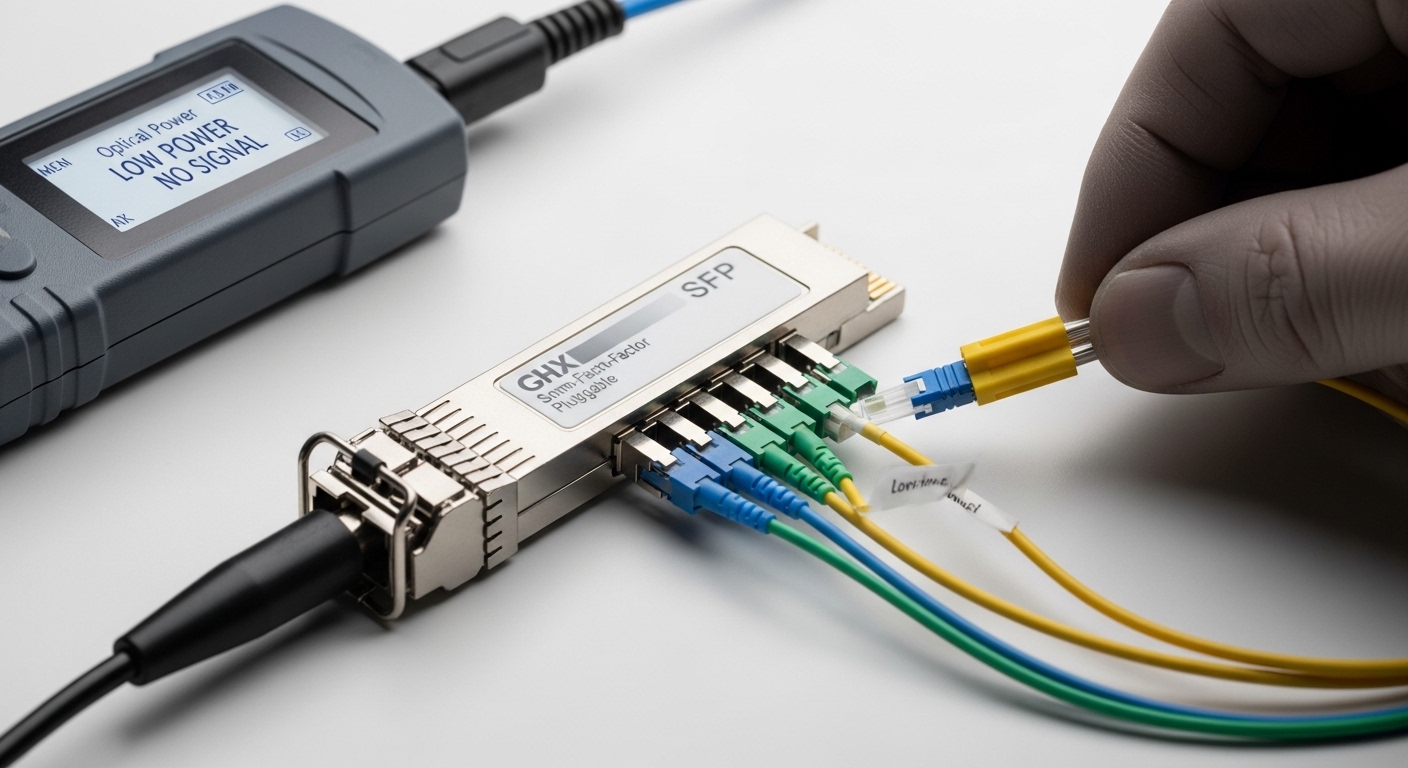
Before selecting optics, confirm your platform, fiber plant, and operational constraints so you do not “solve” the wrong problem. In multi-cloud environments, you are often mapping provider handoffs into a shared internal fabric, so latency and link reliability matter as much as throughput. Plan for both today’s 25G/10G needs and tomorrow’s 50G/100G upgrades. Gather evidence rather than assumptions.
What to inventory first
- Switch/host compatibility: Record exact transceiver cages and supported optics list from the switch vendor (for example, check Cisco, Juniper, Arista optics compatibility matrices).
- Fiber plant details: Identify OM3 vs OM4 vs OS2, core size, and fiber route lengths including patch cords. Measure with an OTDR if you have dark fiber access.
- Link budget inputs: Include splitter loss, patch cord loss, connector loss, and aging margin. For short multimode runs, keep a margin for poor terminations.
- Operational temperature: Note ambient temperature at top-of-rack and cable pathways; many modules have tighter compliance at extremes.
- Telemetry requirements: Ensure your monitoring stack supports DOM fields (temperature, laser bias current, optical power) and alarm thresholds.
Expected outcome: A complete inventory that maps each inter-switch hop to a fiber type, distance, and required data rate, with documented constraints for optics selection.
Step-by-step: implement an optical optimization plan
Use this numbered plan to choose and validate transceivers and fiber parameters for a multi-cloud data center. The goal is to maximize link stability while minimizing rework during change windows. Each step includes expected outcomes and concrete actions you can execute in the field. Treat this as an engineering workflow, not a procurement shortcut.
Classify each link by distance and fiber type
Split your network into link classes (for example, ToR-to-spine, spine-to-supercore, and inter-site). For each class, record fiber type (OM3/OM4/OS2), estimated distance, and the number of connectors/patches. If you cannot trust “as-built” documentation, measure end-to-end loss with an OTDR or a calibrated optical power meter plus reference cabling.
Expected outcome: A table of link classes with distance ranges and required optical reach (short, medium, long), ready for module matching.
Choose optics that match the IEEE reach category and your budget
For multi-cloud data center fabrics, many teams standardize on Ethernet optics that align with IEEE 802.3 specifications for reach. For example, 10GBASE-SR and 25GBASE-SR typically use multimode fiber with wavelength around 850 nm, while 100GBASE-SR4 uses similar short-reach concepts but different lane counts and optics behavior. For longer reach or when multimode plant is uncertain, consider BiDi or LR4-class optics over OS2, depending on your distance and wavelength plan.
Pro Tip: In the field, the most common “link is down” cause is not the nominal reach rating; it is insufficient margin from patch cord quality and connector contamination. Before you swap optics, clean connectors and verify receive power with a known-good reference patch cord, then recalculate your link budget with connector loss you can defend.
Validate DOM telemetry and alarm thresholds
DOM support is often “advertised” but not always “actionable.” Verify that your switch firmware reads DOM fields correctly and that your monitoring system can raise alarms when optical power drifts. Configure thresholds conservatively: if your optics vendor recommends receive power ranges, set warnings at the safe boundary so you catch degradation early. In multi-cloud environments, you want to avoid silent power drift that only shows up during a provider traffic surge.
Expected outcome: Confirmed telemetry workflow: DOM readable, alarms configured, and a runbook for interpreting laser bias and receive power trends.
Standardize part numbers to reduce failure variance
Even when optics are “electrically compatible,” vendor-specific calibration and DOM scaling can produce inconsistent alarm behavior. For example, if you deploy a mix of Cisco SFP-10G-SR modules and third-party equivalents, you may see different DOM normalization and alarm thresholds. Standardize on a small set of qualified part numbers per switch platform and link class. If you need third-party modules, pick models with published compliance and strong DOM behavior (for instance, Finisar FTLX8571D3BCL or FS.com SFP-10GSR-85, but only after verifying switch compatibility).
Expected outcome: Reduced operational variance and fewer “it works on one port but not another” incidents during rollouts.
Perform optical validation tests during change windows
After installing optics, run a disciplined verification routine. Ensure link comes up at the expected speed, then capture DOM readings (temperature, TX bias, RX power) and store them as baseline. If your environment supports it, perform a consistency check across redundant links (for example, compare RX power distribution across similar ports). For multimode, confirm that receive power is comfortably within the vendor’s recommended min/max range across the entire operating temperature swing.
Expected outcome: A baseline telemetry dataset and a documented acceptance checklist for each link class.
Key specs comparison for common data center optics
Below is a practical comparison of frequently used short-reach and long-reach optics in data center fabrics. Use it to align your link class with a realistic reach and connector type. Always confirm the exact speed grade and interface standard supported by your switch and backplane.
| Module example (model) | Typical standard | Wavelength | Media | Connector | Target reach | Operating temp (typical) | Notes for multi-cloud fabrics |
|---|---|---|---|---|---|---|---|
| Cisco SFP-10G-SR | 10GBASE-SR | ~850 nm | OM3/OM4 multimode | LC | Up to ~300 m (OM3) / ~400 m (OM4) class | ~0 to 70 C class | Great for ToR-to-spine short hops; sensitive to patch cord cleanliness |
| Finisar FTLX8571D3BCL | 10GBASE-SR | ~850 nm | OM3/OM4 multimode | LC | Similar SR short-reach class | ~0 to 70 C class | Often used as a third-party option; verify switch compatibility and DOM behavior |
| FS.com SFP-10GSR-85 | 10GBASE-SR | ~850 nm | OM3/OM4 multimode | LC | Similar SR short-reach class | ~0 to 70 C class | Useful for cost control; still requires disciplined cleaning and link budget margin |
| QSFP28 100G SR4 (typical vendor family) | 100GBASE-SR4 | ~850 nm | OM4 multimode | LC | Short-reach class (typically hundreds of meters) | ~0 to 70 C class | High density; ensure MPO cleanliness and consistent patching |
| QSFP28 100G LR4 (typical vendor family) | 100GBASE-LR4 | ~1310 nm (4 wavelengths) | OS2 single-mode | LC | Up to multi-km class depending on budget | ~0 to 70 C class | Better for uncertain multimode plant; watch polarization and connector quality |
Expected outcome: A mapped set of optics families that fit your reach and media assumptions, with connector and telemetry expectations.
For standards context, your reach categories typically align with IEEE Ethernet PHY specifications such as IEEE 802.3 clauses for 10GBASE-SR and related families. For DOM behavior and optical power ranges, use the specific vendor datasheet and the optical module’s compliance statement. [Source: IEEE 802.3 Ethernet specification] [Source: Vendor optics datasheets and transceiver documentation]
Real-world multi-cloud data center deployment scenario
Consider a 3-tier data center fabric where 48-port 10G ToR switches connect to two spine pairs, each ToR using four 10G uplinks. The leaf-spine links run about 110 m on OM4 with roughly 2 connectors per end plus patch cords, while spine-supercore uses OS2 at 2.8 km with LC connectors. During a multi-cloud migration, traffic shifts increase east-west flows, and you see higher utilization on uplink groups, so any optical margin issue becomes more visible as intermittent CRC errors.
In this scenario, the team standardizes 10GBASE-SR optics for OM4 links, sets DOM alarms for low receive power, and performs OTDR checks on the top 10 percent worst-performing fibers before the change window. For OS2 long hops, they move to LR4-class optics with conservative power budgets and ensure consistent connector cleaning practices. The result is fewer link flaps during peak provider traffic and a stable telemetry baseline for proactive maintenance.
Selection criteria checklist for data center optics
Engineers choose optics based on operational fit, not just nominal reach. Use the ordered checklist below to reduce rework and avoid “compatible but unreliable” outcomes.
- Distance and reach category: Match your measured end-to-end loss to the module’s guaranteed reach for your fiber type.
- Fiber type and connector plan: Confirm OM3/OM4 versus OS2 and the connector interface (LC versus MPO) for the exact port type.
- Switch compatibility: Validate the module against the switch vendor’s supported optics list and firmware requirements.
- DOM support and monitoring integration: Confirm DOM fields are readable and thresholds can be enforced by your NMS/telemetry system.
- Operating temperature and airflow: Check module temperature range against your cabinet airflow and measured ambient conditions.
- Vendor lock-in risk: Evaluate cost and supply continuity; compare OEM modules versus third-party qualified options.
- Power and thermal impact: Ensure module power draw does not exceed platform budget and that thermal design tolerates worst-case conditions.
- Change management and spares strategy: Standardize part numbers per link class so spares are interchangeable during incidents.
Common pitfalls and troubleshooting in data center optics
Even with correct selection, optical links fail in predictable ways. The following pitfalls include root causes and actionable solutions you can apply during troubleshooting.
Pitfall 1: Link comes up intermittently with high CRC or FCS errors
Root cause: Contaminated connectors or marginal receive power due to patch cord loss variation, not the nominal reach. Solution: Clean LC or MPO connectors using approved cleaning tools, replace suspect patch cords with known-good references, and verify RX power via DOM or an optical power meter.
Pitfall 2: DOM alarms trigger immediately after insertion
Root cause: DOM field scaling differences, firmware incompatibility, or monitoring thresholds set outside vendor-recommended ranges. Solution: Compare DOM readings against the module datasheet, adjust thresholds per module family, and confirm the switch firmware revision supports that DOM implementation.
Pitfall 3: Works on one port but fails on another identical port
Root cause: Port-level issues such as dust in the cage, bent pins for electrical connectors, or uneven optical alignment. Solution: Inspect and clean the cage, reseat modules carefully, swap with a known-good module, and if needed, test the fiber patch path end-to-end to isolate whether the failure follows the optic or the port.
Pitfall 4: Multimode links degrade after a maintenance event
Root cause: Repatched fibers introduce extra connectors or worse patch cord quality, reducing your margin. Solution: Recalculate link budget using actual patch cord lengths and connector counts, then validate with OTDR or measured optical power.
Cost and ROI note for data center optical upgrades
In practice, OEM optics often cost more per module but reduce compatibility risk and can shorten troubleshooting time. Third-party optics can be significantly cheaper, but you must validate switch compatibility, DOM behavior, and receive power ranges to avoid hidden operational cost. As a rough field estimate, many 10G SR modules can range from tens to low-hundreds of dollars each depending on OEM versus third-party and temperature grade; 100G modules typically cost more and require stricter cleaning discipline.
TCO drivers: failure rates, average time to repair, spares stocking complexity, and whether your monitoring can detect degradation early. A practical ROI approach is to standardize on qualified part numbers and invest in cleaning tools and basic optical testing gear, which often delivers faster payback than chasing marginal reach upgrades.
FAQ: optimizing multi-cloud data center optics
What fiber type should a multi-cloud data center standardize on for short reach?
Many teams standardize on OM4 for short-reach multimode because it provides better bandwidth and margin than OM3 for typical 850 nm optics. If your OM4 plant is uncertain or connector quality is inconsistent, consider migrating critical links to OS2 with LR-class optics for more predictable budgets. Always verify with measured loss or OTDR evidence.
Are third-party transceivers safe to deploy in a data center?
They can be, but “safe” depends on your switch compatibility list, DOM behavior, and how well the vendor matches electrical and optical specifications under your temperature and power conditions. Validate using a pilot group of ports and confirm DOM readings and link stability during peak traffic. If your monitoring stack is strict, test alarm thresholds early.
How do I confirm my link budget for a 10G SR multimode run?
Start with measured fiber attenuation and add connector and patch cord losses that reflect your actual patching. Then compare the computed budget margin to the module’s guaranteed receive power range or reach specification from the datasheet. If you cannot measure, at least count connectors precisely and include a conservative margin for worst-case cleanliness.
Why do my links fail only during warm weather?
Some optics and transceivers become less stable as temperature rises, especially if airflow is constrained. DOM telemetry can reveal rising temperature or bias current drift that precedes errors. Verify cabinet airflow, ensure cages are not blocked, and confirm the module temperature range matches your environment.
What is the fastest troubleshooting sequence for a down link?
First, clean and reseat connectors, then swap optics with a known-good module to isolate whether the failure follows the transceiver or the fiber path. Next, check DOM for receive power and temperature/bias anomalies, then verify fiber continuity and loss with optical power tools or OTDR. This sequence minimizes downtime and avoids unnecessary replacements.
Do I need DOM telemetry for reliable operation?
DOM is not strictly required for link establishment, but it is very useful for proactive maintenance in a data center. With DOM, you can alert on low receive power, rising temperature, and bias drift before the link fails. If you operate multi-cloud fabrics where traffic surges amplify issues, DOM-backed monitoring is a strong reliability lever.
Optimizing optical infrastructure in a multi-cloud data center is about measured link budgets, disciplined connector hygiene, and consistent DOM-aware validation across link classes. Next, map your current topology to optical link budget and fiber loss calculation so every optics purchase is tied to a defensible reach margin.
Author bio: I am a field-focused network engineer who has deployed and troubleshot Ethernet optical links across leaf-spine fabrics using DOM telemetry and OTDR-based validation. I write implementation-first guidance to help teams reduce outages and operational variance in real data center environments.
