If you are running 25G links today and you are feeling the pain of oversubscribed uplinks, the next hardware step is often a cleaner, future-leaning move to 50G SFP56. This helps network engineers and data center field techs plan optics, validate compatibility, and avoid the usual “it lights up but still won’t pass traffic” surprises. Below, I will walk through practical selection criteria, real deployment numbers, and troubleshooting patterns I have seen in racks.
Why 50G SFP56 is the practical step beyond 25G
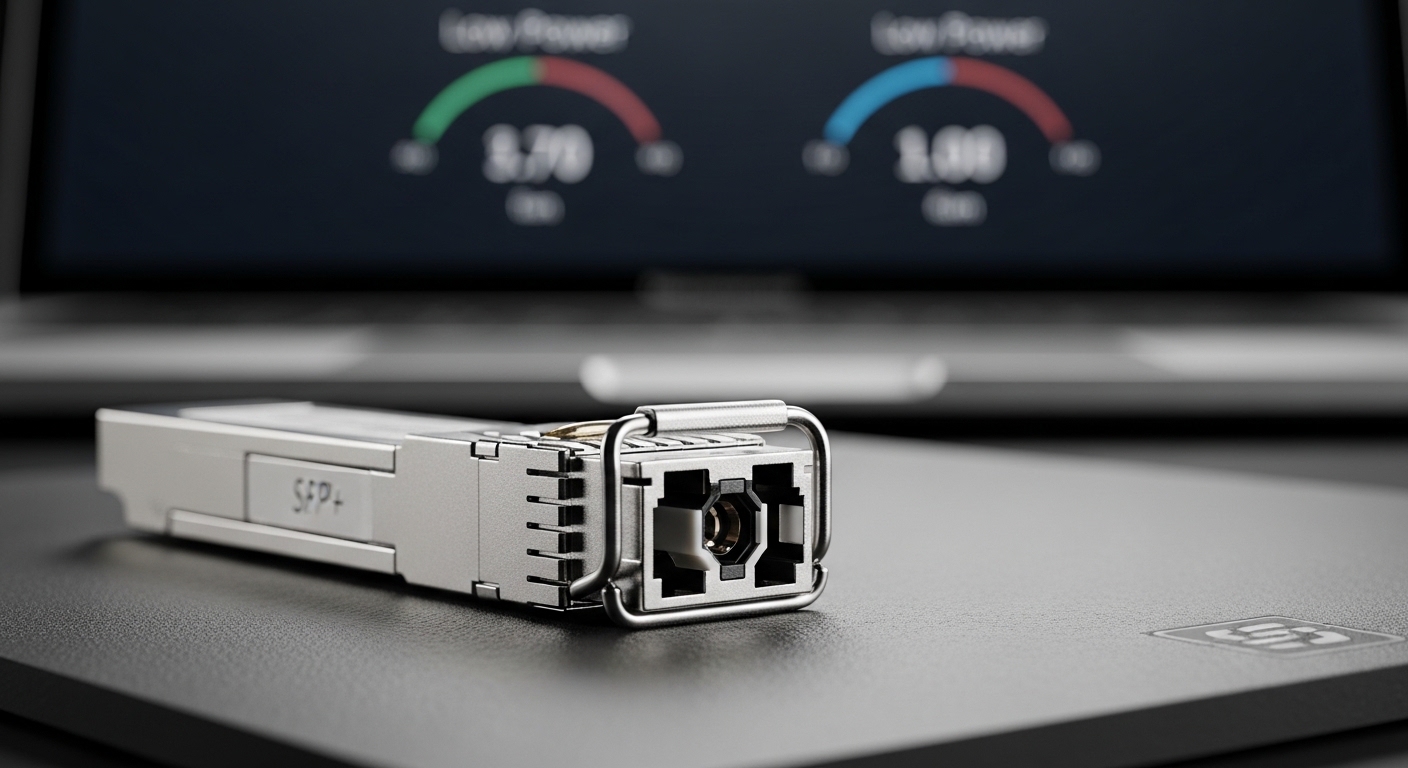
In a lot of leaf-spine and campus aggregation designs, 25G was a cost-effective bridge. But once you start adding storage replication, virtual desktop density, or AI-adjacent workloads, you quickly end up with congestion at ToR uplinks and a messy mix of link speeds. 50G SFP56 offers a middle path: it doubles the per-lane capacity compared to 25G class optics while keeping the familiar SFP56 form factor for many switch ecosystems.
On the standards side, the industry aligns these pluggables with IEEE Ethernet PHY requirements and common vendor implementations for 50G-class operation. For the underlying Ethernet behavior, it is worth cross-checking IEEE 802.3 clauses that define 50G Ethernet operation and PCS behavior, because “link up” does not guarantee the expected encoding and lane mapping are correct in your switch. I typically start with the switch vendor’s transceiver matrix first, then verify the optics against that matrix rather than relying on generic compatibility claims. Source: IEEE 802.3 overview
What changes operationally when you jump from 25G to 50G
The biggest day-to-day change is that you are moving to a higher baud rate and tighter optical/electrical budgets. That means you should treat transceiver selection like an engineering task, not a “buy the cheapest compatible module” task. In practice, you will see more attention to optics type (SR vs LR-class), fiber plant characterization, and DOM telemetry validation. When done right, you also reduce the number of physical links you need for the same aggregate bandwidth, which can lower patch-panel complexity over time.
Pro Tip: In the field, the most reliable way to confirm a 50G SFP56 upgrade is to validate DOM telemetry against the switch’s expected thresholds after insertion. I have seen “it negotiated at 50G” but with marginal Rx power that only fails under a specific temperature swing later in the day.
50G SFP56 optics options: reach, wavelength, and budget
50G SFP56 modules are commonly built around short-reach (SR) multimode options and longer-reach single-mode options, depending on vendor and switch support. The practical selection question is always the same: what is your fiber type, your link distance, and your connector/patch losses? Once you know that, the optics choice becomes straightforward.
Quick spec comparison (what engineers actually compare)
Below is a representative comparison of common 50G SFP56 optics families you will encounter when planning a move beyond 25G. Exact values vary by vendor and part number, so always confirm with the specific datasheet for the exact model you plan to deploy.
| Optics family | Typical wavelength | Fiber type | Target reach (typical) | Connector | Data rate | Operating temp (typical) | DOM |
|---|---|---|---|---|---|---|---|
| 50G SFP56 SR (MM) | 850 nm class | OM4 / OM5 | ~70 m to ~100 m (depends on spec) | Dual LC | 50G (Ethernet) | 0 C to 70 C (varies) | Usually supported |
| 50G SFP56 LR (SM) | 1310 nm class | OS2 single-mode | ~10 km (varies by module) | LC | 50G (Ethernet) | -5 C to 70 C or wider | Usually supported |
| 50G SFP56 ER (SM) | 1550 nm class | OS2 single-mode | ~40 km to ~80 km (vendor-dependent) | LC | 50G (Ethernet) | -5 C to 70 C or wider | Usually supported |
When you compare these, do not focus only on “reach.” Field failures often come from link budget problems tied to patch cords, dirty LC connectors, or an unexpected fiber category in the path. For 850 nm SR, multimode modal bandwidth and actual OM4/OM5 verification matter a lot, especially when the fiber plant is older or mixed.
Real product examples you can sanity-check
In deployments, you will often see modules such as Cisco SFP-10G-SR equivalents for 10G, but for 50G you will typically be looking at vendor-specific SFP56 part numbers. Example families you might encounter include Finisar/II-VI style optics like FTLX8571D3BCL class products for related 50G optics line items, and third-party modules from distributors using OEM platforms. Always match the part number to the exact switch port type and firmware generation, because vendor compatibility lists matter as much as the optics specs.
If you are buying third-party, cross-check whether the module supports MSA-style management and whether the switch expects particular DOM fields. Many vendors implement DOM over the standard serial interface, but the field values and calibration can differ.
Deployment scenario: a leaf-spine upgrade that actually stays stable
Here is a concrete scenario I have seen work well. In a 3-tier data center leaf-spine topology with 48-port 25G ToR switches feeding 100G spine links, the team planned an upgrade to relieve uplink pressure. They moved specific ToR uplinks from 25G to 50G by replacing optics with 50G SFP56 SR multimode modules on OM4 runs averaging 55 m of total fiber including patch cords. They also standardized on dual-LC patching with a documented loss budget of ~3.5 dB for connectors and adapters and verified the installed fiber with an OTDR.
After the swap, they did not just run “link up” checks. They monitored DOM telemetry for Rx power and temperature for 24 hours, and they correlated failures with the building’s HVAC cycle. The result: a stable negotiation at 50G with no intermittent drops, and they avoided the common mistake of mixing patch cords that had different insertion loss characteristics. This is the kind of process that keeps the network stable when you move beyond 25G.
Selection criteria checklist for 50G SFP56 (engineer-ready)
When you choose 50G SFP56 optics, the correct workflow is to turn assumptions into measurable constraints. Use this checklist in order, because it prevents backtracking later.
- Distance and fiber type: Confirm OM4 vs OM5 vs OS2, then measure end-to-end loss with certified test data.
- Optics family vs reach: Pick SR (850 nm class) for short multimode, LR/ER (1310/1550 nm class) for single-mode runs.
- Switch compatibility matrix: Verify the exact transceiver part number is approved for your switch model and port speed.
- DOM support and threshold behavior: Confirm the switch reads DOM fields and that Rx power stays within vendor guidance across temperature.
- Connector and polarity discipline: Ensure dual-LC type matches the transceiver wiring scheme and that polarity is correct in the patch panel.
- Operating temperature range: Match planned ambient conditions, especially in high-density racks with restricted airflow.
- Vendor lock-in risk: Decide whether you will standardize on OEM modules or allow third-party with documented compatibility testing.
Common pitfalls and troubleshooting tips
Even when a module is “supported,” field issues are common because optics are sensitive to plant and configuration details. Here are failure modes I have diagnosed repeatedly, with root causes and fixes.
Link comes up at the wrong speed or flaps under load
Root cause: The switch may negotiate the lane rate differently due to incompatible settings, or the optics may be operating near a marginal Rx power threshold. Sometimes the fiber run is longer than assumed, or patch cords add unexpected loss.
Solution: Re-check the switch port configuration (speed set, auto-negotiation behavior, breakout mode). Then read DOM telemetry for Rx power and compare it to the module vendor’s recommended operating window. If needed, shorten the patch path or clean/replace connectors and re-test.
“Link up” but no traffic passes (intermittent or persistent)
Root cause: Polarity mismatch or incorrect patching order for dual-fiber transceivers can cause receive to be effectively blocked while still showing electrical link. Another cause is using the wrong fiber pair because of mislabeled patch panels.
Solution: Verify polarity and labeling end-to-end. Use a light source and power meter or a continuity test to confirm Tx to Rx pairing. Then re-run a controlled traffic test (for example, a single VLAN at line rate) to confirm stability.
Module rejected by the switch or repeatedly cycles during boot
Root cause: DOM incompatibility, unsupported part ID, or a switch firmware behavior that only accepts certain vendor IDs can cause repeated insertion failures. In some cases, a module operating temperature exceeds the switch’s tolerance because airflow is blocked.
Solution: Check the switch event logs and transceiver diagnostics. Update switch firmware if the vendor recommends it for 50G SFP56 optics support. Improve airflow and confirm ambient temperature at the port area stays within module specs.
High error counters after connector cleaning is skipped
Root cause: Dirty LC connectors are the silent killer for short-reach optics. Even a small contamination can reduce optical power enough to increase BER, which shows up as CRC errors and retransmissions.
Solution: Clean with proper fiber cleaning tools and inspect with an optical microscope. Replace patch cords if the ferrules are scratched or worn. Then re-check error counters after a full traffic soak.
Cost and ROI: what you should budget for beyond the module price
The purchase price of a 50G SFP56 module can vary a lot based on optics type, vendor, and whether you buy OEM vs third-party. In many markets, SR modules tend to be cheaper than long-haul single-mode optics, but the exact numbers depend on your vendor and volume. A realistic planning range is often something like $200 to $600 per module for widely available SR class parts, while LR/ER variants can be higher.
For ROI, include the total cost of ownership: spares inventory, expected failure rate, and the engineering time to validate compatibility. If third-party modules are significantly cheaper but require more validation cycles, that engineering time can erase the savings. On the other hand, if you already have a tested third-party standard and you can deploy quickly, you can reduce downtime risk and keep TCO low.
Power consumption is usually not the dominant factor for transceivers, but higher density can indirectly increase cooling load. Treat it like a systems budget: if 50G optics allow fewer physical links for the same bandwidth, you might reduce patch-panel sprawl and simplify troubleshooting, which is a real operational cost saver.
FAQ about 50G SFP56 upgrades beyond 25G
Will my switch automatically run 50G with a 50G SFP56 module?
Not always. Many switches require that the port be configured for the correct speed and that the transceiver part number is approved by the vendor. Check the transceiver compatibility matrix and confirm port settings match the intended Ethernet mode. After insertion, validate with port diagnostics and DOM telemetry.
What fiber should I use for 50G SFP56 SR?
For SR options, you typically want OM4 or OM5 multimode depending on the vendor’s specified reach and bandwidth requirements. If your plant is older or mixed, verify with certified test data rather than assuming “multimode is multimode.” Also check connector cleanliness and patch cord quality.
How do I confirm DOM readings are healthy?
Use the switch’s diagnostics page or CLI to read DOM fields such as temperature, Tx bias/current, Tx power, and Rx power. Compare those values to the module vendor’s guidance and watch for drift across a temperature cycle. If Rx power is near the lower boundary, plan to reduce link loss or replace patch cords.
Can I mix OEM and third-party 50G SFP56 modules in the same switch?
Often yes, but compatibility is not guaranteed. Even if the switch detects the module, DOM field interpretation and vendor ID handling can differ. The safe approach is to standardize on one source per switch model and validate a representative set in a controlled test window.
What is the most common reason 50G links fail after installation?
In practice, it is usually optical budget margin loss caused by connector contamination or unexpected patch cord loss, especially with short-reach SR. Polarity mistakes are also common when patch panels are not carefully labeled. The fix is to clean/inspect connectors, confirm Tx/Rx pairing, and re-test with the right traffic pattern.
Is 50G SFP56 the only path beyond 25G?
No. Depending on your switch and chassis, you might have options like different pluggable families or higher-speed interfaces. But if your hardware supports SFP56 and your fiber plant is already set up for SR/LR, 50G SFP56 can be an efficient upgrade path that minimizes redesign.
If you are planning the move from 25G to 50G, the next step is to map your fiber plant and validate optics compatibility before you order spares. For related planning, see 50G to 100G upgrade planning and build a link budget that includes connectors, patch cords, and temperature behavior.
Author bio: I am a field-focused photographer and network lighting nerd who also documents optics installs for real racks. I write from hands-on deployments, where composition and cabling discipline both matter for reliable outcomes.