
Migration challenges in 400G to 800G: optics, power, and cutover
Moving from 400G to 800G in a production data center is not just a line-rate upgrade; it is a synchronized change across optics, switch silicon, power delivery, and validation workflows. This article helps network engineers and field technicians reduce risk during migration challenges by giving an implementation sequence, a decision checklist, and troubleshooting based on real deployment constraints. You will also get practical guidance on module selection, DOM/telemetry handling, and cutover testing that avoids silent performance regressions.
Prerequisites: inventory, fiber map, and compatibility gates
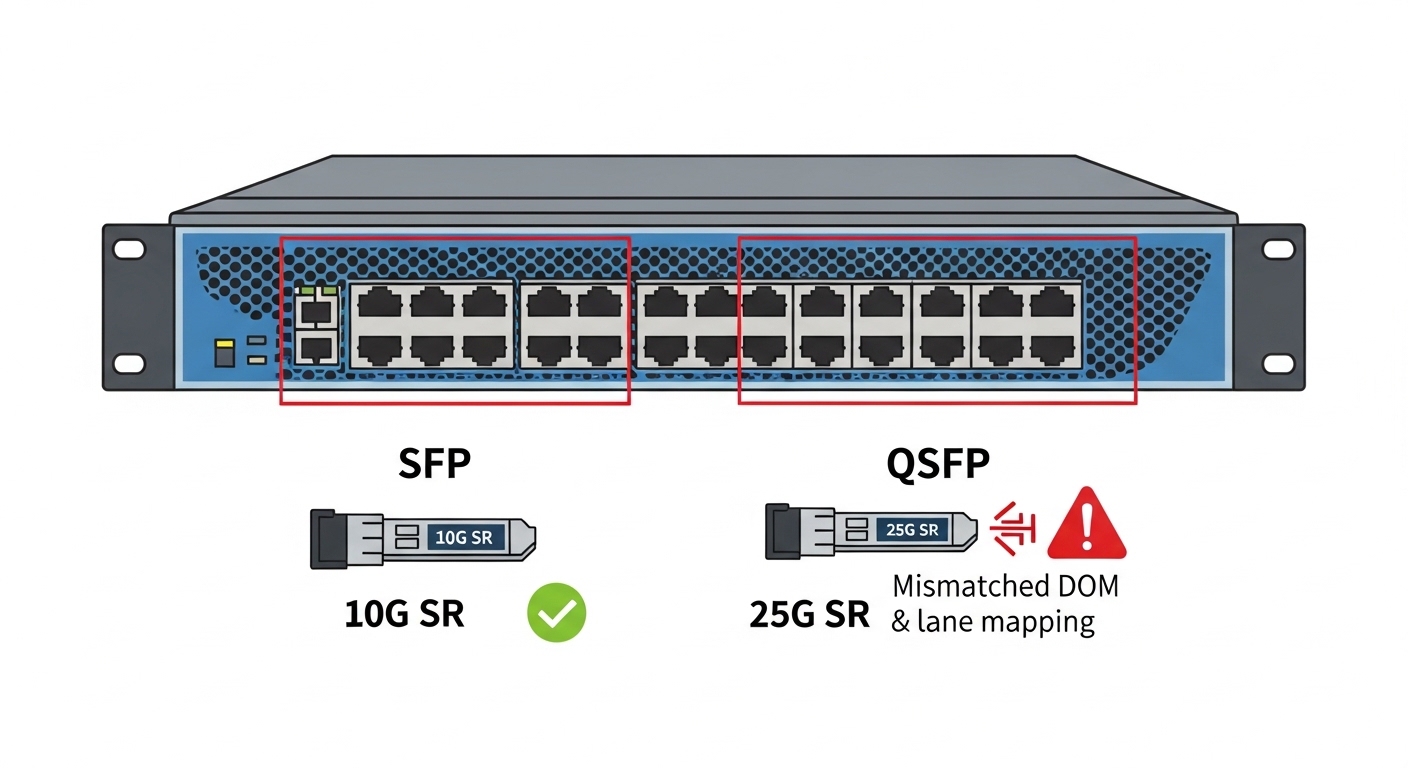
Before touching hardware, treat the upgrade like a controlled change with measurable acceptance criteria. I start by pulling an interface inventory from the switches, including port speeds, breakout capability, transceiver vendor/part numbers, and optic diagnostics support (DOM). Then I validate the fiber plant with an end-to-end map: patch panel locations, MPO polarity, and any existing polarity conventions.
For IEEE alignment, verify that the target platform supports the relevant Ethernet PHY modes and lane aggregation behavior per IEEE 802.3 (for example, 400G and 800G Ethernet conventions). For transceiver behavior and DOM telemetry expectations, use vendor datasheets and vendor-specific installation guides; compatibility is often a function of both electrical lane wiring and optic firmware.
Operationally, plan power and cooling checks: 800G line cards generally increase instantaneous load and may shift airflow targets. If you have a PDU-level monitoring system, confirm you can observe per-rack current before and after. related topic
Build a migration matrix (ports, optics, and optics telemetry)
Create a spreadsheet with one row per port: switch model, slot/port, current speed, planned speed, transceiver model, and expected wavelength/reach. Include a column for DOM availability and whether your NMS polls it during runtime. If the optics choice is third-party, confirm the platform supports that vendor with the specific part number and revision.
Expected outcome: A complete mapping that tells you exactly what must change and what must remain stable (fiber endpoints, patching, and monitoring).
Validate fiber polarity and MPO handling
For 400G-to-800G upgrades, fiber polarity mistakes are common because MPO trunks and cassettes are reused and lane ordering can differ between generations. Verify MPO keying and polarity using a known-good reference patch cord and a deterministic labeling scheme. If you rely on polarity converters, document their presence and orientation.
Expected outcome: A verified fiber map with correct polarity assumptions for the exact optic type you will install.
Define acceptance criteria and rollback triggers
Set measurable thresholds: link-up time ceiling, packet loss tolerance during test windows, and error counters to monitor (e.g., CRC errors, FEC-related counters if applicable). Define rollback triggers such as “link flaps exceed X events in Y minutes” or “BER/optical diagnostics out of range.” Prepare spare optics and a documented rollback path.
Expected outcome: A change plan that can be executed and reversed without improvisation.
Optics and signaling: where most migration challenges show up
The biggest migration challenges usually arise from optics reach/wavelength mismatches, lane mapping expectations, and platform-specific transceiver compatibility. 800G solutions may use different lane configurations than 400G, even when they share a similar physical connector form factor. That means you can install “the right-looking” module and still get unstable links if polarity, lane ordering, or electrical interface expectations are off.
In practice, I treat optics selection as a system decision: switch electrical interface + optic firmware + fiber plant + monitoring integration. Consult the switch vendor interoperability list and the transceiver vendor datasheet for operating temperature, optical power ranges, and DOM behavior. If your environment uses strict monitoring, ensure your telemetry collector understands the DOM schema your modules expose.
Choose optics by wavelength, reach, and power budget
For short-reach deployments, many engineers target 850 nm multimode solutions, but the exact reach depends on OM4/OM5 grade, patch cord length, and insertion loss budget. For longer distances or higher-grade fiber, 1310/1550 nm options may be required. Always compare the optic’s launch power and receiver sensitivity against your measured link loss.
Confirm DOM/telemetry and temperature operating range
During cutover, I verify that DOM readings (transmit power, receive power, laser bias current, and temperature) appear in the NMS and do not trigger false alarms. Pay attention to temperature thresholds: an optic that runs near its upper limit can pass link-up tests but fail under sustained traffic or during seasonal cooling drift.
| Spec category | Example 400G SR4 (850 nm) | Example 800G SR8 (850 nm) | Why it matters in migration challenges |
|---|---|---|---|
| Nominal wavelength | ~850 nm | ~850 nm | Mismatch breaks link budget assumptions and can cause low receive power. |
| Typical reach | ~100 m over OM4 (platform-dependent) | ~100 m over OM4/OM5 (platform-dependent) | Reach depends on fiber grade and patch loss; reusing old patch cords can fail. |
| Connector / interface | MPO-12 (often) | MPO-16 (often) | Connector and lane count change polarity and patching requirements. |
| Data rate | 400G | 800G | Switch port mapping and electrical lane aggregation must match platform support. |
| DOM / telemetry | Vendor-specific DOM | Vendor-specific DOM (may include additional sensors) | Telemetry schemas must be compatible with monitoring and alert thresholds. |
| Operating temperature | Typically commercial or industrial ranges (check datasheet) | Typically wider range options exist; verify exact module class | Thermal headroom affects long-term stability under full traffic. |
Concrete examples you may encounter in the field include Finisar modules such as FTLX8571D3BCL (commonly cited for 100G SR, but verify exact mapping to your platform’s 400G/800G requirements) and Cisco-branded optics like Cisco SFP-10G-SR for older generations. For 10G-to-100G and beyond, third-party optics listings like FS.com SFP-10GSR-85 can be cost-effective, but for 800G you must treat interoperability as a compatibility gate, not a suggestion. [Source: IEEE 802.3, vendor switch datasheets, optic vendor datasheets]
Pro Tip: During qualification, do not rely on “link up” alone. I run a 30-minute traffic profile while logging DOM temperature and receive power; a module can pass initial handshake yet drift out of spec under thermal soak, which only shows up once the line card reaches steady-state airflow conditions.
Cutover sequence: an ordered checklist to reduce risk
This section is written as an implementation sequence you can execute in a maintenance window. The goal is to avoid the classic pattern: swap optics first, then discover monitoring or fiber polarity issues after traffic starts. In migration challenges, sequencing is the difference between a controlled change and an outage.
Run a low-impact pre-check on the target ports
Confirm the ports are administratively down, verify firmware compatibility on the switch line card, and ensure the transceiver is supported by the platform. If the switch supports it, enable optic diagnostics polling before bringing the port operational. Then verify that the interface configuration matches the expected speed and FEC settings.
Expected outcome: The switch recognizes the optic and reports sane DOM/diagnostics without alarms.
Patch and polarity verification with a deterministic labeling method
Before inserting the module, verify patch panel labels and MPO polarity using a standard polarity tester. If you use MPO-16, confirm the cassette orientation and keying match the optic’s expected lane grouping. Correct polarity now is faster than debugging packet loss later.
Expected outcome: A physically correct fiber path with the right polarity assumptions.
Bring up links with constrained traffic and staged acceptance tests
Bring interfaces up at the planned speed and start with a constrained traffic profile (for example, a single VLAN or a controlled set of flows). Watch interface error counters and optics DOM values. Only after counters remain stable do you expand to full production traffic patterns.
Expected outcome: You validate both PHY health and application-level stability before full rollout.
Selection criteria / decision checklist (engineers actually use)
- Distance and fiber type: measured link loss, OM4 vs OM5, patch cord lengths, and insertion loss budget.
- Switch compatibility: verify exact switch model and port type accept the optic part number (interoperability list).
- Budget and inventory strategy: decide whether you stock OEM optics or qualify third-party modules with documented success rates.
- DOM support and monitoring integration: confirm telemetry fields map correctly to your collector and alerting thresholds.
- Operating temperature and thermal headroom: compare module temperature class to the rack’s measured steady-state conditions.
- Vendor lock-in risk: evaluate how quickly you can swap optics vendors without change-control chaos.
Common pitfalls / troubleshooting: the top failure modes
When migration challenges happen, they usually cluster into a few predictable failure modes. Below are three field-tested pitfalls with root causes and actions that resolve them quickly.
Failure mode 1: Link flaps or never comes up after optic swap
Root cause: Lane mapping or MPO polarity mismatch, or an optic not truly compatible with the specific switch line card revision. Sometimes the module is recognized but the link training fails under the actual lane configuration.
Solution: Recheck MPO keying and polarity using a tester, then validate the optic part number against the exact switch compatibility list. If you have spare optics of the same type, A/B test with known-good modules.
Failure mode 2: Link comes up, but traffic shows CRC errors or rising interface counters
Root cause: Marginal receive power due to underestimated link loss, dirty connectors, or reused patch cords with higher-than-expected insertion loss. In some cases, the receive power is within “link-up” tolerance but not within “stable traffic” tolerance.
Solution: Clean connectors with proper fiber cleaning tools, remeasure with an optical power meter, and compare DOM receive power to vendor thresholds. Replace patch cords/cassettes that exceed your loss budget.
Failure mode 3: Telemetry/monitoring floods alerts or breaks dashboards
Root cause: DOM schema mismatch, missing fields, or alert thresholds tuned for prior optics. The optics may expose additional sensors or different scaling.
Solution: Validate telemetry ingestion in a staging environment, update alert thresholds, and confirm the collector maps DOM fields correctly. If needed, temporarily disable non-critical alerts during the cutover window with a time-bound change control.
Cost and ROI note: what changes in total cost during 400G to 800G
In most shops, the optics bill is only part of the TCO. OEM 800G optics can cost significantly more per module than third-party options, but OEMs often reduce integration time and reduce compatibility risk. Realistically, you may see pricing
