
Link issues in 800G optics: what fails first in the field
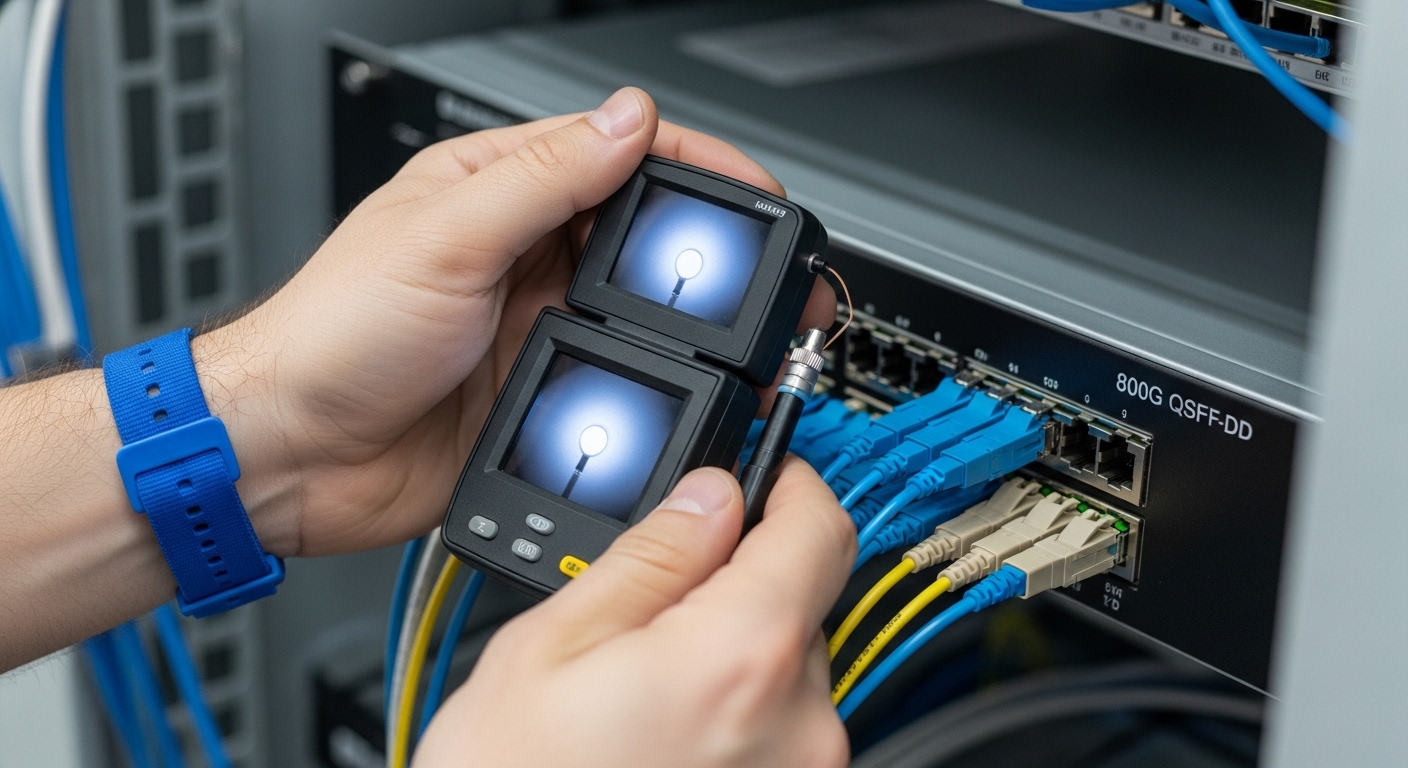
When 800G optical links misbehave, the symptoms often look identical: link flaps, FEC counters climb, or ports stay in “down” despite clean optics. This article helps data center and high-performance computing engineers isolate link issues quickly across optics, fiber plant, and switch transceiver compatibility. You will get a head-to-head comparison of common root causes, plus a decision checklist you can apply during an on-call window. Date of update: 2026-05-02.
800G link behavior: how optics, coding, and FEC interact
In 800G deployments, the receiver and transmitter are tightly coupled to the switch’s electrical front-end settings and the optical module’s digital diagnostics. Most modern 800G solutions use multi-lane signaling with forward error correction (FEC), so “it’s not totally dead” can still mean severe pre-FEC errors. In practice, link issues show up as LOS (loss of signal), LOF (loss of frame), or rising FEC/BER counters depending on switch vendor telemetry. IEEE 802.3 defines optical PHY behaviors and link management expectations for Ethernet, but the exact counter names and thresholds come from the platform vendor and transceiver vendor.
Head-to-head: signal loss vs high error rate
Think of the link as a two-stage pipeline: optics must deliver photons, and the receiver must decode the resulting signal. If you see LOS, photons are missing or the lane mapping is wrong; if you see rising FEC counters without LOS, photons arrive but the eye quality is degraded. Field teams often waste time swapping modules when they should first determine whether the failure mode is “no light” versus “bad light quality.”
- Signal loss (LOS): connector contamination, wrong fiber patching, broken fiber, or incompatible optics.
- High error rate: poor fiber quality, excessive loss, dirty connector faces, marginal laser bias, or temperature/voltage drift.
Compatibility battles: QSFP-DD 800G optics vs switch expectations
Link issues frequently originate from a compatibility mismatch between the switch vendor’s optics expectations and the transceiver’s supported feature set. Even if the module “inserts and link comes up,” lane mapping, speed grade, and supported diagnostics can differ. You should treat the module as a negotiated endpoint: the switch queries capabilities (including DOM fields) and then configures the SerDes and FEC accordingly. Vendor datasheets and platform documentation matter here; many operators also maintain an internal optics interoperability matrix.
What to compare first
Start with the transceiver form factor and electrical interface (for example, 800G QSFP-DD variants), then validate that the switch supports the specific optics type and reach. For short-reach 800G, you will commonly see multi-fiber solutions in the 850 nm family; for longer reach you may see 1310/1550 family implementations depending on the design. Always verify that the module is intended for the same coding and lane structure your switch expects.
| Spec category | 850 nm SR 800G (typical) | Fiber reach impact | Common link-issue symptoms | Field checks |
|---|---|---|---|---|
| Wavelength band | 850 nm (MMF-centric) | Loss budget depends on MMF grade and patch cord length | LOS when connectors are dirty or fiber patched wrong | Verify patching map; inspect ferrules; check DOM power |
| Connector style | MPO/MTP (multi-fiber) | MPO polarity and keying errors create lane mapping faults | Link up/down or high FEC errors without LOS | Confirm polarity (Type A/B/C) per your vendor guidance |
| Data rate | 800G aggregate (multi-lane) | Lane-specific degradation can look like overall BER rise | FEC counters climb; intermittent flaps under load | Check per-lane Rx power (DOM) and error counters |
| DOM support | Digital optical monitoring | Missing/unsupported DOM can prevent stable configuration | Port stays down or shows diagnostics errors | Read vendor DOM fields; check alarms/warnings |
| Temperature range | Commercial vs extended | Bias/laser power drift affects eye margin | Errors increase after warm-up; then recover | Check module temperature sensors; verify airflow |
For concrete reference points, compare known working optics SKUs from reputable vendors and ensure they match your switch. Examples include Cisco SFP-10G-SR only for 10G (use as a reminder that part numbering matters), and for 800G you will typically see vendor models such as Finisar/Coherent 800G-class optical modules and FS.com equivalents; always validate the exact 800G form factor and reach. For standards context, see IEEE 802.3 for Ethernet PHY behaviors, and consult the switch vendor’s optics compatibility guide for your exact platform. Source: IEEE 802.3 Overview
Fiber plant reality: loss, polarity, and contamination as the top three causes
In real 800G optical links, the fiber plant is where physics meets operational entropy. MPO/MTP polarity and fiber mapping errors can create lane swaps that do not always trigger LOS, but instead produce a BER/FEC failure pattern. Contamination is the other dominant factor: a single dust particle can cause intermittent receiver saturation or complete loss of signal depending on the coupling conditions. Finally, loss budget overruns—often from long patch cords, too many mated connectors, or degraded MMF—manifest as rising FEC counters under load.
Head-to-head: polarity error vs contamination vs loss budget
Engineers often distinguish these by the telemetry signature and whether cleaning fixes behavior immediately. Polarity mistakes typically persist across reboots and cleaning, because the fibers remain mis-mapped. Contamination often improves quickly after proper cleaning and inspection, and loss budget issues improve only if you shorten cabling or replace degraded components.
- Polarity error: consistent failure; “wrong” lanes; may show high FEC without LOS.
- Contamination: intermittent; improves after cleaning and re-inspection; can correlate with recent moves.
- Loss budget: stable but marginal; errors increase with temperature or higher traffic.
Pro Tip: When you suspect link issues on a multi-fiber MPO/MTP path, don’t rely on a single “total received power” reading. Many platforms expose per-lane Rx power and lane-level error counters; a polarity swap can leave some lanes “sort of working,” producing a deceptive overall link-up state with rising FEC.
Operational troubleshooting workflow: a decision matrix you can run during an outage
Use a structured workflow that narrows the search space in minutes. Start by capturing symptoms (LOS/LOF vs FEC rise), then validate optics insertion and DOM alarms, then inspect and verify fiber patching and polarity. Only after you confirm “physical correctness” should you consider platform-side settings like speed profiles or FEC mode.
Decision checklist (ordered)
- Distance and reach: confirm your MMF/OM class and patch cord lengths match the module’s specified reach.
- Budget: compute worst-case link loss including connectors, splices, and aging margins.
- Switch compatibility: verify the exact module part number is supported by your switch optics guide.
- DOM support and health: check for DOM alarms, vendor ID mismatch, and out-of-range Tx bias/Rx power.
- Operating temperature: confirm airflow and verify module temperature stays within datasheet limits.
- Vendor lock-in risk: if you use third-party optics, ensure they are on your approved list and support the required DOM fields.
Head-to-head comparison: three common fix paths
Below is a practical decision matrix. Choose the most likely fix path based on symptoms, then validate quickly with a controlled change.
| Observed symptom | Most likely root cause | Fastest validation | Corrective action |
|---|---|---|---|
| Port shows LOS immediately after insert | Wrong patching or broken fiber or severe contamination | Swap to a known-good patch cord; inspect ferrules | Re-patch correctly; clean with proper wipes; replace damaged fiber |
| Link up but FEC counters climb quickly | Loss budget overrun or marginal fiber quality | Compare Rx power across lanes; measure end-to-end loss | Shorten patch cords; replace degraded cables; verify MMF grade |
| Intermittent flaps, worse after cable movement | Connector contamination or poor seating | Re-seat and re-inspect; check connector keying | Clean, inspect under microscope, ensure proper MPO latch engagement |
| Port down with diagnostics about optics capability | Compatibility mismatch or unsupported DOM fields | Check platform optics log and transceiver vendor ID | Use approved module SKU; update platform software/firmware |
Common pitfalls and troubleshooting tips for 800G link issues
Below are concrete failure modes that repeatedly show up in field escalations. Each includes a root cause and a corrective action that avoids trial-and-error churn.
Pitfall 1: Cleaning without inspection
Root cause: Wiping a contaminated MPO ferrule can smear debris across the face, leaving a permanent scattering hotspot. Engineers then “clean again” until the link flaps are gone, but the underlying debris remains.
Solution: Use an optical inspection microscope and document the ferrule condition before and after cleaning. Replace the connector/cable if you see scratches or permanent residue. Follow the connector cleaning method recommended by the optics connector vendor and transceiver manufacturer.
Pitfall 2: Assuming “link up” means “no link issues”
Root cause: FEC can mask moderate degradation; the link might stay up while BER is out of spec. Under load changes or temperature drift, the margin collapses.
Solution: Monitor per-lane Rx power and FEC counters during steady-state traffic and during a warm-up interval. If the platform supports it, track error bursts and correlate them with temperature and interface resets.
Pitfall 3: Misinterpreting MPO polarity and keying
Root cause: MPO polarity standards (often described as different types by vendors) determine how fibers map across connectors. A polarity mismatch can produce consistent lane swapping that still yields partial signal.
Solution: Verify polarity end-to-end using your facility’s patching documentation. Confirm MPO keying orientation, then re-map using a known polarity reference patch panel configuration.
Pitfall 4: Treating all third-party optics as interchangeable
Root cause: Even when modules share the same form factor and nominal wavelength, DOM fields, power class, and vendor-specific calibration can differ. The switch may accept the module but apply suboptimal equalization.
Solution: Use only optics SKUs listed in the platform’s interoperability guide when possible. If you must trial third-party modules, test in a controlled rack first and validate stability across power cycles.
Cost and ROI: what you pay in optics, downtime, and repeat failures
Pricing varies widely by reach, vendor, and volume, but in practice 800G-class optics are often a major CapEx line item. Typical purchase ranges can be roughly hundreds to low thousands of dollars per module depending on whether you buy OEM-branded parts or approved third-party equivalents, and whether you include spares. The ROI is dominated by reduced downtime: a single failed link event can cost far more than the delta between OEM and third-party optics once technician time, truck rolls, and performance impacts are included.
TCO also includes power and cooling effects. If marginal optics cause retransmissions or higher error rates, you may see increased CPU/ASIC load and additional FEC overhead. Vendor support matters too: OEM optics often come with clearer warranty terms and faster RMA loops, while third-party optics can be cost-effective if they are on the approved list and have consistent DOM behavior.
Which option should you choose?
Choose based on your risk tolerance and operational maturity. For mission-critical production links with strict change control, prefer OEM or fully approved optics SKUs and align fiber polarity using documented patching standards. If you run a controlled lab-to-production process and validate third-party modules against per-lane DOM and FEC counters, you can reduce unit cost while still minimizing link issues. For teams with frequent cabling changes, invest in inspection microscopes, cleaning kits, and standardized MPO polarity procedures; the fastest ROI often comes from process, not from optics swaps.
FAQ
How do I confirm link issues are fiber-related rather than optics-related?
Start with LOS vs FEC behavior and compare DOM Rx power across lanes. Then test with a known-good patch cord and verify MPO polarity keying. If replacing cabling immediately stabilizes FEC counters, fiber plant is the primary suspect.
What DOM alarms matter most for 800G troubleshooting?
Focus on Tx bias, Rx power, temperature, and any DOM “diagnostic failure” flags. If DOM values are out of range or missing fields, the switch may not configure stable equalization, leading to persistent link issues.
Can a polarity mistake cause FEC errors without LOS?
Yes. In multi-lane systems, some lanes can still receive enough signal for partial decoding, so the link can appear up while FEC counters climb. Correct polarity mapping and MPO
