
In digital signage, a single unstable optical link can cause visible flicker, delayed video, or a full blackout on an LED wall. This article helps AV integrators and network engineers choose the right LED wall fiber module for Digital Signage and Digital Out-of-Home deployments. You will learn typical module types, key optical and electrical specs, compatibility pitfalls, and a practical checklist you can apply before ordering. Update date: 2026-05-02.
Where an LED wall fiber module fits in signage architectures
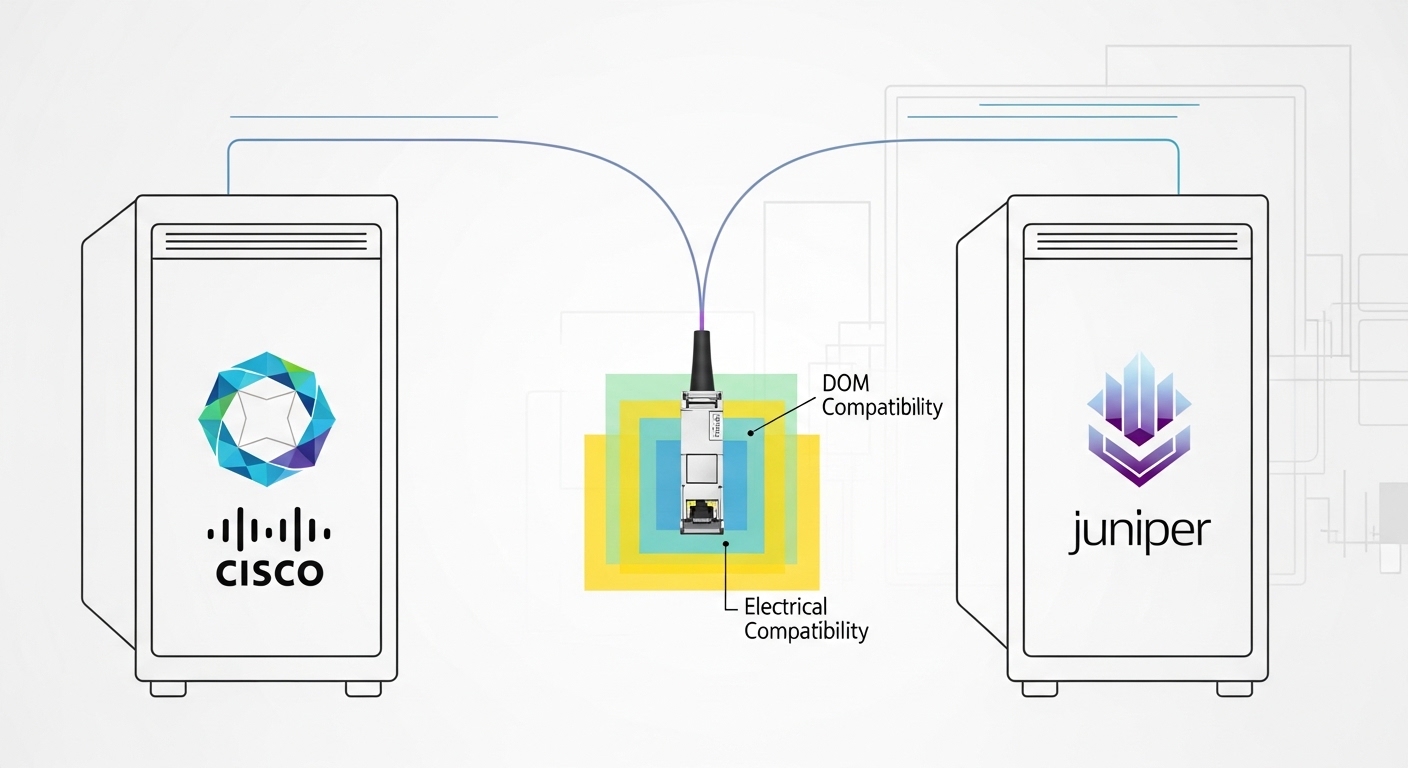
Most LED wall systems rely on a distribution chain that converts video or media signals into a format the LED controller accepts, then delivers that content reliably over short or long distances. When the controller is far from the source, fiber becomes the practical transport because it offers low electromagnetic interference, stable latency, and long reach without copper bulk cable runs. An LED wall fiber module typically converts between the LED wall controller interface and a fiber optic link, often using SFP/SFP+ or similar pluggable optics depending on the controller and switch gear.
In real projects, you will commonly see one of two patterns. First, a fiber uplink from an AV switch or media server to a remote LED wall controller cabinet. Second, a fiber fan-out to multiple wall sections, where each section needs a deterministic data path and consistent optical power. The “module” you pick must match the transceiver form factor, optical wavelength, connector type, and link budget expectations of the receiving hardware.
Before you start comparing vendors, confirm what the LED wall controller expects: is it a standard Ethernet PHY (SFP/SFP+), a proprietary transport, or a fiber-to-board interface? Many signage platforms use standard networking optics, which makes compatibility easier, but some controllers require specific vendor optics or specific DOM behavior. For standards context, IEEE 802.3 defines optical Ethernet interfaces and electrical management concepts, while vendor datasheets define the practical limits like received power thresholds and DOM calibration behavior. For background, see [Source: IEEE 802.3]. External reference: IEEE 802.3 Working Group.
Key technical specs that decide whether the link will stay stable
Engineers typically choose optics by reach and connector type, but signage failures often trace back to subtler parameters: wavelength mismatch, wrong fiber type, insufficient optical power margin, or thermal/DOM issues. Below is a practical comparison of common module families you may encounter when integrating signage over fiber. Exact part numbers vary by controller vendor, but the spec patterns are consistent across OEM and third-party optics.
| Spec | 10G SR (850 nm) | 10G LR (1310 nm) | 25G/40G SR |
|---|---|---|---|
| Typical data rate | 10.3125 Gb/s | 9.95–10.5 Gb/s | 25.781 Gb/s or 40.0 Gb/s |
| Wavelength | 850 nm | 1310 nm | 850 nm |
| Fiber type | OM3/OM4 multimode | Single-mode OS2 | OM3/OM4 multimode |
| Nominal reach | 300 m (OM3), 400–500 m (OM4) | 10 km | 100–150 m (typical, OM4) |
| Connector | LC duplex (common) | LC duplex (common) | LC duplex (common) |
| Typical DOM | Supported (temperature, voltage, bias, power if vendor implements) | Supported if compatible | Supported if compatible |
| Operating temperature | 0 to 70 C typical; some offer -40 to 85 C | -10 to 70 C or extended variants | Often industrial options available |
| Examples (verify fit) | Cisco SFP-10G-SR, Finisar FTLX8571D3BCL, FS.com SFP-10GSR-85 | Common 10G LR SFP+ variants (check exact SKU) | 25G/40G SR pluggables (check controller compatibility) |
In signage deployments, the wavelength and fiber type are non-negotiable. A 850 nm SR module will not work on single-mode OS2, and a 1310 nm LR module will not behave correctly on multimode. Next, check the received power specification and ensure your end-to-end link budget has margin after accounting for fiber attenuation and connector losses. Finally, confirm the transceiver form factor matches the physical cage and electrical interface on the LED wall controller or its media switch.
Pro Tip: When you see “random” LED wall flicker, measure optical receive power at the far end. If the received power is only a few dB above the minimum threshold, temperature swings and dirty connectors can push the link into marginal operation long before the network log shows a clear down event.
Distance, budget, and compatibility: a decision checklist you can use on-site
Choosing an LED wall fiber module is less about “best spec” and more about matching the constraints of your signage chain. Use this ordered checklist; it mirrors how field teams avoid rework during install windows.
- Distance and reach: Determine the actual fiber length from source cabinet to the LED wall controller, then add a realistic margin for spares and reroutes. Convert any slack coil lengths and confirm the planned patch panel topology.
- Fiber type and grade: Confirm OM3 vs OM4 multimode or OS2 single-mode. Verify end-face cleanliness and connector type (LC duplex is common for pluggables).
- Transceiver form factor: Ensure the LED wall controller cage supports SFP, SFP+, QSFP, or another form factor. A physically compatible cage can still reject optics with incompatible electrical management.
- Wavelength and optics family: Match 850 nm SR to multimode, 1310 nm LR to single-mode. Do not mix families even if the data rate looks similar.
- Switch and controller compatibility: Check vendor compatibility lists or minimum requirements for DOM (Digital Optical Monitoring). Some signage controllers enforce vendor optics or specific DOM thresholds.
- Optical power margin: Use vendor link budget guidance and your installed fiber attenuation/connector loss. Target a safety margin rather than operating near the floor.
- Operating temperature: Outdoor and rooftop signage cabinets can exceed 50 C internal ambient. Prefer modules with an appropriate temperature rating, or add ventilation and validated airflow.
- Vendor lock-in risk: OEM optics can be reliable but expensive. Third-party optics may work, but validate with a burn-in test and confirm the DOM reporting behavior your controller expects.
For standards alignment, reference IEEE 802.3 interface characteristics when you are mapping the optics family to the underlying Ethernet rate, but rely on vendor datasheets for the real operating envelope. For example, Cisco and Finisar datasheets provide minimum/maximum transmit power and receiver sensitivity values, which are essential for link budget calculations. For an overview of how optical Ethernet interfaces are defined, see [Source: IEEE 802.3].
Real-world LED wall fiber module deployment scenario
Consider a 3-tier retail network supporting multiple digital out-of-home screens in a mall corridor. The integrator uses a media server feeding a top-of-rack network switch, then runs fiber to a remote signage cabinet that houses the LED wall controller. In one installation, the total fiber distance from the rack to the cabinet is 210 meters through patch panels and a splice tray, using OM4 LC duplex multimode. The team installs a 10G SR style transceiver pair at each end, rated for OM4 reach, and enables monitoring via DOM on the switches.
During commissioning, they clean the LC connectors with inspection and compressed air, then verify link status and check optical receive power readings in the management interface. Over a week, the mall experiences afternoon heat spikes; the cabinet internal temperature rises from 32 C to 54 C. Because the selected optics are within spec and the link budget includes margin, the LED wall stays stable without visible frame drops. If the team had chosen an optics pair near minimum received power, connector contamination and thermal drift could have triggered marginal operation and intermittent flicker.
Common mistakes and troubleshooting that save hours on install day
Even experienced teams make predictable mistakes. Here are the most common failure modes for LED wall fiber module deployments, with root causes and fixes.
Wavelength or fiber type mismatch
Symptom: Link never comes up, or comes up intermittently with heavy errors after reseating. Root cause: Installing an 850 nm multimode SR module with OS2 single-mode fiber, or using the wrong fiber grade. Solution: Confirm the fiber jacket marking and test with an OTDR or at minimum verify fiber type documentation. Replace optics with the correct wavelength family and verify connector polarity and cleanliness.
Dirty or damaged LC connector end-faces
Symptom: Link comes up but LED wall video stutters under load, especially after temperature changes. Root cause: Microscopic contamination increases insertion loss; thermal expansion can worsen contact. Solution: Use an end-face inspection scope, clean with approved fiber cleaning tools, and re-check optical receive power. Replace any connector with cracked ferrules.
Insufficient optical power margin
Symptom: Works on day one, then fails during peak usage or after a cabinet is moved slightly. Root cause: The installed budget is too tight after patch cords, extra connectors, and aging. Solution: Recalculate link budget using vendor parameters, then swap to an optics option with more budget margin or reduce loss by shortening patch cords and re-terminating high-loss connectors.
DOM or management incompatibility
Symptom: The controller reports “transceiver not supported” or logs frequent optical warnings even though light is present. Root cause: Some optics do not implement DOM fields in the way the controller expects, or the controller enforces vendor-specific thresholds. Solution: Validate DOM compatibility with the exact controller model. If needed, use OEM optics or approved third-party SKUs and confirm behavior during a controlled test.
When troubleshooting, treat the chain as a system: physical layer first (fiber type, wavelength, power), then management layer (DOM and alarms), then higher layers (rate negotiation, VLAN tagging, and any media transport settings). For optical testing, use vendor-supported transceiver diagnostics and a known-good spare optics pair to isolate whether the problem is optics or cabling.
Cost and ROI: what to budget for optics and the total installed cost
Prices vary widely by OEM vs third-party and by temperature grade. As a realistic range, common enterprise-grade 10G SR pluggables often land around $40 to $120 each for third-party, while OEM equivalents can be $80 to $250 each depending on channel and region. For signage cabinets that must run continuously, the real ROI comes from reduced downtime and reduced rework, not just the transceiver unit price.
Over a multi-year deployment, TCO includes cleaning and inspection tools, spare optics inventory, and the labor cost to swap modules during an outage. If you operate in harsh environments, extended temperature (-10 to 70 C is common; true industrial can be lower) can reduce early-life failures. A practical approach is to buy a small batch of optics, validate compatibility and DOM behavior in a staging rack, then scale the order. If the LED wall controller is strict about optics, the safest ROI may still be OEM or a certified vendor list.
FAQ: LED wall fiber module buying questions from integrators
What form factor should I use for an LED wall controller?
Check the controller or media switch documentation for the supported pluggable types, typically SFP or SFP+. A physically matching cage is necessary but not sufficient; confirm electrical and DOM compatibility with the specific controller model. When in doubt, test one pair in a staging environment before ordering spares.
Can I use multimode optics for a long fiber run?
Sometimes, but only within the reach limits for the specific multimode grade (OM3 or OM4) and connector losses. For long runs beyond the nominal SR reach, use single-mode optics like 1310 nm LR over OS2 fiber. Always compute a link budget using vendor sensitivity and your measured insertion losses.
How do I verify compatibility when switching between OEM and third-party modules?
Validate DOM reporting and alarms on the exact LED wall controller or switch model. Many teams do a short burn-in test (for example, 24 to 72 hours) with the same VLAN and media traffic patterns used in production. If the controller enforces vendor-specific thresholds, third-party optics may work electrically but still trigger warnings or disable the port.
What is the biggest cause of signage flicker after optics replacement?
Dirty connectors and insufficient optical power margin are the most common causes. Even if the link is “up,” marginal optical levels can cause higher error rates that manifest as visible artifacts. Inspect and clean end-faces, then verify optical receive power against the module’s minimum sensitivity.
Do I need DOM support for an LED wall fiber module?
DOM is often helpful for monitoring temperature, bias, and optical power so you can catch degradation before failure. Some controllers can operate without DOM monitoring, but many signage networks rely on transceiver diagnostics for proactive maintenance. Confirm what telemetry is required for your platform’s health checks.
Should I buy spares for every LED wall section?
For critical signage, yes. A spare pair reduces downtime during an install-day issue and speeds up isolation when troubleshooting. Budget for at least one validated spare per optics type and keep it in a clean, sealed environment with compatible cleaning supplies.
If you want the fastest path to a reliable LED wall fiber module selection, start by matching wavelength and fiber grade, then validate DOM and link budget margin with a staging test. Next, review fiber transceiver selection for digital signage to align optics choice with your signage transport and operational constraints.
Author bio: I have deployed fiber-based media and control networks for digital signage cabinets, validating optics with DOM telemetry, link budgets, and field connector cleaning workflows. I write product-focused guidance that helps teams avoid rework during commissioning and maintain stable video output over changing environmental conditions.
