
A jumbo frame link can materially change throughput, latency, and CPU load on fiber networks, but only if MTU, transceivers, and switch buffering are aligned. This guide helps network engineers and field teams validate MTU behavior end to end, from ToR switches to optics like Cisco SFP-10G-SR and Finisar FTLX8571D3BCL, with concrete test steps and failure modes. If you are seeing intermittent drops, CRC errors, or “mysterious” latency spikes after enabling jumbo frames, you are in the right place.
Prerequisites and what “jumbo” actually stresses
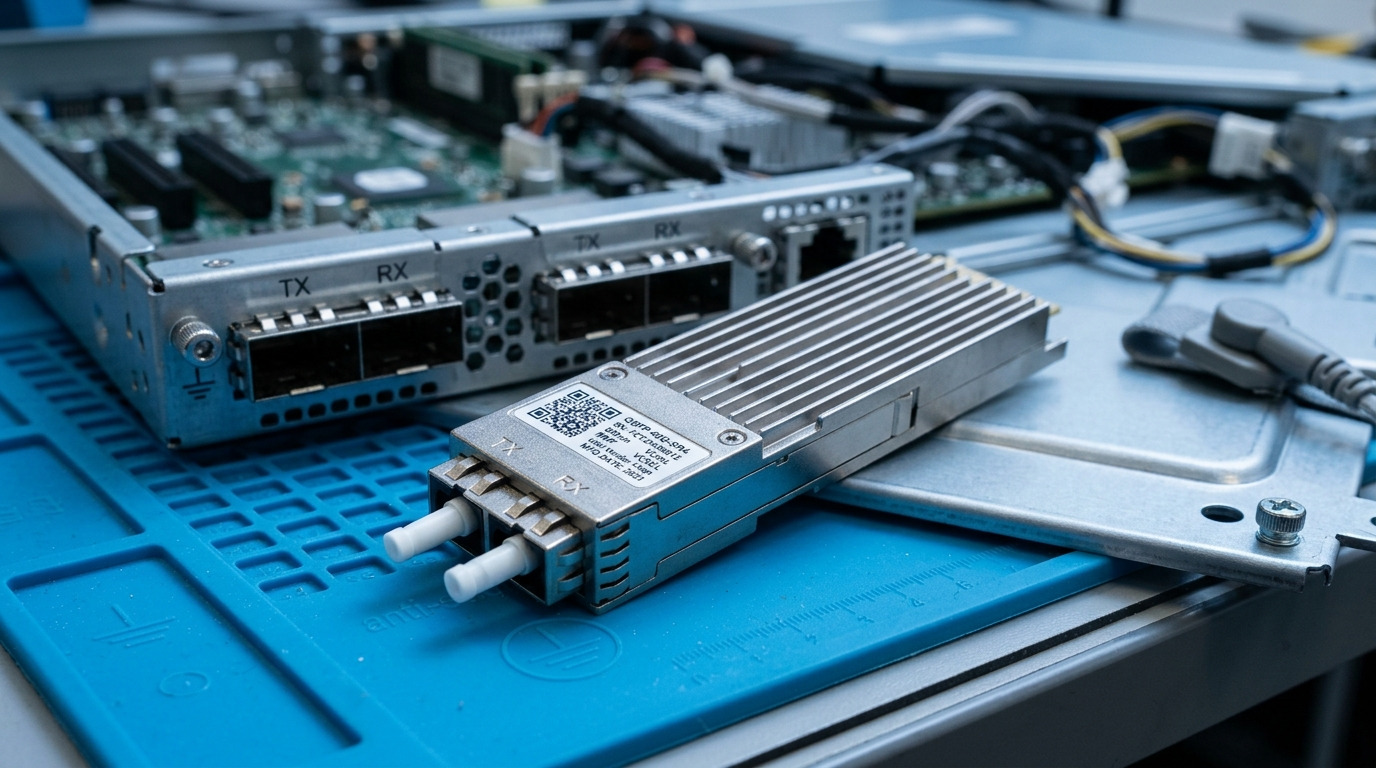
Before you touch MTU, confirm your transceiver type, link rate, and optical budget. Jumbo frames increase the amount of data per packet, which shifts where the load lands: NIC offload paths, switch ingress/egress buffering, and serialization time. On a 10G or 25G fiber link, the physical optics do not “run hotter” from MTU directly, but the system can run hotter due to higher buffering pressure and more frequent large-packet DMA bursts.
This matters most when you use newer optics with tighter power/DOM telemetry, or when your switches enforce per-VLAN MTU checks. IEEE 802.3 defines Ethernet framing basics, but MTU enforcement is implemented in switch ASICs and NIC/OS stacks; vendor behavior varies. For optical limits, use vendor datasheets and DOM monitoring guidance; for Ethernet MTU principles, refer to [Source: IEEE 802.3] and your switch documentation.
What you should measure upfront
- Link rate and media: 10GBASE-SR, 25GBASE-SR, or 100GBASE-SR4; confirm the exact transceiver part number.
- MTU on every hop: endpoints, L2 switches, L3 SVIs, and any inline firewalls.
- Offloads: TCP segmentation offload (TSO), generic segmentation offload (GSO), receive-side coalescing, and checksum offload.
- Telemetry: DOM values (tx bias, tx power, rx power, temperature) and interface counters (drops, CRC/FCS errors, pause frames).
Expected outcome: You have a clean inventory of devices and a baseline of interface counters plus DOM telemetry with MTU still at standard values.
Step-by-step implementation: validate MTU end to end
This section is the practical path. The goal is a jumbo frame link where every hop accepts the same MTU and the network stops fragmenting or dropping large frames. You will test with controlled payload sizes, then verify application behavior and counters under realistic traffic.
Pick the jumbo MTU target and map it to payload size
Common jumbo MTU targets are 9000 bytes (often called “9k MTU”) or 9216 bytes in some enterprise designs. Remember Ethernet MTU excludes the Ethernet header but includes the IP packet payload; you must ensure your IP stack and any overlay (VXLAN, GRE) account for additional headers. If you run VXLAN, your effective underlay MTU may need to be smaller to avoid fragmentation.
Expected outcome: A documented MTU value per segment (underlay vs overlay) and a list of devices that must match.
Configure MTU consistently across endpoints and L2/L3 boundaries
Change MTU in a maintenance window and do it symmetrically. On Linux endpoints, set MTU on the exact NIC interface; on switches, set MTU at the port or VLAN/SVI level depending on platform. If you have L3 routing with SVIs, ensure the SVI MTU matches the connected VLAN MTU.
- Linux endpoint: set MTU on the NIC; verify with interface show commands.
- Switch ports: set MTU on access and trunk ports carrying the jumbo traffic.
- SVIs: ensure the routed interface MTU matches the VLAN MTU if the platform enforces it.
If you use bonded NICs or link aggregation (LAG/MLAG), confirm all member ports share identical MTU settings and that the switch does not silently clamp MTU on aggregated links.
Expected outcome: All devices in the path report the same MTU value, and no interface shows “MTU mismatch” logs.
Perform a controlled MTU probe on the jumbo frame link
Use a sequence of payload sizes that increment toward your target MTU. The fastest validation is to test from one endpoint to another while capturing path behavior. For example, if your MTU target is 9000, test frames just below and at the target, then test one step above to confirm the expected failure mode (drop or fragmentation).
Also verify that the transceivers are stable under load by checking interface counters and DOM values during the probe. Watch for sudden increases in drops or FCS/CRC errors, which can indicate a physical layer margin issue, not an MTU issue.
Expected outcome: Large frames pass at the target MTU and fail predictably above it; no spikes in CRC/FCS errors or interface resets.
Run a throughput and latency test that reflects your real traffic pattern
MTU gains are not automatic. If your application is already packet-efficient, jumbo frames may not help much. If your traffic is small-packet heavy (for example, microservices with chatty RPC), jumbo frames can reduce packet rate and CPU interrupts. Validate with a traffic generator or production-like load and measure: throughput, p99 latency, retransmits, and interface drops.
During the run, confirm that the jumbo frame link does not trigger excessive pause behavior and that queue drops remain near zero. On platforms with explicit buffer management telemetry, check for ingress/egress drops and “tail drop” counters.
Expected outcome: Improved or stable p99 latency and throughput, with counters showing no meaningful growth in error or drop rates.
Specs that matter: transceivers, reach, wavelength, and thermal headroom
Jumbo frames change system packetization, but the fiber transceiver still must meet optical budget and thermal constraints. Use DOM monitoring to confirm that tx power, rx power, and temperature remain within the vendor’s operating range while you push jumbo traffic. A stable DOM profile is your best signal that any performance change is due to MTU, not optical degradation.
Reference transceiver options (examples)
Below are common enterprise and datacenter optics for SR links. Use them as a baseline to reason about reach and power, then map to your exact vendor and part numbers. Always consult vendor datasheets for absolute limits and DOM behavior.
| Parameter | 10GBASE-SR SFP+ (Example) | 25GBASE-SR SFP28 (Example) | 100GBASE-SR4 QSFP28 (Example) |
|---|---|---|---|
| Data rate | 10.3125 Gb/s | 25.78125 Gb/s | 103.125 Gb/s |
| Wavelength | 850 nm | 850 nm | 850 nm (4 lanes) |
| Typical reach over OM3/OM4 | ~300 m on OM3, ~400 m on OM4 (varies) | ~100 m on OM3, ~150 m on OM4 (varies) | ~100 m on OM4 (varies) |
| Connector | LC duplex | LC duplex | LC duplex (with MPO/MTP breakout depending on model) |
| DOM / monitoring | Usually supported (vendor-dependent) | Usually supported (vendor-dependent) | Usually supported (vendor-dependent) |
| Operating temperature | Typically 0 to 70 C (check datasheet) | Typically 0 to 70 C (check datasheet) | Typically 0 to 70 C (check datasheet) |
| Example part numbers | Cisco SFP-10G-SR, Finisar FTLX8571D3BCL, FS.com SFP-10GSR-85 | Vendor 25G SR SFP28 modules (varies by model) | Vendor 100G SR4 QSFP28 modules (varies by model) |
Limitations: Reach depends on fiber type (OM3 vs OM4), link loss, and connector cleanliness. DOM telemetry also varies: some modules report DOM fields differently, and some switch platforms may not fully parse all vendor registers. For accurate operating ranges and DOM register definitions, use the transceiver datasheets and your switch’s optics compatibility list.
Expected outcome: You can explain whether jumbo frame link testing is likely to be optical-limited or MTU-limited, and you have a DOM baseline to confirm.
Pro Tip: If jumbo frames “cause drops,” do not assume MTU is wrong. In the field, we often see optical margin issues that only appear under higher packet rate bursts; the MTU change can correlate with the traffic pattern that reveals a marginal patch cord or dirty MPO/LC connector. The quickest discriminator is DOM stability: tx bias, rx power, and temperature should move slowly and remain within spec during the test. If they jump while drops increase, treat it as a physical layer issue first.
anchor text: IEEE 802.3 Ethernet standard references
Selection criteria: engineer the jumbo frame link safely
A correct jumbo frame link is mostly a compatibility and validation problem, not a transceiver shopping problem. Still, optics influence stability, especially when you are near the reach or power margin boundary.
- Distance and fiber type: confirm OM3/OM4, measured link loss, and connector quality. If you are near the vendor reach limit, jumbo traffic bursts can expose marginal links.
- Budget and modulation type: match the transceiver to the port type and expected lane count (SR vs SR4). Ensure the switch supports the optics class and DOM parsing.
- Switch compatibility: verify module compatibility on your exact switch model and firmware. Some platforms enforce optics vendor checks more strictly.
- DOM support and alerting: confirm that your monitoring stack reads tx power, rx power, and temperature reliably. If DOM fields are missing, you may lose early warning.
- Operating temperature: ensure airflow and module thermal limits remain safe during peak load. Jumbo traffic can increase system utilization and heat in adjacent components.
- Vendor lock-in risk: weigh OEM optics with better compatibility guarantees versus third-party optics with similar specs but different DOM/register behavior. Plan a rollback path.
- MTU enforcement behavior: validate how your switch handles MTU mismatch, fragments, and overlay headers. Some ASICs drop silently; others log.
Expected outcome: A documented decision that links fiber budget, switch compatibility, and MTU behavior so you can predict whether jumbo frames will help without breaking stability.
Common mistakes and troubleshooting that actually works
When jumbo frames fail, the failure mode is often counterintuitive. Here are the top issues we see in real deployments, with root cause and the fastest fix.
Troubleshooting failure point 1: MTU mismatch across a hidden hop
Symptom: Ping with large payload fails, while smaller sizes work; counters show drops but not necessarily CRC errors. Application traffic may time out with retransmits.
Root cause: An intermediate device (firewall, load balancer, overlay gateway, or transit switch) clamps MTU or does not propagate VLAN MTU. Sometimes MLAG member ports differ in MTU settings.
Solution: Validate MTU on every interface in the path, including “transit” devices. Re-run the payload-size probe and compare results hop-by-hop by isolating segments. Align MTU and any overlay settings; temporarily disable offloads if you suspect segmentation edge cases.
Troubleshooting failure point 2: Buffer pressure and queue drops after enabling jumbo
Symptom: Throughput may increase but p99 latency spikes; you see egress queue drops or tail drops, especially during bursts.
Root cause: Jumbo frames increase per-packet size, which can reduce the effective number of packets that fit in fixed-size buffers. If your traffic microbursts exceed queue depth, drops occur even with a “good” physical layer.
Solution: Adjust QoS/queue profiles if available, increase buffer allocation where supported, or reduce burstiness (rate-limit at the source). Re-check pause frame behavior and ensure congestion control is appropriate for your traffic pattern.
Troubleshooting failure point 3: Optical margin issues revealed by traffic pattern changes
Symptom: Drops correlate with DOM changes, or you see CRC/FCS errors rising. Link may flap under load.
Root cause: Marginal fiber run, dirty connectors, or a slightly out-of-spec transceiver. Jumbo framing can correlate with different packetization and burstiness, exposing a weak link.
Solution: Clean connectors, re-seat optics, and verify with OTDR or at least measured link loss. Compare DOM rx power against the vendor’s recommended operating range and ensure temperature and tx bias remain stable. If rx power is near threshold, shorten the patch or improve the fiber path.
Expected outcome: You can classify whether a problem is MTU mismatch, buffering, or optics, and you resolve it quickly without blind MTU cycling.
Cost and ROI: when jumbo frame link tuning is worth it
Jumbo frames are low-cost, but the operational cost can be nontrivial if you must coordinate across many endpoints and devices. OEM optics like Cisco-branded modules may cost more up front but often reduce compatibility friction. Third-party optics can be cheaper, but you may spend time on validation and monitoring gaps.
Typical street pricing (varies by region and volume): 10G SR SFP+ modules often land in a broad range from roughly $30 to $120 each; 25G SFP28 SR modules can be higher; 100G QSFP28 SR4 modules can be substantially higher. The ROI of jumbo framing comes from reduced packet rate and CPU overhead; in small-packet heavy environments, teams commonly see measurable CPU relief and sometimes modest latency improvements, while in large-packet or already low packet-rate systems the gain may be limited.
TCO note: Include expected failure rates, cleaning/maintenance, and time-to-diagnose. If your transceivers lack reliable DOM monitoring, your mean time to recovery increases, which can erase MTU tuning benefits.
Expected outcome: You can justify jumbo frame link changes with measurable outcomes and a clear cost model for optics and operations.
FAQ
Does jumbo frame link require special fiber optics?
No. Jumbo frames are an Ethernet MTU behavior; the fiber transceiver must simply support the link rate and be within optical specs. That said, if you are near reach limits, traffic pattern changes can expose marginal links, so DOM monitoring is still essential.
What MTU size should I choose for a jumbo frame link?
Start with a standard 9000 MTU if your environment is compatible, and adjust for overlays. The correct value depends on whether you use VXLAN/GRE and how your switch enforces MTU across VLANs and SVIs.
Will jumbo frames increase latency?
They can, but often they reduce latency variability when packet rates drop. The real determinant is buffering and queue behavior: if jumbo frames cause queue drops or pause storms, p99 latency will worsen.
How do I confirm MTU is consistent without guessing?
Use a payload-size probe that increments toward your target MTU, and validate success and failure behavior at each step. Then correlate with interface counters and DOM readings so you can separate MTU mismatch from optical or buffering issues.
Can third-party optics break jumbo frame link behavior?
They usually do not break MTU itself, but they can affect stability via DOM parsing differences, thermal characteristics, or compatibility quirks with specific switch firmware. Validate optics compatibility on your exact switch model and confirm monitoring fields you rely on.
What should I watch in DOM while testing jumbo frames?
Track rx power, tx power, tx bias/current if available, and temperature during your load test. If drops rise while DOM shifts abruptly, treat it as a physical-layer margin or cleanliness issue rather than an MTU configuration problem.
Author bio: I build and validate low-latency fiber networks where MTU, optics, and buffering must agree end to end. I focus on rapid PMF-style validation: measure first, change one variable, and only keep what improves real counters and application latency. related topic
