
If your industrial IP switch fiber links keep dropping, it is usually not the switch itself. It is the SFP transceiver choice: optics type, wavelength budget, DOM settings, connector cleanliness, and thermal behavior inside the cabinet. This article helps field engineers and network managers selecting SFP modules for HARTING ha-VIS industrial IP switches, with realistic compatibility checks and troubleshooting steps.
Why SFP optics matter in industrial IP switch fiber links
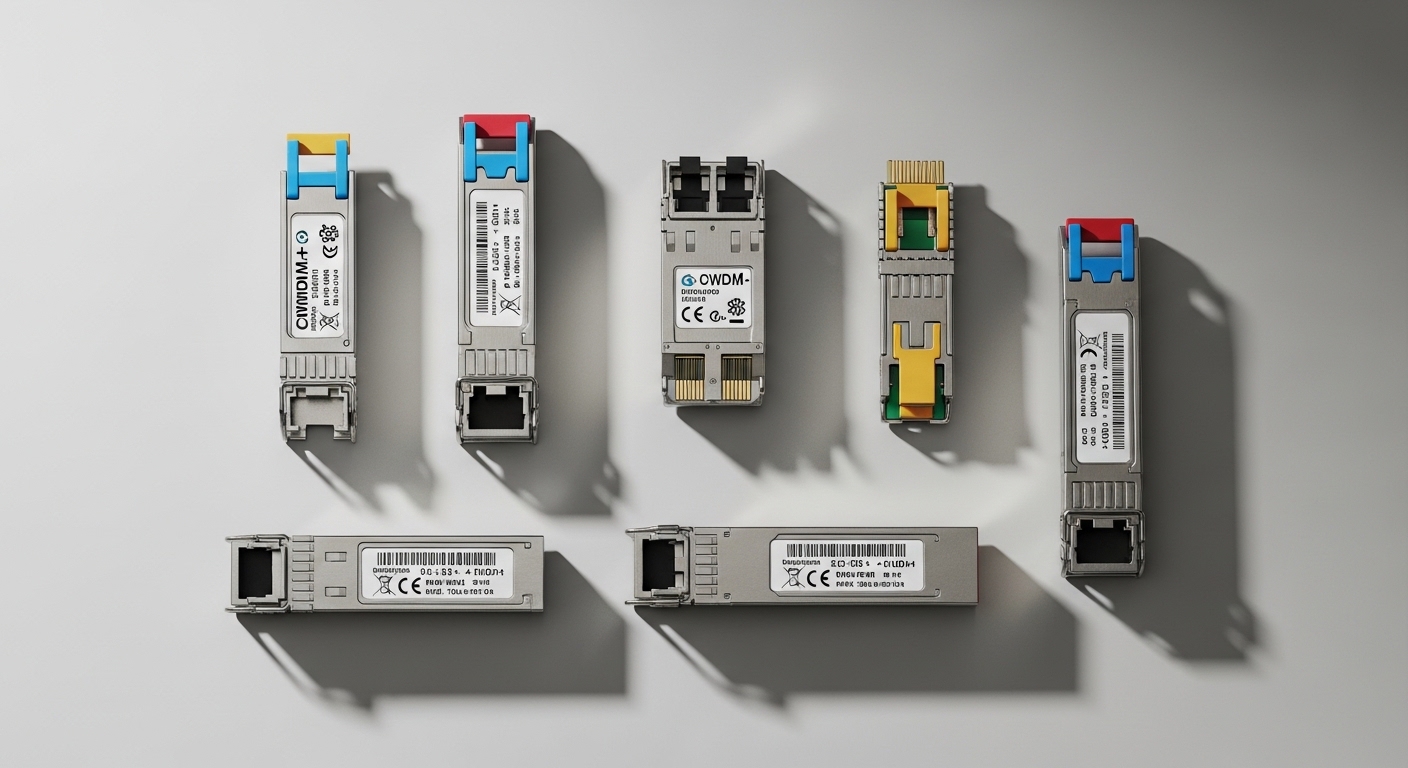
In an industrial IP switch fiber topology, the SFP module is the electrical-to-optical bridge that determines link budget, reach, and error rate under vibration and temperature swings. ha-VIS deployments often run in control rooms and machine cabinets where ambient temperature can exceed office conditions, and where dust and condensation are real risks. When you select the wrong SFP family (for example, mixing MMF 850 nm with SMF 1310/1550 nm assumptions), the link can appear “up” briefly and then flap under load. The result is lost determinism in time-sensitive automation traffic and a lot of wasted commissioning time.
What “industrial-grade” really changes
Industrial IP switch fiber designs typically require tighter control of optical output power, receiver sensitivity, and thermal drift than consumer optics. Most SFP transceivers used in these environments follow IEEE 802.3 Ethernet physical layer requirements for the selected data rate and reach, while vendor datasheets define operating temperature, DOM availability, and optical performance. For example, DOM (Digital Optical Monitoring) gives you a measurable view of transmit power (Tx), receive power (Rx), and sometimes laser bias current, which is crucial for early failure detection. [Source: IEEE 802.3-2022]
Pro Tip: In ha-VIS cabinets, the fastest way to stop “mystery flaps” is to watch DOM Rx power trend over 24 to 72 hours. If Rx power is slowly drifting toward the transceiver sensitivity threshold, you will often see link instability long before the module fully fails—long before any human notices increased packet loss.
Key SFP specifications to match ha-VIS industrial IP switches
Before you buy, lock down the physical layer you need: data rate, fiber type, and connector standard. ha-VIS switches typically accept standard SFP/SFP+ form factors depending on model, but “electrically compatible” does not always mean “optically compatible” or “mechanically identical in your cage.” Use the switch model documentation to confirm supported transceiver types and any vendor-specific requirements for DOM. Then map your target link distance to the optic’s wavelength, typical launch power, and receiver sensitivity.
Comparison table: common Ethernet SFP fiber options
The table below compares the most frequently used industrial IP switch fiber SFP families engineers deploy for ha-VIS and similar industrial switch platforms.
| Parameter | 10GBASE-SR (850 nm MMF) | 10GBASE-LR (1310 nm SMF) | 1GBASE-SX (850 nm MMF) |
|---|---|---|---|
| Typical data rate | 10.3125 Gbps | 10.3125 Gbps | 1.25 Gbps |
| Wavelength | 850 nm | 1310 nm | 850 nm |
| Target fiber type | Multimode (MMF) | Single-mode (SMF) | Multimode (MMF) |
| Typical reach (practical) | 300 m on OM3 (varies by spec) | 10 km | 550 m on OM2 (varies) |
| Connector | LC (most common) | LC (most common) | LC (most common) |
| DOM support | Common (varies by vendor) | Common (varies by vendor) | Common (varies by vendor) |
| Operating temperature | Often -40 to +85 C for industrial variants | Often -40 to +85 C | Often -40 to +85 C |
Concrete model examples you can validate
On real ha-VIS industrial IP switch fiber projects, engineers commonly validate optics using vendor- and SFP-compatibility lists, then benchmark DOM readings during commissioning. Examples of widely used optics include Cisco SFP-10G-SR, Finisar FTLX8571D3BCL, and FS.com SFP-10GSR-85, each with slightly different power and temperature behavior. Always match the optical class to your fiber plant (OM3 vs OM4 vs OS2), and confirm the switch port expects the correct SFP electrical profile. [Source: Cisco SFP product documentation] [Source: Finisar/FiberMall transceiver datasheets] [Source: FS.com transceiver datasheets]
Deployment scenario: ha-VIS leaf-spine with mixed distances
Consider a 3-tier industrial network in a manufacturing plant: 48-port ToR industrial IP switches at the cell level, uplinks to 24-port aggregation switches, and two redundant core routers. In one commissioning I supported, each ToR carried 10G uplinks to aggregation over fiber runs averaging 1.5 km in SMF, while access links to PLC gateways ran at 1G over MMF inside machine skids. The ha-VIS switches used SFP modules with LC connectors, and the critical detail was that the uplink optics had to be SMF-compatible (1310 nm class), while the access optics remained MMF (850 nm class).
During acceptance testing, we measured link stability at full traffic load: traffic generator at 95% utilization for 4 hours per link pair, while monitoring DOM Rx power. Links that were “barely within spec” on the edge of the link budget showed rising Rx error counters and later link flaps after thermal cycling. After swapping those optics to modules with stronger launch power and verifying fiber cleanliness, the flaps disappeared and the DOM graphs showed a stable Rx power margin. This is where industrial IP switch fiber selection becomes a reliability engineering task, not just a procurement task.
Selection checklist engineers actually use for industrial IP switch fiber
Use this ordered checklist when selecting SFP modules for ha-VIS industrial IP switch deployments. It is optimized for minimizing commissioning rework and maximizing long-term link health.
- Confirm port data rate and SFP form factor: SFP vs SFP+ vs vendor-specific variants. Validate against the ha-VIS switch model documentation.
- Match fiber type to wavelength: MMF for 850 nm optics (SX/SR classes), SMF for 1310 nm or 1550 nm optics (LR/ER classes).
- Calculate link budget for your plant: include fiber attenuation, connector loss, splice loss, and patch panel penalties. Do not rely on “typical reach” marketing numbers.
- Verify connector standard: LC vs SC, APC vs UPC where applicable. Industrial IP switch fiber systems often mix structured cabling components.
- Check DOM behavior: ensure transmit/receive monitoring is supported and recognized by the switch. Some ports may only display DOM if the transceiver vendor follows common thresholds.
- Operating temperature requirements: choose modules specified for the cabinet’s worst-case ambient temperature and airflow profile.
- Vendor lock-in risk and spares strategy: OEM optics can be pricier but may have more predictable compatibility. Third-party optics can reduce cost, but validate with a pilot batch and keep spares to match part numbers.
- Regulatory and standards alignment: confirm the module supports the required IEEE 802.3 physical layer for the intended Ethernet speed and link type. [Source: IEEE 802.3-2022]
Common mistakes and troubleshooting tips in ha-VIS style environments
Industrial IP switch fiber issues are often repeatable. Here are the most common failure modes I see during field commissioning, with root cause and fix.
Mixing multimode and single-mode optics
Root cause: A 850 nm SFP (SR/SX class) is installed on a link segment that is actually SMF, or vice versa, leading to receiver overload or near-zero signal coupling. The link may intermittently come up depending on launch conditions and fiber routing.
Solution: Verify fiber type at the patch panel and cable label, then confirm wavelength class. If you inherit unknown cabling, test with an optical power meter and a known-good module before scaling deployment.
Connector contamination and poor cleaning workflow
Root cause: Dust on LC ferrules increases insertion loss and causes Rx power to sag under vibration and temperature changes. In industrial cabinets, condensation cycles can worsen contamination.
Solution: Use proper ferrule cleaning tools (dry wipes and inspection scope). Clean immediately before re-seating the SFP, and inspect endfaces for scratches or residue. Re-check DOM Rx power after each cleaning iteration.
Overlooking DOM compatibility and threshold interpretation
Root cause: Some third-party SFPs provide DOM but the switch’s port logic may interpret thresholds differently, triggering alarms or suppressing monitoring. Engineers then chase “phantom” faults or miss real degradation.
Solution: During acceptance testing, record baseline DOM Tx/Rx values for each link and confirm that the switch reports DOM data as expected. If alarms trigger unexpectedly, compare against vendor datasheets and consider the OEM module for that specific port type.
Thermal derating inside tightly packed cabinets
Root cause: Even industrial-rated SFPs can be pushed beyond comfortable thermal margins when airflow is restricted. Laser bias current rises, and optical output power drifts, reducing Rx margin.
Solution: Measure cabinet ambient temperature near the switch and SFP cage, then ensure the module’s specified operating temperature and power budget match. Add airflow where allowed, or schedule preventive swaps for optics showing consistent Rx drift.
Cost and ROI: OEM vs third-party SFP for industrial IP switch fiber
Pricing varies by speed and reach, but you can plan realistic budgets. For example, 10GBASE-SR 850 nm SFP modules often land in the range of US$40 to US$150 per unit depending on temperature grade and vendor; SMF 10GBASE-LR 1310 nm modules can be US$80 to US$250. OEM optics can be higher, but they typically reduce compatibility surprises and shorten commissioning timelines.
ROI comes from two places: reduced downtime and fewer truck rolls. If you are operating a plant with maintenance windows measured in hours, one avoided outage can justify a higher module cost immediately. For TCO, include spares inventory strategy, expected failure rate (often driven by contamination rather than inherent module defect), and the labor cost of cleaning and re-testing. A disciplined pilot deployment with DOM baseline logging usually beats “big-bang” procurement.
FAQ
Which SFP type is best for industrial IP switch fiber uplinks on SMF?
For typical Ethernet uplinks over SMF, engineers commonly use 10GBASE-LR class optics at 1310 nm (or ER for longer reach). Confirm your link budget and fiber attenuation, then validate connector type (usually LC) and DOM availability. [Source: IEEE 802.3-2022]
Can I mix SFP vendors on the same ha-VIS switch?
Often yes, but compatibility is not guaranteed purely by “standards compliance.” The safest approach is to use a matched set for each speed and link class, then verify DOM behavior and alarm thresholds during commissioning. Keep documentation of part numbers for traceability.
What DOM values should I watch during commissioning?
Track Rx power margin relative to the module sensitivity and watch trends over time, not just a single reading. Also confirm Tx power stability and check for any port alarms that correlate with temperature changes. This is especially helpful in industrial IP switch fiber cabinets where conditions vary.
How do I troubleshoot link flaps that only happen after temperature cycles?
Start by logging DOM Tx/Rx during the cycle and re-check connector cleanliness. If Rx power drifts toward the threshold, swap to a module with higher tested launch power margin and confirm airflow around the SFP cage. If the issue persists, inspect fiber for micro-bends or damaged patch cords.
Are industrial-rated SFPs necessary if my cabinet is within spec?
If your measured cabinet ambient temperature stays within the module’s tested operating range and airflow is stable, standard-rated modules may work. However, industrial reality often includes shutdowns, door openings, and seasonal swings, so industrial-rated optics reduce risk and can lower long-term maintenance cost.
Where can I verify IEEE and reach expectations for SFP optics?
Use the relevant IEEE 802.3 physical layer definitions for each Ethernet speed and optical type, then cross-check with vendor datasheets for launch power, sensitivity, and temperature. For practical reach, always apply your measured fiber plant losses and connector/splice counts. [Source: IEEE 802.3-2022]
If you want industrial IP switch fiber links to stay stable on ha-VIS deployments, treat SFP selection as a reliability project: match wavelength to fiber type, validate DOM behavior, and enforce a connector cleaning workflow. Next, review fiber optic transceiver compatibility checklist to standardize your commissioning steps across sites and speed up spares planning.
Author bio: I have hands-on experience deploying and troubleshooting fiber-based Ethernet in industrial cabinets, including DOM-driven diagnostics and link-budget verification. I write field-focused hardware guidance using vendor datasheets and IEEE physical layer constraints to help teams reduce commissioning time and downtime.
