
In industrial automation, one wrong SFP choice can strand a production line: link distance misses, optics mismatch, or switch firmware blocks the module. This buying guide helps plant network and controls engineers choose the right SFP transceiver for industrial automation links using practical specs, compatibility checks, and ROI thinking. You will get a field checklist, troubleshooting patterns, and cost tradeoffs between OEM and third-party optics.
Where SFP modules fit in industrial automation networks
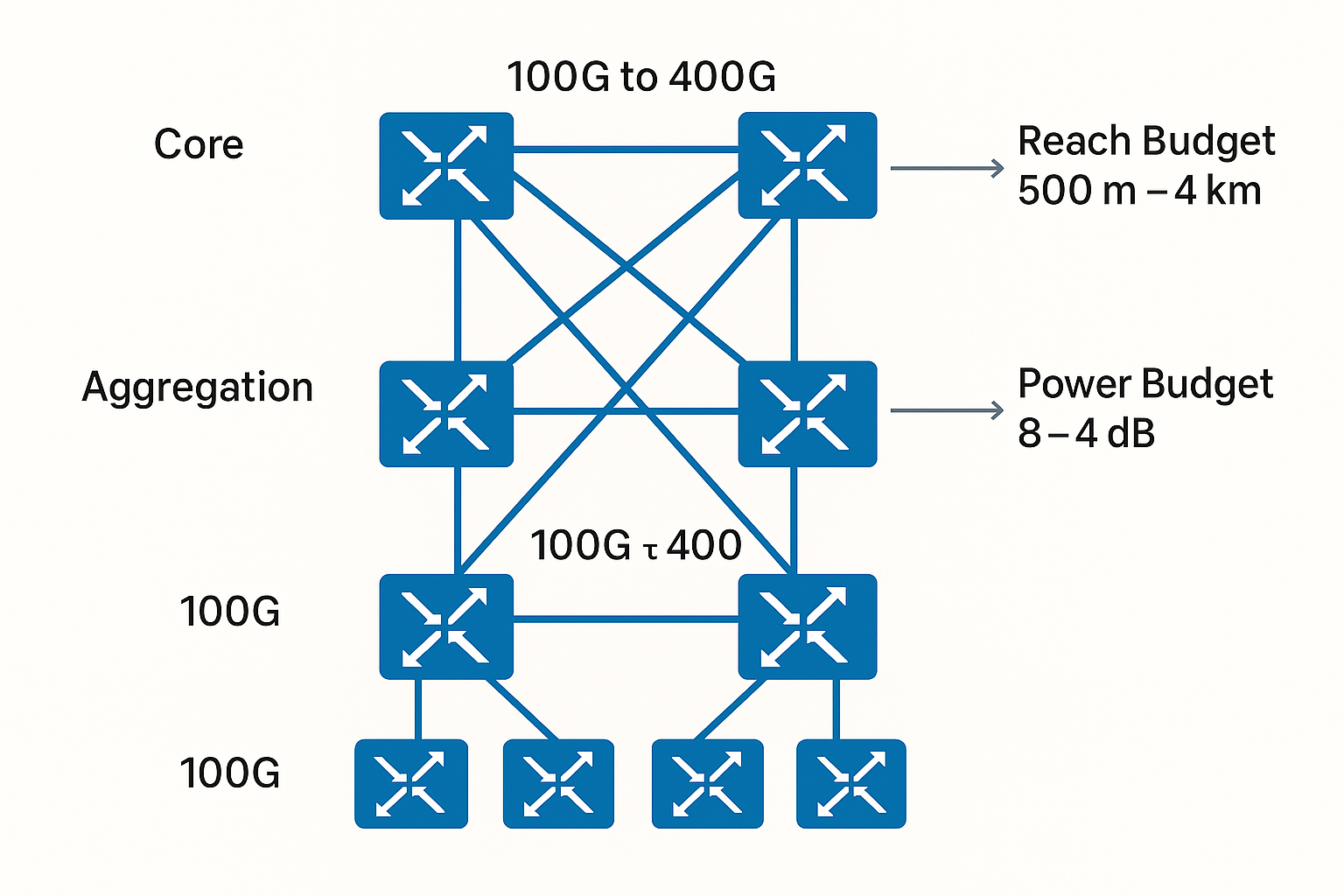
SFP modules are small, hot-pluggable transceivers used to convert electrical signals from switches into optical signals over fiber. In industrial automation, they commonly connect control VLANs, machine cells, and ruggedized edge switches to line-of-business aggregation. Typical use cases include replacing copper runs where EMI is high, extending reach beyond Ethernet cabling limits, and improving isolation between noisy industrial environments and sensitive control electronics.
Most industrial deployments use 10G SFP+, 1G SFP, or newer 25G SFP28 depending on controller and switch throughput. On the optics side, you will see multimode (MMF) for short plant runs and single-mode (SMF) for long spans or campus links. The key is matching the module to the fiber type, distance budget, and the switch’s supported transceiver family and speed.
From an ROI standpoint, SFP selection is not only purchase price. It affects mean time to repair, downtime risk, and whether you can standardize optics across vendors. In practice, engineers also look at DOM telemetry support (Digital Optical Monitoring) to detect failing optics before they trigger a production outage.
Key specifications that determine whether the link will actually work
Before you compare part numbers, translate “industrial automation” requirements into measurable optical and electrical constraints. The selection hinges on wavelength, fiber type, reach, connector, transmit power/receive sensitivity, and environmental temperature. If any one of these is off, the link may come up intermittently or fail under temperature swings.
Core optics parameters you should verify
- Data rate and form factor: 1G SFP, 10G SFP+, 25G SFP28. A 10G port cannot safely run a 1G module without negotiation rules and switch support.
- Wavelength: MMF usually uses 850 nm (SR), while SMF may use 1310 nm (LR) or 1550 nm (ER/LR4 depending on standard).
- Reach class: SR typically targets tens to hundreds of meters on MMF; LR targets kilometers on SMF. Always align to your fiber plant loss and patch cord quality.
- Connector type: Commonly LC. Ensure your patch panels and pigtails match.
- Operating temperature: Industrial optics may be specified down to -40 C or -20 C with a higher margin for enclosure heat cycling.
- DOM support: Look for compatible DOM features for monitoring TX/RX power and alarms.
Spec comparison table (typical industrial automation options)
| Spec | 10G SFP+ SR (MMF) | 10G SFP+ LR (SMF) | 25G SFP28 SR (MMF) |
|---|---|---|---|
| Typical wavelength | 850 nm | 1310 nm | 850 nm |
| Typical reach target | Up to ~300 m on OM3, ~400-550 m on OM4 (varies by vendor) | Up to ~10 km on SMF (varies by vendor) | Up to ~100 m on OM3, ~150 m on OM4 (varies by vendor) |
| Connector | LC duplex | LC duplex | LC duplex |
| Power class (typical) | Class 1 laser product, low optical power with calibrated receiver sensitivity | Class 1 laser product, calibrated for SMF loss budgets | Class 1 laser product, calibrated for higher symbol rates |
| Operating temperature | Often industrial grade to -40 C to +85 C | Often industrial grade to -40 C to +85 C | Often industrial grade to -40 C to +85 C |
| DOM telemetry | Commonly supported (TX/RX power and thresholds) | Commonly supported | Commonly supported |
| Standards context | IEEE 802.3 SFP+ 10GBASE-SR | IEEE 802.3 SFP+ 10GBASE-LR | IEEE 802.3 SFP28 25GBASE-SR |
Note that “reach” is not a promise; it is a budget computed from transmitter power, receiver sensitivity, fiber attenuation, patch cord loss, and connector reflectance. The vendor datasheet gives the starting point, but your site loss budget decides the real outcome.
Compatibility checks for switch ports, optics, and DOM
In industrial automation, the SFP is only half the system. The switch’s port module, firmware, and optics compatibility matrix determine whether the link becomes operational and stays stable. Before purchase, validate that your exact switch model supports the target speed and transceiver type, and that it allows third-party optics without strict vendor ID enforcement.
What to check on the switch side
- Port speed and breakout mode: Ensure the port is configured for the correct speed (e.g., 10G vs 1G) and not in a breakout profile that changes signaling.
- Transceiver type support: Confirm the switch recognizes 850 nm SR vs 1310 nm LR and the correct form factor (SFP vs SFP+ vs SFP28).
- DOM integration: Verify the switch reads DOM values and surfaces alarms to your monitoring stack (SNMP, telemetry, syslog).
- Power and optics warnings: Some platforms apply thresholds; a marginal third-party module can still “link up” but trigger continuous interface flaps.
Standards and telemetry context
Most SFP optics align with relevant IEEE 802.3 link layers for the Ethernet signaling mode. DOM behavior is typically standardized at the module level, but vendor implementations differ in how thresholds are exposed. For electrical and optical safety context, confirm “Class 1 laser product” labeling and follow vendor guidance for handling.
For authoritative baseline standards, review [Source: IEEE 802.3] and vendor datasheets for specific modules. For example, Cisco SFP optics compatibility often depends on platform-specific support; similarly, third-party vendors publish interoperability notes per switch family.
Selection criteria checklist engineers use in the field
Use this ordered checklist to reduce rework and downtime. It is designed for industrial automation projects where commissioning windows are tight and fiber is already terminated.
- Distance and fiber type: Identify MMF (OM3/OM4) or SMF, then compute your link loss budget using measured attenuation from OTDR or certified test results.
- Budget for connectors and patch cords: Include patch cord loss, splice loss, and worst-case temperature drift. If your fiber test is old, re-test.
- Switch compatibility: Validate the exact switch model and port configuration. Confirm it supports the transceiver family and speed mode.
- Wavelength and reach class: Match SR vs LR/ER to the fiber plant. Do not assume “MMF is short so SR always works.”
- DOM and monitoring needs: Decide if you need TX/RX power alarms for predictive maintenance. If you run NMS automation, require consistent DOM visibility.
- Operating temperature and enclosure heat: Confirm the module’s temperature range and whether your cabinet airflow matches the module assumptions.
- Vendor lock-in risk: Check whether the switch enforces vendor ID and whether you can standardize on one optics supplier across sites.
- Procurement and spares strategy: Buy enough spares for commissioning plus a defined replacement cycle. Keep a documented cross-reference list.
Pro Tip: In many plants, the “works in the lab” problem is actually a receive power margin issue that only appears after seasonal temperature changes. If your switch shows DOM RX power close to the vendor’s minimum threshold, treat it as a commissioning failure even if the link stays up today.
Real-world industrial automation deployment scenario
Consider a 3-tier industrial network in a manufacturing facility: 48-port 10G ToR switches at the machine room, aggregation switches in a central IDF, and a core layer feeding MES and SCADA gateways. The plant uses OM4 multimode cabling for runs up to 180 m between ToR and cell switches, with patch panels and LC duplex jumpers totaling an estimated 2.5 dB additional loss. During commissioning, the team installs 10GBASE-SR SFP+ modules and enables interface monitoring via SNMP.
In year one, one cell shows intermittent CRC errors and brief interface down/up events during winter cold starts. DOM reveals RX power drifting toward the lower limit, and the root cause is a patch cord replacement with higher-than-rated insertion loss after a mechanical rework. Switching to a higher power SR module variant and standardizing patch cord inventory restores stable operation. This scenario shows why measured fiber loss and DOM telemetry are central to reliable industrial automation.
Common pitfalls and troubleshooting patterns
Even experienced teams hit predictable failure modes. Below are high-frequency mistakes with root causes and practical fixes.
- Pitfall: Mismatched optics to fiber type
Root cause: Installing an 850 nm SR module on a link with SMF (or using the wrong wavelength variant), leading to link failure or extreme receive margin.
Solution: Confirm wavelength and fiber type at the patch panel with labeling; verify connector type (LC duplex) and inspect fiber strand mapping. - Pitfall: Assuming “reach” without loss budgeting
Root cause: Ignoring patch cord loss, splice loss, and connector contamination. A link may pass during initial tests but degrade with temperature or aging.
Solution: Use certified fiber test results, add a conservative margin, and clean connectors using lint-free procedures before re-insertion. - Pitfall: Third-party optics rejected or unstable
Root cause: Switch firmware enforcing vendor ID, or DOM threshold mismatches causing interface flaps.
Solution: Validate compatibility using the switch vendor’s transceiver list or a lab proof. If allowed, enable logging for optic alarms and track flap correlation with DOM values. - Pitfall: Thermal stress inside cabinets
Root cause: Enclosure airflow assumptions differ from reality; fans fail or dampers close, raising internal temperature beyond module rating.
Solution: Measure cabinet temperature at commissioning and peak operating conditions; select industrial grade optics with appropriate temperature range.
Cost and ROI: OEM vs third-party SFP modules in industrial automation
Pricing varies by data rate and reach class, but realistic field ranges help you plan. For 10G SFP+ SR, OEM modules might cost roughly $80 to $200 each, while reputable third-party options often land around $40 to $120. For 10G SFP+ LR SMF, OEM pricing can be $150 to $350 each, with third-party often $80 to $220. Industrial temperature grade and DOM-enabled variants typically cost more than basic commercial-grade optics.
TCO should include downtime risk and spares handling. A marginal module that triggers repeated interface resets can increase maintenance labor and production impact far beyond the price difference. If your switch enforces strict compatibility, OEM may reduce commissioning time and failure rates; if your platform is permissive, third-party can improve ROI when you standardize on a cross-validated module family.
For reference optics models commonly seen in networks, examples include Cisco SFP-10G-SR, Finisar FTLX8571D3BCL, and FS.com SFP-10GSR-85. Always confirm the exact electrical and optical parameters in the datasheet and compatibility with your switch model before deployment.
FAQ
How do I choose between 10G SFP+ SR and 10G SFP+ LR for industrial automation?
Start with your fiber type and measured distance. Use SR for multimode links at 850 nm and LR for single-mode links at 1310 nm. Then validate with your loss budget and connector/patch cord losses; do not rely on vendor “maximum reach” alone.
Do I need DOM for industrial automation networks?
If you run predictive maintenance or automated alerts, DOM is highly useful because it exposes TX/RX power and alarm thresholds. Without DOM, you may only detect failure after packet errors or link flaps, which is costly during production hours.
Will a third-party SFP work with my switch?
Sometimes yes, but it depends on your exact switch model, firmware, and whether the platform enforces vendor ID. Test in a controlled environment or use the switch vendor’s compatibility guidance, then monitor DOM and interface counters during commissioning.
What temperature rating matters most for industrial automation?
Focus on the module’s specified operating temperature range and your cabinet’s measured internal temperature during worst-case load. If airflow is inconsistent, prefer industrial grade optics and add thermal monitoring for early warning.
Why does a link come up but later shows CRC errors?
Common causes include insufficient optical power margin, dirty connectors, or a patch cord with higher insertion loss than expected. Use DOM to check RX power trends, clean and reseat connectors, and re-verify fiber testing results.
What standards should I reference when buying SFP optics?
Use IEEE 802.3 for Ethernet link mode expectations (for example, 10GBASE-SR and 10GBASE-LR) and vendor datasheets for exact optical budgets. Also consult ANSI/TIA guidance for cabling practices and fiber testing methods when validating your installation.
If you want the lowest commissioning risk, treat SFP selection as an engineering exercise: map distance to fiber type, confirm switch compatibility, and verify optical margin using DOM and measured loss. Next, review industrial networking reliability checklist to align transceiver choices with monitoring, spares, and commissioning procedures.
Author bio: I have deployed fiber transceiver fleets in industrial control networks, validating optical budgets with DOM telemetry during commissioning and seasonal temperature cycles. I write selection guides focused on measurable ROI: fewer link flaps, faster spares replacement, and predictable maintenance intervals.
