
When high-speed links suddenly sip more power than expected, the network does not just get grumpy; it can throttle, flap, or throw link errors that waste your weekend. This article helps data center and network field engineers troubleshoot transceiver and optics power consumption issues using practical measurements, compatibility checks, and repeatable tests. You will get a field-friendly checklist, a comparison table of common optics power behavior, and concrete failure modes with root causes and fixes.
Why power consumption spikes break high-speed links
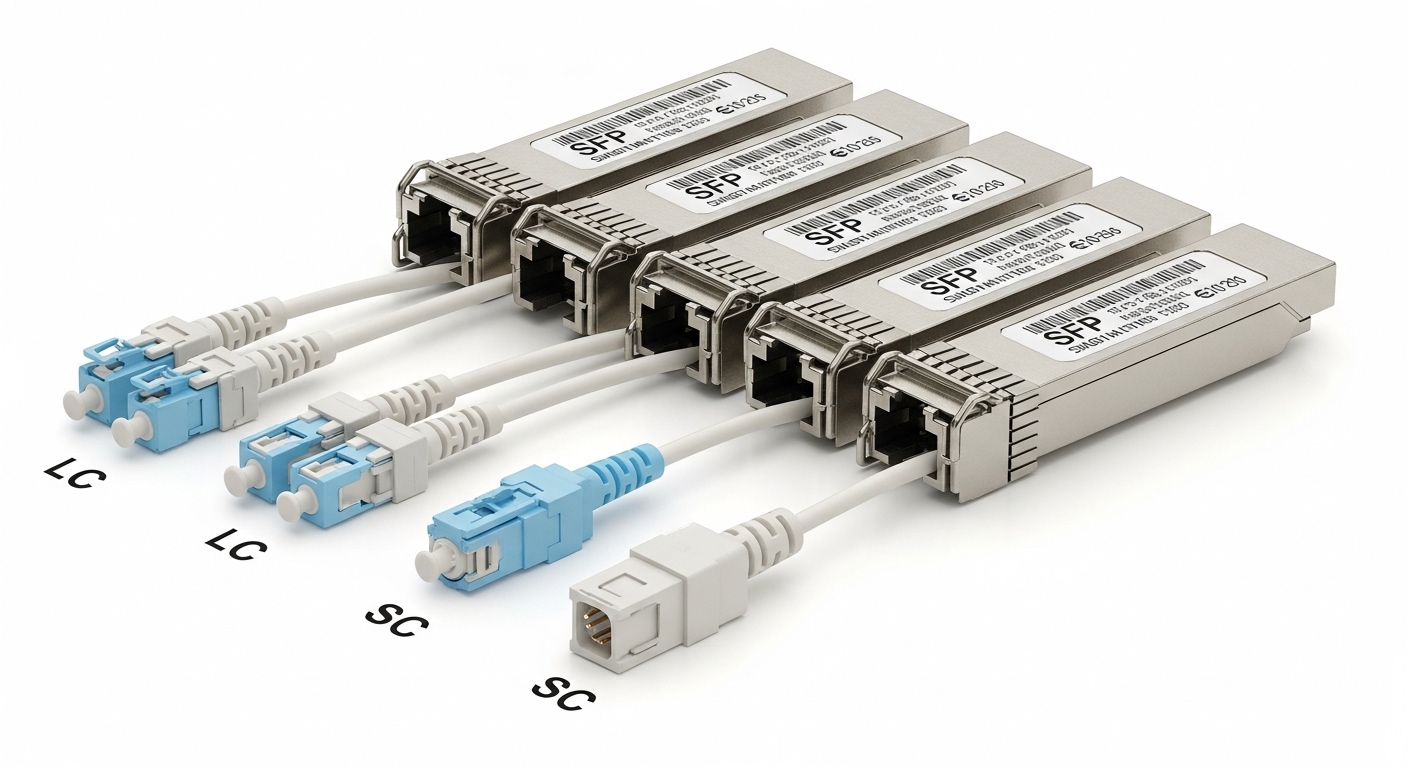
High-speed link power consumption typically rises when an optical module or interface is operating outside its intended electrical or thermal envelope. Modern pluggables (SFP, SFP+, QSFP+, QSFP28, QSFP-DD) include digital diagnostics (DOM) that expose module temperature, supply rails, laser bias, and received power. If the module overheats, the vendor’s internal control loops may increase laser drive current, adjust equalization behavior, or enter a degraded mode that still negotiates link but with higher power draw. In IEEE terms, link training and signal quality are constrained by the physical layer requirements in standards such as [EXT:https://standards.ieee.org/standard/802_3|IEEE 802.3].
What to measure in the first 10 minutes
Before swapping anything, collect three data points: module DOM readings, interface counters, and real power draw. Start with DOM values for Tx power (dBm), Rx power (dBm), module temperature (C), and supply voltage/current if your switch exposes them. Next, check interface error counters (CRC, FCS, symbol errors) and any low-level events (link down/up, training failures). Finally, if you suspect a power anomaly, measure at the rack level or with an inline meter on the relevant PSU rail; optics power shifts are often small per port, but the pattern across multiple ports can be unmistakable.
Pro Tip: Many “power drain” complaints are actually thermal runaway masquerading as electrical waste. If module temperature is trending upward by a few degrees every few minutes while Tx power increases, focus on airflow, dust, and port-side obstructions before you blame the optics.
Power budget reality: optics, rails, and thermal limits
Transceivers are designed with a maximum power envelope, but real systems can exceed that envelope due to poor airflow, mismatched optics, or signal conditions that force higher drive levels. Typical optical modules specify an operating temperature range (often 0 to 70 C for mainstream variants, with extended options like -40 to 85 C depending on SKU). If you run a 70 C module in a compartment that regularly hits 75 C, you can get higher laser bias and degraded link stability, which users interpret as “power consumption issues.”
Common optics power behavior to expect
Short-reach multimode modules (SR) generally draw within a predictable range because they target known link budgets over OM3/OM4 fiber. Long-reach single-mode modules (LR/ER) can draw differently due to laser type and higher sensitivity to fiber attenuation. Be aware that vendor-specific implementations vary; the important part is whether the module reports values within its documented limits and whether the switch interface expects that class of module.
| Module type (examples) | Typical wavelength | Target reach | Connector | DOM/Diagnostics | Operating temp (typ.) | Power behavior to watch |
|---|---|---|---|---|---|---|
| Cisco SFP-10G-SR (10G SR) | 850 nm | ~300 m on OM3, ~400 m on OM4 | LC (multimode) | Tx/Rx power, temp, voltage | 0 to 70 C | Tx power rising + temp rising = thermal or link impairment |
| Finisar FTLX8571D3BCL (10G SR, vendor example) | 850 nm | ~300 m (varies by fiber) | LC | DOM support | 0 to 70 C (often) | Check for degraded Rx power indicating fiber issues |
| FS.com SFP-10GSR-85 (10G SR, vendor example) | 850 nm | ~400 m on OM4 (varies) | LC | DOM support (varies by SKU) | 0 to 70 C (often) | Verify compatibility with switch DOM expectations |
| QSFP28 SR (25G/100G class, vendor example) | ~850 nm | ~70 m to ~150 m depending on fiber | MPO/MTP (multimode) | Per-lane diagnostics | 0 to 70 C (often) | Higher power when link training struggles or MPO is dirty |
To anchor troubleshooting to credible sources, use the IEEE physical-layer requirements and your vendor’s transceiver datasheet. For standards context, IEEE 802.3 is the baseline reference for Ethernet PHY behavior. For module limits and DOM register meanings, use the specific datasheet for the exact part number installed (example: Cisco, Finisar, or FS-branded SKU). If you do not have the datasheet, you can still read DOM, but you lose the ability to interpret “normal” versus “abnormal” power-related readings.
Thermal math you can actually use on-site
Field reality: airflow matters more than most dashboards admit. In many leaf-spine data centers, the switch intake temperature might be 25 to 30 C, but the module can sit in a micro-zone that runs hotter due to blocked vents, high fan curve hysteresis, or mis-seated blanks. If you see module temperature above the module’s rated limit or a steady upward trend during a single link session, treat it as a physical-layer problem with a thermal root cause.
Selection criteria: preventing power problems before they start
Before you install or replace optics, use a decision checklist that targets power consumption failure modes: thermal mismatch, link budget mismatch, and compatibility friction. The goal is to reduce the chance that the module will increase laser drive or equalization effort beyond what the system can support. Engineers often treat this as a “reach and price” problem; it is also a “power and diagnostics compatibility” problem.
- Distance vs link budget: Confirm fiber type (OM3 vs OM4), expected attenuation, and connector loss. For multimode, dirty connectors and patch panel transitions can erase your margin.
- Switch and PHY compatibility: Validate that the switch supports the module class and data rate (10G SR, 25G SR, 100G SR4, etc.). Some platforms are picky about DOM behavior or vendor-specific thresholds.
- DOM support and interpretation: Ensure the switch can read diagnostics and that you know what “normal” looks like for the exact module SKU. Without DOM, power issues are guesswork.
- Operating temperature range: Match module temperature rating to your actual intake and exhaust conditions. If your rack runs warm, prefer extended temperature optics if supported.
- Operating mode and optics type: Verify the correct wavelength and standard (SR at 850 nm for multimode, LR/ER at 1310/1550 nm for single-mode). Wrong type often leads to degraded link behavior and abnormal drive.
- Vendor lock-in risk: Third-party optics can work, but validate interoperability on a pilot port first. Power anomalies sometimes correlate with firmware expectations and DOM thresholds.
- Connector cleanliness plan: Plan for inspection and cleaning of LC or MPO/MTP ends. Optical loss from contamination can drive higher laser output and worse power behavior.
Quick compatibility checks engineers can do right away
Check whether the switch reports the module as “supported” or “unknown.” Then compare DOM readings across known-good ports using the same module type. If only one port shows abnormal power or temperature while others are stable, the issue is likely localized (airflow blockage, a specific cable run, or a dirty connector at that port).
Common mistakes and troubleshooting tips for power consumption issues
Let us get practical. Below are frequent failure modes that look like “power consumption problems” in high-speed links, along with root causes and fixes.
Mistaking fiber impairment for a “bad transceiver”
Root cause: Dirty or aging fiber terminations increase attenuation, forcing the receiver to work harder and the transmitter to raise effective output within control limits. The module then reports higher Tx power and may show higher temperature due to increased drive current.
Solution: Inspect and clean LC or MPO/MTP connectors using approved procedures and tools. Re-test with a known-good patch cord. If you have an optical power meter, compare measured receive power to the module’s expected range from the datasheet.
Ignoring thermal micro-zones and airflow obstruction
Root cause: A blocked vent, a missing blank panel, or a misaligned fan module can raise the module temperature even when the rack intake looks normal. Laser bias and internal circuitry respond, increasing power consumption and degrading link stability.
Solution: Use a thermal camera (or spot temp sensor) to check the module and adjacent optics. Confirm fan operation and airflow direction. Reseat the switch module and ensure any unused ports have proper blanks.
Swapping optics without validating data rate and lane mapping
Root cause: Users sometimes replace a QSFP28 link with a different optics class or an incompatible module revision. The link may still come up at a fallback mode, but power consumption and error rates can increase due to less efficient training or forced operating modes.
Solution: Verify the link speed and negotiated mode on the switch interface. Confirm the optics type matches the intended PHY mode (for example, SR4 for 100G using four lanes). Use vendor compatibility lists when available.
Relying on “module present” without reading DOM details
Root cause: A module can be detected but operating outside intended thresholds. If you only look at link up/down, you miss the trend signals: temperature climbing, Tx power drifting, or Rx power dropping.
Solution: Collect DOM snapshots at link stable time and during link flaps. Compare with a known-good baseline port. Track deltas, not just absolute values.
Cost and ROI: what power fixes usually cost
In practice, the cost of resolving high-speed links power issues is often far less than the cost of downtime, but it depends on whether you can localize the problem. OEM optics (for example, Cisco-branded modules) often cost more per unit than third-party alternatives, but they may reduce compatibility friction and return-to-service time. Third-party optics can be economical, yet you should budget time for a pilot and validation because a “cheap” module that triggers marginal link behavior can increase failure rates and support tickets.
Realistic pricing ranges vary by speed and reach, but many 10G SR optics fall into a broad band of roughly $50 to $300 each depending on brand and temperature grade; higher-speed modules (25G/100G) and specific extended-temperature variants can run significantly more. TCO includes not only purchase price, but also labor hours, spare inventory, and the cost of repeated transceiver swaps. A good ROI approach is to spend on basic diagnostics first (connector cleaning tools, inspection microscope, thermal checks, and DOM monitoring) because those often prevent unnecessary replacements.
FAQ: power consumption troubleshooting for high-speed links
What DOM readings are most useful for power-related link issues?
Look for module temperature, Tx power, Rx power, and any reported supply voltage/current values. The most telling pattern is a rising temperature combined with increasing Tx power while error counters worsen.
Can a link be “up” even if power consumption is abnormal?
Yes. Many PHYs will negotiate and pass traffic while operating in a degraded state. You may see higher CRC/FCS or symbol errors, and the module can be drawing more power while still maintaining a fragile link.
How do I tell whether the issue is a cable run versus a transceiver?
Swap using a known-good transceiver and a known-good patch cord in a controlled A-B-A test. If the abnormal DOM trend moves with the cable, focus on fiber attenuation, connector cleanliness, and patch panel transitions.
Are third-party optics more likely to cause power consumption problems?
They can be, mainly due to compatibility nuances and DOM threshold interpretation, not because third-party optics are automatically “bad.” Pilot-test on a small subset of ports and verify negotiated speed, DOM readings, and error counters before scaling.
What is the fastest way to reduce troubleshooting time?
Standardize your baseline: keep a known-good module set and a known-good patch cord for each optic class. Then capture DOM and interface counters immediately at link up and during any flap.
When should I escalate beyond optics troubleshooting?
If multiple ports show synchronized temperature or power anomalies, investigate airflow, fan modules, PSU rail stability, and switch firmware. Also consider board-level issues if the same physical slot exhibits repeat failures across different optics.
High-speed links power problems are usually solvable when you treat them as a physical-layer story: thermal behavior, optics diagnostics, and link budget margin all interact. Next, review power-and-thermal-monitoring-for-high-speed-links to build a repeatable monitoring workflow that catches trouble before it becomes a link flap with a side of customer complaints.
Author bio: I have deployed and troubleshot high-speed Ethernet optics in live data centers, including DOM-driven incident response and thermal airflow validation. I am a practicing attorney who cites standards and vendor documentation while staying honest about the limits of what diagnostics can and cannot prove.
