
In high-density environments, one marginal fiber or mismatched transceiver can ripple into dozens of flapping ports. This article helps data center network engineers and field technicians isolate root causes fast, using measurable optics and fiber checks aligned with IEEE Ethernet optics guidance and vendor datasheets. You will get a practical checklist, common failure modes, and a selection table for common 10G and 25G optics used in leaf-spine and ToR aggregation designs. Updated for current transceiver practices and typical operational constraints.
How failures show up in high-density environments (and why)
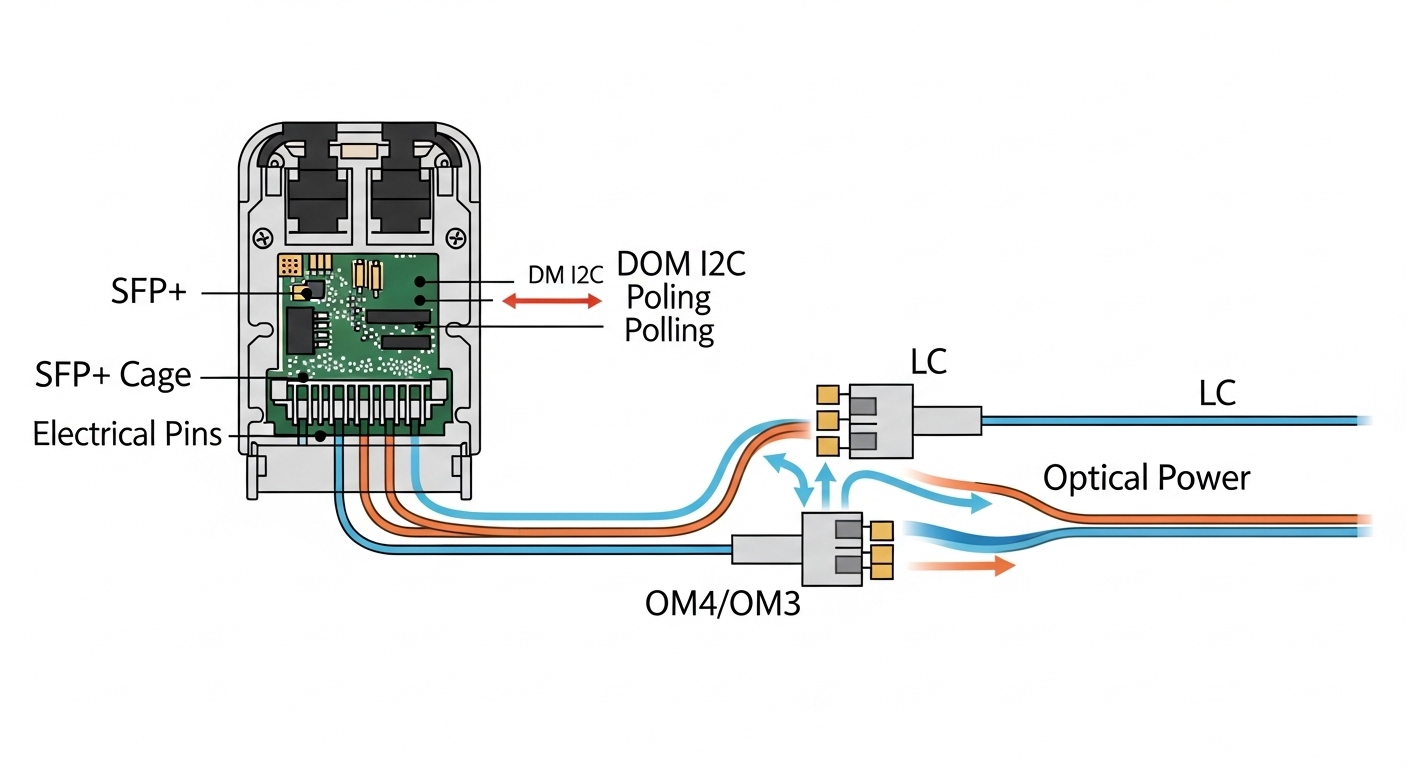
Optical link issues often present as link up/down cycles, rising CRC/FCS errors, or sudden drops in throughput after patching. In high-density environments, the probability of a bad connector, dirty ferrule, or incorrect polarity increases because transceivers and patch cords are handled more frequently. Many symptoms map to physical layer constraints: insufficient optical power budget, receiver overload, or dispersion limits. IEEE 802.3 specifies optical link behavior and electrical/optical performance expectations; in practice, you validate against the specific module and optic class rather than assuming “it should work.” anchor-text:IEEE 802.3 optical link context
Start by capturing the timeline: when the issue began, what changed (new patch, module swap, switch reload), and whether errors correlate to a rack row or a specific polarity direction. Then confirm the interface type (SFP+ vs SFP28 vs QSFP28) and negotiated speed. If the switch supports digital optical monitoring (DOM), read Tx bias current, Tx power, and Rx power before replacing anything. DOM telemetry is frequently the fastest way to distinguish a fiber budget problem from a transceiver health problem.
Specs-first debugging: map symptoms to optical budgets
Before troubleshooting, identify the target optics and fiber type. For example, 10G SR modules are typically 850 nm multimode using OM3 or OM4 fiber, while 25G SR often uses a higher sensitivity receiver and supports shorter reach in the same wavelength family. The key is to compare the module’s specified launch power and receiver sensitivity with your measured link loss (including connectors, splices, and patch cords). Vendor datasheets provide the authoritative operating ranges; do not rely on “compatible” claims without matching the optical class and DOM behavior.
| Transceiver (example) | Data rate | Wavelength | Typical reach | Connector | DOM | Operating temp |
|---|---|---|---|---|---|---|
| Cisco SFP-10G-SR | 10G | 850 nm | ~300 m on OM3 / ~400 m on OM4 (varies by exact spec) | LC | Yes (varies by platform) | Commercial/Industrial variants |
| Finisar FTLX8571D3BCL | 10G | 850 nm | Up to ~300 m on OM3 / ~400 m on OM4 (per datasheet) | LC | Yes | -5 to +70 C typical module classes |
| FS.com SFP-10GSR-85 | 10G | 850 nm | OM3/OM4-dependent (per product page) | LC | Often yes | Varies by SKU |
| 25G QSFP28 SR (common class) | 25G | 850 nm | Short reach on OM4/OM5 (datasheet-dependent) | LC | Yes | Varies by module |
In field terms, your target is not just “reach,” but margin. A good practice is to measure link loss with an OTDR or certified test set, then compare to the vendor’s optical budget and safety margins. If Tx power is normal but Rx power is abnormally low, suspect fiber polarity, bad cleaning, or a broken fiber strand. If Rx power is high and errors persist, consider receiver overload or an incorrect patch cord type that increases effective coupling.
Pro Tip: In high-density environments, the most time-efficient first move is to read DOM and compare Rx power across a known-good neighbor port on the same switch. A consistent Rx power drop across multiple affected ports often indicates a patch panel polarity or cleaning issue, while a single-port Rx anomaly points to one transceiver or one fiber run.
Fiber hygiene and polarity checks that actually prevent outages
Most “mystery” optical failures come from physical-layer contamination or polarity mistakes. In LC systems, confirm whether your patching is using MPO-to-12f conventions (for QSFP) or standard LC A/B polarity (for SFP). A polarity swap can still produce intermittent links that pass briefly, then fail under temperature drift or after minor movement. Always inspect connector endfaces with a microscope or inspection scope rated for fiber ferrules, and clean with validated procedures (lint-free wipes, appropriate cleaning tools, and fresh swabs).
Step sequence that field engineers use
- Record current DOM telemetry: Tx bias, Tx power, Rx power, and any vendor alarm flags.
- Inspect both ends of the affected link with a scope; clean before re-inspecting.
- Verify polarity: match Tx/Rx strands to the switch and patch panel labeling plan.
- Check patch cord type and fiber grade (OM3 vs OM4 vs OM5) against the module recommendation.
- If still failing, swap the transceiver with a known-good module of the same type and speed class.
Selection criteria for optics that behave under density and change
Choosing the right optics reduces troubleshooting frequency, especially when racks are hot-handled during upgrades. Engineers typically weigh compatibility and operational constraints more than raw “reach” marketing claims.
- Distance vs budget: confirm link loss budget with margin for connectors, splices, and aging.
- Switch compatibility: verify transceiver type support on the exact switch model and firmware.
- DOM and alarms: prefer modules with reliable DOM that your platform reads consistently.
- Operating temperature: check datasheet ranges for the transceiver and the surrounding rack airflow.
- Vendor lock-in risk: in some platforms, unsigned or non-OEM optics may be rate limited or blocked.
- Connector ecosystem: ensure consistent LC or MPO handling and cleaning tooling availability.
For example, if you operate a leaf-spine topology with frequent patching during migrations, standardized SR optics with DOM and consistent connector types reduce variability. If you must use third-party modules, validate with a pilot rack and monitor DOM deltas over several weeks under the same thermal conditions.
Common mistakes and troubleshooting tips in the field
Even experienced teams can miss repeatable failure modes. Below are concrete mistakes, likely root causes, and corrective actions.
Replacing optics before cleaning
Root cause: dirty ferrules cause intermittent signal coupling and can mimic “bad transceiver” behavior. Solution: inspect and clean both ends, then re-check DOM Rx power before swapping modules.
Polarity mismatch during patch panel rework
Root cause: A/B lanes swapped yields link instability or errors after movement. Solution: validate polarity mapping against the patch panel labeling; repatch using a verified polarity scheme.
Ignoring temperature and airflow changes
Root cause: high-density environments often have uneven airflow; marginal links fail after a fan module change or partial blockage. Solution: correlate error rates with environmental events and check transceiver temperature and DOM thresholds.
Mixing fiber grades without updating expectations
Root cause: OM3 vs OM4 differences can reduce margin; OM5 assumptions differ by system. Solution: confirm fiber grade on the run and compare measured loss to the module’s budget.
Cost and ROI note: modules, labor, and downtime risk
OEM optics often cost more upfront, but they may reduce blocked-module events and shorten recovery time during incidents. Third-party modules can be cost-effective, with typical street pricing often meaningfully lower than OEM, but TCO depends on failure rates, compatibility testing effort, and how quickly you can restore service. In high-density environments, downtime is expensive: if a single port failure triggers congestion or cascading reroutes, the labor and lost capacity can dwarf optics price differences. A practical ROI approach is to run a pilot with DOM monitoring and document acceptance criteria before scaling procurement.
FAQ
Q: What is the fastest way to confirm whether the issue is fiber vs transceiver?
A: Use DOM to compare Rx power on the failing port against a known-good adjacent port. If Rx power is consistently low while Tx power looks normal, focus on fiber cleaning, polarity, or link loss measurement before replacing the module.
Q: Can a polarity error still show link up?
A: Yes. Some systems may establish link intermittently, especially if the optical levels are near the threshold or if connectors move slightly. Treat intermittent errors after patching as a polarity and cleaning priority.
Q: How do I validate reach in high-density environments without guessing?
A: Measure link loss with certified test equipment or OTDR and compare against the vendor’s optical budget. Include patch cords, connectors, and splices; then ensure you have margin for operational changes and aging.
Q: Are non-OEM optics safe to deploy at scale?
A: They can be, but validate on the exact switch models and firmware versions you run. Confirm DOM compatibility, alarm behavior, and whether the platform enforces vendor identity or rate limiting.
Q: What troubleshooting step should never be skipped?
A: Connector inspection and cleaning. In real deployments, contamination is a leading cause of intermittent failures, and cleaning is low cost compared to repeated module swaps.
Q: Which optics are typically used
