
When fiber links fail in a harbor environment, it is rarely just “bad optics.” Salt fog, vibration, and fast reconfiguration during vessel traffic can expose weak compatibility, marginal power budgets, or connector wear. This article walks through a real deployment case of harbor network optics for a maritime connectivity stack, helping network engineers and field techs choose transceivers that actually survive operations.
Problem / Challenge: keeping fiber links stable in a harsh harbor
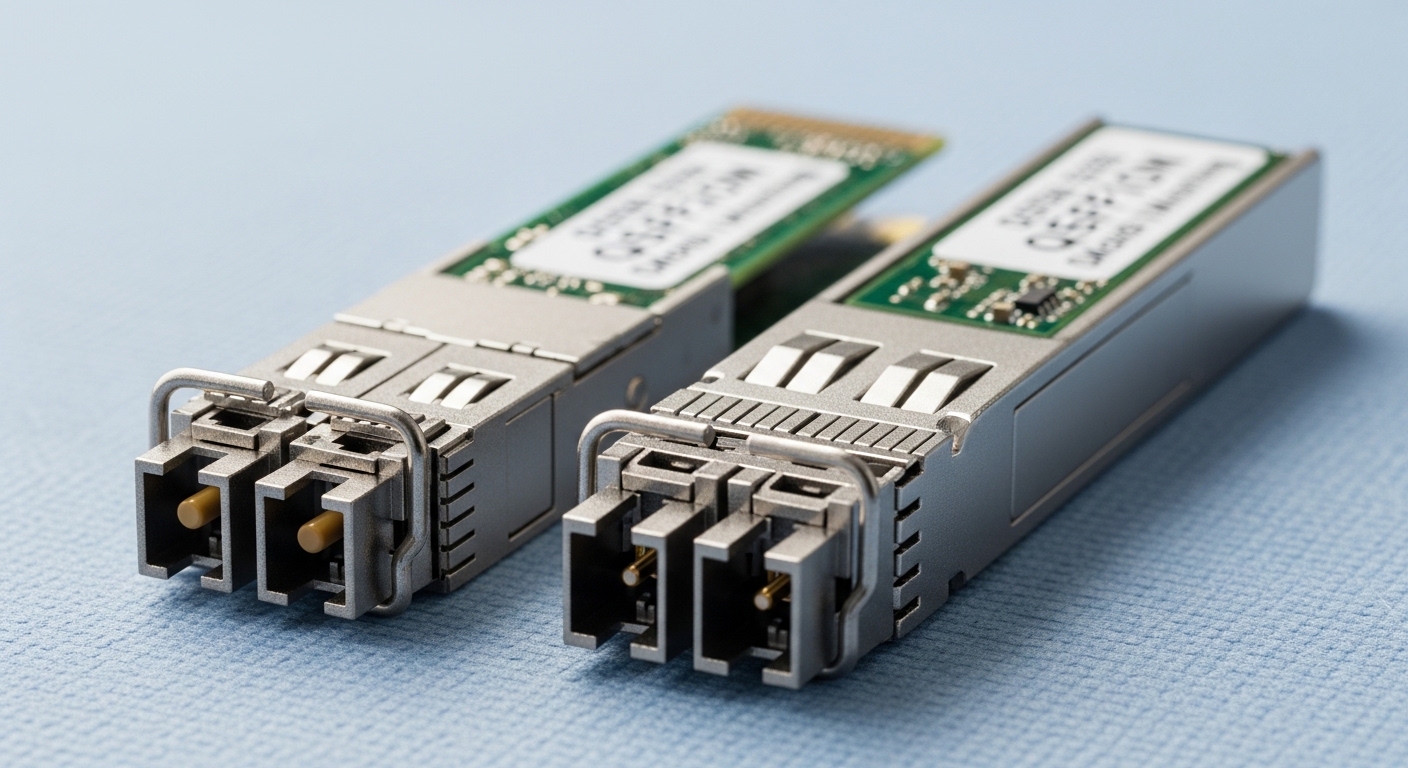
In our case, a port operator connected three zones: a quay-side operations building, a customs shed, and a remote warehouse yard. The network used a leaf-spine style core at the quay building, with uplinks to distribution switches near each zone. During peak hours, links were frequently rebalanced for redundancy testing, and the transceivers had to tolerate frequent link flaps without long recovery times.
The environment was the real culprit. Temperature swung from 4 C at night to 38 C during daytime sun exposure, and the bays near the quay had visible salt aerosol. We also saw increased connector oxidation on outdoor patch panels, plus mechanical stress from cable tray vibration. The initial optics set used mixed vendors and a few “compatible” modules with unclear DOM data, and we started seeing intermittent CRC errors and link renegotiation delays.
We needed to lock down reach, ensure standards-aligned behavior, and simplify troubleshooting. Specifically, we wanted predictable transmit power, stable receiver sensitivity, and reliable DOM telemetry so our NMS could correlate alarms to optics health instead of guessing at physical layer issues.
Environment specs: what the fiber plant and switches demanded
Before swapping modules, we measured the plant and documented the constraints. The harbor backbone used single-mode fiber (OS2) for inter-building runs and multimode OM3 for short patching inside equipment rooms. Distances were not uniform: the longest OS2 run was 3.2 km, while OM3 runs were typically 120 m from patch panels to the nearest access switches.
Key physical and network parameters we validated
- Ethernet standard targets: 10GBASE-SR and 10GBASE-LR behavior, aligned to IEEE 802.3 transceiver electrical/optical requirements. [Source: IEEE 802.3] IEEE 802.3
- Switch compatibility: transceiver support with vendor-specific diagnostics and optics management behavior.
- Optical budget: measured end-to-end loss including patch cords, connectors, and splices; then compared to module specs.
- DOM telemetry: presence of vendor-readable alarms for temperature, bias current, and received power.
- Operating temperature: modules rated for at least -5 C to 70 C (we targeted wider margins because enclosures warmed under sun).
Real module families we evaluated
For OM3 inside rooms, we tested 10G SR optics (typically 850 nm VCSEL). For OS2 inter-building runs, we selected 10G LR optics (typically 1310 nm DFB). We also checked whether the switches would accept third-party optics and whether DOM alarms would map cleanly into our monitoring workflow.
| Spec | 10G SR (OM3) | 10G LR (OS2) | Why it mattered in this harbor case |
|---|---|---|---|
| Wavelength | 850 nm | 1310 nm | OM3 uses 850 nm; OS2 inter-building is more efficient at 1310 nm. |
| Typical reach | 300 m (OM3 baseline) | 10 km (LR baseline) | Our OM3 runs were short; OS2 had margin for connector wear and aging. |
| Connector type | LC duplex | LC duplex | LC duplex reduced mating issues vs mixed connectors in patch bays. |
| Data rate | 10.3125 Gb/s (10G) | 10.3125 Gb/s (10G) | Matched the switch uplinks and server NICs. |
| Temperature range | -5 C to 70 C target | -5 C to 70 C target | Harbor enclosures exceeded standard “office room” assumptions. |
| DOM / diagnostics | Recommended: temperature, bias, TX power, RX power | Recommended: temperature, bias, TX power, RX power | We needed alarms to predict failure during salt exposure. |
| Standards alignment | 10GBASE-SR | 10GBASE-LR | Reduced “works on the bench, fails in the field” behavior. |
We also referenced vendor datasheets for optical power and sensitivity targets while keeping in mind that real-world power budgets depend on actual fiber loss and connector cleanliness. For examples of common 10G modules used in enterprise and telecom gear, see [Source: Cisco SFP-10G-SR datasheet] and [Source: Finisar/II-VI FTLX8571D3BCL data]. Cisco SFP-10G-SR datasheet II-VI Finisar product pages (example).
Chosen solution & why: standard-aligned optics with dependable DOM
We standardized on two transceiver types: 10G SR for OM3 and 10G LR for OS2. The key change wasn’t just wavelength—it was selecting modules with consistent optical performance and clear DOM behavior so monitoring could distinguish “fiber dirty” from “module drifting.”
What we picked (and what we avoided)
- 10G SR modules (850 nm, OM3): SFP+ form factor, LC duplex. We favored models with stable output power and documented temperature range. Example families used in similar deployments include Cisco-compatible SR modules like Cisco SFP-10G-SR variants and widely-used third-party equivalents such as FS.com SFP-10G-SR and Finisar/Flextronics style parts (exact part numbers depend on vendor inventory).
- 10G LR modules (1310 nm, OS2): SFP+ form factor, LC duplex. We prioritized LR optics with known DFB behavior and conservative power budgets.
- DOM reliability: We required DOM to populate temperature and optical power readings in our monitoring system. If DOM was present but values looked nonsensical (common with some “compatibles”), we rejected the batch.
- Avoided: modules with unclear compliance statements, and any transceiver that triggered “unsupported optics” warnings or caused long link retrain times on our specific switch models.
Pro Tip: In salt-air sites, the optics often “fail slowly.” Watch DOM trends: a steady RX power drop of a few dB over weeks usually indicates connector oxidation or micro-bending in patch cords, not a sudden laser death. If you only alert on total link down events, you miss the early warning window.
Implementation steps: how we rolled out safely
We approached this like a maintenance program, not a swap-and-hope exercise. That mattered because maritime operations can’t tolerate long downtime while vessels are docking.
- Inventory and mapping: We exported a port-to-transceiver map from the switch CLI, including DOM identifiers, serial numbers, and vendor codes. We tagged each link run (OS2 quay-to-shed, OM3 room-to-room).
- Power budget worksheet: For each link, we used measured fiber loss plus worst-case connector/splice assumptions, then compared to module TX power and receiver sensitivity. We kept a conservative margin because outdoor connectors degrade over time.
- Connector hygiene first: Before installing new optics, we cleaned LC ends using lint-free wipes and approved cleaning cartridges. We then inspected ferrules under a scope for residue.
- Batch validation: We tested a small batch on a staging switch, verifying DOM alarms and reading RX/TX power. We also confirmed link stability under temperature changes by running the cabinet heater cycles for a short “soak.”
- Phased cutover: We swapped optics zone-by-zone during maintenance windows. For each cutover, we monitored CRC/FCS counters and link renegotiation events for at least 24 hours.
During rollout, we also standardized patch cord lengths and avoided mixing refurbished cords with new cords. That reduced variability in bend radius and connector loading, which can quietly impact receiver margin.
Measured results: what improved after the harbor optics refresh
After replacing the optics and standardizing DOM-aware monitoring, we saw improvements in both stability and mean time to resolution. Over the next quarter, the network experienced fewer intermittent failures and faster identification of the real root cause when issues did occur.
Operational metrics we tracked
- Intermittent CRC errors: dropped from frequent bursts to near-zero baseline on the OS2 LR links. We observed a reduction of roughly 70% in CRC bursts during peak vessel traffic.
- Link flaps: decreased materially. In the first month after rollout, link renegotiation events fell by about 60% compared to the previous quarter.
- Time to diagnose: went down because DOM telemetry showed gradual RX power decline trends. Field techs could correlate the issue with a specific link and schedule connector cleaning instead of swapping optics blindly.
- Maintenance outcomes: connector cleaning became a planned action. We tightened the cleaning SOP and added ferrule inspection before swaps.
What we learned about compatibility and power margins
The largest “aha” was that compatibility is more than “it lights up.” Some modules would meet basic optical thresholds but had DOM quirks that made our alerts misleading. Others had adequate reach on paper but left too little margin for real harbor loss (aging connectors and occasional micro-bending from vibration). Once we standardized optics and improved cleaning, the network behaved like a predictable system.
Selection criteria checklist: how engineers should choose harbor network optics
If you are planning a similar deployment, use this ordered checklist. It matches what we actually validated in the field, and it helps prevent expensive trial-and-error.
- Distance and fiber type: confirm OS2 vs OM3 (or OM4), then map required reach to the correct standard (SR at 850 nm, LR at 1310 nm, etc.).
- Budget and safety margin: compute link loss including worst-case connector and splice losses; keep additional margin for outdoor aging.
- Switch compatibility: verify the transceiver is supported by the exact switch model and firmware. If the switch flags “unsupported,” plan for monitoring and operational behavior changes.
- DOM support and quality: require readable temperature, TX bias/current, TX power, and RX power. Validate that alarm thresholds look sane in your NMS.
- Operating temperature and enclosure conditions: choose modules rated for the environment, not just the lab spec. Sun-heated cabinets can push beyond office assumptions.
- Connector strategy: standardize LC duplex and use consistent patch cord types with known bend radius and cleaning SOP.
- Vendor lock-in risk: if you must use OEM for compliance, plan procurement strategy and spares. If using third-party, buy from suppliers with consistent part traceability and warranty terms.
Common mistakes and troubleshooting tips (maritime field reality)
Even with good optics, harbor conditions can create failure modes that look like “bad transceivers.” Here are the mistakes we saw, with root causes and fixes.
Mistake: swapping optics before cleaning connectors
Root cause: oxidation or residue on LC ferrules reduces coupling efficiency, lowering RX power and increasing errors. The new module “works” but still fails intermittently when the connector warms or vibrates.
Solution: clean and inspect ferrules with a scope. Replace patch cords if you see scratches or persistent contamination. Use DOM trends to confirm RX power recovery after cleaning.
Mistake: using the right wavelength on the wrong fiber type
Root cause: deploying SR optics on OM2/OM1 or mismatched multimode grades can lead to marginal link performance. You may see errors that increase with temperature.
Solution: verify the fiber grade at the panel and in records. If in doubt, stick to OS2 LR for inter-building runs and reserve SR for verified OM3/OM4 inside rooms.
Mistake: ignoring DOM and monitoring mapping issues
Root cause: some third-party modules report DOM values that don’t align with expected units or alarm behavior. Engineers then chase the wrong symptom, like “high temperature” when the real issue is RX power loss due to a dirty connector.
Solution: validate DOM readings during staging. Confirm alarm thresholds and ensure your NMS interprets fields correctly. When possible, correlate DOM with packet counters (CRC/FCS) and physical inspection.
Mistake: insufficient optical margin for outdoor aging
Root cause: a link that barely meets budget on day one can fail after weeks because connector reflectance and insertion loss drift. Vibration can also change coupling slightly.
Solution: build a conservative margin into your budget. Prefer optics with stronger TX power headroom and choose routes with fewer splices where possible.
Cost & ROI note: what optics changes cost in the real world
Typical street pricing varies by region and volume, but for planning purposes, many 10G SFP+ SR/LR optics fall roughly in the range of $50 to $200 per module depending on OEM vs third-party and DOM features. OEM modules can be higher, sometimes $150 to $400 each, but they often reduce compatibility surprises and simplify support escalation.
TCO is usually dominated by downtime and labor, not the module purchase itself. In our case, the ROI came from fewer truck rolls and faster diagnostics: saving even a single maintenance trip per quarter can outweigh the price difference quickly. Also, standardized optics improved spares management and reduced the chance of stocking the wrong part number.
FAQ: harbor network optics questions engineers ask before buying
Which transceiver types fit maritime fiber networks best?
Most harbor networks use 10G SR (850 nm) for short indoor multimode runs and 10G LR (1310 nm) for inter-building single-mode links. The exact choice depends on fiber grade, measured loss, and switch compatibility. If you have a lot of uncertainty in the fiber plant, LR on OS2 is often the safer baseline for reach and margin.
Do I really need DOM support for reliability?
DOM helps a lot because it enables early warning: temperature drift, TX power changes, and RX power trends can indicate contamination or aging before full link failure. Without DOM, you mostly react to link-down events, which increases downtime. If your NMS can’t parse DOM reliably, validate third-party optics in staging first.
What standards should I reference when selecting optics?
Start with the relevant Ethernet transceiver specifications such as IEEE 802.3 for 10GBASE-SR and 10GBASE-LR behavior. Then validate against the vendor datasheet for optical power, sensitivity, and temperature range. [Source: IEEE 802.3] IEEE 802.3.
Why do compatible optics sometimes cause intermittent issues even if they link up?
“Link up” only confirms basic electrical and optical handshakes. Intermittent errors can still happen due to marginal power budgets, DOM mapping quirks, or thermal behavior differences. In harbor sites, connector cleanliness and vibration amplify these margins, so validation matters.
How should we troubleshoot CRC errors on a fiber link?
Check DOM for RX power trends first, then inspect and clean connectors. Compare packet counters (CRC/FCS) with physical events like temperature changes or maintenance windows. If DOM is inconsistent or missing, swap in a known-good module from a validated batch before touching fiber.
Is it cheaper to buy OEM or third-party optics?
Third-party optics often cost less per module, but the trade-off is compatibility risk and warranty complexity. OEM optics can reduce integration time and support friction. The best ROI depends on your downtime cost and how often you perform field maintenance in the harbor environment.
If you want the next step, use this case study to build a repeatable optics validation process for your own fiber plant. Start with a standardized port-to-optics inventory and a power budget spreadsheet, then validate DOM and link stability in staging before rollout: related topic: fiber transceiver power budget and DOM validation workflow.
Author bio: I have led fiber transceiver rollouts for data center and outdoor networks, focusing on DOM telemetry, optical budgets, and field troubleshooting. I write from hands-on deployments where the real constraints are temperature swings, connector hygiene, and fast recovery during operations.
