
In an xDSL to fiber migration, the bottleneck is rarely fiber itself; it is the right FTTx migration transceiver that survives real plant conditions, switch quirks, and tight commissioning windows. This guide helps ISP engineers and field leads choose optics that match upstream aggregation, verify power and temperature limits, and avoid the most common interoperability failures. You will get a deployment scenario, a spec comparison table, a decision checklist, and troubleshooting steps you can apply on-site.
Where an FTTx migration transceiver fits in the xDSL-to-fiber path
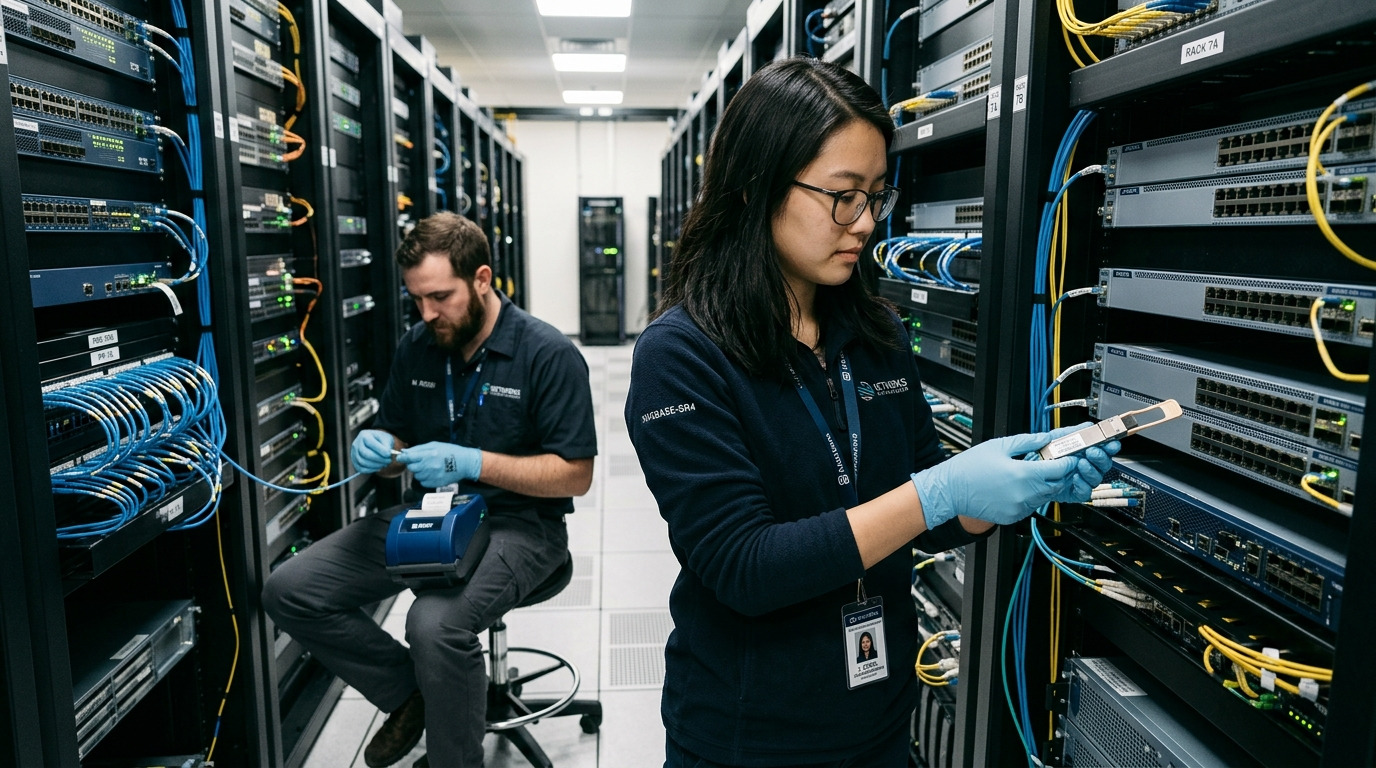
During migration, traffic often shifts from copper DSLAMs to fiber-based access nodes, then into aggregation. The FTTx migration transceiver typically connects an access device (ONT aggregation, OLT line-side, or a small backhaul switch) to an upstream router or aggregation switch. In practice, the transceiver must align with the switch electrical interface standard (SFP/SFP+/QSFP), the fiber type (single-mode vs multimode), and the reach budget. For standards grounding, engineers commonly reference IEEE 802.3 for optical Ethernet behavior and vendor datasheets for link parameters. anchor-text anchor-text
Two common migration topologies engineers see
Scenario A: DSLAM replacement at the cabinet. A street cabinet replaces a copper DSLAM with an OLT or mini-OLT, then uses optics to uplink to a nearby aggregation switch. Typical uplink data rates are 10G or 25G depending on vendor and backhaul capacity. Scenario B: staged backhaul. Copper remains for some subscribers while backhaul is upgraded first, so the optics must interoperate with mixed-generation aggregation gear for months.
Spec-first selection: wavelength, reach, optics class, and connector reality
Engineers often choose by wavelength and forget the operational constraints that break links later: DOM support, optical power class, temperature range, and connector cleanliness. Start with the switch port type (for example, Cisco SFP-10G-SR class ports expect specific electrical and optical characteristics) and then match optics to the fiber plant. For single-mode access, typical wavelengths are 1310 nm (often used for 1G/10G with longer reach) or 1550 nm (used when reach and budget require it). For multimode, 850 nm is common with OM3/OM4 fiber.
Field comparison: representative transceivers used in migration projects
Below is a practical comparison of module classes you might deploy when upgrading copper backhaul to fiber. Exact values vary by vendor and exact part number, so confirm against the datasheet for your specific model and DOM behavior.
| Module class (example part) | Data rate | Wavelength | Typical reach | Fiber type | Connector | Optical power / DOM | Temperature range |
|---|---|---|---|---|---|---|---|
| FS.com SFP-10GSR-85 | 10G | 850 nm | Up to 300 m (OM3) / 400 m (OM4) | Multimode | LC | DOM supported (model-dependent) | Commercial (commonly 0 to 70 C) |
| Finisar FTLX8571D3BCL | 10G | 1310 nm | Up to 10 km (typical class) | Single-mode | LC | DOM supported (model-dependent) | Commercial or industrial variants |
| Cisco-compatible 10G SFP+ SR | 10G | 850 nm | Up to 300 m class | Multimode | LC | DOM varies by SKU | Varies by SKU |
| Enterprise 25G SR / LR family | 25G | 850 nm or 1310/1550 nm | Depends on SR vs LR | MMF/SMF | LC | DOM common | Varies by SKU |
What to verify before you order
- Wavelength match with the partner transceiver (or transceiver compatibility for bidirectional optics).
- Fiber type and attenuation (OM3 vs OM4, SMF spec, splice and connector loss).
- Connector style (LC is typical; mismatches force adapter use and add loss).
- DOM support and how the switch interprets it (some platforms block non-DOM or flag thresholds).
- Temperature envelope for outside cabinets and aerial drops (industrial variants may be necessary).
Pro Tip: In migration rollouts, plan a “DOM sanity check” step during commissioning: read optical power and receive power immediately after link-up. If you wait until the first performance ticket, you may miss the early warning window where a dirty LC patch or marginal budget is already visible in DOM telemetry.
Deployment scenario: cabinet uplink with mixed copper and new fiber
Consider a 3-tier ISP access network in a leaf-spine style aggregation plan: 48-port 10G ToR switches at aggregation, uplink to a regional core via 100G, and street cabinets hosting mini-OLT equipment. In one rollout, 18 cabinets are upgraded over three weekends. Each cabinet uplinks from an OLT line-side switch to aggregation using 10G SFP+ over single-mode fiber: a typical plan is 1.5 km average distance with 0.35 dB total connector/splice loss budget and a measured SMF attenuation around 0.35 dB per km at 1310 nm. The chosen FTTx migration transceiver must support the switch’s optics compatibility mode, and the DOM thresholds must not trigger port err-disable events when ambient cabinet temperatures swing from cool mornings to hot afternoons.
Selection checklist engineers can run in under 10 minutes
- Distance and reach: confirm actual route length including slack, not just trench distance.
- Budget math: measure or assume realistic splice and connector losses; include patch cords and adapters.
- Switch compatibility: confirm the exact transceiver type supported by your switch model and firmware.
- DOM behavior: verify whether the platform requires DOM and what fields it expects (vendor-specific).
- Operating temperature: cabinet, hut, or outdoor pole conditions; prefer industrial temperature optics where needed.
- Vendor lock-in risk: check whether third-party optics are allowed; if not, estimate replacement lead times.
- Optics cleaning and handling plan: LC end-face inspection tools and replacement patch cords on hand.
- Test strategy: plan a “known-good” transceiver pair for rollback during cutover windows.
Common mistakes and troubleshooting that actually fixes links
When a migration link fails, the root cause is often mundane. Use these failure modes as a fast triage playbook.
Link up then flaps every few minutes
Root cause: marginal optical power due to dirty connectors or damaged patch cords, amplified by temperature-induced laser drift. Solution: clean LC ends with inspection-first workflow, replace patch cords, then re-check DOM receive power after the cabinet stabilizes.
“Unsupported transceiver” alarms or err-disable ports
Root cause: switch firmware rejects non-validated optics or DOM format mismatches. Solution: test with OEM optics on a single port, then confirm firmware settings and transceiver compatibility lists; consider firmware upgrade if vendor allows.
Works at short distance but fails when cutover stretches reach
Root cause: link budget miscalculation (forgetting adapters, added splices, or using optimistic fiber attenuation). Solution: measure end-to-end loss, then select higher-power class or longer-reach wavelength optics; update the engineering worksheet used for ordering.
Intermittent errors with correct link state
Root cause: fiber type mismatch (OM3 vs OM4 assumptions) or an overlooked polarity/connector mapping issue. Solution: verify transmit/receive polarity with a continuity check, confirm fiber type labeling, and inspect for swapped duplex connections at the patch panel.
Cost and ROI: what to budget beyond the module price
Street-level optics pricing varies widely: many 10G SFP+ modules commonly fall in a range of roughly $30 to $120 per unit depending on reach class, DOM support, and temperature grade; higher-grade industrial or longer-reach variants cost more. OEM optics may carry a premium and lead-time advantage for compatibility, while third-party optics can reduce unit cost but increase the chance of commissioning delays if DOM or threshold behavior differs. TCO should include spares for each cabinet type, cleaning consumables, and the engineering hours lost to rollback events. A practical ROI lens: if third-party optics reduce spend by 20% but add one extra truck roll per 20 cabinets, the “savings” can vanish quickly.
FAQ
What is an FTTx migration transceiver in plain terms?
It is the pluggable optical module used to carry Ethernet traffic between fiber access equipment and upstream aggregation during the migration from xDSL to fiber. In operations, you choose it like a component with constraints: reach, wavelength, DOM behavior, connector type, and temperature limits.
Can I mix transceiver vendors during a migration?
Often yes, but not blindly. Compatibility depends on switch firmware rules and DOM interpretation, so test using a controlled port first and validate optical power and error counters after cutover.
How do I size reach for real plant conditions?
Use measured or conservative values for fiber attenuation plus connector and splice losses, then include patch cords and adapters in the budget. Confirm with DOM telemetry during commissioning to catch “paper-correct” but field-marginal links.
Do I need DOM support for an ISP deployment?
Many modern access and aggregation switches read DOM and can alert on low receive power or rising error conditions. If your platform blocks non-DOM optics, you must match the DOM expectations; otherwise, DOM is still valuable for proactive maintenance.
What temperature range matters for outdoor cabinets?
Ambient swings in cabinets can exceed comfortable indoor limits, and laser/receiver performance can drift. Prefer industrial temperature optics when the deployment is exposed to outdoor or poorly ventilated enclosures.
What is the fastest way to troubleshoot a dead link?
Confirm switch port status, then verify optical cleanliness and polarity, and finally compare DOM transmit/receive power against expected ranges from the datasheet. Keep a known-good transceiver pair for rapid isolation during cutover windows.
If you treat the FTTx migration transceiver as a field component—measured budgets, verified DOM behavior, and disciplined connector hygiene—your xDSL-to-fiber cutovers land smoothly. Next, review fiber link budget planning to turn plant measurements into ordering decisions with fewer surprises.
Author bio: I write from hands-on ISP commissioning experience, including cabinet turn-ups, optical budget validation, and DOM telemetry triage. I focus on practical interoperability details drawn from IEEE 802.3 behavior and vendor datasheets.
