
If your Phoenix Contact FL SWITCH ports are going dark or link flaps under vibration, the root cause is often the SFP choice, not the switch. This article helps field engineers and industrial network builders compare FL SWITCH transceiver options by wavelength, reach, DOM behavior, and environmental limits. You will get selection checklists, troubleshooting patterns, and a practical decision matrix for typical cabinet and plant-floor installs.
FL SWITCH transceiver performance: matching wavelength and link budget
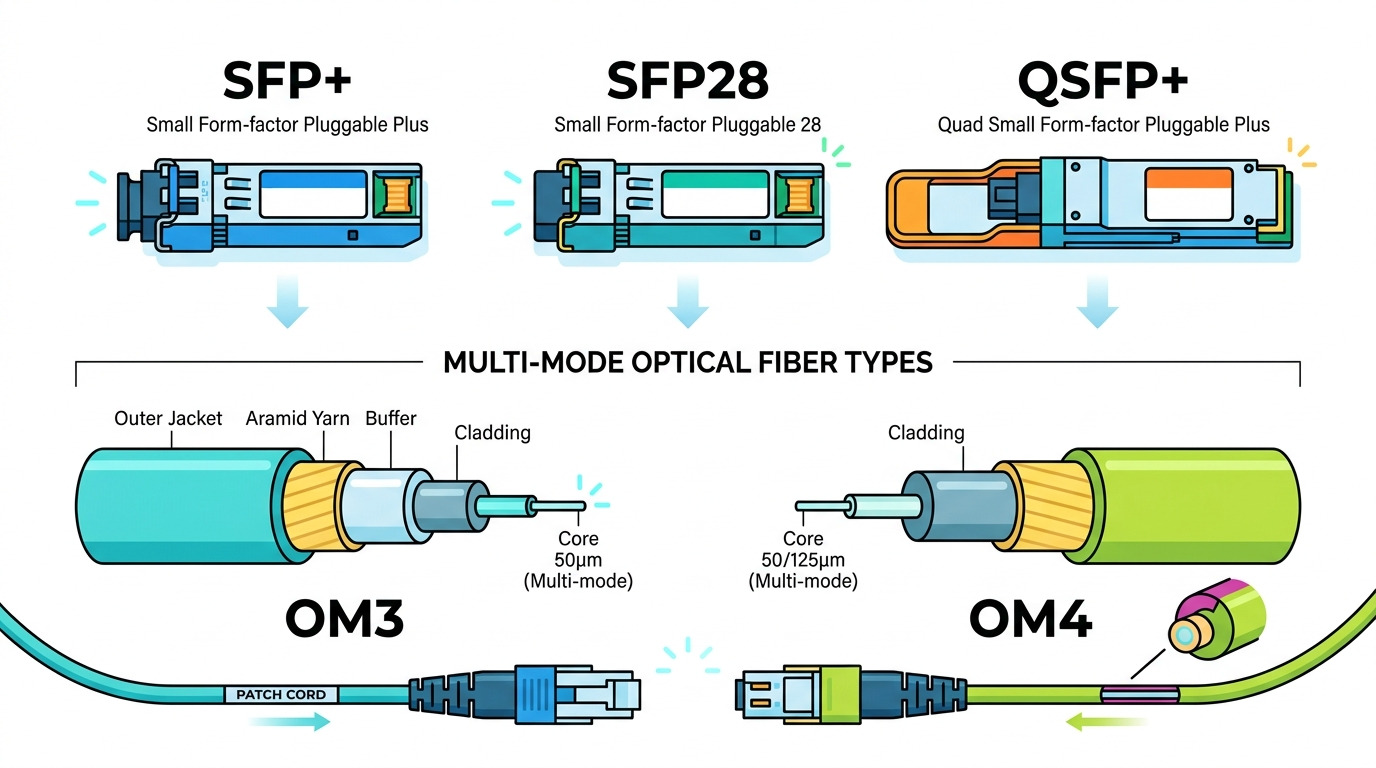
In industrial Ethernet, “it lights up” is not the same as “it stays up.” For a Phoenix Contact FL SWITCH deployment, the FL SWITCH transceiver must match the optical interface in both wavelength and connector geometry, and it must survive the link budget you actually have (fiber attenuation, patch loss, and margin for aging). Most SFPs used with managed switches follow IEEE 802.3z/802.3ae/802.3ah families depending on data rate, but vendor firmware can still enforce strict optics parameters. I treat this as an optical budget exercise first, then a compatibility test second.
What I measure in the field
Before swapping anything, I confirm the switch port type (SFP speed and whether it expects 1G, 10G, or higher) and I verify the fiber type is what the optics assumes. Then I measure or estimate: fiber attenuation (dB/km at the relevant wavelength), patch panel loss, and connector insertion loss. In a typical industrial cabinet, patch loss alone can be 0.5 to 1.5 dB per mated pair, and each additional bulkhead/patch panel adds more uncertainty.
Typical optics specs you should line up
Below is a head-to-head snapshot of common SFP optical families people pair with industrial managed switches. Your exact part number may differ, but the reach and wavelength rules are what matter for stability.
| Parameter | 10G SFP SR (850 nm) | 10G SFP LR (1310 nm) | 1G SFP SX (850 nm) |
|---|---|---|---|
| Primary use | Short reach multimode | Long reach singlemode | Short reach multimode |
| Wavelength | 850 nm (VCSEL) | 1310 nm (DFB/FP) | 850 nm (VCSEL) |
| Reach (typical) | Up to 300 m on OM3/OM4 | Up to 10 km on singlemode | Up to 550 m on OM2/OM3 |
| Connector | LC | LC | LC |
| Data rate | 10G Ethernet | 10G Ethernet | 1G Ethernet |
| Power class | Class 1 laser product | Class 1 laser product | Class 1 laser product |
| DOM | Often supported (readouts vary) | Often supported (readouts vary) | Often supported (readouts vary) |
| Temperature range | Commercial or industrial variants | Commercial or industrial variants | Commercial or industrial variants |
Compatibility head-to-head: Phoenix Contact expectations vs transceiver reality
Phoenix Contact FL SWITCH ports typically rely on standards-compliant SFP behavior, but “standards compliant” is not the same as “vendor-compatible.” In practice, I have seen link instability tied to DOM implementation differences (especially alarm thresholds), marginal optical power due to temperature drift, and firmware that rejects modules outside expected parameter ranges. Your best outcome comes from using optics that are explicitly validated for industrial use and that report DOM values cleanly.
DOM, alarms, and why it affects uptime
DOM (Digital Optical Monitoring) is usually read through the SFP’s I2C interface. Managed switches may poll thresholds for receive power, laser bias current, and temperature, then log events or administratively flap ports if values look out-of-family. Some third-party modules report DOM fields differently (scale factors or units), which can trigger misleading warnings even when the link is physically fine.
Industrial temperature and vibration tolerance
In plant-floor cabinets, ambient temperatures swing and vibration cycles can loosen connectors and stress fiber patch leads. That means you should prefer an industrial-grade transceiver with a wider operating temperature range (often -40°C to +85°C for industrial variants). Even if your cabinet stays “around” 30°C, the sun-heated enclosure or nearby drives can push local hotspots much higher.
Cost and ROI: what I actually see in TCO for FL SWITCH transceiver swaps
Price differences are real, but TCO depends on failure modes and labor time. OEM or validated third-party modules often cost more upfront, yet they reduce troubleshooting time and reduce the chance of intermittent link events that waste engineer hours. In a typical industrial rollout, labor dominates replacement cost when a port intermittently flaps during production.
Realistic pricing ranges and tradeoffs
As a rule of thumb from recent procurement cycles, third-party 10G SR SFPs commonly land in the $25 to $60 range each, while validated industrial-grade or OEM-aligned optics can be $80 to $200 each depending on speed and reach. For 1G SR, pricing can be lower, but industrial temperature grade and DOM behavior still matter.
- OEM-aligned optics: higher unit cost, usually cleaner DOM behavior and fewer “works today, fails tomorrow” cases.
- Third-party optics: lower cost, but you must validate DOM and switch compatibility in a staging rack.
- Mixed vendor pairs: usually workable, but if you see receive power margin issues, you may need to standardize vendor and optics family.
I budget spare modules as a reliability strategy. If a line downtime incident costs more than a few hours of labor, paying extra for validated optics is often cheaper than chasing intermittent faults.
Selection criteria checklist: pick the right FL SWITCH transceiver in order
Use this ordered checklist. I keep it on a sticky note next to my test laptop during commissioning.
- Distance and fiber type: confirm multimode vs singlemode, and measure or estimate total loss including patch leads and bulkheads.
- Data rate and port speed: ensure the SFP matches the exact port speed expected by the FL SWITCH model (do not assume down-negotiation works).
- Wavelength and reach class: SR at 850 nm typically targets multimode; LR at 1310 nm targets singlemode.
- Connector standard: LC is common; verify you are not mixing SC or other connector types.
- DOM support and switch polling behavior: if your FL SWITCH logs DOM thresholds, ensure the optics reports consistent fields.
- Operating temperature range: choose industrial grade if the cabinet can exceed commercial limits; aim for -40°C to +85°C class modules when in doubt.
- Switch compatibility and vendor lock-in risk: test in staging or check vendor compatibility lists; avoid random mixing across a critical ring.
- Laser safety and compliance: verify Class 1 labeling and adherence to applicable laser safety requirements.
Pro Tip: If you see link-up but periodic resets only after the cabinet warms up, treat it as a thermal margin issue first. I have fixed “mystery flaps” by replacing commercial-grade optics with industrial temperature-rated modules and rechecking receive power margin, not by changing the fiber route.
Common mistakes and troubleshooting patterns for industrial FL SWITCH links
Below are failure modes I have encountered when deploying SFPs with industrial managed switches, including Phoenix Contact FL SWITCH systems. For each, I include root cause and a practical fix.
Wrong fiber type or optimistic reach assumptions
Root cause: SR optics (850 nm) installed on a link that is effectively singlemode or has higher-than-expected attenuation due to connectors and dirty patch cords. The link may come up briefly, then fail under temperature changes.
Solution: Verify fiber type at the patch panel, then clean connectors (lint-free wipes and approved solvent if needed). Measure end-to-end loss with an OTDR or power meter if you can; target enough margin for aging and dust.
DOM mismatch causing alarms and port cycling
Root cause: Some third-party modules report DOM fields with different scaling, leading the switch to interpret receive power as out-of-range. Even if the optics is “good enough,” the switch may log errors or cycle the port depending on firmware behavior.
Solution: Use a validated module type in staging; compare DOM readouts between the old known-good optic and the new one. If the switch supports DOM threshold configuration, align thresholds to the optics’ published DOM behavior.
Temperature-grade mismatch in harsh cabinets
Root cause: A commercial temperature SFP works in a lab but fails in a sun-heated enclosure or near heat sources. VCSEL/DFB output and receiver sensitivity shift with temperature.
Solution: Replace with industrial-grade temperature range optics and re-validate link stability over a warm-up period. Also check airflow and ensure the switch cabinet is not trapped in stagnant hot air.
Dirty LC connectors and intermittent receive power
Root cause: Industrial dust, repeated vibration, or improper handling creates micro-contamination on LC endfaces. Intermittent RX power leads to CRC errors and link resets.
Solution: Clean both ends using proper connector cleaning tools. Inspect with a microscope if you have access; then verify link error counters and receive power after cleaning.
Decision matrix: which FL SWITCH transceiver option fits your situation
Use this matrix to decide fast. It assumes a Phoenix Contact FL SWITCH environment where uptime matters and where optics must behave consistently under temperature swings.
| Your priority | Best choice | Why it wins | Watch-outs |
|---|---|---|---|
| Maximum stability on plant-floor | Industrial-grade, validated optics | Cleaner DOM behavior and wider temperature operation | Higher unit price |
| Lowest CAPEX for non-critical links | Third-party compatible optics | Lower cost for spare-friendly networks | Validate in staging; avoid mixed families on critical rings |
| Short reach multimode | 850 nm SR optics matched to OM3/OM4 | Strong performance within typical industrial distances | Confirm fiber grading and patch loss |
| Long reach singlemode | 1310 nm LR optics | Designed for kilometer-scale links | Confirm singlemode fiber and connector cleanliness |
| Strict monitoring with DOM alarms | OEM or DOM-verified optics | Minimizes false alarm interpretations | May require matching vendor DOM behavior |
Which Option Should You Choose?
If you run critical control or safety-adjacent traffic and you cannot afford intermittent flaps, choose an industrial-grade FL SWITCH transceiver that is validated for your Phoenix Contact FL SWITCH model and that supports DOM cleanly. If you are cost-sensitive and the link is non-critical, third-party SFPs can work well, but only after you validate reach and DOM behavior in a staging rack under warm conditions. For new builds, standardize optics family and vendor across the project to reduce troubleshooting variability.
FAQ
Q: Will any “compatible” SFP work in a Phoenix Contact FL SWITCH port?
A: Not always. Compatibility is not only about physical fit; DOM behavior, optical parameters, and firmware expectations can affect stability and alarm events. For critical links, validate the exact SFP part number in staging before field deployment.
Q: What is the safest way to choose between 850 nm SR and 1310 nm LR?
A: Base the choice on fiber type and distance. SR at 850 nm is typically for multimode short reach, while LR at 1310 nm is for singlemode longer reach. Confirm fiber grading and total loss including patch panels.
Q: Do I need DOM support for industrial monitoring?
A: If your operations depend on optical diagnostics and proactive maintenance, yes. DOM can drive alarms and help you catch degrading links early. However, DOM implementations vary, so test the module against your FL SWITCH firmware behavior.
Q: Why does my link flap only after the cabinet warms up?
A: Common causes are thermal margin issues, temperature-grade mismatch, or receive power drifting due to aging optics. Replace with industrial temperature-rated modules and re-check receive power and error counters after warm-up.
Q: Are third-party FL SWITCH transceiver modules reliable enough for production?
A: Many are reliable, but reliability depends on validation. I recommend using third-party modules only after staging tests that include DOM checks, link error monitoring, and a temperature soak that matches real cabinet conditions.
Q: What should I standardize to reduce troubleshooting time?
A: Standardize optics family (SR vs LR), wavelength, vendor or at least DOM behavior, and cleaning/patch practices. Consistent part numbers across a ring makes it much easier to correlate failures to optics versus fiber versus switch configuration.
Update date: 2026-05-02.
Author bio: I build and commission industrial Ethernet links with hands-on optics testing, focusing on repeatable link budgets and switch optics compatibility. I document failures from the field and translate vendor datasheet constraints into practical deployment checklists.
For related notes, see industrial SFP commissioning checklist.
Sources: [Source: IEEE 802.3] [Source: IEC 60825-1] [Source: Phoenix Contact FL SWITCH product documentation] [Source: vendor SFP datasheets for DOM and temperature specs]
