
Edge sites rarely fail in a clean, lab-like way. This article helps field engineers and network leads troubleshoot SFP connections when links flap, stay down, or show high errors after a truck roll. You will get a practical top list of failure causes, the exact checks to run, and a decision checklist grounded in IEEE 802.3 optics behavior and vendor DOM limits.
Top 7 SFP connection failures: what to suspect first
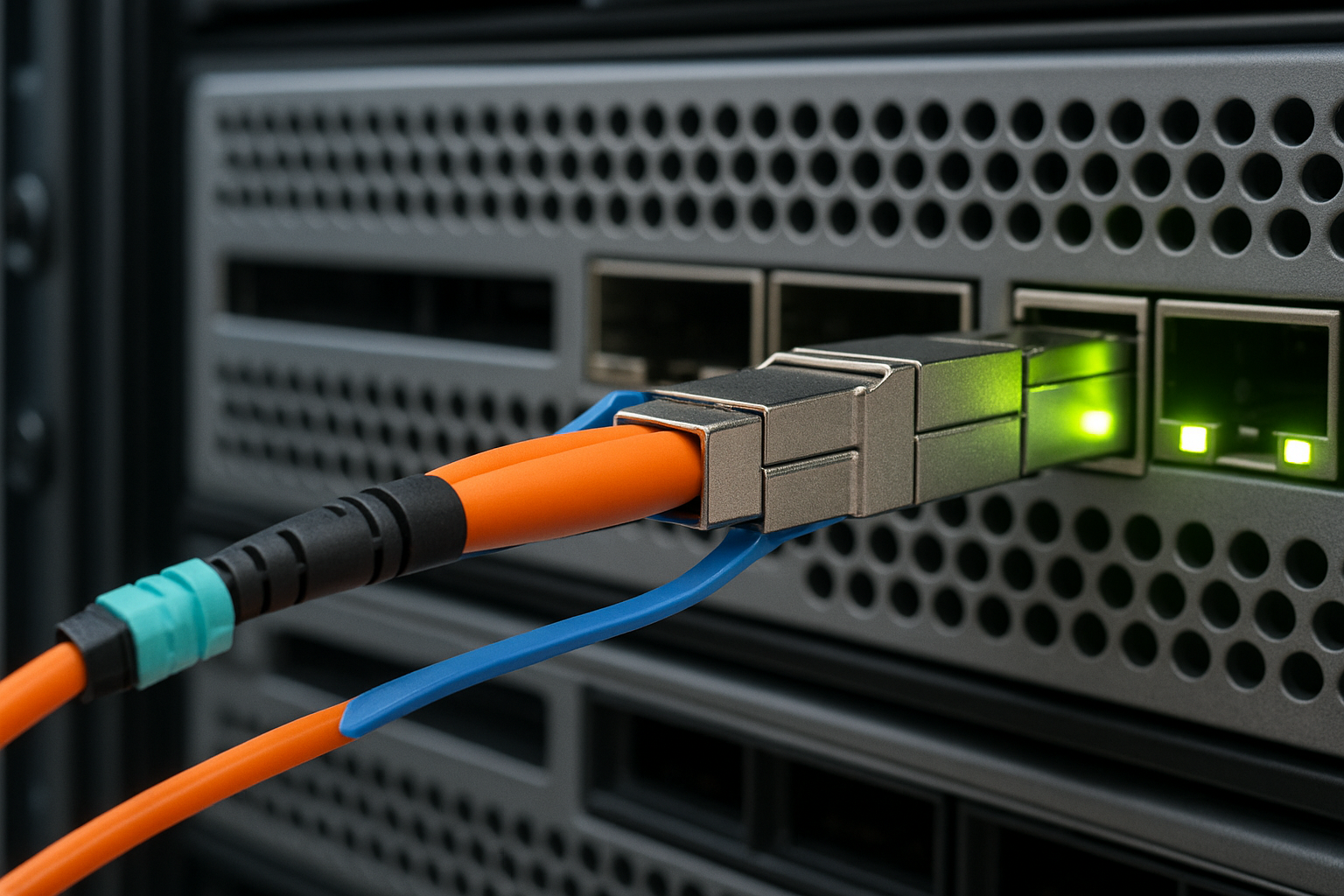
When an edge uplink drops, you need a fast triage path that narrows the root cause before swapping everything. In practice, the biggest wins come from checking optics compatibility, fiber cleanliness, and link-layer negotiation behavior. Use this top list as your workflow: start with the most common and highest-impact causes, then move down the stack.
Dirty fiber or damaged ferrules (most frequent in edge rollouts)
Symptoms: Link down, intermittent up/down, or rising CRC/FCS errors within minutes of insertion. Many operators also see “link ok” but throughput collapses due to physical-layer degradation.
What it really is: SFP-based links rely on tight optical budgets. Even micro-scratches on connector end faces or contamination on ferrules can increase attenuation and reduce eye opening, especially on short-reach multimode and on long-reach single-mode.
Field checks: Inspect with a fiber microscope and clean using lint-free wipes plus isopropyl alcohol where allowed, then re-terminate if needed. Verify both ends match the expected connector type (LC vs SC) and that fiber polarity is correct for bidirectional pairs.
- Best-fit scenario: Remote cabinets, construction-adjacent sites, or any location where connectors were handled during weatherproofing.
- Pros: Fixes many “mystery” flaps quickly.
- Cons: Requires correct cleaning tools and microscope access.
DOM or EEPROM incompatibility causing silent drops
Symptoms: The switch reports “unsupported transceiver,” “digital optical monitoring error,” or the port remains down after insertion. Some platforms show the module but disable it for safety.
What it really is: SFP modules expose an EEPROM with vendor-defined fields and DOM thresholds. Many switches validate vendor IDs, temperature calibration behavior, and transceiver profile expectations. If the module’s identifier does not match the switch’s compatibility logic, link bring-up can fail even if optics are electrically sound.
Real examples: Cisco-style platforms often enforce transceiver compatibility checks; third-party SFPs can work, but only those with matching vendor IDs or correct DOM implementation. For optics, the module’s EEPROM must provide accurate diagnostics fields and should follow the common digital monitoring approach referenced by vendor docs and broadly aligned with SFF-8472.
- Best-fit scenario: Edge refresh projects where OEM optics were replaced with mixed brands.
- Pros: Prevents wasted time chasing fiber when the root cause is compatibility.
- Cons: May require vendor-approved optics or firmware updates.
Wrong wavelength or reach class (MMF vs SMF mismatch)
Symptoms: Port stays down or shows extreme errors. In some cases the link negotiates but never stabilizes, especially when attenuation is beyond the module budget.
What it really is: SFP links are classed by wavelength (e.g., 850 nm for many short-reach multimode designs, 1310 nm for long-reach multimode or some single-mode variants, and 1550 nm for longer single-mode reach). Using a 850 nm optics module on the wrong fiber type or exceeding reach leads to insufficient received power.
Example optics to compare: Cisco SFP-10G-SR is typically 10GBase-SR at 850 nm for multimode fiber; Finisar and FS-style “10G SR” modules are similar in wavelength but differ in DOM behavior and power class. For single-mode, models like 10G ER/LR variants use different wavelengths and budgets.
Power and link budget drift from aging or temperature
Symptoms: Links work during cool mornings but fail during heat waves; error counters rise seasonally. Some modules show DOM “high temperature” or “Tx bias” out of range.
What it really is: Laser output and receiver sensitivity vary with temperature. Edge enclosures can exceed typical lab conditions. If the transceiver operates outside its rated temperature range, the module may still insert but degrades quickly.
Operational limits: Many 10G SFP modules specify operating ranges like 0 to 70 C for standard and -40 to 85 C for extended temperature. If you deploy a standard module in a sealed outdoor cabinet without airflow, you can see failures under direct sun.
- Best-fit scenario: Outdoor edge nodes, utility substations, or sites with limited HVAC.
- Pros: Uses DOM to predict failures before outages.
- Cons: Fix may require swapping to extended-temperature optics and improving cooling.
LC connector seating, fiber polarity, or patch panel mix-ups
Symptoms: Link down after “successful” insertion, or link up on wrong interface with unexpected remote behavior. Sometimes only one direction works, causing asymmetric errors.
What it really is: SFP optics depend on correct transmit/receive pairing. With LC duplex cabling, polarity matters: some systems use A-to-B cross-connection conventions; others require straight-through labeling. Mispatching is common when multiple circuits share the same patch panel.
Field checks: Trace the circuit end-to-end, verify patching at both ends, and confirm connector fully seats with the latch engaged. If you use pre-built jumpers, ensure they match the intended polarity scheme.
- Best-fit scenario: Sites with frequent maintenance where patch panels are reworked.
- Pros: Often resolved without replacing optics.
- Cons: Requires careful labeling discipline.
Switch port issues: optics not the only variable
Symptoms: Multiple optics from different vendors fail on the same port, while other ports work. You see port-specific errors like “no signal” or “laser safety” events.
What it really is: Port hardware can be defective, misconfigured, or reach a transceiver power threshold. Some switches also enforce admin settings like speed/duplex or interface mode. If the port is set to a different speed than the transceiver supports, you get no link.
Field checks: Confirm port configuration (speed, media type, breakout settings), check whether the transceiver is being rate-limited by the platform, and test the optics in a known-good port.
- Best-fit scenario: Repeated failures tied to one physical port.
- Pros: Avoids unnecessary optic swaps.
- Cons: May require port replacement or RMA.
Inadequate cable management and bending stress
Symptoms: Link works initially but degrades after the cabinet closes, during vibration, or when cables are re-routed. You might see a “good at bench, bad in real mount” pattern.
What it really is: Fiber bending can induce microbends, increasing loss. Cable runs in edge cabinets can be tight, and repeated door closure can flex patch cords.
Field checks: Inspect bend radius, avoid sharp turns, and use proper strain relief. If you can, measure link attenuation with an OTDR or power meter approach per your site process.
- Best-fit scenario: Cabinet retrofits, re-housing, and after “tidy cable” maintenance.
- Pros: Prevents recurring outages.
- Cons: May require re-cabling and re-termination.
Specs that actually matter for SFP connections in the field
Edge troubleshooting becomes faster when you confirm the module matches the expected physical layer. Use the table below to compare the parameters that drive compatibility and link budget outcomes. Always cross-check the exact transceiver part number against the switch optics requirements and the fiber plant type.
| Parameter | Typical 10G SR (Multimode) | Typical 10G LR/ER (Single-Mode) |
|---|---|---|
| Data rate | 10.3125 Gbps (10G) | 10.3125 Gbps (10G) |
| Wavelength | 850 nm | 1310 nm (LR) or 1550 nm (ER) |
| Connector | LC duplex (common) | LC duplex (common) |
| Reach class | Typically 300 m on OM3, 400 m on OM4 (varies by vendor) | Typically 10 km (LR) or 40 km (ER) (varies by vendor) |
| DOM support | Tx power, Rx power, temperature (varies) | Tx power, Rx power, temperature (varies) |
| Operating temperature | Often 0 to 70 C or extended -40 to 85 C | Often 0 to 70 C or extended -40 to 85 C |
| Primary failure drivers | Fiber cleanliness, OM type mismatch, connector damage | Attenuation beyond budget, wrong wavelength, aging in heat |
For standards grounding, remember that Ethernet transceiver behavior is defined at the physical layer and linked to optical module expectations in IEEE 802.3 for 10GBASE-SR/LR/ER families. For transceiver management, vendor datasheets and widely used transceiver monitoring conventions (often aligned with SFF-8472) explain DOM fields and threshold handling. Use [Source: IEEE 802.3] and [Source: SFF-8472] as reference points, then validate with the exact switch vendor transceiver compatibility guidance.
IEEE 802.3 standard SFF-8472 DOM monitoring overview
Pro Tip: In edge cases, do not trust “link up” alone. Check the switch interface counters for CRC/FCS errors and read DOM values for Tx bias and Rx power; a link can appear up while the optical eye is already collapsing due to connector contamination or marginal bend radius.
Selection criteria checklist for reliable SFP connections
Before you ship spares to an edge site, use a decision checklist that reduces future truck rolls. This is the same set of factors engineers weigh during maintenance windows, but applied earlier to avoid failures.
- Distance and fiber type: Confirm MMF grade (OM3 vs OM4) or SMF type, and match reach class to measured attenuation.
- Wavelength and speed: Ensure the module is the correct 10GBASE-SR/LR/ER family and wavelength (e.g., 850 nm vs 1310/1550 nm).
- Switch compatibility: Check the switch vendor’s transceiver matrix; verify DOM behavior and any vendor ID enforcement.
- DOM support and thresholds: Confirm whether your switch reads DOM fields reliably and whether it blocks out-of-threshold modules.
- Operating temperature: Match module operating range to cabinet thermal profile; if needed, choose extended temperature optics.
- Connector and polarity: LC duplex type, polarity convention, and patch panel labeling must align end-to-end.
- Vendor lock-in risk: Assess whether third-party optics are acceptable on your platform; if not, plan spares around OEM part numbers.
- Power and laser class constraints: Ensure the module meets the platform’s expected electrical/optical parameters; avoid “almost compatible” optics with different power class.
Common mistakes and troubleshooting tips that save hours
Even skilled teams lose time when they troubleshoot in the wrong order. Below are concrete failure modes with root causes and fast solutions you can apply on-site.
Pitfall 1: Cleaning without verification
Root cause: Technicians clean with wipes but do not confirm end-face quality with a microscope. Residual contamination keeps attenuation high.
Solution: Use a fiber inspection scope to confirm cleanliness before reconnecting. Replace patch cords if scratches are visible on the ferrule face.
Pitfall 2: Mixing MMF optics with SMF fiber in cabinets
Root cause: During expansions, patch panels get re-labeled incorrectly, or fibers are swapped. The optics can be electrically fine but physically mismatched.
Solution: Verify cable type by documentation and, if needed, confirm fiber type with test equipment. Match optics wavelength and reach to the fiber plant.
Pitfall 3: Ignoring DOM warnings until total failure
Root cause: Teams only look at “up/down” state. DOM values like Rx power and Tx bias can trend out-of-range long before the port drops.
Solution: Set an operational threshold policy: if Rx power approaches the vendor’s minimum or Tx bias rises consistently, schedule maintenance and clean/replace optics early.
Pitfall 4: Assuming the switch port is healthy
Root cause: One port can fail electrically or be misconfigured. Swapping optics repeatedly wastes time.
Solution: Test the same SFP module in a known-good port and test a known-good module in the suspect port. Then fix the port configuration or plan hardware replacement.
Cost and ROI note: OEM vs third-party SFP connections
Budget decisions matter at edge scale because you need spares and predictable compatibility. In many deployments, OEM SFPs cost more upfront but reduce compatibility friction on strict platforms, while third-party optics can be cost-effective if they are validated and if your switch firmware tolerates their DOM behavior.
Typical price ranges: Many 10G SR SFP modules often cost roughly $30 to $120 depending on brand, temperature grade, and DOM implementation; long-reach and extended temperature modules can be higher, sometimes $80 to $250 or more. Over a 3 to 5 year horizon, TCO should include labor for truck rolls, downtime risk, and failure rate. A practical ROI model counts expected field visits: if a single recurring fiber cleanliness issue or compatibility mismatch drives even one extra dispatch, the savings from cheaper optics can disappear quickly.
To ground decisions, use vendor datasheets for operating range and verify compatibility with your switch model. For third-party spares, pilot them in a single edge site and monitor DOM trends and error counters for at least one seasonal temperature cycle.
Summary ranking table: fastest path to restore SFP connections
Use this ranking as a field triage decision aid. Higher-ranked items are more common in edge environments and typically yield faster recovery.
| Rank | Failure mode | Most likely symptoms | Fastest confirmation |
|---|---|---|---|
| 1 | Dirty or damaged fiber connectors | Flaps, CRC spikes, link down after insert | Microscope inspection plus re-clean and retest |
| 2 | Wrong wavelength/reach class | Never stabilizes, high errors | Verify optics family and match to fiber type |
| 3 | DOM compatibility enforcement | Port blocks module, “unsupported” messages | Check switch transceiver diagnostics and logs |
| 4 | Temperature out of spec | Fails during heat, DOM temp warnings | Compare cabinet temp to module rating; read DOM |
| 5 | Polarity or patch panel mix-ups | Link down or asymmetric errors | Trace A/B convention and re-verify patching |
| 6 | Switch port configuration or hardware issue | Same optics fail on one port | Swap optics across ports and confirm interface mode |
| 7 | Cable bending stress | Works on bench, fails after cabinet close | Inspect bend radius and re-route fibers |
FAQ on troubleshooting SFP connection failures in edge deployments
How can I tell if the issue is fiber or the SFP module?
Test the suspect SFP in a known-good port and test a known-good SFP in the suspect port. If both fail on the same fiber run, the root cause is usually fiber cleanliness, polarity, or attenuation. If only the module fails across ports, replace or re-validate the transceiver.
What DOM readings should I watch during SFP connections troubleshooting?
Focus on Rx power, Tx bias/current, module temperature, and any “alarm/warning” flags exposed by your switch. Trending matters: a slow drift toward low Rx power often indicates connector contamination or fiber stress before the port fully drops.
Why does my switch show “unsupported transceiver” even when the link works?
Some platforms allow partial operation but restrict diagnostics or apply conservative safety behavior. Firmware updates can change compatibility logic, so verify the switch model, OS version, and the specific transceiver part number. If alarms persist, use vendor-approved optics.
Can SFP connections be affected by cabinet temperature even if the link is up?
Yes. Laser output and receiver sensitivity change with temperature, and extended drift can increase error rates while the link remains up. Monitor DOM temperature and interface error counters during the hottest part of the day.
Are third-party SFPs safe for edge deployments?
They can be safe, but only when validated for your switch platform and within the expected operating temperature and fiber reach. Run a pilot, verify DOM behavior, and confirm that the module meets your link budget using measured power or a conservative attenuation estimate.
What is the quickest on-site fix when an edge uplink flaps?
Start with cleaning and inspecting LC connectors using a microscope, then confirm polarity and patch panel labeling. In parallel, check
