
When an 800G link goes dark, it is rarely just “bad fiber.” This article helps network engineers and field technicians troubleshoot fiber link issues end to end: optics compatibility, lane-level power, connector cleanliness, polarity, and signal quality. You will get a practical workflow you can run in a maintenance window, plus a checklist to prevent repeat failures. Updated for modern 800G pluggables and common switch vendor behaviors as of 2026-05-02.
Start with the symptom: isolate scope before swapping anything
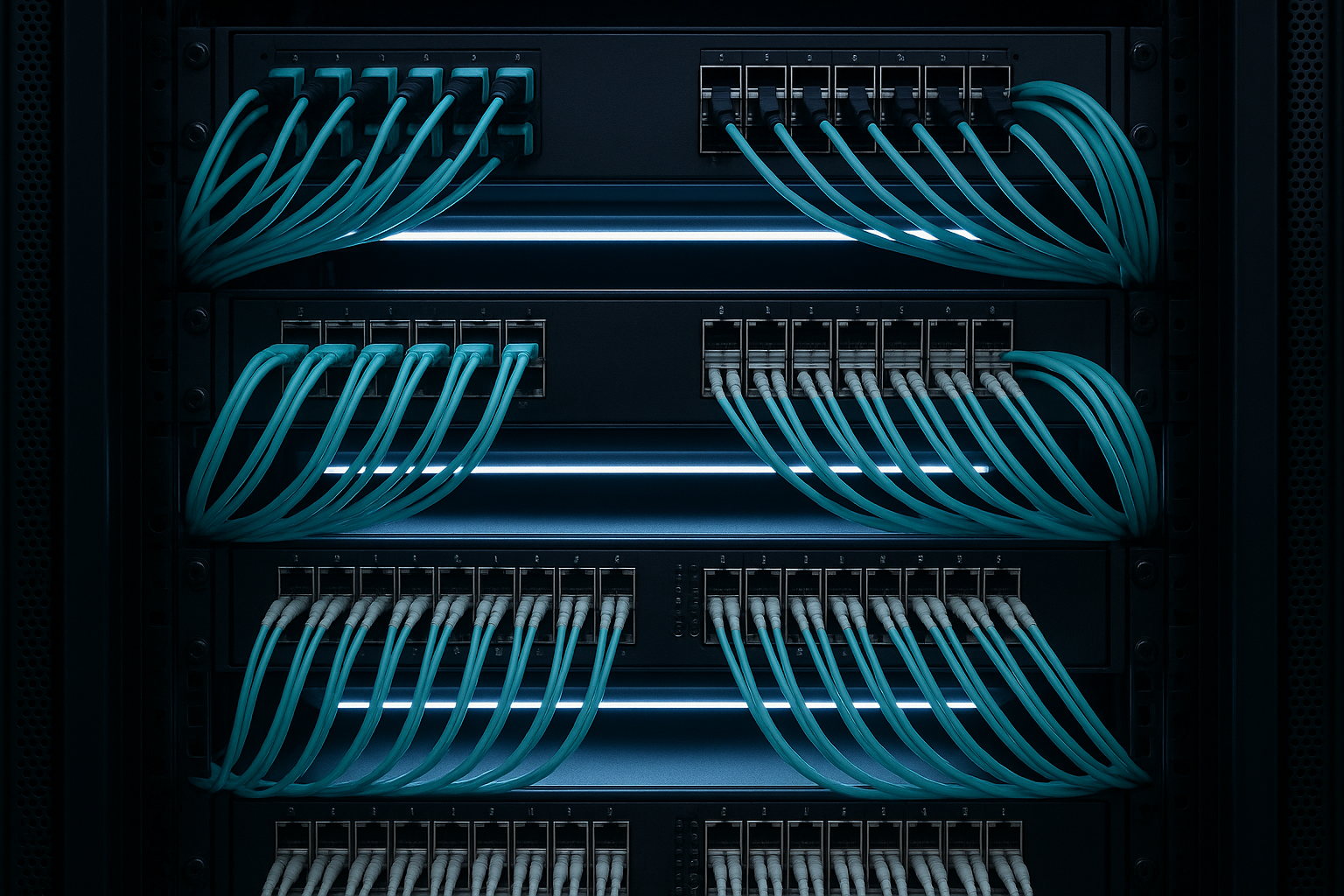
On 800G, the fastest way to reduce downtime is to separate mechanical, optical, and configuration causes. First, confirm whether the issue is per-port, per-switch, or per-row by checking link state and interface counters on both ends. If the link never comes up, prioritize physical and optical causes; if it flaps, prioritize marginal power, lane imbalance, and firmware optics settings. If you can, capture baseline telemetry before changing optics so you do not lose the evidence trail.
Quick triage questions you should answer in the first 10 minutes
Are both sides using the same transceiver family (for example, OSFP or QSFP-DD with the right electrical/optical mapping)? Do you see LOS (loss of signal) on one side, or LOF and high error counts on both? Is the problem new after a patch panel rework, or did it appear after a thermal event? These answers determine whether you should clean and reseat first, verify polarity, or check module provisioning and speed negotiation.
Instrument your problem: what to record
Record these values from each end of the link: interface admin state, negotiated speed, lane/PCS alarms (if exposed), optical diagnostics (DOM) like Tx bias, Tx power, Rx power, and any reported temperature. Also note the transceiver vendor part number and firmware revision, because some platforms apply different receiver thresholds by optics type. If your switch supports it, export error counters for FEC and pre-FEC BER; this often distinguishes “no light” from “light but too noisy.”
800G optics realities that drive fiber link issues
800G links commonly use multi-lane architectures where each lane carries a portion of the total payload. Even if the overall port speed says 800G, lane-level imbalances can cause FEC stress, burst errors, or complete link failure. Most 800G deployments also rely on tight optical budgets, so small losses from dirty connectors, aging patch cords, or a slightly mis-mated ferrule can push the receiver margin below threshold.
Know the standard building blocks
At the physical layer, 800G Ethernet implementations typically follow the Ethernet physical coding sublayer behavior defined in IEEE 802.3, while optics and electrical interfaces depend on vendor pluggable agreements. For fiber, the key practical constraints are: wavelength, expected reach, fiber type (OM4/OM5 multimode or OS2 single-mode), connector loss, and end-to-end insertion loss. For troubleshooting, your goal is to map the symptom to one of three buckets: no optical power, insufficient optical power, or optical power present but errors too high.
Use a spec table to avoid guessing
Before you touch anything, compare your current optics and fiber type to the nominal link class. Below is a representative comparison of common 800G optical targets. Exact values vary by vendor and module SKU, so treat this as a planning baseline and verify against the specific datasheet for your part number.
| Parameter | 800G Multimode (Typical) | 800G Single-Mode (Typical) | What it means for link issues |
|---|---|---|---|
| Target data rate | 800G | 800G | Makes FEC and lane margin sensitive to loss |
| Wavelength | Short-reach optical wavelengths (MM) | Long-reach optical wavelengths (SM) | Mismatch with fiber type can prevent link entirely |
| Reach (planning) | Up to roughly 100 m class (OM4/OM5) | Up to roughly 10 km class (OS2) | Exceeding reach shows up as high Rx loss and BER |
| Connector / patch loss impact | High sensitivity to dirty MPO/MTP ends | Still sensitive, but budget differs | One bad connector can collapse margin on both |
| Power and diagnostics | DOM includes Tx bias, Tx power, Rx power | DOM includes same diagnostics | Use DOM deltas between sides to pinpoint loss |
| Operating temperature | Verify module datasheet range | Verify module datasheet range | Thermal drift can trigger intermittent flaps |
| Connector type | MPO/MTP (common in MM) | LC or MPO depending on design | Polarity and mapping errors cause lane failures |
Field reality: DOM is your early warning system
Most compliant optics expose DOM over I2C, including Tx bias current, Tx output power, Rx received power, and sometimes lane-by-lane diagnostics. If you see Rx power readings that are close to the receiver minimum, you are likely looking at a loss or contamination issue. If Rx power is healthy but error counters spike, suspect polarity mapping, lane skew, or optics incompatibility with the platform’s electrical configuration. Vendor examples include modules such as Cisco SFP-10G-SR for older generations, and for 800G the modern ecosystem often uses OSFP or QSFP-DD style optics with MPO/MTP or LC connectivity depending on media and reach; always use the exact part number and datasheet.
Pro Tip: On many switch platforms, a “link down” event can still show valid DOM readings. If Tx power looks normal but Rx power is near zero, treat it as a fiber-path problem (polarity, wrong patch cord, or fiber break) rather than a dead transmitter.
Step-by-step workflow to fix 800G fiber link issues
This procedure is designed for a real maintenance window: fast enough to reduce outage time, rigorous enough to prevent false fixes. It assumes you have console access to both ends and can access the patch panel and optics.
Verify module identity and platform compatibility
Confirm the exact transceiver part number, vendor, and revision on both ends. Check whether the platform requires vendor-specific optics support or enforces a “supported optics list.” If you must use third-party optics, validate that they are compatible with your switch model and firmware, because some platforms set receiver thresholds differently by optics type. If the link never trains, compatibility and electrical mapping are common culprits.
Confirm speed mode, FEC state, and admin settings
Make sure both ends are configured for the same line rate and that any FEC or RS-FEC mode is enabled consistently. Some platforms expose FEC configuration through CLI; if you see mismatched modes, the link may fail even with correct fiber. Also verify that the port is not administratively down, that breakout settings are not conflicting, and that optics are fully seated and latched.
Clean, inspect, and reseat connectors using the right method
For MPO/MTP interfaces, contamination is the number one cause of intermittent 800G failures in the field. Use a fiber inspection microscope and check for scratches, haze, or debris on the ferrule face. Clean with lint-free wipes and approved cleaning film, then reseat firmly while avoiding connector rotation that can disturb alignment. If you have spare patch cords, test with a known-good cord to separate “bad optics path” from “bad patch cord.”
Validate polarity and lane mapping
Polarity errors can present as link up/down cycles or high error rates rather than a total LOS. For MPO-based systems, ensure the polarity method matches the transceiver design (for example, using correct polarity cassettes or polarity adapters). If one side uses a different polarity convention, you may see Rx power drop on specific lanes and FEC struggle. When possible, verify fiber mapping with a continuity tester and confirm the patch panel labeling matches the intended physical route.
Measure optical power and compare against thresholds
Use DOM to compare Tx power and Rx power on both ends. If Tx power is within expected range but Rx power is consistently low, you likely have excessive insertion loss, bad connectors, or a fiber break. If both sides show low Tx bias or abnormal temperatures, suspect a failing module or insufficient airflow. For OS2 links, also consider connector cleanliness and end-face damage at LC pairs, which can be harder to see without inspection.
Test in a controlled loopback or alternate path
If your switch supports it, use a diagnostic loopback mode (optical or electrical depending on platform) to isolate whether the issue is in the far-end optics or the fiber path. Alternatively, move one end to a known-good port with compatible optics and a short known-good patch cord. This is often the fastest way to resolve “works in the rack but not in the panel” cases caused by wrong fiber routing or mislabeled trays.
Selection guide: prevent recurrence by choosing the right optics and fiber
Engineers often fix the immediate outage but leave the system vulnerable to the next maintenance event. Use this checklist to reduce fiber link issues by design.
- Distance vs reach: confirm the planned link distance including patch cords, patch panels, and splices stays within the module budget.
- Fiber type alignment: ensure OM4/OM5 for multimode or OS2 for single-mode, and confirm connector style compatibility.
- Switch compatibility: verify the exact switch model and firmware supports the optics type and vendor SKU you plan to deploy.
- DOM and diagnostics support: choose modules that expose meaningful DOM values for Tx and Rx so you can troubleshoot quickly.
- Operating temperature and airflow: validate module temperature range and ensure the airflow path is not blocked by cabling.
- DOM thresholds and FEC behavior: understand how your platform reports FEC errors and what it treats as “link degraded.”
- Vendor lock-in risk: if you expect frequent replacements, consider third-party compatibility plans and test spares before scaling.
Common mistakes and troubleshooting tips for fiber link issues
Even experienced teams repeat predictable failure modes. Below are concrete mistakes I have seen in 800G rollouts and re-patching events, with root cause and the practical fix.
Swapping optics without isolating the fiber path
Root cause: The fiber channel has excessive loss or a bad polarity mapping, but the team assumes the module is faulty. This can waste spare inventory and extend downtime.
Solution: First test with a known-good patch cord and verify polarity with continuity testing. Compare DOM Tx/Rx deltas before replacing modules.
Cleaning without inspection
Root cause: Wiping a ferrule that is scratched or contaminated with embedded debris can worsen performance. MPO end faces are especially easy to damage.
Solution: Inspect with a microscope first, then clean only the correct way for your connector type. If you see scratches, replace the connector or patch cord.
Polarity adapters or cassettes installed in the wrong orientation
Root cause: A polarity cassette keyed incorrectly can create lane-level swaps that manifest as FEC errors or intermittent link training.
Solution: Re-check patch panel documentation against the physical tray layout. Use labeled polarity adapters and confirm orientation before reseating.
Ignoring thermal and airflow constraints after cable management
Root cause: Cable routing during maintenance blocks airflow, pushing optics temperature beyond safe limits. This can cause flapping under load.
Solution: Verify airflow clearance and check DOM temperature and Tx power stability during the incident window. Adjust cable management and reseat optics to restore airflow.
Cost and ROI note: what to budget for fiber link issues
In practice, the cost of a single 800G outage is often dominated by labor and downtime rather than the transceiver itself. Third-party optics can be cheaper per unit, but total cost depends on your compatibility validation process, spare strategy, and failure rates. As a realistic planning range, OEM 800G optics (where applicable) may cost roughly several hundred to over a thousand USD per module depending on media and vendor; third-party modules can be materially less, but you should budget time for interoperability testing and return handling.
For TCO, include: cleaning consumables (inspection scope, approved film), spares (known-good patch cords and at least one spare module per optics type), and maintenance labor. If you implement a DOM-driven troubleshooting workflow and keep connector cleanliness under control, you typically reduce repeat call-outs and improve mean time to repair.
FAQ about 800G fiber link issues
Why does my 800G link train sometimes and fail at other times?
Intermittent training often indicates marginal optical power due to connector contamination, loose seating, or small changes in insertion loss. Check DOM for Rx power stability and inspect/clean both ends with a microscope before replacing optics.
What is the quickest way to tell if the problem is polarity versus a bad module?
Compare Tx and Rx readings: if Tx is normal but Rx is near zero, focus on the fiber path (polarity, wrong patch cord, or break). If Rx power is present but FEC errors rise, suspect lane mapping or configuration mismatch.
Can I mix optics vendors on the two ends of an 800G link?
Sometimes yes, but it depends on platform optics support and electrical/optical mapping. Even if the link comes up, threshold differences can increase error rates; validate using your vendor’s interoperability guidance and test in a staging environment.
How do I estimate whether my link exceeds optical budget?
Use the module datasheet reach and budget plus real measured insertion loss from patch cords and panels. Then cross-check with DOM Rx power trends during link operation; if Rx is consistently near minimum, treat it as an over-budget or loss problem.
Should I rely only on link state LEDs?
No. Link state alone can hide FEC degradation and burst errors that still disrupt traffic. Use interface counters and optics diagnostics to confirm whether the link is healthy or merely “barely up.”
What standards should I reference when validating 800G Ethernet behavior?
IEEE 802.3 documents Ethernet physical layer expectations, while pluggable optics behavior is defined by vendor datasheets and industry transceiver agreements. For cabling practices and installation expectations, ANSI/TIA cabling guidance and vendor connector documentation are also useful references.
Fiber link issues on 800G are solvable when you treat them like an engineering investigation: prove scope, measure optics, verify polarity, then apply targeted fixes. Next, review related best practices for connector handling and patch panel discipline using fiber optic connector cleaning.
Author bio: I have deployed and troubleshot 10G through 800G Ethernet optics in data center leaf-spine fabrics, using DOM telemetry, MPO inspection, and staged rollback plans. I write from the field perspective to help teams cut mean time to repair without sacrificing signal margin.
Author bio: As a sales engineer supporting multi-vendor optics, I focus on compatibility validation, optical budget math, and practical ROI tradeoffs for spares and maintenance workflows.
