
If you are replacing fielded optics in a plant network, the wrong factory fiber module can cause link flaps, CRC errors, or a complete loss of uplink just when production ramps. This article helps maintenance engineers and network integrators choose, validate, and deploy fiber transceivers that match IEEE 802.3-2018 expectations for industrial Ethernet. You will also get a practical step-by-step implementation workflow, troubleshooting for common failure modes, and realistic cost/ROI guidance.
Prerequisites: what to measure before you buy
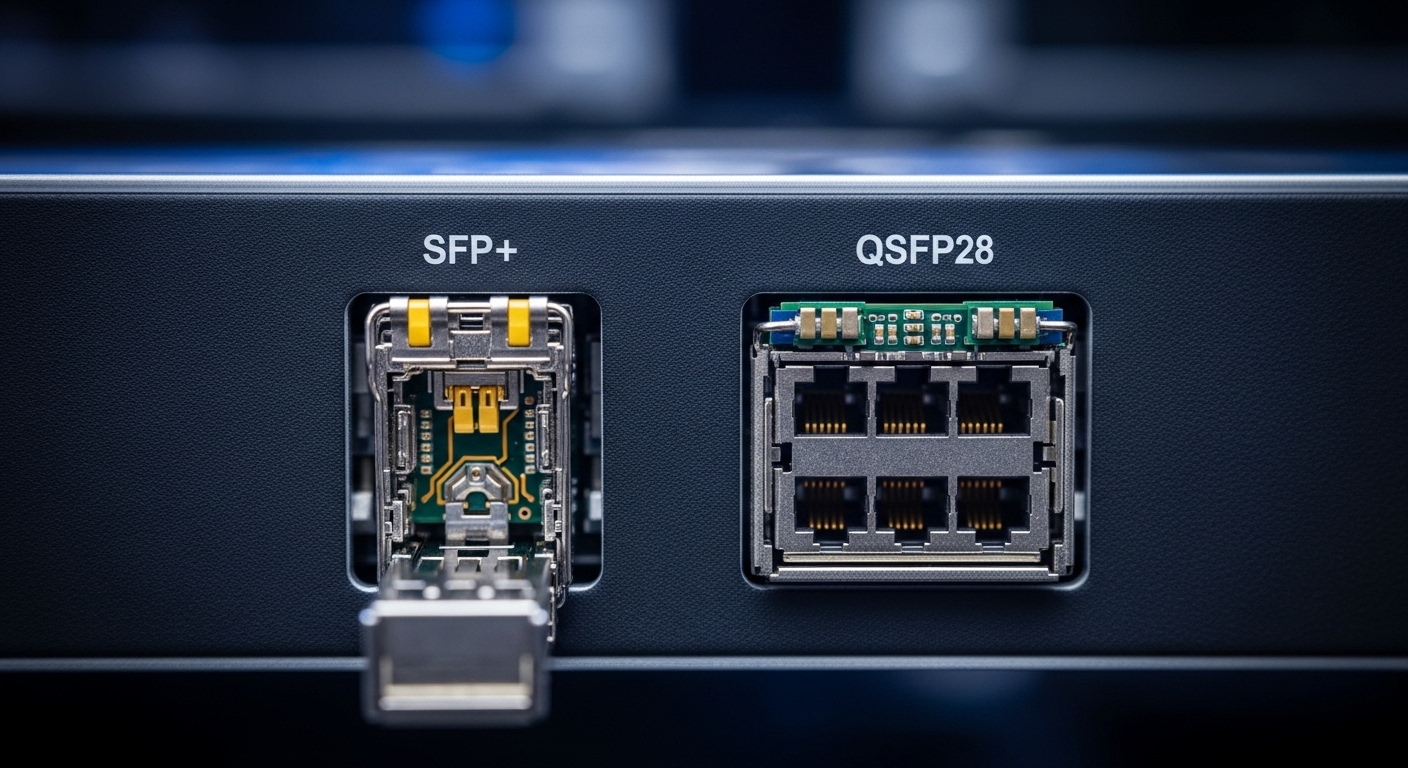
Before selecting a factory fiber module, collect physical and electrical constraints from the line side and the switch side. Industrial plants often have higher vibration, temperature swings, and dust than office data rooms, so optics that are “compatible on paper” can still fail early. Start with the exact switch models, the transceiver cages, and the target Ethernet speed and media type per link.
Checklist to gather on site
- Confirm interface type: SFP, SFP+, or SFP28 cages; some industrial switches use vendor-locked firmware checks.
- Confirm link budget: measure fiber length, connector count, and expected splice loss. If you cannot measure, assume conservative margins (for example, 0.5 dB per connector and 0.2 dB per splice) and verify end-to-end loss with a handheld meter.
- Confirm environment: cabinet temperature extremes; specify operating range in the module datasheet.
- Confirm the standard: align the transceiver to the Ethernet PHY requirements consistent with IEEE 802.3-2018 transceiver behavior. [Source: IEEE 802.3-2018]
- Document transceiver options: note vendor part numbers already in use (for example, Cisco SFP-10G-SR or Finisar/FS optics equivalents) to reduce compatibility risk.
Expected outcome: You have a clear target speed (for example, 1G/10G), connector type (LC vs SC), fiber type (multimode vs single-mode), and an estimated link budget margin to validate later.
Specs that actually matter for industrial Ethernet optics
IEEE 802.3-2018 defines the transceiver behavior at the PHY layer; in the field, the practical differences are wavelength, reach, output power, receiver sensitivity, and DOM support. For industrial Ethernet, you also care about temperature range and connector quality because repeated thermal cycling accelerates contamination and connector wear.
Key spec comparison (typical industrial deployments)
| Parameter | Example 10G SR (MMF) | Example 10G LR (SMF) | Example 1G SX (MMF) |
|---|---|---|---|
| Standard alignment | 10GBASE-SR class behavior | 10GBASE-LR class behavior | 1000BASE-SX class behavior |
| Wavelength | 850 nm | 1310 nm | 850 nm |
| Reach (typical) | Up to 300 m on OM3/OM4 | Up to 10 km on SMF | Up to 550 m on OM3 |
| Connector | LC (common) | LC (common) | LC or SC (varies) |
| DOM support | Often available (I2C) | Often available (I2C) | Often available (I2C) |
| Operating temperature | Common industrial: 0 to 70 C or -40 to 85 C | Common industrial: -40 to 85 C available | Common industrial: -40 to 85 C available |
| Typical power class | Low single-digit watts | Low single-digit watts | Low watts |
Expected outcome: You can map the required link distance and connector constraints to a wavelength/reach class that matches the PHY expectations for Ethernet links. [Source: Vendor datasheets such as Cisco SFP-10G-SR and Finisar/FS optics product pages]
Pro Tip: why DOM can make industrial troubleshooting faster
Pro Tip: If your switch supports digital optical monitoring (DOM), log TX bias current and received optical power during acceptance testing. In plants, connector contamination often shows up as a slow drift in RX power long before the link drops, giving you an early maintenance window instead of a reactive outage.
Implementation steps: deploy the factory fiber module safely
This is a field-proven approach that reduces downtime and avoids “mystery” PHY issues. Follow these steps in order, and you will end up with a validated link that stays stable across temperature cycles.
Match transceiver form factor and cage compatibility
Verify the exact cage type (SFP vs SFP+ vs SFP28) and that the switch firmware accepts the optics. If your switch is strict, use OEM optics (for example, Cisco SFP-10G-SR) or a vetted third-party with documented compatibility. If you are unsure, test in a non-critical port before committing to production.
Expected outcome: The module enumerates cleanly and does not trigger “unsupported transceiver” alarms.
Verify fiber type and clean the connectors
Confirm OM3/OM4 vs single-mode fiber before inserting anything. Then clean LC/SC connectors using lint-free wipes and an appropriate inspection scope; in industrial sites, dust and oil mist are common. A single dirty connector can easily add multiple dB of loss and push the receiver below sensitivity.
Expected outcome: The link budget is preserved and you avoid immediate low-power RX conditions.
Install the module and confirm DOM readings
Insert the factory fiber module firmly until the latch clicks. On managed switches, check DOM values (temperature, TX power, RX power). For example, many platforms expose DOM via CLI and SNMP; if RX power is unusually low compared to baseline, stop and inspect/clean before continuing.
Expected outcome: DOM readings fall within the module datasheet ranges and stabilize after a short thermal settling period.
Validate link stability at the target speed
Force or confirm the port speed/duplex settings to match the Ethernet PHY mode (for example, 10G full-duplex). Then run traffic validation: check interface counters for CRC/FCS errors and monitor link up/down events during a short soak test. If you have a maintenance window, repeat the test while cycling cabinet fans or heaters to simulate realistic industrial temperature variation.
Expected outcome: No CRC spikes and no link flaps under normal and stress conditions.
Document and lock the configuration
Record module part number, DOM baseline, fiber length, and connector counts/splice losses in your change ticket. If your network uses redundancy (for example, MLAG or ring topologies), note which links carry critical traffic so you can prioritize spare inventory.
Expected outcome: Future replacements become fast and predictable, reducing mean time to repair.
Selection criteria decision checklist (engineers use this order)
When you are choosing a factory fiber module for industrial Ethernet, the fastest path to success is a disciplined checklist. Engineers typically evaluate these factors in this order to minimize surprises during commissioning.
- Distance and reach class: confirm multimode vs single-mode, then ensure reach exceeds your measured link loss plus margin.
- Switch compatibility: confirm transceiver family and firmware behavior; OEM vs third-party can differ.
- Connector and patching: LC vs SC and polarity handling for duplex fiber.
- DOM support and telemetry: verify the switch can read DOM; choose modules that expose accurate RX/TX metrics.
- Operating temperature: pick industrial-grade range (for example, -40 to 85 C) when cabinets see heat soak.
- Vendor lock-in risk: maintain a cross-reference list of acceptable part numbers and keep at least one tested spare per site.
- Regulatory and reliability expectations: check vendor compliance notes and warranty terms suitable for industrial environments. [Source: vendor datasheets and reliability statements]
Expected outcome: You choose a module that meets the physics (link budget), the platform (compatibility), and the environment (temperature and handling).
Common pitfalls and troubleshooting tips (top failure modes)
Even experienced teams run into predictable optics problems. Here are the most common issues seen during factory rollouts, with root cause and fixes.
Pitfall 1: Link comes up briefly then flaps
Root cause: intermittent connector contamination or a marginal optical budget (too much loss, poor mating, or damaged fiber end). Temperature changes can worsen it.
Solution: inspect with an end-face microscope, clean both ends, and re-seat the patch cords. Re-check DOM RX power; if RX power is near the lower limit, reduce loss by replacing jumpers or fixing splices.
Pitfall 2: “Unsupported transceiver” or no link despite correct fiber
Root cause: switch firmware rejects the optics, or the module is not the expected form factor/EEPROM profile.
Solution: confirm the exact module generation and part number; test a known-compatible OEM module in the same port. Update switch software only if your maintenance policy allows, and document the compatibility matrix.
Pitfall 3: High CRC/FCS errors with stable link state
Root cause: marginal signal quality due to insufficient optical power, fiber impairment, or a mismatched speed mode.
Solution: verify port speed/duplex, check error counters, and compare DOM TX/RX against baseline. If only one direction shows errors, suspect polarity or a swapped duplex pair.
Expected outcome: You isolate whether the failure is physical (optics), logical (compatibility), or configuration-related (speed/polarity) and restore stable Ethernet.
Cost and ROI: budgeting for optics without gambling
In industrial deployments, the cheapest module is not always the lowest total cost. OEM optics for 10G SR and LR class modules often cost more upfront, while third-party optics may reduce purchase price but can increase compatibility or early failure risk.
Typical street pricing varies by vendor and temperature grade: a 10G SR class factory-ready module might fall in a broad range (often roughly under a few hundred USD each), while LR and extended-temperature options can be higher. For ROI, include spares inventory, planned downtime cost, and the cost of troubleshooting time. In my field experience, having one validated spare per critical uplink can cut outage duration dramatically, often outperforming small per-unit savings.
Expected outcome: You choose a cost model that protects uptime and reduces repeat labor across sites.
FAQ
What does a factory fiber module refer to in industrial Ethernet?
It is a fiber optic transceiver module installed in a factory network switch, typically SFP/SFP+/SFP28, used to create Ethernet links over multimode or single-mode fiber. The key is that it must align with the Ethernet PHY behavior and the switch’s transceiver expectations. [Source: IEEE 802.3-2018]
Can I mix OEM and third-party modules on the same industrial switch?
Sometimes yes, but compatibility varies by switch vendor and firmware. If the platform performs strict EEPROM validation, a third-party module may not enumerate. Always test in a non-critical port and maintain a tested part-number list.
How do I confirm DOM readings are healthy?
Check RX power and TX bias/current after insertion and after the module stabilizes thermally. If RX power is near the documented minimum sensitivity or shows abnormal drift, treat it as a link budget or cleaning issue first. Use your baseline from acceptance testing for comparisons.
Multimode or single-mode for factory runs?
For short distances inside a plant, multimode 850 nm optics (SR/SX classes) are common and cost-effective. For longer runs across buildings or noisy routing paths, single-mode 1310 nm optics (LR class) usually provide better reach and more robust link budgets.
What is the fastest troubleshooting order when links fail?
Start with physical layer hygiene: inspect and clean connectors, verify polarity/duplex pairing, then review DOM and interface counters. After that, validate speed/duplex settings and finally check switch compatibility or transceiver profile.
Where can I verify the standards behavior?
Use IEEE 802.3-2018 for the Ethernet PHY and transceiver requirements, then cross-check vendor datasheets for optical power, sensitivity, and temperature specs. Vendor documentation often includes DOM register details and compliance notes. [Source: IEEE 802.3-2018]
With the right prerequisites, spec mapping, and acceptance testing workflow, a factory fiber module deployment becomes predictable instead of stressful. Next, review fiber link budget to confirm loss margins and avoid receiver-threshold surprises.
Author bio: I am an electronics and industrial networking specialist who has commissioned fiber links across harsh plant environments, validating optics with measured DOM baselines and link error counters. I write from hands-on field experience with
