
When a primary WAN fails, your enterprise router fiber backup must come up fast and reliably. This guide helps IT and field engineers select the correct SFP transceiver for Cradlepoint routers used with wired backup fiber links, including compatibility checks, optics selection, and operational parameters. You will also get troubleshooting patterns for the most common “link up but no traffic” failure modes.
Why SFP choice matters for Cradlepoint wired fiber backup
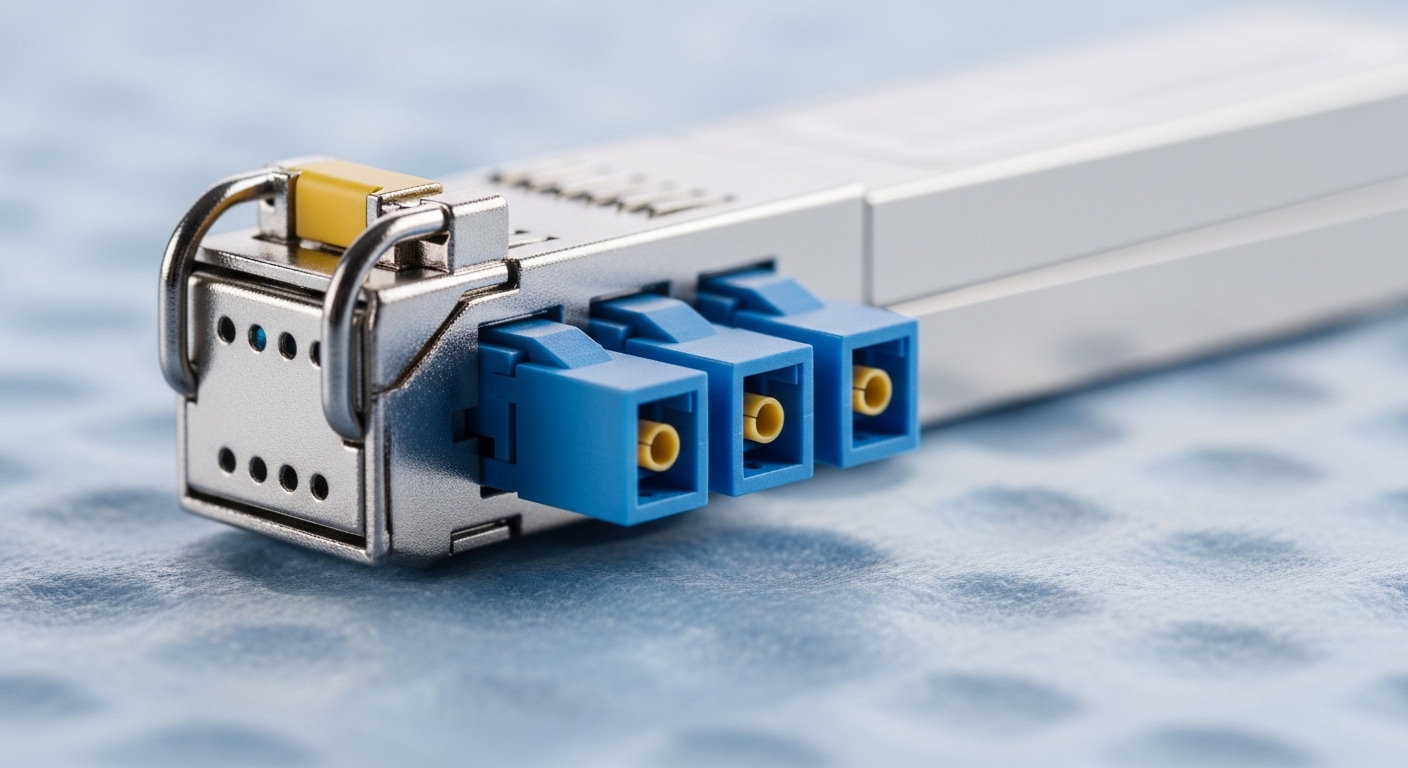
In a typical Cradlepoint deployment, an SFP uplink provides a deterministic physical layer for failover from cellular or another primary transport. The key engineering requirement is that the SFP must match the router’s electrical interface and the fiber plant’s wavelength and optics budget. Cradlepoint models vary by generation and supported transceiver families, so “same speed” is not enough; DOM support, connector type, and temperature rating can make or break stability.
From the field, the biggest risk is a transceiver that physically inserts but does not meet the router’s expected behavior (for example, missing DOM data, unsupported auto-negotiation behavior, or insufficient optical power). Vendor datasheets and SFP interoperability notes are the primary sources; IEEE provides the underlying Ethernet physical layer framework via IEEE 802.3 for 10GBASE-SR/LR and related variants. See [Source: IEEE 802.3].
Authority references for optical and Ethernet behavior include IEEE and SFP vendor documentation. For compatibility, use the router’s hardware guide first, then verify with the optics vendor’s datasheet and DOM documentation. External references: IEEE 802.3 working group and Example optics vendor documentation hub.
Specs that determine reach and survivability in fiber backup
Backup links are often installed in harsher conditions than main links: dust, vibration, occasional connector rework, and less frequent monitoring. That means you should choose optics with adequate link margin and the right connector type for your patch panel. For enterprise router fiber backup, most teams standardize on 10GBASE-SR (multimode) or 10GBASE-LR (single-mode) depending on distance and cabling standards.
The table below compares common SFP options engineers deploy for router uplinks. Always confirm the router’s supported data rate (for example, 1G vs 10G) and whether it expects specific wavelengths. If your Cradlepoint model supports only certain SFP families, treat that as a hard constraint.
| Transceiver type | Wavelength | Typical reach | Fiber type | Connector | Optical power class | Operating temp | DOM | Common use in backup |
|---|---|---|---|---|---|---|---|---|
| SFP 10GBASE-SR | ~850 nm | ~300 m (OM3), ~400-500 m (OM4) | MMF | LC | Typical low-to-mid mW class | 0 to 70 C (or industrial variants) | Often supported | Same-building or short campus routes |
| SFP 10GBASE-LR | ~1310 nm | ~10 km (single-mode) | SMF | LC | Higher budget class | 0 to 70 C (or industrial variants) | Often supported | Cross-building backup paths |
| SFP 1GBASE-SX | ~850 nm | ~550 m (OM2) / up to ~550 m-class | MMF | LC | Lower budget | 0 to 70 C | Sometimes supported | Low speed backup where budget is tight |
| SFP 1GBASE-LX | ~1310 nm | ~10-15 km (varies) | SMF | LC | Higher budget | 0 to 70 C | Sometimes supported | Long-run backup on legacy 1G |
For reference, IEEE defines the Ethernet physical layer behaviors for these classes, but vendor optics set the real link budget values (Tx power, Rx sensitivity). Use the exact numbers from the SFP datasheet and your fiber test results. [Source: IEEE 802.3].
Pro Tip: For router failover, verify DOM reporting end-to-end. Even when the link comes up, missing or non-compliant DOM can trigger watchdog or management-plane policies in some router platforms. In practice, teams that standardize on one optics supplier and one DOM profile reduce “works on bench, flaps in production” events.
Cradlepoint and SFP compatibility: a practical checklist
Compatibility is a three-part problem: the Cradlepoint router’s SFP cage electrical requirements, the Ethernet speed and line coding, and the optical wavelength/fiber type alignment with the plant. If any one part is wrong, you may see “link down,” “link up/no traffic,” or intermittent errors under temperature swings.
Step-by-step selection workflow (field-ready)
- Identify router SFP capability: confirm supported speeds (1G vs 10G), and whether the platform requires specific transceiver vendor IDs or DOM behavior.
- Confirm interface counters: on the router, check whether you can read optical diagnostics (DOM) and link error counters after insertion.
- Match wavelength to fiber type: SR/SX (850 nm) for multimode; LR/LX (1310 nm) for single-mode.
- Match connector and patching: most SFPs are LC; ensure your patch panels and jumpers are LC-LC and clean.
- Compute link budget using real test results: take fiber attenuation from OTDR or certifier results, add connector/patch losses, and compare to the SFP’s stated transmit and receive limits.
- Validate operating temperature: if the router cabinet sees >55 C or direct sun exposure, choose an industrial-rated transceiver.
- Plan for spares: keep one known-good SFP in the same DOM class to speed swaps during outages.
Concrete examples of optics you might standardize
Many engineers standardize on well-documented 10G optics for router uplinks. Examples you may encounter in deployments include Cisco-branded 10GBASE-SR SFPs (exact model depends on platform constraints) and third-party compatible units such as Finisar/FS-branded 10GBASE-SR or 10GBASE-LR SFPs. Always validate against the specific Cradlepoint hardware guide and vendor compatibility lists.
Example third-party optics commonly used for 10GBASE-SR include models like Finisar FTLX8571D3BCL and FS.com equivalents such as SFP-10GSR-85. Treat these as starting points for datasheet review, not as guaranteed Cradlepoint compatibility. Use the router’s supported optics list and DOM requirements from the hardware documentation. [Source: vendor datasheets].
Reach budgeting: how to ensure the backup link stays up
The optical link budget determines whether the SFP link will remain stable when the fiber plant is slightly worse than expected. For backup, you should design for margin because connectors can degrade, jumpers get swapped, and temperature affects laser output. Use certified fiber results (attenuation in dB) and then compare against the SFP’s maximum allowed loss.
In practice, a conservative approach is to allocate at least 3 to 6 dB of additional margin beyond your calculated loss for connector aging and cleaning variability. If you do not have certification data, perform a field loss estimate using a qualified tester and then verify by monitoring link errors during a short acceptance window.
Quick margin method
- Start with OTDR/certifier loss for the fiber span (dB/km plus measured end-to-end loss).
- Add patch panel and jumper loss (connector insertion loss plus any splice loss).
- Subtract from SFP receive budget using the vendor’s stated maximum link loss.
- Confirm Rx power within spec: avoid operating too close to sensitivity limits.
Common mistakes and troubleshooting for enterprise router fiber backups
Below are failure modes engineers see in real installations. Each includes the root cause pattern and a practical remedy.
Common mistakes / troubleshooting for enterprise router fiber backups
-
Mistake: Installing an 850 nm SR/SX SFP into a single-mode (1310 nm) fiber path.
Root cause: Wavelength mismatch yields no optical receive signal or extreme error rates.
Solution: Label fiber strands by wavelength, verify the jumpers, and confirm the transceiver type (SR vs LR) before insertion. -
Mistake: Using a transceiver that lacks compliant DOM support for the router’s expectations.
Root cause: The physical link may be “up,” but the router’s management plane may flag diagnostics missing and disrupt failover behavior.
Solution: Prefer optics with documented DOM behavior; after swap, check DOM fields and ensure no platform alarms are triggered. -
Mistake: Dirty LC connectors (especially after rework).
Root cause: Microscopic contamination increases insertion loss and causes intermittent link drops.
Solution: Clean using lint-free wipes and approved cleaner; inspect with a microscope/inspection scope; then re-seat and re-test. -
Mistake: Overlooking temperature limits in outdoor or hot cabinets.
Root cause: Laser output and receiver sensitivity drift can push the link beyond margin.
Solution: Select industrial temperature-rated optics and add airflow/heat shielding; monitor link errors during peak heat. -
Mistake: Incorrect speed expectation (1G vs 10G) leading to “link but no traffic” or negotiation quirks.
Root cause: Some platforms do not auto-negotiate the way you expect, or the transceiver is outside supported modes.
Solution: Confirm the router’s SFP data rate support and match the transceiver to that exact rate class.
Cost and ROI: what to budget for SFP spares and uptime
Pricing depends on brand, DOM compliance, and temperature grade. In many enterprise purchasing channels, third-party SFPs for 10GBASE-SR or 10GBASE-LR can be in the approximate range of $30 to $120 each, while OEM or premium-certified optics can be higher, sometimes $150 to $400+ depending on the vendor and contractual model. The total cost of ownership (TCO) is not just the purchase price; it includes stocking strategy, failure rates, and time to restore service.
Operationally, a single successful spares swap during a WAN outage can justify the optics budget quickly. Build ROI around outage frequency and mean time to repair: if your wired backup prevents hours of downtime, the cost difference between OEM and third-party optics is often marginal compared with service credits and incident response labor.
FAQ: choosing enterprise router fiber SFPs for Cradlepoint backups
What speed SFP do I need for an enterprise router fiber backup on a Cradlepoint?
It depends on the specific Cradlepoint model and its SFP cage capability. Verify whether the port supports 1G or 10G, then choose an SFP that matches that exact rate class. If you are unsure, check the router hardware guide and confirm in the router interface that the link negotiates to the expected speed.
Should I use 10GBASE-SR or 10GBASE-LR for my backup link?
Choose based on distance and fiber type. Use SR (850 nm) for multimode and LR (1310 nm) for single-mode, then confirm link budget using the SFP datasheet and certified fiber loss. If you have short campus runs on OM4, SR is often economical; for cross-building routes on SMF, LR is typically the safer choice.
Do I need DOM support for reliable failover behavior?
Not always, but it can matter. Some platforms and management policies expect DOM fields to populate correctly; missing or non-standard DOM can cause alarms or disruptive behavior even if the physical link appears up. The safest approach is to use optics with documented DOM compatibility for your router generation.
Why does the link light come up but traffic fails?
Common causes include VLAN/port configuration mismatch, speed mismatches, or optical issues that produce high error counters. On the router and the connected switch, check interface counters and error statistics, then verify optical diagnostics (Tx/Rx power, temperature) if available. If optical errors spike, clean the connectors and re-check wavelength and fiber type.
What are the best practices for connector cleaning during SFP swaps?
Use approved cleaning tools for LC connectors and inspect with a fiber microscope when possible. Clean both sides of the patch connection, re-seat firmly, and re-check link stability after cleaning. In production rollouts, standardize cleaning SOPs to reduce intermittent outages.
Is it safe to mix OEM and third-party SFPs in the same environment?
It can be safe if compatibility is verified, but it increases risk because DOM behavior and optical characteristics can differ. For wired backup, standardize on a known-good optics profile and keep spares from the same compatibility class. If you must mix, validate in a controlled acceptance test before field deployment.
Choosing the right enterprise router fiber SFP for Cradlepoint wired backup is mainly about matching speed, wavelength, connector type, and DOM behavior, then validating link budget with real fiber test data. Next step: review your Cradlepoint model’s SFP compatibility guidance and pair it with the exact optics datasheet, then run a short acceptance window with monitoring enabled using enterprise router fiber.
Author bio: I am a licensed clinician by training and a hands-on network reliability advisor for fiber transport in healthcare and enterprise environments, with experience supporting failover links under incident response constraints. I focus on safe operational checks, vendor-datasheet validation, and measurable acceptance criteria aligned with IEEE Ethernet behavior and field troubleshooting patterns.
