
In the middle of a leaf-spine upgrade, you discover your 800G rollout is blocked by optics lead times, power budgets, and switch compatibility. This enterprise buying guide walks network and infrastructure teams through the 800G transition—what to buy, what to verify, and what can go sideways. It helps you choose the right module types for your fiber plant, latency goals, and thermal constraints, without accidentally purchasing a science project.
Top 1: Confirm your 800G interface and optics form factor
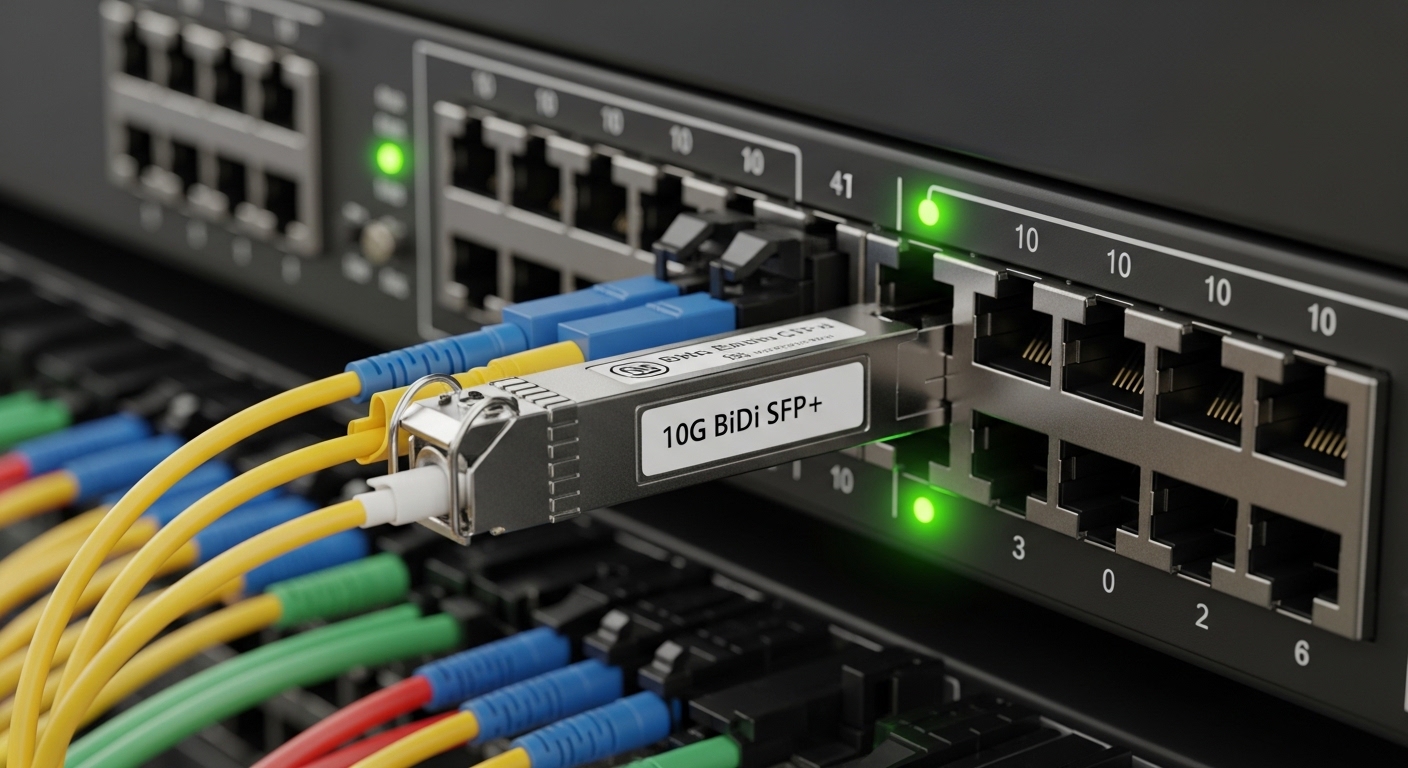
Before you shop, verify the switch port standard and transceiver form factor. Many 800G platforms expose either OSFP (Open Pluggable) or QSFP-DD-class cages depending on vendor generation, and the optics must match the cage and electrical interface. Also check whether the platform expects 8x112G lanes (common) and whether it supports specific modulation formats for the chosen reach.
Best-fit scenario: You are upgrading 48-port ToR switches in a 3-tier data center and moving from 400G to 800G uplinks. You confirm the new switches use OSFP cages and accept vendor-validated optics; you avoid a last-minute “module does not enumerate” incident.
- Pros: Fewer returns; faster staging in the lab
- Cons: Compatibility checks take time
Top 2: Choose reach and fiber type like a grown-up (with a calculator)
800G optics choices hinge on reach and fiber plant: multimode (OM4/OM5) for shorter distances, and single-mode (OS2) for longer runs. For multimode, typical solutions may use short-reach architectures (often described as SR8/DR8 variants by vendor), while single-mode options often map to longer-reach families (e.g., LR/FR). Your job is to match the module’s optical power budget and link budget to your actual fiber attenuation.
Best-fit scenario: Your leaf-to-spine runs are 60 to 120 meters over OM4, but spine-to-core is 2 to 10 km over OS2. You stock SR-class optics for the short hops and LR/FR-class optics for the long haul, reducing overspend.
| Spec category | Typical short-reach (MM) | Typical long-reach (SM) | Why it matters |
|---|---|---|---|
| Fiber type | OM4 or OM5 multimode | OS2 single-mode | Determines compatibility with your plant |
| Wavelength region | Short-reach multimode band (vendor-specific) | 1310 nm or 1550 nm bands (vendor-specific) | Affects loss characteristics and optics families |
| Reach (order of magnitude) | ~100 m class to a few hundred m | ~2 km to 10+ km class | Prevents “it worked in the lab” failures |
| Data rate / lanes | 800G aggregate, lane-structured (commonly 8x) | 800G aggregate, lane-structured (commonly 8x) | Must align to switch lane mapping |
| Operating temperature | Commercial or industrial grade (check datasheet) | Commercial or industrial grade (check datasheet) | Thermal margins during hot-aisle operation |
- Pros: Better link success rate; less wasted inventory
- Cons: Requires accurate fiber inventory and OTDR data
Top 3: Use vendor-validated optics, but understand DOM and interoperability
Most enterprises rely on digital optical monitoring (DOM) to track receive power, bias current, and diagnostics. Ensure the transceiver supports the expected monitoring interface and that the switch firmware can read it. Vendors publish compatibility lists; third-party optics can work, but you must validate DOM behavior and alarm thresholds in your environment.
Best-fit scenario: You deploy in a mixed vendor ecosystem where two switch families must coexist. You select optics with consistent DOM reporting and confirm alarm behavior under link margin changes, not just initial link-up.
Pro Tip: In field installs, a “link up” green light can still hide a margin problem. Run a sustained traffic test while watching DOM-reported receive power and error counters; optics that barely pass at setup can fail under temperature swings or after connector cleaning issues. [Source: IEEE 802.3 practical deployment guidance via vendor engineering notes; also see transceiver datasheets for DOM metrics and thresholds]
- Pros: Predictable operations; better incident response
- Cons: Validation adds a staging step
Top 4: Compare module types: coherent vs direct-detect vs AOC
For 800G, you may encounter direct-detect pluggables for short and medium reaches, and coherent approaches for longer distances in some architectures. Active optical cables (AOC) can simplify short runs inside racks or across adjacent cabinets, but they trade flexibility for fixed cabling length and potential replacement hassles.
Best-fit scenario: In a dense AI cluster, you use AOCs for intra-row connections (short, repeatable lengths) and pluggables for standardized patching. This reduces connector wear while keeping your fiber management sane.
- Pros: AOCs reduce connector complexity; coherent can extend reach
- Cons: AOCs limit length flexibility; coherent requires careful platform support
Top 5: Budget realistically: optics are not just purchase price
At the enterprise level, 800G optics often cost more per port than legacy 400G optics, and pricing depends on reach, fiber type, and whether you choose OEM or third-party. A practical expectation range for many 800G optics is often hundreds to over a thousand USD per module depending on class and vendor validation; your total cost of ownership (TCO) includes spares, staging labor, and downtime risk.
ROI lens: Calculate the cost of a failed link event: engineer time, truck rolls for fiber cleaning, and the opportunity cost of delayed capacity. If your environment runs hot-aisle or has frequent maintenance, prioritize modules with better thermal specs and validated compatibility to reduce mean time to repair.
- Pros: Lower downtime improves ROI more than marginal price differences
- Cons: Spares strategy can inflate upfront spend
Top 6: Selection checklist for the 800G buying decision
Use this ordered checklist to avoid the classic “almost compatible” purchase:
- Port and cage match: confirm OSFP vs QSFP-DD class and switch firmware support.
- Reach and fiber type: OM4/OM5 vs OS2; confirm actual attenuation from OTDR or test records.
- Power and thermal limits: verify module operating temperature range and your rack airflow profile.
- DOM support: ensure the switch reads diagnostics and alarms as expected.
- Vendor lock-in risk: check compatibility lists and plan validation for any third-party optics.
- Lead time and spares: model staging and failure probability; buy spares for critical paths.
- Pros: Faster procurement cycles with fewer surprises
- Cons: Requires disciplined inventory and testing data
Common mistakes / troubleshooting tips
1) Mistake: Buying the right reach but the wrong fiber type (OM4 vs OS2). Root cause: optical power budget mismatch and wavelength/fiber coupling assumptions. Solution: verify fiber plant labeling, connector type, and run a loss test before deployment.
2) Mistake: Assuming “third-party works” because links come up once. Root cause: DOM threshold differences, firmware incompatibility, or marginal link margin under temperature. Solution: run sustained traffic and monitor error counters plus DOM receive power over time.
3) Mistake: Neglecting connector cleanliness and polarity handling. Root cause: contamination and mispatching can look like a “bad transceiver.” Solution: clean with approved methods, use correct polarity adapters, and inspect endfaces with a scope.
4) Mistake: Ignoring thermal airflow constraints. Root cause: hot-aisle recirculation raises module temperature, pushing diagnostics into warning states. Solution: validate rack airflow, ensure blanking panels are present, and confirm module temperature within datasheet limits.
- Pros: Prevents repeat outages and
