
Edge Optical Links Troubleshooting: From Link Flaps to Loss
Edge deployments often fail in ways that look “mysterious” until you trace them end to end: connector contamination, wrong fiber type, marginal power, and optics incompatibility. This article helps field engineers and network operators troubleshoot optical links in edge computing environments, from first symptoms to verified root cause. You will get a step-by-step implementation workflow, a spec-focused comparison table, and concrete pitfalls with measurable fixes.
Prerequisites before you touch the fiber
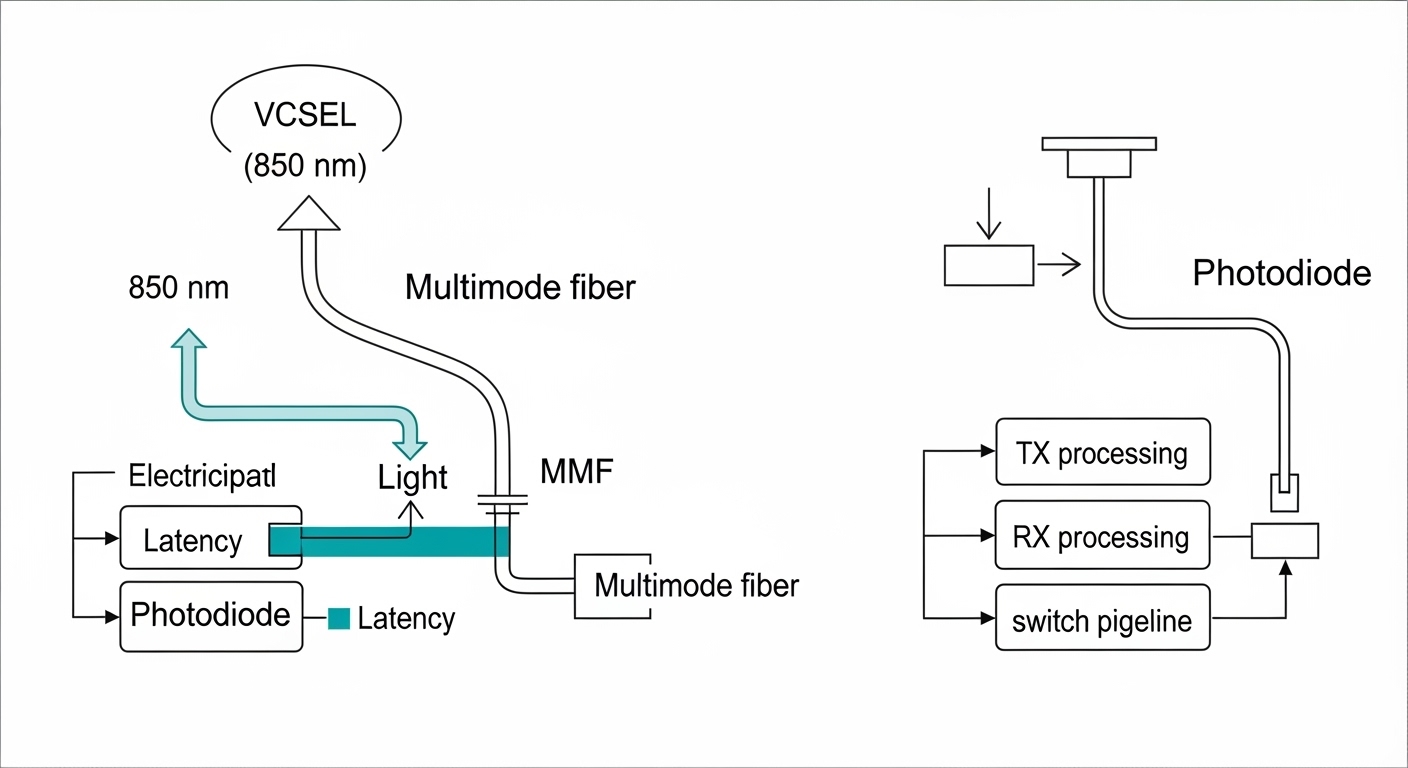
Before swapping optics or re-terminating cables, collect enough evidence to avoid repeating the same work under time pressure. In edge sites, you may have intermittent power, limited access to a cleaning kit, and long lead times for replacements, so preparation matters. Think of your process like verifying a circuit with a multimeter before replacing the whole board.
What to have on hand
- Optical power meter and light source (or an integrated OTDR/OLTS unit) compatible with your wavelengths (commonly 850 nm, 1310 nm, 1550 nm).
- Visual Fault Locator (VFL) for quick continuity checks (red 650 nm typically).
- Fiber inspection scope with appropriate connectors (LC/SC/MPO) and software for contamination grading.
- Proper cleaning tools: alcohol wipes, lint-free swabs, and connector cleaning cards for your connector type.
- Known-good transceivers (or at least one spare per type): for example Cisco SFP-10G-SR or Finisar FTLX8571D3BCL for 10G SR.
- Switch access to read interface diagnostics: optical diagnostics (DOM), interface counters, and link state.
Expected outcome
You start with a controlled plan: you will measure, inspect, and isolate the failing segment rather than guessing. This reduces downtime and avoids damaging connectors through repeated insertions.
Step-by-step workflow for optical links in edge sites
Use the workflow below to diagnose optical links when you see link flaps, one-way traffic, rising error counters, or link-down after a site move. The goal is to separate physical-layer issues (fiber, connectors, polarity) from optics-layer issues (DOM mismatch, wrong standard, marginal power).
Capture symptoms and interface state
From the edge switch, record the exact interface status and counters. In many deployments you will have a Linux-capable switch OS or a vendor CLI that exposes DOM and error counters.
Example checks (syntax varies by vendor): link state, last change timestamp, FEC status, RX/TX power, and error counters such as CRC, symbol errors, or alignment errors. Also note whether the failure coincides with power cycling, vibration, or a new patch panel installation.
Expected outcome: You can classify the symptom pattern: repeated renegotiation, stable link with errors, or immediate link-down.
Verify optics type, wavelength, and reach match
Edge sites frequently mix SFP/SFP+ modules from different vendors, or reuse older patch cords with the wrong fiber grade. Confirm the optics standard (10GBASE-SR vs 10GBASE-LR), wavelength, and connector type on both ends.
For example, 10GBASE-SR typically uses 850 nm multimode fiber with short reach; 10GBASE-LR uses 1310 nm single-mode fiber. If you accidentally connect an SR transceiver to single-mode fiber (or the reverse), you may get link-down or extremely low receive power.
Inspect connectors under magnification
In real edge environments, contamination is the most common cause of sudden optical link degradation after maintenance. Use a fiber inspection scope to check the ferrule end-face for dust, scratches, or film residue. If you see hazing, dark spots, or concentric rings, clean before further measurements.
Expected outcome: You either confirm contamination or establish that connectors look clean enough to proceed to optical power measurement.
Clean using connector-specific method
Clean with the correct technique for your connector type and ferrule geometry. For LC and SC, use lint-free swabs and approved cleaning solutions, and follow with cleaning cards where applicable. Avoid “quick wipes” that spread contamination across the ferrule.
Expected outcome: After cleaning, re-check link state and observe whether RX power and error counters improve.
Measure optical power and compare to thresholds
Use an optical power meter and/or DOM telemetry to confirm that receive power is within the transceiver’s supported range. DOM values vary by vendor, but you should still see a consistent RX level when the link is stable.
As a rule of thumb, if RX power is far below the transceiver’s specified minimum, you will see CRC errors, link instability, or complete loss of link. If TX power is normal but RX is low, suspect connector contamination, excessive attenuation, or a broken fiber.
Validate polarity and patching in the field
For duplex fiber links, confirm A-to-A and B-to-B mapping is correct for your transceiver and cabling convention. For MPO/MTP fanouts, confirm polarity method (for example, end-to-end vs MPO polarity) matches the transceiver expected lane mapping.
Expected outcome: Link comes up with stable counters, and traffic flows without one-way symptoms.
Use VFL and OTDR/OLTS when you suspect physical damage
If you see sudden failures after a cable route change, use a VFL to locate breaks and severe bends. For longer runs where attenuation is ambiguous, an OTDR (with correct fiber type and index settings) helps identify macro-bends, connector reflections, and splice loss.
Expected outcome: You can isolate the failing segment (patch cord vs trunk vs splice) and plan targeted repair.
Key optical link specs that matter during troubleshooting
When you troubleshoot optical links, you are essentially validating a power budget and a compatibility matrix. Vendors publish minimum and maximum optical power, center wavelength, and supported fiber types; your cabling and environment must fit those constraints.
| Parameter | 10GBASE-SR (Example) | 10GBASE-LR (Example) | Why it matters in edge troubleshooting |
|---|---|---|---|
| Nominal wavelength | 850 nm | 1310 nm | Wrong wavelength often causes link-down or very low RX power. |
| Fiber type | Multimode (OM3/OM4) | Single-mode (OS2) | MMF vs SMF mismatch changes attenuation and modal behavior. |
| Typical reach | Up to tens of meters (OM3/OM4) | Up to ~10 km (per standard) | Distance beyond budget yields errors even if link “sort of” works. |
| Connector types | LC duplex or MPO/MTP (variant) | LC duplex (common) or MPO/MTP (variant) | Connector contamination and polarity issues are common. |
| Operating temperature | Vendor-dependent (often industrial ranges) | Cold or hot sites can push optics outside spec. | |
| DOM support | Usually supported | DOM helps confirm TX/RX power and bias currents. |
For concrete examples, many 10G SR optics use models such as Cisco SFP-10G-SR, Finisar FTLX8571D3BCL, or FS.com SFP-10GSR-85. Always verify the exact wavelength and fiber spec on the specific datasheet for your part number, because “SR” naming can still differ by vendor implementation details like DOM calibration.
Pro Tip: In edge troubleshooting, DOM telemetry is more reliable for trend detection than for absolute truth. Record baseline TX bias current and RX power when the link is known-good, then compare later; a slow drift often points to connector aging or micro-bends before total failure.
Selection criteria checklist for stable optical links
Even when you are troubleshooting, you will often need to replace optics or patch cords. Use this ordered checklist to pick components that behave predictably in edge conditions.
- Distance and loss budget: measure or estimate total attenuation including connectors, splices, and patch panels.
- Fiber type correctness: confirm OM3/OM4 for 850 nm SR, and OS2 for 1310/1550 nm LR/ER.
- Switch compatibility: verify the switch’s supported optics list or transceiver compatibility notes; some platforms reject certain third-party optics.
- DOM and alarm behavior: ensure DOM is supported and that alarms map cleanly into your monitoring system.
- Operating temperature range: choose industrial-grade optics when the edge cabinet can exceed typical 0 to 70 C ranges.
- Connector standard and cleaning strategy: LC vs SC vs MPO/MTP changes maintenance tooling and inspection workflow.
- Vendor lock-in risk: OEM optics can reduce compatibility risk, but cost more; third-party optics can work if they match the same standard and are validated in your environment.
Expected outcome: You reduce the chance that a “fix” introduces a new intermittent issue due to incompatibility or marginal power.
Common mistakes and troubleshooting tips (top failure modes)
Below are field-proven failure patterns with root causes and fixes. Use them when you need to narrow the search fast.
Pitfall 1: Cleaning the wrong connector or skipping inspection
Root cause: Technicians often clean after cleaning, but without checking the ferrule end-face. Residual film or micro-scratches remain, increasing insertion loss and causing link flaps.
Solution: Inspect first with a fiber scope, clean with connector-specific tools, then inspect again. Only proceed to power measurements after the end-face passes your contamination threshold.
Pitfall 2: Fiber type mismatch masked by “it links up sometimes”
Root cause: Some transceivers will attempt link even with marginal power, especially if the fiber is partially compatible or if patch cords are swapped during maintenance. This shows up as errors and periodic drops under temperature changes.
Solution: Confirm wavelength and fiber type at both ends. Validate with OTDR/OLTS if you cannot trust patch labels. Replace the entire suspect segment, not just one patch cord.
Pitfall 3: Polarity and MPO lane mapping errors
Root cause: Duplex A/B reversal can lead to one-way traffic or no traffic while link state appears unstable. MPO polarity errors cause consistent misalignment of transmit and receive lanes.
Solution: Verify polarity method end-to-end and confirm the patching scheme matches the transceiver and fiber harness. For MPO, use known-good polarity jumpers and label lanes during rework.
Pitfall 4: Overlooking temperature-induced bias drift
Root cause: In edge cabinets with poor airflow, optics bias current and receiver sensitivity drift with temperature. This can push RX power below minimum during heat soak.
Solution: Check DOM temperature and bias currents during both normal and peak conditions. If drift is significant, replace with optics rated for the site’s actual temperature range and improve cabinet ventilation.
Cost and ROI considerations for edge optical link maintenance
In practice, the cost difference between OEM and third-party optics is often the smallest part of total downtime risk. Typical street prices vary by market and capacity, but many 10G SR optics and compatible transceivers fall into a broad range where OEM may cost roughly 1.5x to 2.5x more than third-party, while still depending on sales volume and lead time.
TCO drivers include truck rolls, outage minutes, spare inventory size, cleaning and inspection consumables, and failure rate. If your edge sites experience frequent maintenance, investing in a fiber inspection scope and disciplined cleaning reduces repeat failures and can outperform optics-only spending. Also plan spares by part number and DOM behavior so you can swap without revalidation each time.
Implementation timeline for a real edge site
Edge troubleshooting is often constrained by maintenance windows. Use this staged plan to keep downtime low while you restore optical links.
Same-day triage (0 to 2 hours)
Collect interface state and DOM telemetry, inspect and clean connectors, then recheck link stability. If RX power is near zero or link never comes up, stop and move to physical verification.
Expected outcome: Either the link recovers quickly, or you have a clear measurement-based path to deeper diagnostics.
Isolate segment (2 to 6 hours)
Swap with known-good optics, verify patching/polarity, and run VFL to locate breaks or severe bends. If you find a damaged segment, replace the cable portion rather than trying to “work around” loss.
Expected outcome: You narrow the fault to a cable segment, patch panel, or transceiver.
Confirm with measurements and document baselines (same day to next day)
Measure optical power at both ends, record DOM baselines, and store the values in your monitoring system. Update the rack and patch labels so the next technician can reproduce your setup.
Expected outcome: You prevent recurrence and enable faster diagnosis next time.
FAQ
How do I confirm whether optical links are failing due to fiber loss or connector contamination?
Inspect the connector end-faces first, then compare RX power to the transceiver’s specified range. If RX power jumps after cleaning, contamination was likely dominant. If RX power remains low and stable, suspect fiber attenuation, damaged fiber, or polarity issues.
Can I mix third-party optics with OEM optics in edge switches?
Sometimes yes, but compatibility varies by switch model and transceiver vendor implementation. Verify DOM support and check for vendor compatibility notes. If you need reliability under temperature swings, test in a staging environment with representative patch cords and lengths.
What are the fastest tools to use on-site for optical link troubleshooting?
A fiber inspection scope and connector cleaning kit are usually the fastest path when symptoms follow maintenance. For continuity and gross damage, a VFL helps quickly. For longer runs and ambiguous attenuation, use an OTDR/OLTS or optical power meter plus light source.
Why do optical links show link flaps only during peak heat or cold?
Temperature can affect laser bias current, receiver sensitivity, and connector expansion that changes alignment. DOM telemetry often reveals bias drift or temperature excursions correlated with flaps. Mitigate with temperature-rated optics and improved cabinet airflow.
What documentation should I keep after fixing optical links at an edge site?
Record transceiver part numbers, DOM baseline values (TX power, RX power, temperature, bias current), measured optical power if available, and the exact patching/polarity method. Also update patch panel labels and store before/after observations for faster future triage.
Where can I verify optical link standards and expectations?
Start with IEEE Ethernet PHY references such as IEEE 802.3 for optical PHY behavior and reach concepts. Also rely on vendor datasheets and switch transceiver compatibility guides. [Source: IEEE 802.3] and [Source: vendor transceiver datasheets] are the most authoritative starting points.
By combining disciplined inspection, measurable power checks, and compatibility-aware optics selection, you can restore optical links in edge computing while preventing repeat outages. Next, review the related fiber maintenance best practices topic to standardize your cleaning and verification workflow.
Author bio: Field engineer with hands-on experience deploying and troubleshooting 10G and 25G fiber links in constrained edge cabinets, including DOM-based monitoring and OTDR validation. Technical writer focused on practical reliability workflows aligned with IEEE Ethernet PHY expectations.
Sources: [Source: IEEE 802.3], [Source: vendor transceiver datasheets for Cisco SFP-10G-SR, Finisar FTLX8571D3BCL, and FS.com SFP-10GSR-85], [Source: ANSI/TIA and cabling best practice references on connector inspection and cleanliness].
