
Edge computing is where latency becomes a ledger: every millisecond and every bit of packet loss shows up as cost. This article helps network engineers and field operators select advanced optical modules that keep leaf-spine and access links stable under heat, vibration, and tight power budgets. You will connect real module models to standards-aware design choices, with troubleshooting notes from deployments in operational networks.
Why advanced optical modules matter for edge computing links
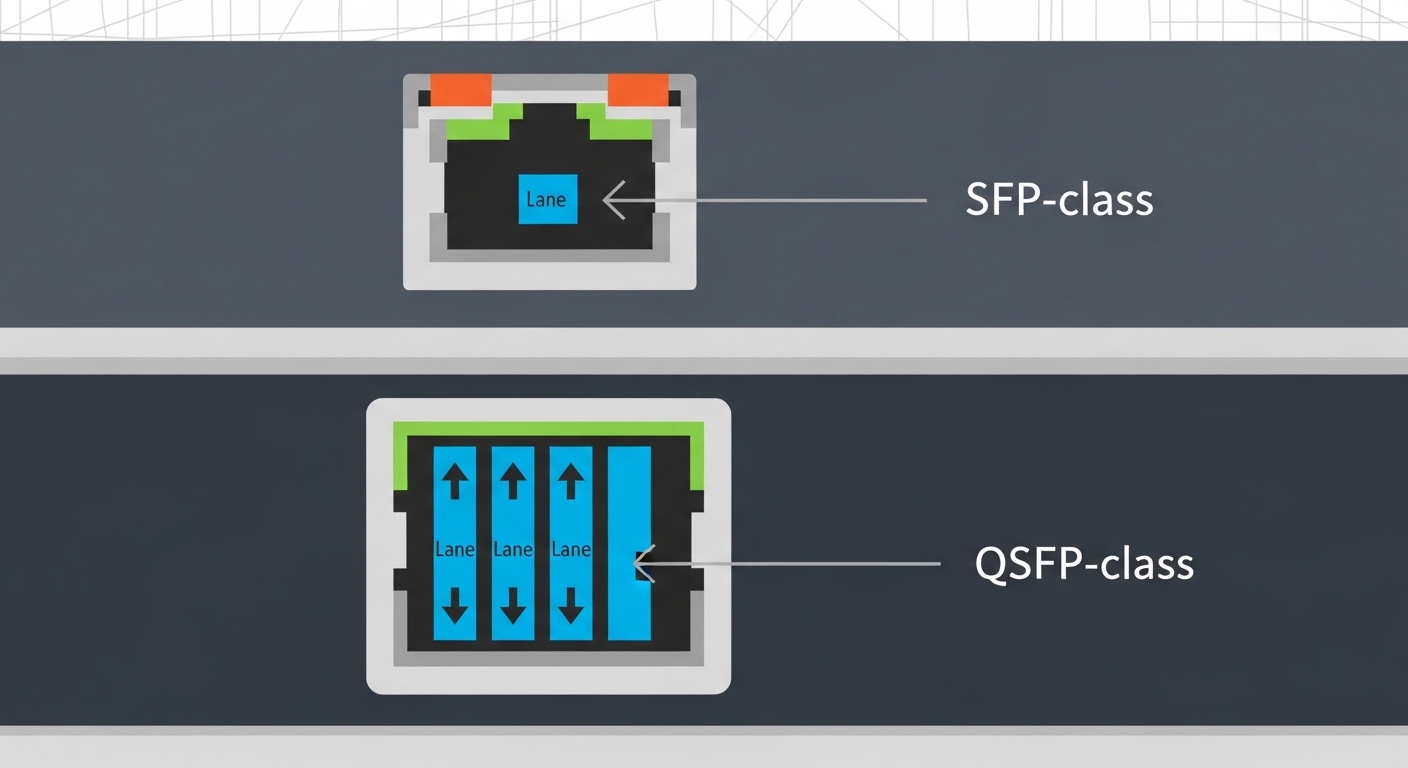
At the edge, you typically run higher utilization per rack and fewer opportunities to “wait for the next maintenance window.” Optical transceivers—SFP/SFP+, SFP28, QSFP/QSFP28, and pluggables for 10G to 100G—act as the physical contract between compute, aggregation, and sometimes industrial controllers. In practice, module compatibility with the switch ASIC, optics temperature behavior, and link budget margins often decide whether the link stays up through seasonal swings.
From an engineering standpoint, you are negotiating wavelength (for example, 850 nm multimode or 1310 nm/1550 nm single-mode), optical power (TX launch power), receiver sensitivity, and dispersion limits. IEEE Ethernet PHY requirements and vendor-specific diagnostics for digital optics both influence stability. For standards context, see Source: IEEE 802.3 and for pluggable electrical/management behavior, reference Source: SFF specifications via SNIA.
Pro Tip: In edge cabinets, “margins on paper” fail in the real world because thermal rise shifts laser bias and receiver threshold. Treat DOM telemetry (Tx power, Rx power, temperature) as a control loop input, not a dashboard feature, and alert before links flap.
Key optical specifications that change edge outcomes
Choosing optics is not only about reach; it is also about how the module behaves under temperature and how it reports diagnostics. A typical field workflow uses DOM readings to validate link budget after installation and again after airflow changes or cable re-termination. The table below compares common module classes used in edge computing deployments.
| Module example | Standard / type | Wavelength | Reach (typ.) | Connector | DOM | Operating temp | Power class (typ.) |
|---|---|---|---|---|---|---|---|
| Cisco SFP-10G-SR | 10GBASE-SR, SFP+ | 850 nm | ~300 m on OM3, ~400 m on OM4 | LC | Supported (per Cisco) | 0 to 70 C (typical spec) | Low single-digit watts |
| Finisar FTLX8571D3BCL | 10GBASE-SR, SFP+ | 850 nm | ~300 m (varies by fiber grade) | LC | Commonly supported on compatible platforms | 0 to 70 C (varies by exact SKU) | Low single-digit watts |
| FS.com SFP-10GSR-85 | 10GBASE-SR, SFP+ | 850 nm | ~300 m on OM3, ~400 m on OM4 | LC | Often available; confirm SKU | Commercial vs extended depends on SKU | Low single-digit watts |
| Example 25G/40G optics (QSFP28/QSFP+) | SR or LR depending on SKU | 850 nm or 1310 nm | From ~100 m (SR) to kilometers (LR/ER) | LC or MTP (varies) | Usually supported on modern pluggables | Often -5 to 85 C on industrial tiers | Moderate watts, density dependent |
When you plan edge computing links, compute your link budget with real fiber specs: core size (OM3 vs OM4), connector loss, patch panel loss, and any splices. Then validate with live measurements: Tx power, Rx power, and error counters after the first 24 hours. This is where modules with stable bias current behavior and consistent DOM calibration earn their keep.
Deployment scenario: leaf-spine at the edge with constrained power
Consider a 3-tier edge architecture for a retail analytics site: two aggregation switches connect to six access switches, each serving 48-port 1G endpoints and a few 10G uplinks. You run a leaf-spine-like pattern with 10G uplinks from access to aggregation, and 25G/100G uplinks from aggregation to a small regional spine router. In one deployment, the cabinet maxed at 38 C ambient during peak summer and airflow was throttled to reduce dust intake.
Engineers installed 10GBASE-SR optics for short runs over OM4 and used single-mode for longer pulls to a nearby secure cabinet. After a week, DOM telemetry showed a slow Rx power drift of about 0.8 dB correlated with a fan failure; the link was still within threshold, but CRC error bursts increased. The fix was operational: restore airflow, then re-check optical receive levels and re-terminate one suspect LC connector where a micro-scratch increased insertion loss.
In this scenario, the winning selection was not the longest reach; it was the module family whose DOM readings were consistent with the switch vendor’s expected interpretation and whose temperature range matched the cabinet reality.
Selection criteria and decision checklist for edge computing optics
Use this ordered checklist to reduce rework during installation and to avoid “works in lab, fails in field” outcomes.
- Distance and fiber type: confirm OM3 vs OM4 vs OS1/OS2, count connectors, patches, and splices, and include margin for aging.
- Data rate and lane mapping: choose SFP/SFP+/SFP28 vs QSFP/QSFP28 that matches the switch port’s PHY mode (10G, 25G, 40G, 100G).
- Switch compatibility: verify vendor compatibility lists and whether the platform enforces transceiver vendor ID checks.
- DOM support and telemetry behavior: ensure the module exposes standard diagnostics your monitoring stack can read; validate Tx/Rx power units and thresholds.
- Operating temperature: prefer extended range modules for cabinets that can exceed 60 C, especially near power supplies.
- Power budget and thermal density: high-density QSFP ports raise local heat; verify airflow and module power class.
- Vendor lock-in risk: if using third-party optics, confirm your vendor’s acceptance policy and keep spares from at least two lots.
Common pitfalls and troubleshooting tips
Even experienced teams get tripped by edge-specific conditions. Below are frequent failure modes, their root causes, and the field fixes.
- Pitfall 1: Link up, then periodic flaps under heat
Root cause: module temperature exceeds spec or laser bias drifts; airflow is throttled or blocked by cable bundles.
Solution: verify module operating range, improve airflow, and correlate events with DOM temperature and Rx power trends. - Pitfall 2: “Wrong fiber” syndrome after re-cabling
Root cause: OM3/OM4 mismatch, damaged patch cords, or using an SR module on a link with higher-than-expected insertion loss.
Solution: measure optical power with a calibrated source/OTDR where possible; clean connectors, then re-terminate and re-test. - Pitfall 3: Monitoring shows zeros or nonsense values
Root cause: DOM interpretation differences, unsupported diagnostic thresholds, or partially compatible pluggables.
Solution: confirm the exact module SKU and DOM standard support; validate telemetry mapping in your NMS and test in a staging rack. - Pitfall 4: Vendor compatibility rejects third-party optics
Root cause: strict transceiver ID enforcement, optics EEPROM mismatches, or switch firmware constraints.
Solution: check compatibility matrices, update switch firmware only after regression testing, and keep a known-good spare.
Cost and ROI note for edge computing optics
Typical street pricing for 10GBASE-SR SFP+ modules often falls in a wide band: OEM-branded modules may cost roughly $60 to $150 each, while third-party equivalents can be lower, sometimes $20 to $80 depending on brand, DOM support, and temperature grade. TCO is dominated by failure impact: a single outage can mean truck rolls, delayed production, and SLA penalties that dwarf the module price. For ROI, treat optics spares strategy as part of the budget: stocking the exact reach and temperature grade reduces mean time to repair.
Power savings are real but modest at the module level; the bigger financial lever is avoiding downtime and reducing rework from mis-matched optics. Track failure rates by lot and deployment site, because thermal stress at the edge often accelerates aging more than the headline specifications suggest.
FAQ
What optics are most common for edge computing short links?
For distances under a few hundred meters inside facilities, 10GBASE-SR at 850 nm over OM3/OM4 is common. For longer runs or higher reliability across campuses, engineers often switch to single-mode 1310 nm or higher-rate long-reach pluggables.
How do I verify compatibility before deploying third-party optics?
Check the switch vendor’s compatibility list and confirm the exact transceiver model number and temperature grade. Then run a staging test that validates link establishment, DOM telemetry readings, and error counters after 24 hours.
Does DOM telemetry actually help operations at the edge?
Yes, when it is wired into alerting with thresholds that match your switch and optics behavior. DOM can reveal early drift in Tx/Rx power and temperature that precedes CRC spikes and link flaps.
What is the most frequent cause of SR link issues?
Insertion loss from dirty connectors, damaged patch cords, or wrong fiber grade is the top culprit. The second most common cause is insufficient link budget margin after patch panels and splices are counted.
Should I choose extended temperature modules for edge cabinets?
If your cabinet can exceed typical 0 to 70 C conditions,
