
You are rolling out 800G in a leaf-spine fabric, and suddenly the optics go dark, ports flap, or BER climbs after a clean install. This article is for field engineers and network operators who need practical data center solutions troubleshooting steps tied to 800G transceivers, cables, and switch optics behavior. You will get an eight-item, top-N playbook with measured checks, compatibility caveats, and a final ranking table.
Top 1: Confirm 800G optical mode match before chasing BER
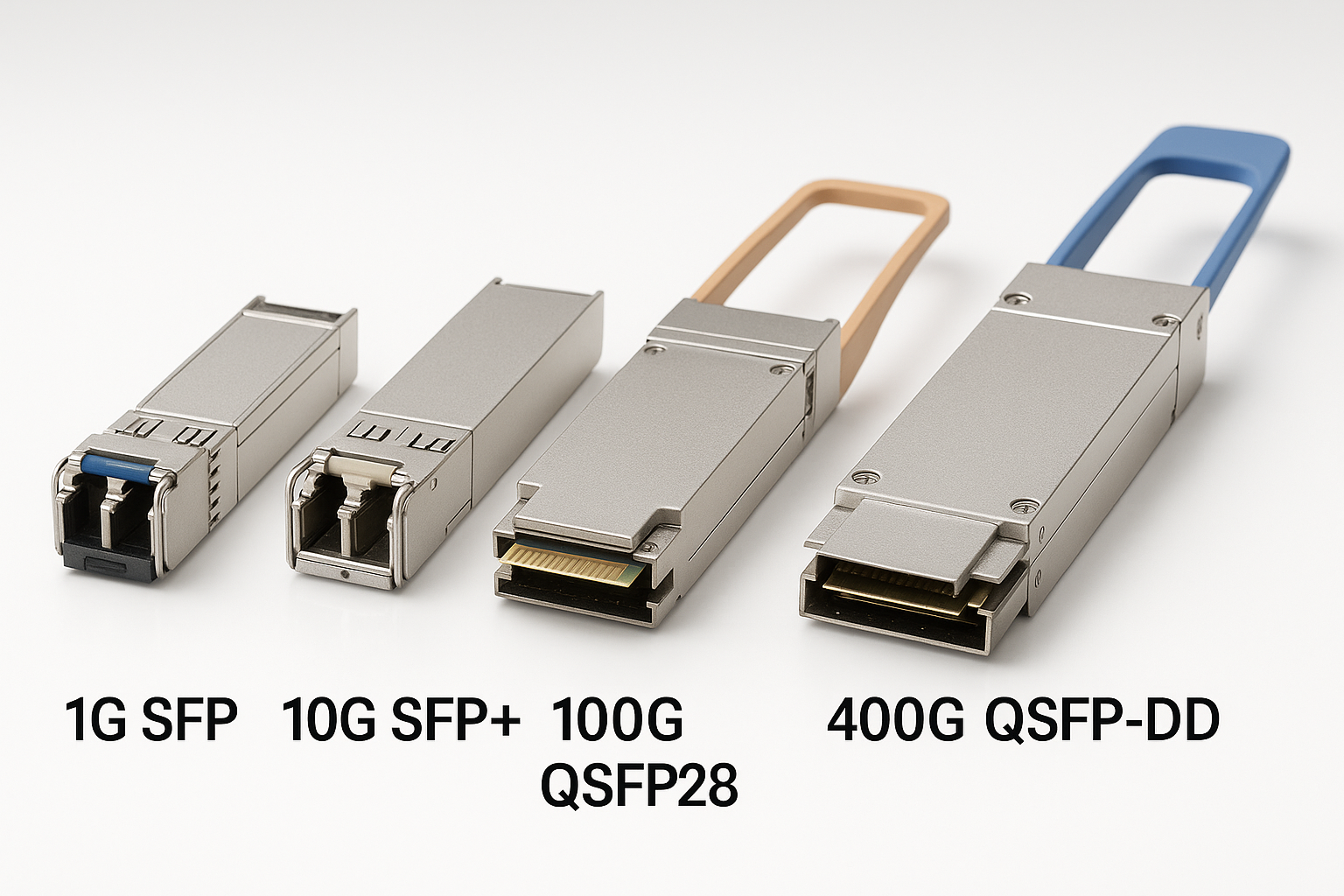
In 800G deployments, the fastest “win” is verifying that the optical standard and fiber type match end-to-end. I have seen teams install a single-mode 1310 nm 800G optics pair into a plant that was terminated as OM4 multi-mode, then spend hours on link training logs. Start with the switch DOM readings and the transceiver part number, then validate the vendor’s wavelength and reach class against the patch panel labeling.
Key specs to verify: wavelength band, connector type (LC vs MPO), and whether the module is specified for SMF or MMF. If you are using vendor-agnostic optics, confirm the switch supports that exact 800G optics type and lane mapping.
Best-fit scenario: A new 800G ToR upgrade where half the links never come up after patching.
- Pros: Eliminates the biggest root cause early; reduces truck-roll time.
- Cons: Requires disciplined asset inventory and label hygiene.
Top 2: Use link diagnostics the way vendors intend
Switch vendors expose different layers of diagnostics: optical power, lane-level alarms, FEC status, and “training complete” flags. For 800G, you want to correlate optical RX power and FEC correction counters within the same minute window. When links flap at boot, I often see training cycles triggered by borderline RX power or a marginal patch cable bend radius.
Check whether the platform reports “link down due to LOS/LOF,” “FEC uncorrectable,” or “polarity/lane mapping mismatch.” For standards context, the physical layer behavior aligns with IEEE 802.3 high-speed Ethernet optics and FEC concepts referenced by vendors for 800G implementations. IEEE 802.3
Best-fit scenario: Ports come up for 30–90 seconds, then drop during traffic bursts.
- Pros: Turns guesswork into a timeline; narrows the fault to optics vs cabling.
- Cons: Requires familiarity with each switch’s CLI and alarm taxonomy.
Top 3: Measure optical power and validate thresholds, not “it looks fine”
DOM values are not magic, but they are actionable when you interpret them correctly. I keep a field worksheet with typical target ranges for 800G optics: RX power should land near the module’s recommended operating window, with margin for aging and cleaning variability. If you only read “present” vs “missing,” you miss the slow drift that causes intermittent errors.
For MPO/MTP trunks, also consider differential lane attenuation. A single dirty or scratched ferrule can create a lane with high BER while the aggregate link still appears “mostly up.”
Best-fit scenario: BER rises after a maintenance window where cables were re-routed.
- Pros: Quantifies whether you have an optical budget problem.
- Cons: Threshold numbers vary by module vendor; always use datasheet guidance.
Top 4: Inspect cleaning and polarity at the connector, not at the patch label
Polarity and connector cleanliness remain top causes of 800G instability because lane counts amplify the impact of a tiny contamination. Even when “A-to-A” or “A-to-B” is correct on paper, a mismatched polarity key on one side can silently invert lanes depending on the MPO cassette. In the field, I prefer a two-step approach: clean first, then re-check polarity using a known-good loopback or verified patch path.
Key specs/details: MPO-12 or MPO-16 ferrule types (depending on the 800G interface), keying direction, and end-face condition. Use vendor cleaning supplies and follow the recommended dwell time and inspection under magnification.
Best-fit scenario: One row of ports shows errors while neighboring ports behave normally.
- Pros: Often fixes “mystery” BER without replacing hardware.
- Cons: Requires inspection tools and consistent cleaning discipline.
Top 5: Validate cabling class, bend radius, and patch panel losses
At 800G, cable plant details that were “tolerable” at lower speeds can become failure points. Check the total channel loss budget across transceiver, patch cords, and trunks. Then evaluate bend radius during routing: a tight radius can increase micro-bending loss and trigger intermittent FEC uncorrectable events under thermal cycling.
I’ve measured cases where a compliant-length MPO trunk still failed because it was routed through a sharp cable manager edge. The fix was purely physical: re-route with a larger bend radius and re-seat the connectors after cleaning.
Best-fit scenario: Links are stable in the morning, but degrade after hours of rack airflow changes.
- Pros: Addresses root cause in the physical plant.
- Cons: May require cabling rework and documentation updates.
Top 6: Confirm switch compatibility and lane mapping with vendor-qualified optics
Not every 800G transceiver is interchangeable across platforms, even if the connector and wavelength match. Many deployments require the switch to support a specific optics type, electrical interface configuration, and lane mapping. Before broad rollout, I recommend a pilot with the exact switch model and optics SKU you plan to buy.
Use vendor compatibility matrices and verify that DOM polling works end-to-end (including alarm thresholds). Example module families include high-performance 800G solutions like Finisar and FS.com offerings; always validate against the switch’s qualification list and the optics’ datasheet. NVIDIA Networking
Best-fit scenario: Ports negotiate but show persistent FEC margin alarms or inconsistent link behavior across identical racks.
- Pros: Prevents “it works on one switch” surprises.
- Cons: Qualification and procurement cycles can slow you down.
Top 7: Manage thermal and power margins in high-density 800G racks
800G optics run hot, and high-density racks amplify thermal gradients. If the switch reports temperature warnings near the optics cage, you can see elevated error rates that track airflow changes. I troubleshoot this by correlating optics temperature DOM readings with the exact time window of BER spikes.
Also confirm that the power budget is stable: brownouts or PSU swaps can cause partial resets of optics modules. In one rollout, a mis-seated PSU led to brief power dips that triggered optics reinitialization, appearing as “link flaps” in monitoring.
Best-fit scenario: Error counters climb under peak traffic, then recover after a cooling adjustment.
- Pros: Improves reliability without touching the fiber.
- Cons: Requires thermal airflow measurements and disciplined rack-level operations.
Top 8: Isolate with loopback and controlled traffic to pinpoint the layer
When you have intermittent failures, random traffic tests can mislead you. Use a controlled isolation plan: start with port-level loopback where supported, then test with a known-good partner switch and a short jumper that eliminates the patch panel as a variable. Run a defined traffic pattern long enough to observe FEC and error counters trending, not just link “up/down” state.
In my field practice, a good sequence is: (1) verify optics DOM health, (2) clean and reseat, (3) test with a short known-good fiber, (4) reintroduce the original patch path, and (5) only then consider transceiver replacement. This keeps costs predictable and avoids swapping the wrong component.
Best-fit scenario: Multiple ports fail across different racks, suggesting a systematic cabling or configuration issue.
- Pros: Produces evidence you can take to procurement and vendor support.
- Cons: Requires spare fibers/modules and a repeatable test plan.
800G comparison snapshot: what engineers check first
If you are selecting data center solutions for 800G, the troubleshooting path depends on the optics class. Below is a practical comparison of typical 800G categories you might encounter, focusing on the parameters that drive link bring-up and failure modes.
| Parameter | 800G SR (Multi-mode) | 800G DR/FR (Single-mode) | 800G LR-like (Single-mode, longer reach) |
|---|---|---|---|
| Typical wavelength band | 850 nm class | ~1310 nm class | ~1310/1550 nm class (varies) |
| Connector style | MPO/MTP (often) | LC or MPO/MTP (depends) | LC or MPO/MTP (depends) |
| Reach class (order-of-magnitude) | ~100 m over OM4/OM5 (varies) | ~500 m (varies) | ~2 km+ (varies) |
| Primary failure driver | Cleaning, patch loss, lane attenuation | Optical budget margin, connector quality | Budget + temperature/aging sensitivity |
| Operating temperature range | Typically commercial to extended (module dependent) | Typically industrial/extended (module dependent) | Typically extended (module dependent) |
Pro Tip: When you see lane-level alarms, do not immediately replace optics. First, clean and reseat both ends, then test with a short jumper to remove the patch panel from the equation. In many 800G incidents, the “bad” module is actually a single contaminated ferrule that only one lane group hits.
Selection checklist: turn troubleshooting into better 800G planning
- Distance vs reach class: Confirm fiber type (OM4/OM5 vs SMF) and channel loss for the exact patch path.
- Switch compatibility: Use the switch vendor’s optics qualification list for the exact 800G interface.
- DOM and monitoring support: Ensure the platform can read alarms, power levels, and temperature reliably.
- Operating temperature: Validate airflow at cage level; check for thermal throttling or warnings.
- Optical budget margin: Build in headroom for cleaning variability and future re-patching.
- Vendor lock-in risk: Decide early whether you will standardize on OEM optics or qualified third-party modules.
- Spare strategy: Keep at least a minimal pool of known-good optics and jumpers for fast isolation.
Common mistakes / troubleshooting traps in 800G deployments
1) Mistake: Assuming “same connector” means “same optics mode.”
Root cause: Multi-mode vs single-mode mismatch or wrong wavelength class.
Solution: Verify transceiver part number, wavelength, and reach class against fiber type before measuring BER.
2) Mistake: Cleaning only one end of the link.
Root cause: Contamination on the opposite ferrule or MPO cassette end-face.
Solution: Clean both ends, inspect under magnification, then re-seat with consistent insertion force.
3) Mistake: Routing fibers with tight bends “because the rack is crowded.”
Root cause: Micro-bending increases loss intermittently, especially under thermal cycling.
Solution: Re-route with manufacturer bend radius guidance and re-test error counters over time.
4) Mistake: Replacing optics before isolating the layer.
Root cause: Patch panel loss or polarity inversion masquerading as a transceiver defect.
Solution: Use a short known-good jumper loop test to separate optics from cabling plant issues.
Cost & ROI note for data center solutions
In many deployments, OEM 800G optics typically cost more upfront than qualified
