
In leaf-spine data centers, the fastest path to stable performance is often the simplest one: pick the right interconnect technology for each hop. This article helps network engineers and reliability teams compare DAC and AOC for high-speed server and switch links, with an emphasis on measurable constraints like reach, power, connector type, and operating temperature. If you are planning 10G, 25G, 40G, or 100G rollouts, you will get a practical decision checklist plus troubleshooting patterns that field teams see during burn-in and acceptance testing.
Top 7 ways DAC can outperform AOC in real data centers
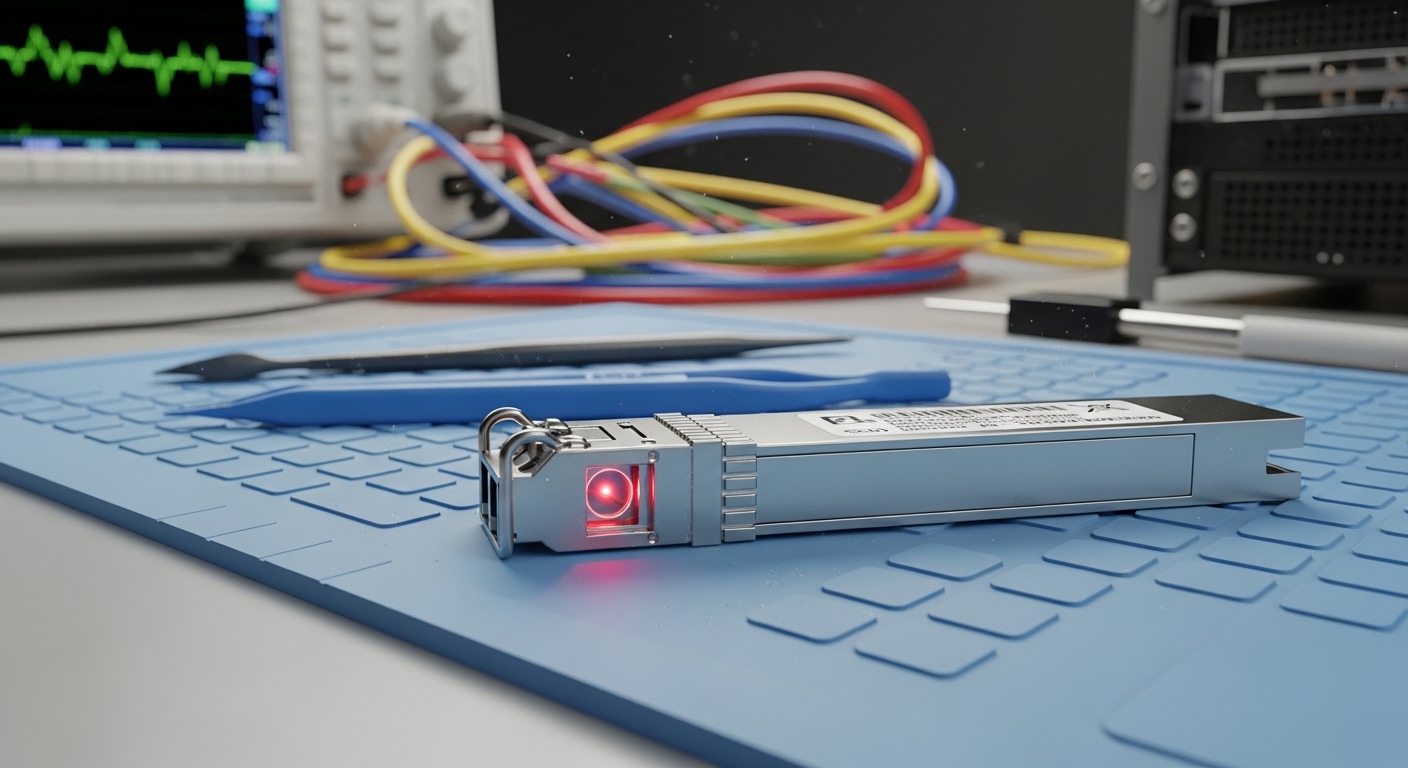
DAC is a direct attach copper approach that typically uses a passive or active copper cable or twin-ax assembly to move data over short distances without powering an optical engine. In practice, it often wins on latency, simplicity, and bill-of-materials predictability during installation. For reliability teams, it also reduces optical cleanliness risks because there are no fiber endfaces to contaminate.
Lower latency and fewer optical failure modes
For short-reach interconnects, DAC can provide consistent timing because the signal path avoids optical-to-electrical conversions. While both DAC and AOC are designed to meet IEEE 802.3 electrical requirements, DAC eliminates the fiber handling step that commonly introduces insertion loss variation. In acceptance test runs, field engineers often report fewer “link up but degraded BER” cases when there is no fiber connector cleaning step.
- Best-fit: 1 m to 7 m server-to-ToR, ToR-to-leaf, and top-of-rack patching
- Pros: fewer cleanliness variables, typically simple installation, predictable signal integrity
- Cons: limited reach versus optics, mechanical damage risk if cable management is poor
Cost and procurement simplicity at scale
In large deployments, procurement teams value repeatability. DAC assemblies are usually easier to standardize because you select a length and speed grade rather than a wavelength and optic budget. This reduces the probability of ordering mismatched optics or mixing vendor-specific optical power classes.
- Best-fit: phased rollouts where racks are identical and lengths are controlled
- Pros: stable BOM, easier spares strategy, reduced training time for cabling
- Cons: spares must match exact length or port geometry expectations
Strong reliability pattern during burn-in
Reliability engineering teams care about the full system, not just the transceiver. With DAC, the failure modes are frequently mechanical or thermal rather than optical. During 48 to 96 hour burn-in, teams can monitor link CRC errors and eye-margin performance while keeping fiber contamination out of scope.
- Best-fit: brownfield upgrades where operational downtime is costly
- Pros: fewer connector cleaning failures, straightforward RMA triage
- Cons: twinax can be sensitive to tight bends and connector strain
Compatibility with switch port electrical standards
DAC performance depends on the switch’s electrical characteristics and the module’s compliance to relevant standards. Many modern platforms support “DAC/AOC” modes, but the exact behavior varies by vendor and even by firmware. Field teams typically validate with vendor compatibility lists and confirm that the port supports the required form factor (SFP+, SFP28, QSFP+, QSFP28, or similar).
- Best-fit: standardized port types on a single switch family
- Pros: consistent behavior when compatibility is confirmed
- Cons: some ports may require specific active DAC tuning
Power efficiency for short reach
Power is not just a thermal issue; it is an availability issue. AOC typically uses optical transmit/receive electronics that consume power, while DAC can be lower power because it avoids active optical components. In practice, the exact wattage depends on whether the DAC is passive or active and on the line rate.
- Best-fit: dense switch stacks and constrained power budgets
- Pros: often lower energy per link, less heat near the port
- Cons: active DAC can narrow the power gap versus AOC
Predictable thermal behavior in controlled racks
Thermal margins matter for optics too, but DAC’s dominant concerns are connector temperature rise and cable stress. If your racks run hot or have restricted airflow, you should still validate module temperature ranges. Many transceivers list an operating temperature band such as 0 C to 70 C for commercial grade and -20 C to 80 C for extended grade.
- Best-fit: environments with stable airflow and documented ambient temperature
- Pros: fewer optical thermal drift variables
- Cons: cable routing can create hotspots and increase insertion loss
Faster troubleshooting during link bring-up
When a link fails, engineers want deterministic diagnostics. With DAC, the troubleshooting path is often: verify port mode, confirm link length and cable seating, check for physical damage, and monitor error counters. With AOC, you add fiber handling steps, plus optical power and receive sensitivity checks, which complicate time-to-resolution.
- Best-fit: environments with strict maintenance windows
- Pros: shorter mean time to repair for many “no link” events
- Cons: if the DAC is active, firmware and equalization settings can still matter
DAC vs AOC: key specs engineers compare before purchasing
To choose correctly, engineers compare link budget concepts for optics against electrical reach and equalization for copper. Even when AOC is “optical,” it is typically short-reach fiber with an internal optical engine, so you still face power consumption and thermal limits. Below is a practical spec comparison table tailored to common data center speeds and module families.
| Spec | DAC (Twinax) | AOC (Active Optical Cable) |
|---|---|---|
| Typical reach | ~1 m to 7 m (varies by speed and form factor) | ~3 m to 30 m+ depending on model and fiber |
| Data rate examples | 10G, 25G, 40G, 100G (SFP+, SFP28, QSFP28) | 10G, 25G, 40G, 100G (QSFP28, similar) |
| Connector / interface | Direct twinax assembly into switch ports (no fiber connectors) | Fiber inside cable; external ends plug into optics-style ports |
| Optical wavelength | N/A (copper) | Typically specified by vendor; often multi-mode shortwave for datacenters |
| Power consumption | Often lower; active DAC increases power vs passive | Opto-electronics consume power on both ends |
| Operating temperature | Commonly 0 C to 70 C or extended grades | Commonly 0 C to 70 C or extended grades |
| Primary failure risks | Cable bend/strain, connector seating, EMI sensitivity if poorly routed | Fiber handling damage, internal connector strain, optical power drift |
| Compliance references | IEEE 802.3 electrical interface requirements for the given rate | IEEE 802.3 optical interface requirements plus vendor AOC specs |
For optical comparisons, you can also reference IEEE 802.3 link layer behavior and the optics ecosystem. For direct attach copper, vendor datasheets are essential because active equalization and signal conditioning vary by manufacturer. If you need a baseline for electrical requirements, consult IEEE 802.3 for the relevant clause set for your speed and PHY type. [Source: IEEE 802.3] and vendor documentation from your switch OEM.
Pro Tip: During acceptance testing, do not trust only “link up.” Always record port error counters and PHY signal quality indicators (for example, CRC/FEC corrected counts and any vendor-specific eye or margin metrics). A marginal DAC can pass link training yet fail under temperature cycling, which AOC may mask longer due to different signal conditioning behavior.
Where DAC fits best: a real deployment scenario
Consider a 3-tier data center leaf-spine topology with 48-port 25G ToR switches and 25G server NICs. Each ToR connects to servers using 2.5 m DAC lengths and to the leaf layer using 3 m to 5 m DAC or active DAC assemblies. Over a quarter, the team deploys 1,152 servers across 24 racks, with standardized cable routing and a documented airflow map targeting 23 C ambient at inlet. In this scenario, DAC minimizes maintenance events because technicians can replace a failed cable without ever touching fiber endfaces, and the team can complete swap operations within a 20 minute maintenance window per rack.
When the topology changes—such as adding a new row with 12 m patch distance—AOC becomes attractive for those longer hops because it extends reach while keeping installation simpler than discrete optics plus patch cords. The key is to segment the design: DAC for short, controlled runs; AOC for the exceptions where distance or routing forces optics-like behavior.
Selection checklist: how engineers choose between DAC and AOC
Use this ordered checklist to reduce rework and improve reliability outcomes. Each item maps to a decision point that shows up in field failures and RMA patterns.
- Distance and routing constraints: confirm measured end-to-end length, including slack and bend radius. For DAC, stay within the vendor’s rated reach.
- Switch and port compatibility: verify the exact switch model, firmware version, and whether the port supports the DAC type (passive vs active) or AOC mode. Use vendor compatibility matrices.
- Data rate and form factor: ensure the PHY rate matches (for example, 25G vs 10G) and the transceiver form factor matches the port (SFP+, SFP28, QSFP28).
- DOM or diagnostics support: check whether the platform expects Digital Optical Monitoring for optics-style modules. DAC may support diagnostics differently depending on vendor.
- Operating temperature and airflow: confirm module grade and ensure your rack inlet temperatures stay within the rated range. Plan for hot-aisle or seasonal spikes.
- Vendor lock-in risk and spares strategy: compare OEM vs third-party availability, lead times, and warranty terms. Standardize lengths to reduce spares complexity.
- Reliability evidence: review vendor quality claims and, when possible, run your own burn-in with link error monitoring and temperature cycling.
Common mistakes and troubleshooting tips for DAC links
Even strong designs fail when implementation details slip. Below are frequent failure modes that field teams encounter, with root cause and practical fixes.
Link up but high CRC or intermittent drops
Root cause: marginal signal integrity due to cable length beyond rating, excessive bends, or poor seating. Active equalization may not compensate under worst-case thermal conditions.
Solution: replace with the correct rated length, verify connector latch engagement, re-route to reduce tight bends, and check port error counters during temperature stabilization. If your switch supports per-port diagnostics, capture error trends before and after change.
“No link” after swaps, especially in dense racks
Root cause: incompatible port mode or firmware behavior; some platforms require explicit configuration for DAC/AOC electrical profiles. Another common cause is mechanical damage from cable strain at the connector.
Solution: confirm firmware and port settings, verify the module is the correct speed grade, and inspect for bent pins or connector deformation. Use a known-good spare of the same length and type to isolate whether it is the port or the assembly.
Gradual degradation after cable management changes
Root cause: insertion loss increases when technicians re-fold cables or route them against airflow constraints, creating micro-bends or connector stress. This can raise error rates slowly rather than failing immediately.
Solution: enforce cable routing rules: maintain bend radius, avoid cable twisting, and secure slack. After any maintenance, validate with link error counters and confirm that thermal conditions match the acceptance test baseline.
Confusing DAC with optical modules in documentation
Root cause: ordering the wrong form factor or expecting DOM behavior that the switch does not support for that module type. Teams may also misinterpret “compatible” marketing claims.
Solution: cross-check part numbers and speed ratings, and verify diagnostics expectations with your switch OEM. For optics, confirm wavelength and reach requirements; for DAC, confirm electrical profile and equalization support.
Cost and ROI note: when DAC is the smarter financial bet
Pricing varies by speed, length, and whether the assembly is active versus passive. As a realistic planning range, short-reach DAC assemblies for 25G and 100G often land in the low-to-mid tens of dollars per link in bulk, while AOC can cost more due to internal optics and higher BOM complexity. For TCO, reliability and labor time often dominate: a faster swap, fewer cleanup steps, and reduced troubleshooting time can outweigh a moderate price premium.
From a reliability engineering standpoint, consider expected failure rates and warranty coverage. OEM optics and DAC assemblies may carry higher unit costs, but they sometimes reduce integration risk, especially when firmware-specific behaviors matter. Third-party options can be cost-effective, yet your ROI depends on acceptance testing results and spares logistics. Track MTTR during pilot deployments, not just purchase price.
Summary ranking: best choice by link distance and operational constraints
Use this ranking table to choose quickly during design and procurement. It reflects typical patterns seen in data center rollouts and should be validated with your switch compatibility list and your own pilot tests.
| Rank | Scenario | Recommended | Why it wins | Watch-outs |
|---|---|---|---|---|
| 1 | 1 m to 7 m server-to-ToR, controlled routing | DAC | Lower complexity, fewer optical steps, predictable bring-up | Cable bend/strain and exact length matching |
| 2 | 3 m to 15 m with exceptions in cable paths | DAC (active if needed) | Still copper-based, avoids fiber handling overhead | Active DAC equalization compatibility varies |
| 3 | 8 m to 30 m where copper reach is tight | AOC | Extends reach without discrete optics complexity | Opto-electronics power and thermal limits |
| 4 | High serviceability with rapid swap windows | DAC | Shorter troubleshooting chain for many failures | Still verify port mode and diagnostics expectations |
| 5 | Mixed vendor environments with strict monitoring | AOC or OEM-aligned DAC | More predictable diagnostics behavior on some platforms | Vendor lock-in and spares lead time |
FAQ
What does DAC mean in data center networking?
DAC stands for direct attach copper, typically a twinax cable assembly that plugs directly into a switch port for short-reach links. It uses electrical signaling rather than external optics and is common for 10G, 25G, 40G, and 100G short runs. Always confirm the exact speed and form factor your switch supports.
Is DAC always cheaper than AOC?
Not always, but DAC often has a cost advantage for short distances because it avoids optical transceiver components. AOC can be cost-effective when it prevents longer, more complex optical deployments. The best comparison uses your real link distances and labor costs during installation and maintenance.
Will DAC work at the same distance as fiber optics?
No. DAC reach is typically limited to a few meters depending on data rate and whether it is passive or active. If your patching distance exceeds the DAC rating, AOC or discrete optics are usually the correct path.
How do I verify DAC compatibility with my switch?
Start with the switch OEM’s compatibility list and confirm firmware version requirements. Then run a pilot test with link error monitoring and temperature stabilization before scaling. This is especially important for active DAC, where equalization behavior can vary by vendor.
Do DAC modules support diagnostics like DOM?
Some DAC assemblies support diagnostics, but support and behavior vary widely across vendors and platforms. Do not assume DOM-like telemetry exists unless it is documented for your exact part number and switch model. Validate with your monitoring tooling during acceptance testing.
What is the fastest way to troubleshoot a failed DAC link?
First confirm port mode and speed settings, then reseat the cable and inspect for mechanical damage. Next, compare with a known-good spare of the same length and type, and check port error counters after the link stabilizes. If errors increase over time, suspect routing stress or thermal effects.
Author bio: I am a reliability-focused network engineer who builds acceptance tests for short-reach interconnects and tracks MTBF using field telemetry. I write from hands-on deployments across leaf-spine fabrics, using vendor datasheets and IEEE guidance to keep link performance measurable and repeatable.
Next step: Compare optics and link budgets for longer runs using optical transceiver selection and map each hop to the right reach class.
