
Edge computing deployments live or die by reliability per watt and per dollar. This article helps network engineers and IT leaders choose DAC cables for short-reach switching between servers, ToR and aggregation, and edge routers—especially when space, power, and lead times are tight. You will get field-tested selection steps, a practical spec comparison, and troubleshooting patterns that prevent silent link flaps.
Why DAC cables fit edge computing: latency, power, and operations
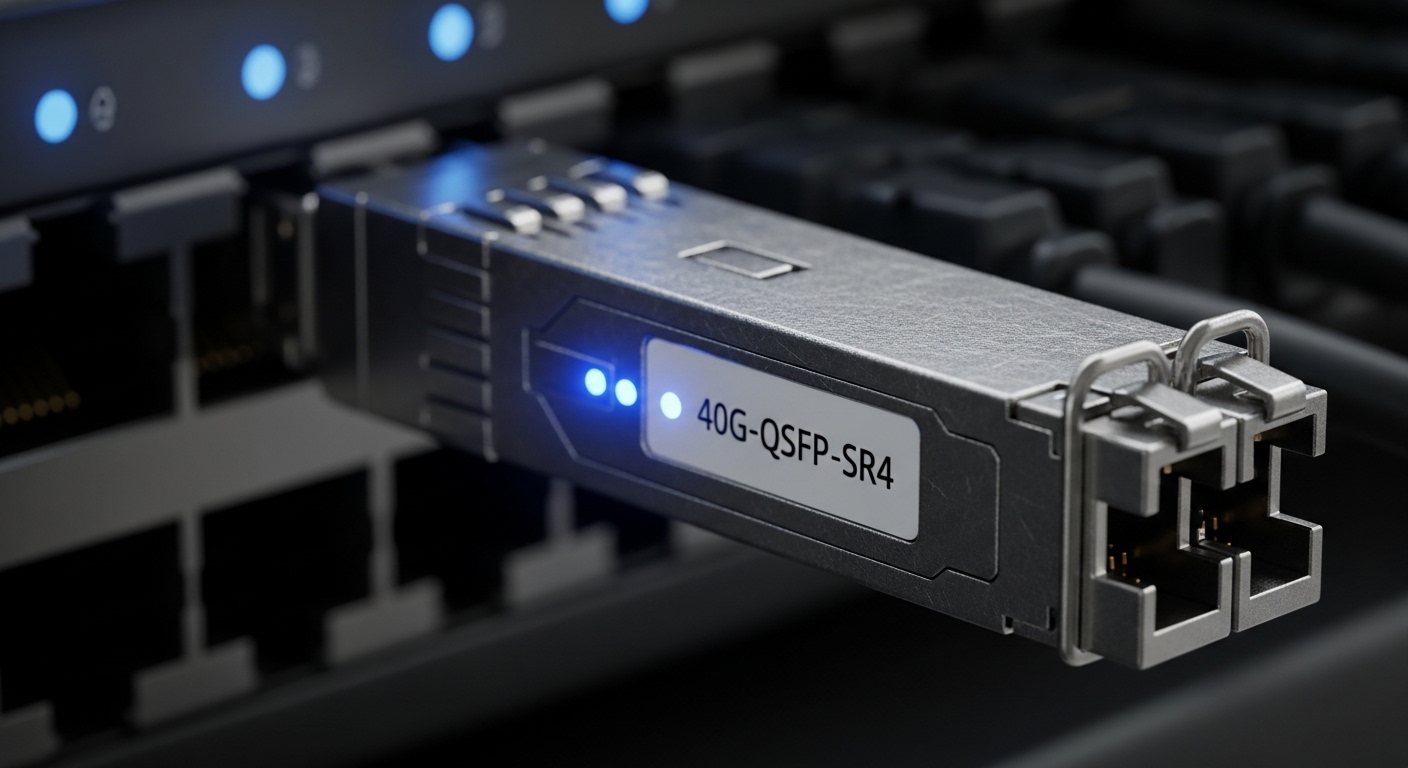
In edge sites, you often connect high-speed ports over very short distances inside the same rack row or within a few meters of cable run. DAC cables (Direct Attach Copper) replace optical transceivers and fiber for distances typically up to a few meters, reducing both BOM complexity and installation time. Operationally, they also reduce the number of optics SKUs you must stock and qualify across intermittent refurb cycles.
From a performance lens, DAC can deliver deterministic low-latency behavior at the PHY layer because the electrical path is short and the link training window is simple compared with many optical power-budget variables. In practice, engineers measure “time-to-link” during burn-in and see fewer variables tied to fiber cleaning, connector inspection, and optical budgets. That matters when your edge POP is unmanned or staffed by generalist technicians.
Limitations are real: copper reach is capped, and compatibility with switch vendor optics policies can be strict. Some edge switches enforce vendor-specific identification, DOM expectations, or power-class rules. If you treat DAC selection like “it fits the port,” you can end up with degraded optics-like behavior: link up/down loops, intermittent CRC errors, or ports that never negotiate at the intended speed.
Pro Tip: In edge racks, the most common “mystery” with DAC cables is not signal loss—it is compatibility gating. Many switches read the cable’s EEPROM ID and apply power and speed profiles. If the cable is not on the switch’s supported list, the port may fall back to a lower rate or refuse to come up cleanly even at short distances.
DAC vs optics in edge: a spec comparison engineers can act on
Before you standardize on DAC cables, compare the link options by the parameters that actually move your design: reach, data rate, connector type, power draw, and operating temperature. For edge computing, the environmental range and heat density are as important as the physical distance. If your site routinely hits high ambient temperatures, you need margin on copper thermal behavior.
The table below summarizes typical short-reach copper DAC expectations and contrasts them with common fiber transceiver options used when you must extend beyond DAC reach. Use it as a first-pass filter, then validate with your exact switch datasheet and optics compatibility matrix.
| Technology | Typical data rate | Reach (typical) | Wavelength / medium | Connector / form | Power profile | Operating temperature (typical) | Best-fit edge role |
|---|---|---|---|---|---|---|---|
| DAC cables (QSFP/QSFP-DD/ SFP+) | 10G, 25G, 40G, 100G | 1m to 5m (model dependent) | Electrical copper | Direct attach cable; QSFP+/QSFP28/QSFP56 form | Low, no optical engines | 0C to 70C (varies by vendor) | In-rack and short patching |
| SR optics (MMF) | 10G, 25G, 40G | ~70m to 300m (graded by model) | 850nm (MMF) | SFP+/SFP28/QSFP SR transceiver | Higher than DAC | 0C to 70C (often) | Row-to-row within a facility |
| LR optics (SMF) | 10G, 25G | ~10km to 20km | 1310nm or 1550nm (SMF) | SFP+/SFP28/QSFP transceiver | Higher and heat-managed | -5C to 70C (varies) | Edge-to-edge or outside-rack runs |
Concrete examples of commonly deployed SR optics for comparison include Cisco SFP-10G-SR and Finisar FTLX8571D3BCL for 10G SR classes, and FS.com SFP-10GSR-85 as a typical third-party SR SKU. DAC cables have no wavelength because they are electrical, but they do have strict electrical compliance requirements that your switch will enforce.
When you select DAC cables, confirm the exact port speed (for example 25G vs 10G), the intended connector form factor (QSFP28 vs SFP28 vs QSFP56), and the maximum supported reach per your topology. Also confirm whether your platform supports third-party DACs and how it interprets the cable’s digital ID.
Edge deployment scenario: 25G ToR to server in a constrained POP
Consider a 3-tier edge layout in a small POP: 48-port 25G ToR switches feeding 1:1 server NICs and a pair of aggregation switches. Each ToR serves 24 servers, with 0.8m to 1.5m cable runs in the same rack. The site has a constrained power budget and limited maintenance windows; technicians prioritize “swap-and-go” operations and keep spare parts ready.
Engineers deployed QSFP28 DAC cables rated for 25G between the ToR uplink/host ports and the server NICs. After installation, they ran a 24-hour burn-in while polling interface counters (CRC, alignment errors) and verifying link training stability at the intended speed. The team also monitored switch temperature sensors under load, because edge racks often run closer to maximum thermal envelopes than central data centers.
ROI showed up in two ways: lower install labor compared with fiber cleaning and connector management, and fewer qualification cycles because copper DACs reduced the number of optics types to stock. However, there was one compatibility caveat: one port group on the ToR enforced a stricter cable ID policy, which required a specific DAC vendor family. Once corrected, the link stability improved and the team stopped receiving sporadic renegotiation events.
Selection criteria checklist for DAC cables in edge networks
Use this ordered checklist like a field runbook. It aligns with what engineers actually validate during pre-install and acceptance testing.
- Distance and reach class: Measure physical routing from switch port to NIC/patch point. Pick DAC models with margin beyond the measured length.
- Data rate and speed mode: Confirm the port is configured for the correct speed (10G/25G/40G/100G) and that the DAC supports it at that length.
- Form factor and interface standard: Match QSFP+/QSFP28/QSFP56 or SFP/SFP28 exactly. Verify the electrical interface compliance expected by the switch.
- Switch compatibility and vendor lock-in risk: Check the switch’s optics/cable compatibility list and firmware notes. Test one spare pair before scaling.
- DOM and management expectations: Some DACs provide digital monitoring via EEPROM; some platforms expect specific fields. If DOM is required, verify support in advance.
- Operating temperature and thermal design: Validate that the DAC’s rated temperature range fits your edge ambient conditions and airflow pattern.
- Connector quality and strain relief: Ensure the cable assembly includes robust latch mechanisms and supports the rack bend radius without stressing the connector.
- Spare strategy and lead times: In edge, failures happen during storms and vacations. Choose SKUs you can reorder quickly with consistent part numbers.
In edge environments, you should also cross-check relevant standards and compliance references. IEEE link-layer expectations generally map to Ethernet PHY behavior; your vendor’s datasheet and transceiver specifications will define the exact allowable cable classes for their ports. For standards context, see IEEE 802.3 (Ethernet physical layer) and vendor optics guidance via platform datasheets.
References you can use for baseline behavior include [Source: IEEE 802.3]. For switch-specific compatibility rules, always rely on the platform documentation and optics support matrices from the switch vendor, plus the DAC manufacturer datasheet.
Common pitfalls and troubleshooting tips for DAC cables
Most DAC failures are predictable if you follow a structured diagnostic approach. Below are concrete mistakes engineers make, the root cause, and what to do next.
Link never comes up at the intended speed
Root cause: Cable ID or electrical profile is not accepted by the switch, or the port is configured for a different speed than the DAC supports at that length. Some platforms will downshift or refuse negotiation.
Solution: Verify port speed configuration and check the switch’s supported DAC list. Swap in a known-good DAC from the same vendor family and part number. If you have multiple port groups, test both groups because some implementations differ.
Intermittent flaps and rising CRC errors under load
Root cause: Excessive cable bend, poor seating of connector latches, or marginal signal integrity due to length exceeding the recommended class. Another frequent cause is mechanical stress from cable routing in tight rack turns.
Solution: Reseat connectors with consistent latch engagement, re-route to reduce strain, and confirm the actual measured cable length. Use the switch’s error counters and correlate error bursts with thermal changes or specific load profiles. Replace the DAC with a shorter length class as a test.
Works in the lab, fails in the edge rack
Root cause: Environmental mismatch: ambient temperature, airflow direction, or EMI conditions differ from the test environment. DAC thermal behavior can change with airflow and enclosure heat density, affecting margins.
Solution: Validate the DAC rated temperature range against real ambient at the rack inlet and exhaust. Improve airflow paths and avoid routing DACs near high-power busbars or poorly shielded equipment. Re-run a burn-in test at realistic load after installation.
Unexpected downshift to a lower negotiated rate
Root cause: The switch is selecting a fallback mode due to marginal signal integrity, or the DAC cannot meet the required electrical spec at that length and speed.
Solution: Confirm the negotiated link speed on the switch CLI and compare it to the expected speed. Replace with a DAC rated for the exact speed and a shorter reach. If available, try a different port group to identify platform-specific constraints.
For deeper physical-layer troubleshooting, consult the switch vendor’s transceiver diagnostics and the DAC manufacturer’s datasheet for electrical compliance details. For Ethernet PHY behavior, the IEEE 802.3 physical layer guidance is the baseline reference [Source: IEEE 802.3].
Cost and ROI: how DAC cables change TCO at the edge
In many edge projects, DAC cables reduce both direct acquisition cost and operational overhead, but only if you avoid compatibility churn. Typical street pricing varies by vendor and speed class; as a planning baseline, 25G DAC assemblies often land in the tens of dollars to low hundreds per cable depending on length and brand, while optics and fiber add transceiver cost plus install labor.
TCO is more than purchase price. Copper DACs can lower power draw compared with optical modules, and they reduce failure points tied to fiber cleanliness and connector handling. However, if you get a mismatch with switch compatibility, the “wrong cable” cost can be amplified by return shipping, downtime during edge maintenance windows, and re-staging of spares.
Failure rate risk also depends on handling. A poorly routed DAC that repeatedly experiences connector stress can fail early, so your ROI depends on installation discipline: strain relief, proper bend radius, and consistent latch closure. If you operate many sites, standardize on a small set of tested DAC part numbers to reduce variability across technicians.
FAQ: choosing DAC cables for edge computing
Q1: What distances are DAC cables actually reliable for in edge racks?
Most DAC cables are intended for short reach, commonly in the 1m to 5m range depending on speed and vendor. Always choose based on measured routing distance plus margin, then validate link stability with a burn-in at realistic load.
Q2: Can I use third-party DAC cables with enterprise switches?
Often yes, but only if the switch firmware accepts the cable’s digital identification and electrical profile. Check the vendor’s compatibility list and test one spare pair before scaling across all ports.
Q3: Do DAC cables provide DOM data like optics?
Some DAC assemblies include EEPROM-based monitoring (DOM-like telemetry), while others may provide limited or no monitoring. Confirm what your switch expects; if your operations rely on telemetry, verify support in the DAC datasheet and switch documentation.
Q4: Why do I see link down/up loops after swapping DAC cables?
Common causes are incompatible cable IDs, incorrect speed configuration, or mechanical seating issues at the connector. Start by verifying negotiated speed and checking error counters, then reseat and re-route to remove strain.
Q5: When should I switch from DAC cables to fiber optics?
Use fiber when you need longer reach, must cross between cabinets, or face airflow and cable management constraints that make copper routing risky. SR and LR optics families are typically selected using distance and fiber type, then validated with your platform’s transceiver support.
Q6: What is the fastest way to validate DAC cables before field rollout?
Buy a small batch of the exact part number, test in a representative rack with the same switch model and firmware, then run a 24-hour burn-in under load while monitoring CRC and link state. Also test at the expected ambient temperature conditions.
transceiver compatibility If you want fewer surprises, use a compatibility-first mindset and standardize part numbers across sites.
Expert author bio: I have deployed edge networking hardware in constrained POPs, validating DAC link stability with measured error counters and burn-in procedures. I focus on strategy and ROI: reducing qualification churn, avoiding downtime, and building repeatable optics and cabling standards.
