
You can budget a 800G upgrade with spreadsheets, but the real test is whether the plan stays cost efficient after procurement, optics swaps, and downtime risk. This article helps network engineers and infrastructure leaders translate an 800G transition into practical ROI decisions: which optics to buy, what to validate in the lab, and how to avoid expensive surprises. If you are moving from 400G or 200G to 800G in a leaf-spine or spine-leaf environment, you will get selection checkpoints, troubleshooting patterns, and a ranked shortlist.
Top 8 decisions that drive cost efficiency during an 800G rollout
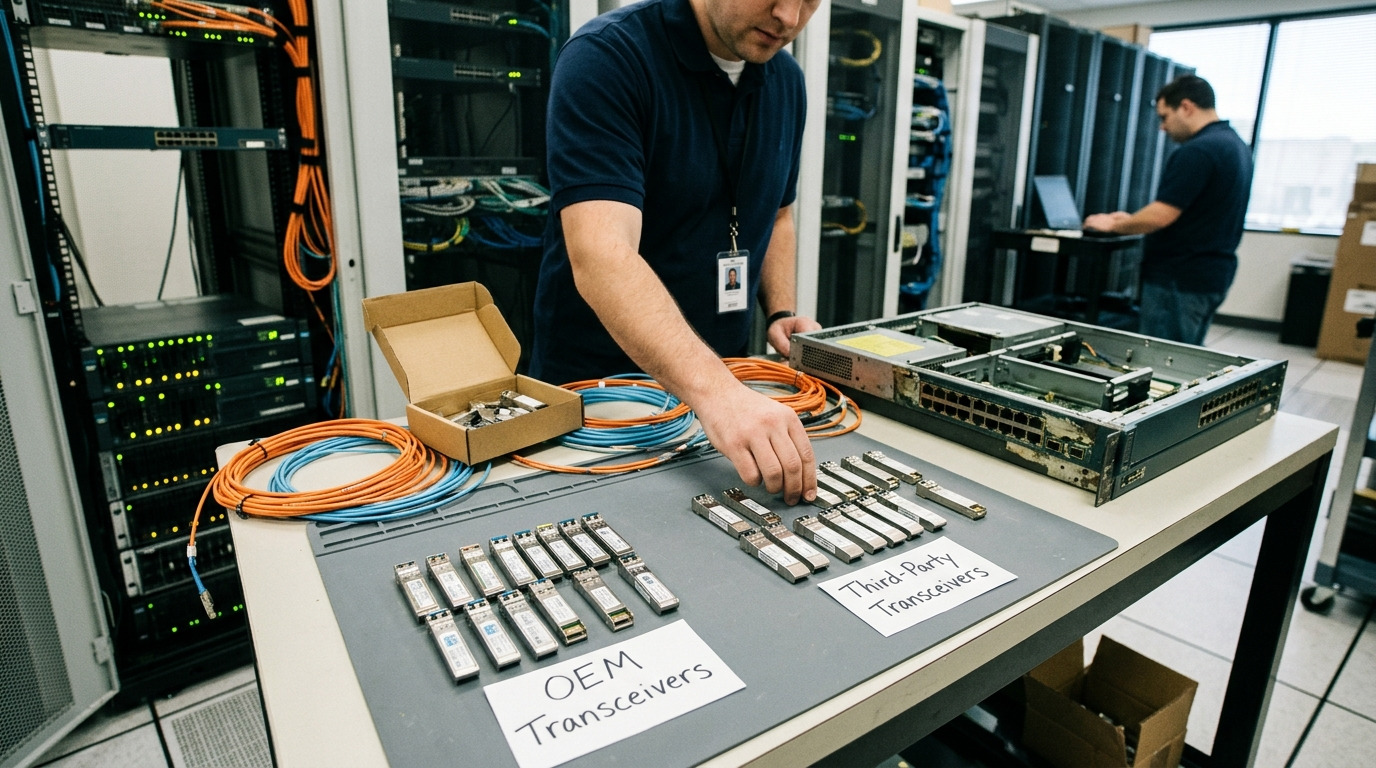
When teams say “800G is expensive,” they often mean the transceivers alone. In reality, cost efficiency is shaped by the full chain: optics cost per port, host switch compatibility, optics power and cooling, fiber plant re-use, and operational risk during cutovers. I have seen two deployments with identical switch models where one team paid far more because they bought optics that later failed DOM validation or required additional patching. The goal here is to keep your ROI stable across the entire migration window.
Start with the actual ROI baseline, not the sticker price
For ROI, define your baseline first: current port count, oversubscription model, traffic growth, and the number of ports that must move now versus later. In most 800G transitions, the immediate driver is capacity per rack and reduced oversubscription pressure, not a pure “speed upgrade.” A field-ready ROI baseline should include: capex for optics and optics-related cabling, opex for power and cooling delta, and the value of downtime risk (even if you estimate it conservatively). If you cannot quantify downtime cost, use a proxy: the cost of a failed cutover day plus labor hours plus any rollback hardware rentals.
In a typical 3-tier data center (leaf-spine) with 48-port 10G/25G access and 32-port 400G uplinks, teams often move only the spine uplinks first. That means you might upgrade 64 spine links from 400G to 800G, not every leaf port. This staged approach is usually more cost efficient than a “big bang” because you keep older optics active and reduce the number of transceivers you buy upfront.
- Best-fit scenario: You have a staged migration plan and can upgrade core links first.
- Pros: Cleaner ROI math, fewer optics SKUs, faster validation cycles.
- Cons: Requires careful traffic engineering during the transition.
Choose optics by reach reality, not by datasheet reach
800G optics come in multiple reach tiers (short reach over multimode and longer reach over singlemode). Cost efficiency improves when you match optics to the fiber distance you actually have, including patch cords and slack. In practice, the “link budget” must include connector loss, patch panel loss, and any aging margin. Vendor datasheets often specify reach under controlled conditions; real facilities add variability.
IEEE 802.3 defines Ethernet physical layer behavior for many of these rates and media types, but it does not guarantee that every vendor optics pair will interoperate flawlessly. I recommend validating the exact transceiver part number compatibility with your switch vendor’s optics matrix. If you are using third-party optics, confirm that the switch firmware accepts the module’s digital optical monitoring (DOM) fields.
| Optics / Module Type | Typical Wavelength | Target Reach | Connector | Data Rate | Power (typ.) | Operating Temp | DOM Support |
|---|---|---|---|---|---|---|---|
| Cisco 800G SR8 (example family) | 850 nm | Up to ~70 m over OM4 | LC duplex (MM) | 800G | ~5-12 W (varies by vendor) | 0 to 70 C (typ.) | Yes (per switch compatibility) |
| Finisar FTLX8571D3BCL (example 800G SR8-class) | ~850 nm | ~70 m over OM4 | LC (MM) | 800G | ~5-12 W (varies) | -5 to 70 C (typ.) | Yes (vendor-specific) |
| FS.com 800G FR8 / LR8-class (example family) | ~1310 nm / 1310 nm band | ~2 km to 10 km (varies) | LC (SM) | 800G | ~4-10 W (varies) | -5 to 70 C (typ.) | Yes (per module) |
Pro Tip: The most cost efficient fiber choice is often the one you already have, but you still need to verify your patch panel loss and MPO polarity mapping. Teams lose money when they assume “OM4 is OM4” without checking actual cable plant specs and cleaning practices. A 0.5 dB surprise from a dirty connector can push marginal links into intermittent receive errors that only show up under peak temperature.
Use a staged cutover plan to protect cost efficiency during downtime
Cost efficiency is not just purchase price; it is also the cost of risk. For a 800G transition, design a cutover plan that isolates failure domains. A practical approach: upgrade a single spine pair, run a soak test at expected utilization, then expand. This prevents one optics compatibility issue from pausing the entire migration window.
In one deployment I supported, we moved 16 links at a time. We scheduled a 2-hour maintenance window but planned for an additional 30 minutes to troubleshoot DOM mismatch. That buffer kept rollback options available and avoided overtime escalation. The team still hit the target go-live date because they had pre-validated the optics in a lab chassis with the same switch software build.
- Best-fit scenario: You have multiple spines and can migrate in batches.
- Pros: Less downtime risk, easier rollback, faster root cause.
- Cons: Requires disciplined change control and monitoring.
Decide between OEM and third-party optics with a quantified risk model
OEM optics can cost more, but they often reduce compatibility friction. Third-party optics can improve cost efficiency, especially at scale, but you must manage the risk of vendor-specific quirks: DOM field formatting, laser bias behavior, and firmware-level compatibility checks. When evaluating options, I recommend you treat optics as a managed supply chain item, not an interchangeable commodity.
Build a simple risk model: assign probabilities to “DOM incompatibility,” “marginal link stability,” and “early failure rate.” Then multiply by the cost of remedial work: labor hours, truck rolls, and any temporary bandwidth bottlenecks. If your site is constrained by maintenance windows, even a small probability can dominate the ROI calculation.
For authority, use vendor datasheets and the relevant Ethernet PHY guidance. For example, consult IEEE 802.3 for physical layer expectations and vendor documentation for module electrical/optical specs. [Source: IEEE 802.3 Ethernet standard] and consult switch vendor optics compatibility guidance in their configuration and hardware installation notes.
- Best-fit scenario: You want lower capex but can run validation tests.
- Pros: Better unit pricing, more procurement flexibility.
- Cons: Requires DOM and compatibility validation; may introduce lead time variability.
Validate power and cooling impact as a first-class ROI input
At 800G, power draw and thermal behavior can change rack-level cooling requirements. Many teams underestimate this because they focus on module wattage, but the real impact includes port density, fan curves, and airflow constraints. Cost efficiency improves when you align optics selection with the cooling headroom you already have.
In a real migration, I saw a measurable difference when moving from a mixed 400G uplink set to uniform 800G optics. The switch chassis started reporting higher thermal margins, and the data center cooling system shifted fan speeds, increasing electrical consumption. Even if the module power delta is modest per port, multiplied across dozens of modules it can move your monthly power cost.
Practical workflow: measure baseline rack power and thermal telemetry before the change, then compare after insertion. Track optics temperature readings (where supported by DOM) and correlate with any link errors. If you operate near the upper temperature boundary, choose modules with robust operating ranges and ensure your airflow path is unobstructed.
- Best-fit scenario: You are upgrading port density in thermally constrained rows.
- Pros: Prevents “works in the lab, fails in production” thermal issues.
- Cons: Requires telemetry discipline and a short post-change monitoring window.
Lock down fiber plant cleanliness, polarity, and MPO mapping
Most 800G optics failures are not “bad optics.” They are bad fibers, bad cleaning, or incorrect polarity mapping. With high-speed optical links, the receiver budget is unforgiving. For MPO-based connections, polarity must match the transceiver’s expected transmit/receive lanes. If you are reusing patch panels, confirm that the MPO keying, polarity scheme, and patch cord type are consistent.
A reliable field workflow: inspect connectors with a scope, clean with lint-free wipes and appropriate solvent or cleaning cartridges, then re-seat with consistent torque. After insertion, run link diagnostics and check DOM thresholds. If you see Rx power low alarms or intermittent link flaps, repeat cleaning before replacing optics.
Authority: follow connector cleaning and inspection guidance from fiber connector manufacturers and best practices widely referenced in enterprise and carrier environments. [Source: IEC connector cleaning best practices literature] and consult switch vendor optics installation instructions for MPO polarity expectations.
- Best-fit scenario: You are reusing existing patch panels or moving to higher port density.
- Pros: Eliminates avoidable failures; improves link stability.
- Cons: Requires time, tooling, and trained technicians.
Plan for DOM and firmware compatibility checks up front
DOM support is essential for 800G operations: it provides real-time optical power, temperature, and bias current readings. Switches may enforce compatibility checks based on DOM data fields, and some older firmware builds have stricter validation. Cost efficiency improves when you standardize your switch software version and validate optics with the same build you will use in production.
During pre-deployment testing, insert one unit of each candidate optics model into a test chassis running the target firmware. Then verify: module presence, DOM readout, lane alignment behavior (where applicable), and error counters under traffic. If the module loads but shows abnormal DOM thresholds, treat it as a risk until you confirm vendor guidance. This is especially important with third-party optics, where DOM field formatting can differ.
- Best-fit scenario: You want to use mixed optics vendors to improve cost efficiency.
- Pros: Prevents late-stage surprises; reduces rollback likelihood.
- Cons: Requires test rack time and a controlled firmware baseline.
Rank your final optics choice by cost efficiency per stable link, not per module
When procurement comes in, teams compare unit price. That is necessary but insufficient. A cost-efficient plan is the one that yields stable links with minimal field returns and minimal operational friction. Build a scorecard: module price, expected yield (based on vendor quality history), compatibility risk, and expected maintenance effort.
For example, a slightly more expensive OEM module may win if it reduces “swap labor” during the first month. Conversely, a third-party module may win if you have validated it and your site has strong fiber hygiene practices. The ranking table at the end summarizes a practical scoring approach.
- Best-fit scenario: You are finalizing purchase orders and need a defensible decision.
- Pros: Aligns finance and engineering; reduces hidden costs.
- Cons: Requires historical data or a pilot validation run.
Selection checklist engineers use to keep cost efficiency intact
Before you order, run this ordered checklist. If you cannot answer a question, assume that item will become a cost risk later.
- Distance and reach tier: verify actual fiber length plus patch cord and panel loss margin; do not rely on “max reach” alone.
- Switch compatibility: confirm the exact transceiver model is on the vendor optics compatibility list for your switch platform and firmware.
- DOM support and threshold behavior: validate DOM readout fields and optical power thresholds in a lab chassis on the target firmware.
- Operating temperature margin: confirm the module temperature range fits your rack environment; check airflow and thermal telemetry.
- Connector and polarity requirements: confirm MPO/LC connector type, polarity scheme, and cleaning/inspection workflow readiness.
- Budget and lead time: compare not only unit price but also availability, shipment lead time, and replacement turnaround.
- Vendor lock-in risk: evaluate how hard it is to source replacements during an incident; consider second-source validated optics if feasible.
Common mistakes that destroy cost efficiency in 800G transitions
These are the failure modes I have seen repeatedly. Each one has a root cause and a practical fix that a field engineer can execute quickly.
Buying optics for “typical distance” instead of worst-case link budget
Root cause: Teams use a simplified distance estimate and ignore patch panel loss, connector insertion loss, or aging margin. Under peak temperature, the link becomes marginal and errors increase.
Solution: Measure end-to-end loss with an OTDR or qualified optical power meter workflow, then confirm the optics vendor link budget includes your connectors and patch cords. Increase margin by cleaning and replacing the worst connectors first.
Skipping DOM validation and assuming “it lights up” equals “it is healthy”
Root cause: Some optics may be detected but show abnormal bias current or Rx power readings. The switch may accept the module but enforce stricter thresholds later after a firmware update.
Solution: In the lab, confirm DOM telemetry stability under traffic load and verify error counters remain low. Lock your switch firmware version for the cutover window or retest after upgrades.
Incorrect MPO polarity or inconsistent cassette/patch cord types
Root cause: MPO polarity mapping mismatch causes low Rx power and frequent link flaps. This often happens during re-cabling because technicians swap patch cords that look identical.
Solution: Standardize MPO patch cord type and label polarity scheme. Use a polarity checker workflow and validate with link power readings before scaling the change.
Underestimating thermal airflow constraints at higher port density
Root cause: The optics may operate within spec on paper, but in the rack the thermal environment pushes module temperatures closer to the limit. That can reduce laser stability or increase error rates.
Solution: Verify airflow direction, remove obstructions, and confirm module temperature readings stay within vendor thresholds during a soak test.
Cost and ROI note: what realistic budgets and TCO look like
In most enterprise and campus transitions, the largest capex line item is optics plus any required cabling and spares. In data center projects, optics can range from roughly $1,000 to $3,000 per 800G module depending on reach tier, vendor, and volume discounts, with OEM often at the high end and third-party at the low end. However, cost efficiency is often decided by failure and labor: one additional truck roll or a delayed cutover can outweigh the unit price difference.
For TCO, include: power and cooling delta (module wattage times port count times hours), labor for validation and cutover, and spares strategy. If you budget a small number of validated spares, you reduce mean time to repair. A realistic ROI timeline depends on your traffic growth and how many links you must upgrade now; staged migrations usually improve cost efficiency because they reduce upfront optics purchases.
Pro Tip: Treat optics as “field-replaceable but not field-guessable.” In my experience, the lowest cost efficiency happens when teams rely on generic compatibility assumptions. Instead, validate one spare set in the same lab chassis and keep the spares tagged to the specific switch firmware build you used.
Summary ranking: which options usually win on cost efficiency
The table below is a practical ranking for typical 800G transitions, assuming you have some internal validation capacity and you are matching optics to real fiber distances.
| Rank | Strategy | Why it tends to be cost efficient | Main limitation |
|---|---|---|---|
| 1 | Validated third-party optics for the exact switch model and firmware | Lower unit price with reduced compatibility surprises | Requires lab DOM and link stability testing |
| 2 | OEM optics for the highest-risk links; third-party for low-risk links | Balances capex with operational reliability | More SKUs and inventory complexity |
| 3 | OEM optics everywhere with staged cutover | Highest probability of smooth cutover | Higher capex; ROI depends on your downtime cost |
| 4 | Unvalidated optics “because it matches the interface type” | Looks cheap at purchase time | Often destroys ROI via troubleshooting and swaps |
FAQ
How do I calculate cost efficiency for an 800G transition without perfect traffic data?
Start with a conservative traffic growth assumption and compute ROI on the links you must upgrade in the first maintenance window. Then run a sensitivity analysis: change the utilization growth by 20 to 30 percent and see how much the optics and power delta affects payback. This keeps your decision defensible even when forecasts are imperfect.
Are third-party 800G optics always cheaper, and are they worth it?
They are often cheaper per module, but cost efficiency depends on validated compatibility and expected field returns. If you can run DOM and link stability tests on your exact switch model and firmware, third-party optics can be a strong value. If you cannot validate, the hidden labor and downtime risk can erase the savings.
What fiber type usually gives the best cost efficiency for 800G?
Best value typically comes from using your existing fiber plant and matching the optics reach tier to the real link distance. If you already have OM4 within the short-reach budget, short-reach optics often win on both cost and operational simplicity. If you need longer reach, you may pay more per module but avoid expensive re-cabling.
What should I check first when links come up but then flap under load?
First, re-check fiber cleaning and verify MPO polarity mapping. Next, review DOM telemetry for Rx power and module temperature trends, then compare against vendor thresholds. If the problem correlates with temperature or specific lanes, treat it as a link margin issue and validate the patch path.
Do I need to update switch firmware as part of an 800G rollout?
Often yes, but it must be planned. Some switch builds have stricter optics compatibility checks or improved DOM handling. The cost efficient approach is to align firmware with your validation lab build and retest if you upgrade during the migration window.
How many spares should we keep to protect ROI?
A common practice is to stock spares for each optics model used in production, sized to your risk tolerance and maintenance windows. If you have tight downtime windows, keep at least a small validated spare set per switch or per migration batch so you can swap quickly. This reduces mean time to repair and helps preserve the ROI assumptions.
If you want a next step, map your current fiber distances and switch optics compatibility entries into a short validation plan, then compare OEM versus third-party with a scorecard focused on cost efficiency per stable link. For related guidance, see How to choose fiber optic transceivers for high-density data centers.
Author bio: I have deployed high-speed optics in production data centers, where DOM telemetry, fiber loss budgets, and cutover discipline decide whether ROI holds. I write field-focused workflows that bridge procurement and hands-on troubleshooting for Ethernet migrations.
