
In dense switching rooms, a “working” SFP can still fail under heat load, causing intermittent link drops that look like optics issues but are really thermal management problems. This article helps network engineers and facilities teams size cooling fiber optic strategies around SFP operating limits, airflow, and DOM telemetry. You will get practical checks, a spec comparison table, and field troubleshooting steps tied to real deployments.
Why cooling fiber optic performance changes SFP behavior
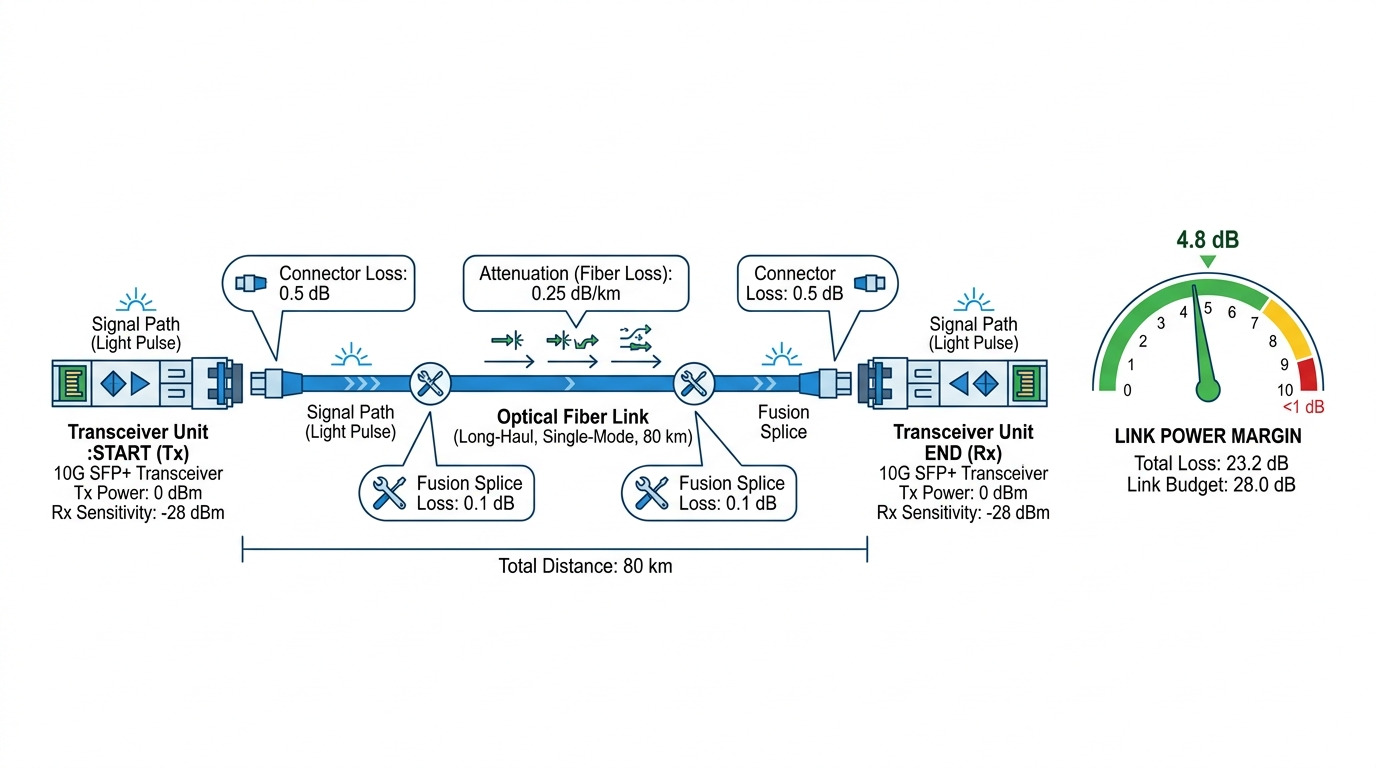
SFP transceivers convert electrical signals into optical output using laser diodes, driver electronics, and photodiodes. As temperature rises, laser wavelength drift and output power can move outside the receiver sensitivity margin, increasing bit errors even before a total link loss. Many SFPs also use thermal compensation and internal shutdown thresholds, so overheating can trigger protection modes that resemble “bad optics.” For thermal guidance, use the transceiver datasheet and the host platform airflow design, and verify optical performance with vendor test reports where available. [Source: IEEE 802.3] IEEE 802.3
Liquid cooling vs air cooling: what changes at the module
With liquid cooling, the surrounding cage temperature and local airflow patterns can differ from typical forced-air designs. In practice, the SFP cage may see lower bulk temperature but steeper local gradients if the coolant plate is offset or if downstream heat paths are blocked by dust or cable management. Engineers should treat the SFP as a thermally coupled component: module case temperature, not room temperature, determines safe operation. Confirm the host’s thermal model and measure case temperature where possible.
Thermal specs that govern SFP link stability
When planning cooling fiber optic deployments, start with absolute limits: operating temperature range, maximum case temperature, and power dissipation. Many SFPs specify 0 to 70 C or -40 to 85 C operation, with a separate storage range. If your liquid cooling keeps the chassis ambient within spec but the module cage is warmer due to poor contact or blocked airflow, you can still exceed limits. Also check whether the SFP provides DOM temperature and whether the host interprets it correctly.
| Key spec | Typical SFP 10G SR (example) | Typical SFP 10G LR (example) |
|---|---|---|
| Data rate | 10.3125 Gbps | 9.953 Gbps or 10G line rate |
| Wavelength | 850 nm (MMF) | 1310 nm (SMF) |
| Reach | ~300 m over OM3 / ~400 m over OM4 (varies by vendor) | ~10 km (varies by vendor) |
| Connector | Duplex LC | Duplex LC |
| Operating temperature | 0 to 70 C or -40 to 85 C (datasheet dependent) | 0 to 70 C or -40 to 85 C |
| DOM temperature reporting | Often via I2C; confirm threshold behavior | Often via I2C; confirm scaling and alarms |
| Power dissipation | Typically a few watts; confirm exact figure | Typically a few watts; confirm exact figure |
Example modules you might encounter in the field include Cisco SFP-10G-SR, Finisar FTLX8571D3BCL, and FS.com SFP-10GSR-85; always validate the exact thermal and DOM behavior in the specific datasheet. [Source: Vendor datasheets] Cisco Finisar FS.com
Field deployment scenario: liquid-cooled leaf-spine with SFP thermal drift
Consider a 3-tier data center leaf-spine topology with 48-port 10G ToR switches, using SFP+ optics for server aggregation and spine uplinks. Each leaf has liquid cold plates under the chassis, while the SFP cages are partially exposed to mixed airflow from ceiling fans. During a summer load increase, an NOC sees intermittent link flaps on a subset of ports, correlating with higher switch utilization and rising DOM temperature readings on the affected modules. Engineers confirm that bulk chassis temperature stays under target, but the module cage temperature spikes because cable density blocks local air exchange around the SFP. After rerouting bundles and adding a small targeted baffle, DOM temperature drops by 5 C to 8 C, and CRC errors fall to baseline.
Pro Tip: Do not trust “room temperature” or “fan speed” alone. Track SFP DOM temperature per port and correlate it with error counters (CRC, FCS, BER if available). A small local gradient at the cage can be the real trigger even when the chassis ambient remains within spec.
Selection criteria checklist for cooling fiber optic optics
- Distance and optics type: choose MMF SR vs SMF LR/ER based on your link budget and fiber plant.
- Transceiver thermal rating: confirm operating range and any maximum case temperature guidance in the datasheet.
- Switch compatibility: verify the host supports the specific transceiver family and DOM thresholds; some platforms enforce vendor-specific optics policies.
- DOM support and alarm thresholds: ensure DOM temperature and laser bias alarms propagate to the management plane.
- Operating temperature after installation: model worst-case gradients from liquid plate offset, baffles, and cable blockage; validate with spot measurements.
- Vendor lock-in risk: if you rely on OEM optics for thermal validation, budget for higher replacement costs and limited sourcing during outages.
Common mistakes and troubleshooting tips
1) Mistake: assuming liquid cooling guarantees cooler SFP cages. Root cause: coolant plate alignment and conduction paths reduce bulk temperature but leave local module zones warm due to blocked airflow. Solution: add baffles, improve cable routing, and verify SFP DOM temperature per port under load.
2) Mistake: ignoring DOM scaling differences across vendors. Root cause: temperature reporting formats and threshold settings vary; hosts may interpret alarms inconsistently. Solution: compare DOM readings against an external calibrated temperature probe on a representative module during commissioning.
3) Mistake: using optics that meet distance but not thermal or power constraints. Root cause: some third-party modules are binned for one temperature profile and can drift under your specific gradient conditions. Solution: select modules with the correct operating range (for example -40 to 85 C where appropriate) and confirm datasheet power dissipation and DOM behavior.
4) Mistake: cleaning or reseating optics without verifying connector cleanliness and fiber attenuation. Root cause: heat can exacerbate marginal optical budgets; contamination increases sensitivity to thermal drift. Solution: inspect with a scope, clean with approved methods, and re-run link diagnostics after thermal changes.
Cost and ROI: when cooling fiber optic work pays off
OEM optics typically cost more upfront than third-party equivalents, but they often come with validated compatibility and consistent DOM behavior. In many facilities, a realistic annual cost driver is not the transceiver itself but the downtime and expedited replacements when modules fail under heat stress. If your current failure rate is elevated, targeted thermal baffles, airflow corrections, and commissioning measurements can reduce swap frequency; the ROI is fastest when you prevent recurring link flaps during peak seasons. For TCO planning, include optics purchase price, expected replacement interval, labor hours, and the cost of incident response.
FAQ
How do I verify that cooling fiber optic changes are actually fixing SFP issues?
Check port-level error counters and correlate with SFP DOM temperature during a controlled load test. A successful fix shows reduced CRC/FCS events alongside lower DOM temperature peaks.
Should I trust chassis ambient sensors for SFP thermal decisions?
Usually no. Module cages can be warmer than ambient due to local airflow obstruction, cage contact quality, and cable density. Use DOM temperature and, when possible, a calibrated external probe.
Do liquid-cooled chassis designs require different transceiver choices?
They may. If your platform creates local gradients, you need transceivers with appropriate thermal ratings and validated host compatibility. Always follow the switch vendor guidance and the specific optics datasheet.
What DOM temperature thresholds should I watch?
Watch for vendor-defined alarm thresholds and compare against normal operating baselines. If your DOM temperature approaches the high end of the module’s specified range under peak load, treat it as a risk indicator even if the link is still up.
<
