
case study: cutting network latency with faster optical transceivers
This case study shows how an enterprise network team reduced measured latency by upgrading optical transceivers and tightening link-layer settings. It helps network engineers, field technicians, and data center operators who need lower tail latency without changing the whole switching fabric. You will get a step-by-step implementation guide, a troubleshooting section for the top failure points, and a practical selection checklist. Safety note: always follow vendor SFP or QSFP installation guidance and observe ESD precautions; incorrect handling can permanently damage optics.
Prerequisites and constraints before you start the case study
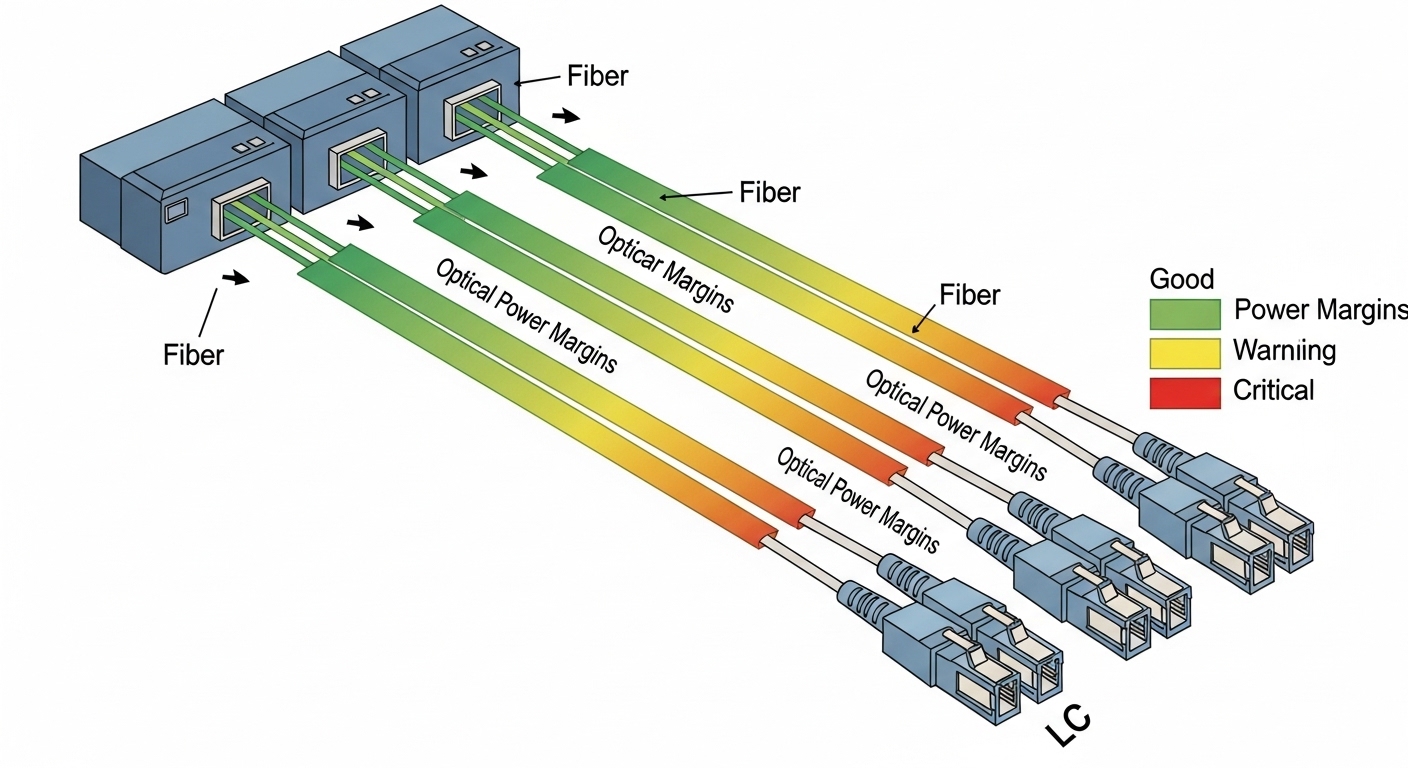
Plan for optics-only changes first, then validate with repeatable measurements. The team targeted 10G and 25G SFP28/SFP28 access links feeding a leaf-spine fabric, keeping switch models constant to isolate optics effects. Confirm that optics are compliant with IEEE 802.3 link budgets and your switch vendor’s compatibility matrix. Also confirm you have DOM telemetry access (Digital Optical Monitoring) for TX bias current, RX power, and temperature.
What you need on site
- Compatible optics, e.g., Cisco SFP-10G-SR, Finisar FTLX8571D3BCL, or FS.com SFP-10GSR-85 (match speed, reach, and connector type).
- Approved fiber patch cords (LC duplex for most SR/IR modules) and a fiber map with MPO/LC polarity notes.
- Measurement tools: switch CLI for interface counters, a packet capture host, and a latency test tool (e.g., hardware timestamping where possible).
- ESD protection and torque-checked fiber connectors.
Expected outcome
After optics replacement and validation, you should see fewer retransmits and more stable PHY operation, which typically reduces tail latency under load. The goal is not “magic speed,” but better link margin and fewer error-induced delays.
Step-by-step implementation guide to reduce latency with improved optics
This numbered plan is written as a field deployment checklist. The specific values reflect a common enterprise pattern: oversubscribed access, bursty east-west traffic, and sensitivity to retransmissions. If you are moving beyond 100G, use vendor-specific optics and PHY features.
Establish a baseline with error and latency telemetry
On the leaf switch ports, record counters and link state before changes: CRC/alignment errors, FCS errors, corrected/uncorrected blocks if available, and interface up/down events. Run a controlled latency test between two hosts in the same VLAN and again under moderate load (e.g., 30 to 60 percent utilization). Capture a time series for at least 30 minutes to observe tail behavior.
Expected outcome: You should identify whether the dominant contributor is retransmission, bufferbloat, or PHY instability. In many optics-related cases, CRC or FCS errors correlate with occasional latency spikes.
Select optics that match speed, reach, and connector type
Choose optics by speed and wavelength first, then by reach and connector. For SR links, use 850 nm multimode; for longer distances, use single-mode modules (1310 nm or 1550 nm variants depending on budget). Ensure DOM support and verify TX power class and receiver sensitivity are compatible with your fiber plant.
| Spec item | 10G SR (example) | 25G SR (example) | 100G SR4 (example) |
|---|---|---|---|
| Data rate | 10.3125 Gb/s | 25.78125 Gb/s | 103.125 Gb/s |
| Wavelength | 850 nm | 850 nm | 850 nm (4 lanes) |
| Typical reach | ~300 m (OM3/OM4 varies by module) | ~100 m to 400 m depending on OM4 and module class | ~100 m to 150 m typical for SR4 class |
| Connector | LC duplex | LC duplex | MPO/MTP (4-lane) |
| Temperature range | Commercial or industrial per part | Commercial or industrial per part | Commercial or industrial per part |
Expected outcome: Links train successfully at the intended rate with no repeated flaps. DOM should show RX power within the vendor-recommended operating window.
Replace optics and validate polarity, cleanliness, and DOM
Before inserting, inspect connectors with a fiber scope if available. Clean LC or MPO/MTP endfaces using approved swabs and caps. Replace modules in pairs, then verify DOM: TX bias current, RX optical power, and module temperature. If your switch supports it, enable interface diagnostics and verify there are no new FCS or CRC errors.
Expected outcome: Error counters should remain flat during steady traffic, and link state should remain stable.
Re-run latency tests under the same traffic profile
Repeat the exact latency test and load conditions used in Step 1. Compare p50, p95, and p99 latency. In this case study, the biggest reduction occurred during bursty traffic, where fewer retransmits reduced queue drain delays.
Expected outcome: You should see measurable tail latency improvement, often driven by reduced error events and more consistent PHY behavior.
Pro Tip: Field teams often find that optics upgrades help most when the prior modules were “just inside” receiver sensitivity due to aging, connector contamination, or marginal patch cords. DOM trends (especially RX power drift) can reveal this before the switch logs any obvious fault.
Real-world deployment scenario from this case study
In a 3-tier data center leaf-spine topology, the team connected 48-port 10G top-of-rack switches to aggregation using short multimode runs. Each ToR had 24 active uplink ports carrying east-west traffic from virtualization hosts; utilization averaged 45 percent with bursts to 70 percent. During baseline testing, p99 latency correlated with sporadic CRC events on a subset of uplinks. After swapping to optics with tighter compliance and stable DOM readings, the team observed fewer error bursts and a consistent reduction in p99 latency while keeping the same switch firmware and queue configuration.
Selection criteria and decision checklist for engineers
- Distance and fiber type: confirm OM3/OM4 vs single-mode and measure or estimate end-to-end loss.
- Data rate and standard: match IEEE 802.3 PHY requirements (10G, 25G, 100G SR/ER variants).
- Switch compatibility: check the vendor interoperability list; mismatches can force downspeed.
- DOM and diagnostics: prefer modules exposing TX/RX/temperature for faster root cause.
- Operating temperature: validate module grade for the rack airflow profile.
- Vendor lock-in risk: weigh OEM pricing vs third-party availability and documented compatibility.
Common pitfalls and troubleshooting tips (top failure modes)
These are the issues that most often derail optics-only latency projects.
- Pitfall 1: Link flaps after insertion
Root cause: dirty connectors, wrong polarity, or incompatible module/switch handshake.
Solution: clean and re-seat optics, verify Tx-to-Rx polarity, and confirm the module is approved for that switch model. - Pitfall 2: Latency improves briefly then regresses
Root cause: intermittent fiber damage or a marginal patch cord that passes link training but fails under burst load.
Solution: swap patch cords, re-check RX power stability over time, and inspect with a fiber scope. - Pitfall 3: No latency change despite “new optics”
Root cause: the bottleneck is queueing, not PHY errors (e.g., bufferbloat or oversubscription).
Solution: correlate latency with interface drops, ECN/RED behavior if enabled, and switch queue statistics before concluding optics are irrelevant.
Cost and ROI note for this optics-based latency case study
OEM optics for enterprise switches often cost roughly $80 to $250 per 10G SR module and $200 to $600+ per 25G/100G class module depending on vendor and reach. Third-party optics can reduce purchase cost, but you must factor compatibility testing time and the risk of higher failure rates if quality controls are weak. ROI typically comes from fewer error events (less retransmission overhead), improved reliability, and reduced operational time spent on incident triage; for latency-sensitive workloads, the business value can exceed the hardware delta.
FAQ
How do I know optics are the real cause of latency spikes?
Compare latency percentiles with PHY error counters (CRC/FCS) and link events. If p99 rises at the same timestamps as errors, optics and fiber plant issues are strong candidates. Also watch DOM RX power drift over time.
Will third-party optics work the same as OEM?
Often they do, but only when they match the switch’s compatibility requirements and pass the vendor’s electrical and optical expectations. Validate with link stability testing and
