
If your smart building backbone uses fiber for BACnet/IP or KNX tunneling, the wrong transceiver can cause intermittent link drops, high error counts, or even complete loss of control. This article helps facility network engineers, integrators, and QA/reliability owners choose the right building automation SFP for reliable field operation. You will get real compatibility checks, environmental considerations, and a ranked selection table so you can standardize parts with confidence.
Top 1: Match SFP type to BACnet/IP and KNX traffic patterns
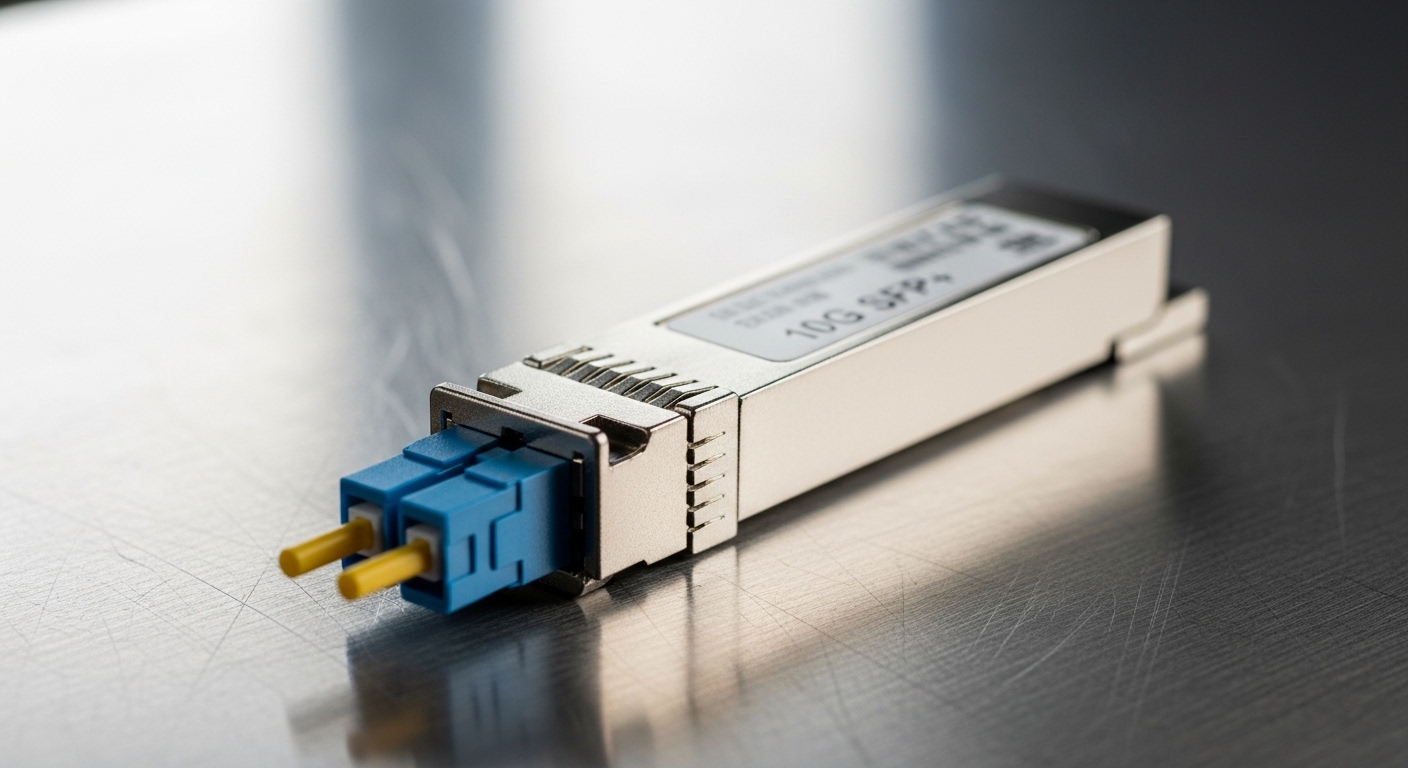
Smart building networks often carry a mix of deterministic control messages (setpoints, alarms) and routine telemetry (energy, occupancy, device status). While BACnet/IP typically rides over standard Ethernet, KNX integrations frequently depend on gateways that map KNX frames into IP flows. The key is selecting an SFP that meets the switch port’s expectations for speed, optics type, and link behavior under load.
Best-fit details: Most BACnet/IP and KNX gateway deployments use 100BASE-FX (legacy) or 1000BASE-SX/LX (modern) over fiber for longer runs and better EMI immunity. If your switches are 1G capable, prefer 1000BASE-SX for multimode links inside buildings and 1000BASE-LX for single-mode spans. For smaller panels and retrofit cabinets, many integrators still use 100BASE-FX to keep optics and cabling costs predictable.
Pros: Fewer surprises during commissioning; stable link negotiation; easier standardization across floors. Cons: A speed mismatch (100 vs 1000) can prevent link; some managed switches enforce strict optical thresholds.
Top 2: Choose wavelength and reach for the actual fiber plant
In building automation, the fiber plant is rarely uniform. You may inherit multimode OM3 in risers, single-mode OS2 in riser-to-core trunks, and patch cords of mixed quality. Reach is not just a datasheet number; it depends on fiber grade, connector quality, and insertion loss at splices and patch panels.
Wavelength and reach basics: For SFP optics, common values include 850 nm for multimode (SX) and 1310 nm for single-mode (LX). Typical reach for 1000BASE-SX is up to about 550 m on OM3 multimode, while 1000BASE-LX is commonly up to about 10 km on OS2 single-mode (with budget assumptions). Always check the switch vendor’s optics compatibility list and confirm the fiber link budget with your measured loss.
| Spec | 100BASE-FX (example) | 1000BASE-SX (example) | 1000BASE-LX (example) |
|---|---|---|---|
| Typical wavelength | 1310 nm (varies) | 850 nm | 1310 nm |
| Connector | LC/SC (varies) | LC | LC |
| Target reach | ~2 km typical | Up to ~550 m on OM3 | Up to ~10 km on OS2 |
| Data rate | 100 Mbps | 1 Gbps | 1 Gbps |
| Temperature range | 0 to 70 C common | 0 to 70 C common | -40 to 85 C available |
| DOM support | Often available | Often available | Often available |
Real-world deployment scenario: In a 3-tier data center leaf-spine topology with 48-port 10G ToR switches, a building automation team used a separate L2 VLAN for BACnet/IP and KNX gateway traffic. They replaced aging copper runs between the basement BMS room and the mechanical level cabinets with 1000BASE-LX single-mode links. The measured fiber insertion loss was 3.2 dB per trunk with two connectors and one splice loss, well within the optics budget after cleaning and retesting. After migration, field techs reported fewer “link flaps” during HVAC start-up because fiber eliminated ground noise coupling.
Pros: Better EMI tolerance; longer cable runs; cleaner separation of control traffic. Cons: Mixed fiber types require careful mapping; cleaning and connector inspection become mandatory.
Top 3: Verify switch compatibility and DOM behavior before field rollout
Even when an SFP is electrically correct, interoperability can fail due to vendor-specific optical calibration and transceiver monitoring expectations. For building automation, you want predictable behavior for alarms and monitoring dashboards so you can catch degradation early. DOM (Digital Optical Monitoring) is particularly valuable when you operate under ISO 9001 style change control and want traceable evidence.
What to check:
- Speed and encoding: Confirm the switch port supports the exact SFP rate (100FX vs 1000SX/LX).
- DOM fields: Ensure the switch reads TX bias, RX power, temperature, and supply voltage (if supported).
- DDM/DOM thresholds: Validate that alarms trigger at safe margins, not too aggressively.
- Optical class: Ensure the module’s class and wavelength match the port configuration.
Examples you may see in the field: Cisco-compatible 1G SR modules like Cisco SFP-10G-SR exist in broader ecosystems, but for building automation you will more often choose true 1G SX/LX optics. Real part numbers integrators commonly deploy include Finisar FTLX8571D3BCL and FS.com SFP-10GSR-85 (note: that one is typically 10G SR and is not the same as 1G SR). This is why compatibility lists and port speed verification matter.
Pro Tip: During pre-commissioning, log DOM telemetry for 24 to 72 hours after install. If RX power starts near the threshold and trends downward by more than a few dB over time, treat it as a connector cleanliness or fiber damage signal rather than “normal aging.” This saves weeks of troubleshooting later when BACnet controllers appear to “randomly” lose telemetry.
Pros: Faster RCA with DOM evidence; fewer surprise outages; easier QA sign-off. Cons: Some switches show blank DOM readings for certain third-party optics.
Top 4: Engineer for environmental stress in control cabinets
Smart buildings are not climate-controlled uniformly. Control rooms may be stable, but mechanical floors can experience heat from switchgear, sun load on riser rooms, and airflow changes when dampers modulate. SFP reliability depends on temperature, vibration, and optical cleanliness; these factors directly impact MTBF and the probability of bit errors.
Operational limits to plan for: Many consumer-like optics specify 0 to 70 C. Industrial or extended variants may cover -40 to 85 C, reducing derating risk. If your cabinet experiences sustained high ambient temperatures, prefer extended temperature modules and confirm airflow paths. Also plan for vibration: rack-mounted gear in mechanical rooms benefits from secure mounting and proper cable strain relief.
Reliability approach: Use a maintenance plan that includes periodic fiber cleaning and connector inspection. For QA, define acceptance criteria such as maximum allowable RX power deviation and acceptable optical error indicators, and require retesting after any patch changes.
Pros: Better long-term stability; fewer “mystery” failures; safer field maintenance procedures. Cons: Extended temperature modules can cost more; you still must clean fibers.
Top 5: Optimize connector type and fiber cleaning to prevent intermittent faults
Intermittent link loss is one of the most common pain points in building automation fiber runs. The root cause is often microscopic contamination on fiber end faces, especially with high-density patch panels and frequent rework during commissioning. Even if the SFP is perfect, a dirty connector can produce marginal optical power that worsens with temperature cycling.
Connector and cleaning checklist:
- Confirm connector type: Most SFP optics use LC, but verify your patch panels and pigtails.
- Use proper cleaning tools: Inspect with a scope, then clean with lint-free methods designed for fiber end faces.
- Re-test after any patch: Measure link quality and DOM RX power after changes.
- Document fiber routes: Keep a map linking BACnet/IP and KNX gateway endpoints to patch panel ports.
Pros: Prevents false “transceiver bad” assumptions; improves repeatability. Cons: Adds a discipline requirement to maintenance workflows.
Top 6: Plan cost and TCO with failure-rate thinking, not just module price
Building automation SFP procurement often looks like a simple line item, but the true cost is downtime, troubleshooting time, and replacement logistics. Third-party optics can reduce purchase price, yet they may introduce higher variability in DOM behavior or compatibility. For reliability-focused teams, the correct question is: what is the total cost of ownership under your maintenance model?
Realistic price and TCO notes: In many markets, 1G multimode and single-mode SFP optics can range from roughly $20 to $80 depending on temperature grade and DOM support. Extended-temperature versions often cost more. Over a multi-year horizon, the best ROI usually comes from standardizing on a small set of proven optics, maintaining a spare strategy, and using DOM telemetry to avoid late-stage failures.
Reliability framing: MTBF for transceivers is typically vendor-specified and depends heavily on operating conditions. If your cabinets regularly exceed recommended ambient, you should expect earlier wear-out risk. Treat cleaning and thermal management as part of your “reliability engineering,” not just installation housekeeping.
Pros: Better budgeting; fewer emergency swaps; measurable reliability improvements. Cons: You must invest time in validation and documentation.
Top 7: Deployment checklist for BACnet and KNX fiber links
Before you cut over a BACnet/IP or KNX gateway link, run a structured checklist. This prevents the classic situation where the transceiver “links up” but control traffic becomes unreliable due to marginal optical power, wrong VLAN tagging, or speed negotiation quirks.
Ordered selection criteria engineers weigh:
- Distance and fiber type: Choose SX for OM multimode or LX for OS2 single-mode; confirm with measured loss.
- Switch compatibility: Verify exact port speed and optics type using vendor documentation and test results.
- DOM support: Require readable RX power and temperature for monitoring and QA evidence.
- Operating temperature: Match cabinet ambient and derating; prefer extended temperature when heat is likely.
- Connector and cleaning readiness: Ensure LC/SC alignment with your patch panels and scope tools.
- Vendor lock-in risk: Balance OEM validation against third-party cost; standardize on a shortlist.
- Spare strategy: Keep at least one spare per transceiver type and wavelength to reduce mean time to repair.
Pros: Faster commissioning; audit-ready change control. Cons: Requires upfront validation time.
Top 8: Common mistakes and troubleshooting tips for building automation SFP
Below are frequent failure modes seen during smart building fiber rollouts. Each includes a likely root cause and a practical fix you can apply immediately.
-
Mistake: Installing an SFP with the wrong speed class (for example, a 1G module on a 100BASE-FX-only expectation, or vice versa).
Root cause: Port auto-negotiation does not always reconcile optics type; some switches require strict configuration.
Solution: Confirm port speed support and transceiver type; validate with a known-good module in the same port. -
Mistake: Assuming “link up” means optical quality is healthy.
Root cause: RX power near threshold can pass link but fail under temperature swings or increased error bursts.
Solution: Use DOM to trend RX power and monitor error counters; re-clean connectors and retest. -
Mistake: Skipping fiber inspection after patch panel rework.
Root cause: End-face contamination from dust or micro-scratches increases insertion loss and causes intermittent faults.
Solution: Inspect with a fiber scope, clean with proper cassettes, and document “before/after” readings. -
Mistake: Using extended-temperature environments with modules rated only for 0 to 70 C.
Root cause: Thermal stress accelerates component aging and can drift optical output.
Solution: Replace with extended-temperature optics and verify cabinet airflow; measure ambient temperature where installed.
Pros: Faster diagnosis; fewer repeat visits. Cons: Requires disciplined troubleshooting rather than swapping blindly.
Top 9: Standards, references, and what to cite in QA documentation
When you write acceptance criteria and change control records, it helps to cite the correct technical basis. Ethernet over fiber implementations align with IEEE physical layer standards, and transceiver monitoring behavior is typically vendor-specific but still grounded in common DDM concepts.
References to use in QA and design records:
- IEEE 802.3 for the physical layer definitions of 100BASE-FX and 1000BASE-SX/LX behaviors. anchor-text: IEEE 802.3 physical layer standards
- Vendor datasheets for your exact SFP model, including DOM fields, optical budgets, and temperature ratings. anchor-text: Finisar vendor resources
- Switch vendor optics compatibility and configuration guidance for DOM support and alarm thresholds. anchor-text: Cisco documentation portal
Advantages and limitations: Citing standards improves audit readiness and consistency across teams. The limitation is that real-world interoperability still depends on firmware, optical power calibration, and how the switch vendor implements thresholds.
Summary ranking table: best building automation SFP picks by scenario
| Rank | Scenario | Recommended SFP choice | Why it fits |
|---|---|---|---|
| 1 | Short in-building runs on multimode risers | 1GBASE-SX, LC, DOM supported | 850 nm matches OM fiber; DOM helps QA evidence |
| 2 | Long trunk between floors or rooms | 1GBASE-LX, LC, DOM supported | 1310 nm single-mode reach; fewer attenuation surprises |
| 3 | Legacy BMS links and cost-sensitive retrofits | 100BASE-FX compatible optics | Works with older fiber plants; predictable budgets |
| 4 | High ambient heat near mechanical equipment | Extended temperature module variant | Reduces thermal derating risk and early aging |
| 5 | Mixed-vendor fleets with strict monitoring | OEM-validated optics with documented DOM behavior | Minimizes compatibility and alarm-threshold surprises |
FAQ
Q: What makes a transceiver a good building automation SFP for BACnet and KNX?
A: The most important factors are matching the Ethernet speed and optics type to your switch port, ensuring DOM readings are supported for monitoring, and meeting the fiber link budget with measured loss. For KNX gateways, stability matters because gateway processes can amplify packet loss into control delays.
Q: Should I use multimode SX or single-mode LX?
A: Use SX when your runs are within multimode reach on OM3/OM4 with clean connectors and validated budgets. Choose LX for longer distances, mixed plants, or when you need the most margin against attenuation and patch panel variability.
Q: Can third-party SFPs work reliably in smart building systems?
A: Yes, but you should validate compatibility with your specific switch models and confirm DOM telemetry behavior. In QA terms, treat third-party optics as a controlled part number with documented acceptance tests rather than a free interchange.
Q: How do I prevent intermittent link drops during commissioning?
A: Start with fiber inspection and cleaning, then validate DOM RX power stability for at least a day after installation. Also confirm VLAN tagging, gateway configuration, and that the switch port is configured to the expected speed and optics profile.
Q: What temperature rating should I plan for in control cabinets?
A: Measure the actual ambient in the cabinet location and compare it to the transceiver’s rated range. If you routinely see sustained high temperatures near mechanical equipment, prefer extended temperature optics and improve airflow where feasible.
Q: What should I include in an audit-ready selection record?
A: Include the chosen SFP model, switch port type, wavelength and reach justification, measured fiber loss, DOM monitoring evidence, and post-install test results. Cite IEEE 802.3 and the vendor datasheet for the exact physical layer and monitoring expectations. anchor-text: IEEE 802.3
For reliability-focused deployments, the best building automation SFP strategy is to standardize optics types, validate compatibility in a controlled test, and use DOM plus fiber cleanliness discipline to prevent avoidable faults. Next step: shortlist your switch models and fiber plant types, then apply the ranked checklist and run a 72-hour DOM trend test before scaling to all floors.
Author bio: I am a field reliability and QA engineer who designs fiber-based control networks for smart buildings, with hands-on commissioning of BACnet/IP and KNX gateway links. I focus on MTBF-aware maintenance planning, environmental stress testing, and audit-ready documentation practices.
