
In a prosumer home lab, one flaky optical link can turn into hours of guesswork. This article compares practical budget SFP module options for common Ethernet over fiber use, helping you match transceivers to your switch, budget, and distance. You will get real deployment details, a compatibility checklist, and troubleshooting patterns field engineers see in the lab.
Budget SFP module vs “known-good” optics: performance reality
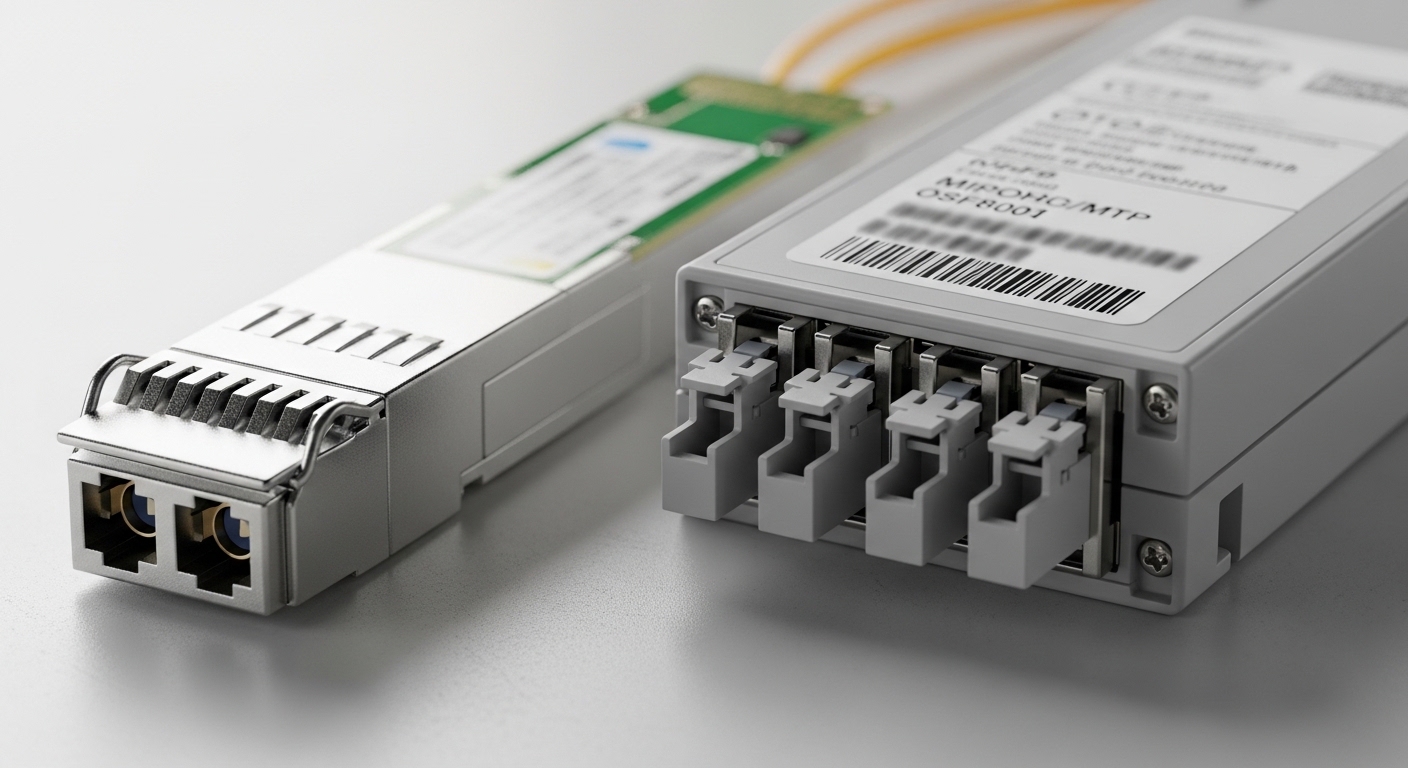
The key tradeoff with any budget SFP module is not the raw Ethernet standard alone; it is how consistently the module meets the optical/electrical tolerances expected by your switch and optics management. Most 1G SFP and 10G SFP modules follow IEEE 802.3 link requirements for signal quality, but vendors implement different transmitter power, receiver sensitivity, and internal signaling behavior. In practice, that means a “compatible” module may link at first, then fail intermittently when temperature, bend radius, or link partner settings drift.
What actually matters on the wire
For Ethernet over fiber, the switch expects a specific optical wavelength (for example 850 nm for multimode SR), a link budget within tolerance, and stable diagnostics over the I2C management interface (commonly DOM: Digital Optical Monitoring). If your home lab uses short runs, many budget SFP modules work fine. The risk rises when you push distance near the limit, use older multimode fiber with higher modal noise, or mix vendors across a patch panel.
Performance comparison examples
Below are typical spec targets engineers compare when selecting SFP optics for a prosumer home lab. Exact values vary by module manufacturer, but these ranges reflect common market parts and vendor datasheets. When you are “buying budget,” you want to confirm the module is designed for the same fiber type (OM3 vs OM4 vs OS2) and the same connector style (LC vs SC).
| Module type (examples) | Wavelength | Typical reach | Connector | DOM support | Operating temperature | Data rate |
|---|---|---|---|---|---|---|
| 10GBASE-SR SFP+ (e.g., FS.com SFP-10GSR-85, Finisar FTLX8571D3BCL) | 850 nm | Up to 300 m on OM3 / 400 m on OM4 (typical) | LC | Often available; verify I2C DOM | 0 to 70 C (common) | 10 Gbps |
| 10GBASE-LR SFP+ (e.g., 1310 nm SMF) | 1310 nm | Up to 10 km on OS2 (typical) | LC | Often available; verify I2C DOM | -5 to 70 C (common) | 10 Gbps |
| 1GBASE-SX SFP (common budget option) | 850 nm | Up to 550 m on OM2 / 500 m on OM3 (typical) | LC (common) / SC (varies) | Varies by vendor | 0 to 70 C (common) | 1 Gbps |
Standards reference: IEEE 802.3 Ethernet physical layer requirements for 1GBASE-SX/SX and 10GBASE-SR/LR are the baseline for link behavior. See [Source: IEEE 802.3].
Practical takeaway: a budget SFP module can meet link requirements, but your biggest failure drivers are incorrect fiber type, marginal link budget, and DOM or vendor-specific quirks rather than “speed.” For deep validation, compare against your switch vendor’s optics compatibility list and verify DOM behavior on your specific model.
Compatibility head-to-head: switch support, DOM, and link quirks
Compatibility is where budget SFP module decisions become real. Many prosumer switches implement a whitelist policy for optics, while others accept third-party modules but still enforce DOM formatting expectations. If your switch reads DOM and rejects modules due to mismatched vendor IDs or diagnostic thresholds, you may see “link up/down” flaps, “unsupported transceiver” warnings, or a locked-down port speed.
Checklist: what to verify before you buy
- Distance vs fiber type: confirm OM3 vs OM4 vs OS2. Match SR to multimode and LR to single-mode.
- Connector type: LC is common for SFP/SFP+, but some home gear uses SC. Do not assume.
- Data rate and encoding: ensure the module is SFP (1G) vs SFP+ (10G). Never mix speed classes without verifying the switch port.
- DOM support: confirm whether the module provides I2C DOM and whether your switch reads it cleanly.
- Operating temperature: if your lab runs in a rack with poor airflow, choose modules rated for your ambient conditions.
- Switch optics policy: check the switch manual or optics compatibility page for third-party behavior.
- Vendor lock-in risk: budget modules reduce purchase price today, but if your switch rejects them later, you lose time and may pay more in failure recovery.
Pro Tip: In many lab setups, “it links” is not the same as “it is stable.” After installation, watch DOM readings for several hours and run an error counter check (for example, interface CRC and FCS errors). A budget SFP module that is marginal on receive sensitivity often looks fine at first, then shows rising corrected errors as temperature and laser bias drift.
DOM and diagnostics you should expect
Digital Optical Monitoring typically exposes transmit power, receive power, laser bias current, and temperature via I2C. Switches vary: some show raw values, others only show thresholds. Budget modules may implement a compatible DOM interface but with different calibration ranges; your switch may still operate the link, but alarms could be noisy.
For standards alignment, consult vendor datasheets and your switch documentation. If you are using a managed switch, check how it handles “DOM mismatch” events. [Source: Cisco SFP documentation; vendor datasheets]
Example reference parts that are widely deployed in labs include Cisco-branded optics (for compatibility) and third-party optics such as Finisar and FS.com modules. For instance, Finisar FTLX8571D3BCL is a common 10G SR SFP+ reference for multimode use, while FS.com SFP-10GSR-85 is frequently selected for cost-sensitive deployments.
Home lab deployment scenario: where budget SFP module works best
Consider a 3-tier home lab with a single 10G core switch feeding two 48-port 1G access switches and a NAS. You run 10GBASE-SR for uplinks using OM4 LC patch cords. Distances are modest: 12 m from core to one access switch, 28 m to the other, with a total patch-panel loss budget around 2.5 dB plus connector loss.
In this setup, budget SFP modules often perform reliably because you are well inside the typical SR reach envelope and the optical margin is high. A field engineer would still verify: clean fiber ends (microscope inspection), consistent bend radius, and that the switch port is actually negotiating at the expected speed. If you later expand to a longer run—say 220 m across a finished basement with older OM3—your “budget” selection may start showing higher receive power variability and intermittent drops, especially if the patch cords are mixed-quality.
Cost and ROI: what you save, what you risk, and how to budget TCO
Budget optics can cut module cost substantially, but you should model total cost of ownership (TCO) rather than comparing only the purchase price. In many consumer procurement cycles, a reputable third-party 10G SFP+ SR module might cost roughly $25 to $60 each in volume, while branded optics can be $70 to $150 each depending on region and vendor channel. If you only need a couple of ports, the savings are straightforward; if you are scaling to dozens of uplinks, the failure and labor cost matters more.
Realistic TCO drivers
- Failure rate and RMA friction: budget modules may have higher early-failure risk. Even if the rate is low, the time to troubleshoot in a home lab can be expensive.
- Diagnostics visibility: if DOM values are unreliable, you lose fast detection of marginal links.
- Power and thermal load: power differences are usually small, but poor airflow can still push temperature beyond spec for repeated hours.
- Downtime: a “cheap module” that causes intermittent link resets can cost more in troubleshooting time than the price difference.
Where OEM vs third-party tends to win
OEM optics (from the switch vendor) often win on compatibility and known behavior, especially with strict DOM policies. Third-party optics win on price and availability when you confirm the module type and DOM implementation match your switch’s expectations. For a home lab, the best ROI often comes from using budget SFP modules for short, well-understood links and keeping one or two known-good spares for each critical switch.
Which Option Should You Choose? budget vs mid-tier vs “known-good”
Use this decision matrix to choose your budget SFP module approach based on your environment and risk tolerance. The goal is to reduce spend without creating fragile links you cannot explain.
| Your situation | Best fit | Why | What to verify |
|---|---|---|---|
| Short distances (under 100 m) on OM4, stable rack airflow | Budget third-party SR (10GBASE-SR or 1GBASE-SX) | High optical margin, fewer edge-case compatibility issues | Correct wavelength, LC type, DOM readout, clean fiber |
| Mixed vendor fiber plant, unknown patch cord quality | Mid-tier third-party with strong DOM support | Better diagnostics reduce troubleshooting time | DOM values stability, switch alarm behavior |
| Near maximum distance or older multimode fiber (OM2/OM3 mix) | Known-good (OEM or top-tier compatible) | More consistent optical power and calibration | Link budget, receive power margins, error counters |
| Single-mode long runs (OS2) or critical uptime needs | Known-good LR (10GBASE-LR) from reputable sources | Fewer surprises on long-haul stability | 1310 nm wavelength match, fiber type, DOM thresholds |
Clear recommendations by reader type
- Home lab builder on a tight budget: start with budget SFP modules for SR links on OM4, keep spares, and validate stability with error counters.
- Prosumer who values observability: choose modules that provide consistent DOM and align with your switch’s diagnostics behavior.
- Power user running mission-critical services: use known-good optics for long runs or near-limit distances; treat budget optics as non-critical spares.
FS.com optics catalog examples|FS.com optics examples
Common mistakes and troubleshooting tips when using budget SFP module
Even when the module is correct, predictable failure modes can appear. Below are common lab patterns, the likely root cause, and a practical solution. If you fix these in order, you usually resolve link instability quickly.
Wrong fiber type or mismatched wavelength
Symptom: Link does not come up, or it flaps under load. Switch shows “unsupported optics” or “link down.”
Root cause: selecting SR (850 nm) for OS2 single-mode, or selecting LR (1310 nm) for multimode. Another version is using OM3 vs OM4 assumptions incorrectly.
Solution: confirm fiber type at the patch panel label, verify connector type (LC vs SC), and confirm wavelength class. If you are unsure, measure end-to-end fiber type using a fiber test report and connector inspection.
Dirty connectors and poor patch cord quality
Symptom: Link comes up intermittently; receive power readings swing widely; errors increase after reconnects.
Root cause: contaminated LC ends. Budget environments often use mixed patch cords with inconsistent polishing quality.
Solution: clean with approved fiber cleaning tools and inspect with a microscope. Replace suspect patch cords and retest. Do not repeatedly “plug and play” without cleaning; you can spread contamination.
Near-limit distance with insufficient optical margin
Symptom: Stable at room temperature, unstable after hours; temperature affects laser bias and receiver sensitivity.
Root cause: pushing SR reach too far on older multimode fiber, or underestimating connector and splice loss.
Solution: compute a realistic link budget using vendor specs and your measured loss. Reduce distance, improve patch cords, or switch to a higher-reach option (for example OM4-optimized SR, or single-mode LR if the fiber plant supports it).
DOM mismatch or switch policy behavior
Symptom: Port shows “unsupported transceiver,” runs at a lower speed, or refuses link after reboot.
Root cause: switch firmware expects specific DOM formats or vendor IDs, and budget modules implement diagnostics slightly differently.
Solution: check your switch model’s optics compatibility guidance and test one port at a time. If DOM alarms appear, confirm whether they are cosmetic or whether the switch actually blocks traffic.
FAQ
What is a budget SFP module typically used for in a home lab?
Most budget SFP modules are used for short Ethernet over fiber links: connecting a NAS, running uplinks between switches, or linking access and aggregation layers. In many labs, 10GBASE-SR (850 nm) on OM4 LC fiber is the most cost-effective path when distances are under a few hundred meters.
Will a budget SFP module work with managed switches that support DOM?
Often yes, but you must verify DOM behavior on your exact switch model. Some switches read DOM and raise alarms if values fall outside expected ranges, even when the link is functional. If you see “unsupported transceiver” warnings, test stability and review port error counters.
How do I choose between SR and LR if I do not know my fiber type?
If you do not know, start by checking the patch panel labels and any installation records. If records are missing, identify the fiber type (multimode vs single-mode) and connector standard, then match the module: SR for multimode, LR for single-mode. When in doubt, use a fiber test report or a field inspection.
What are the fastest troubleshooting steps for link flapping?
First, verify wavelength and fiber type, then clean and inspect connectors, then check DOM readings and interface error counters over time. If instability begins only after hours, treat it as an optical margin or thermal issue before assuming a bad module.
Are third-party budget SFP modules safe for long-term deployments?
They can be safe for long-term use when you match the correct type, keep connectors clean, and stay within realistic link budgets. The main downside is less predictable diagnostics and occasional compatibility quirks, so plan for spares and validation testing.
Do I need to buy the same brand of optics for every port?
No, but consistency helps. If your switch behaves differently with different vendors, you may see DOM warnings or different diagnostic thresholds. For critical uplinks, standardizing on a known-good module family reduces troubleshooting complexity.
If you want the lowest-risk approach, treat budget SFP module purchases as a structured experiment: verify fiber type, confirm connector compatibility, test with error counters, and keep a known-good spare for each critical link. Next, compare your exact network needs with how to choose fiber optic transceivers for home lab.
About the author: I have deployed fiber transceivers in lab and field environments, verifying link budgets with DOM telemetry, connector inspections, and interface error counters. I write product-focused guidance based on switch compatibility behavior and vendor datasheets rather than marketing claims.
