
Edge networks fail in quiet ways: a link that seems “up” but flaps under load, an optics mismatch that wastes power, or an environmental rating that is optimistic. This article helps field engineers and network leads apply application optimization when choosing optical transceivers for edge sites—remote, warmer, and often built with mixed switch generations. You will get a step-by-step implementation plan, a specs comparison table, and troubleshooting rooted in how SFP and SFP+ optics behave in production. Update date: 2026-05-02.
Step-by-step prerequisites for application optimization at the edge
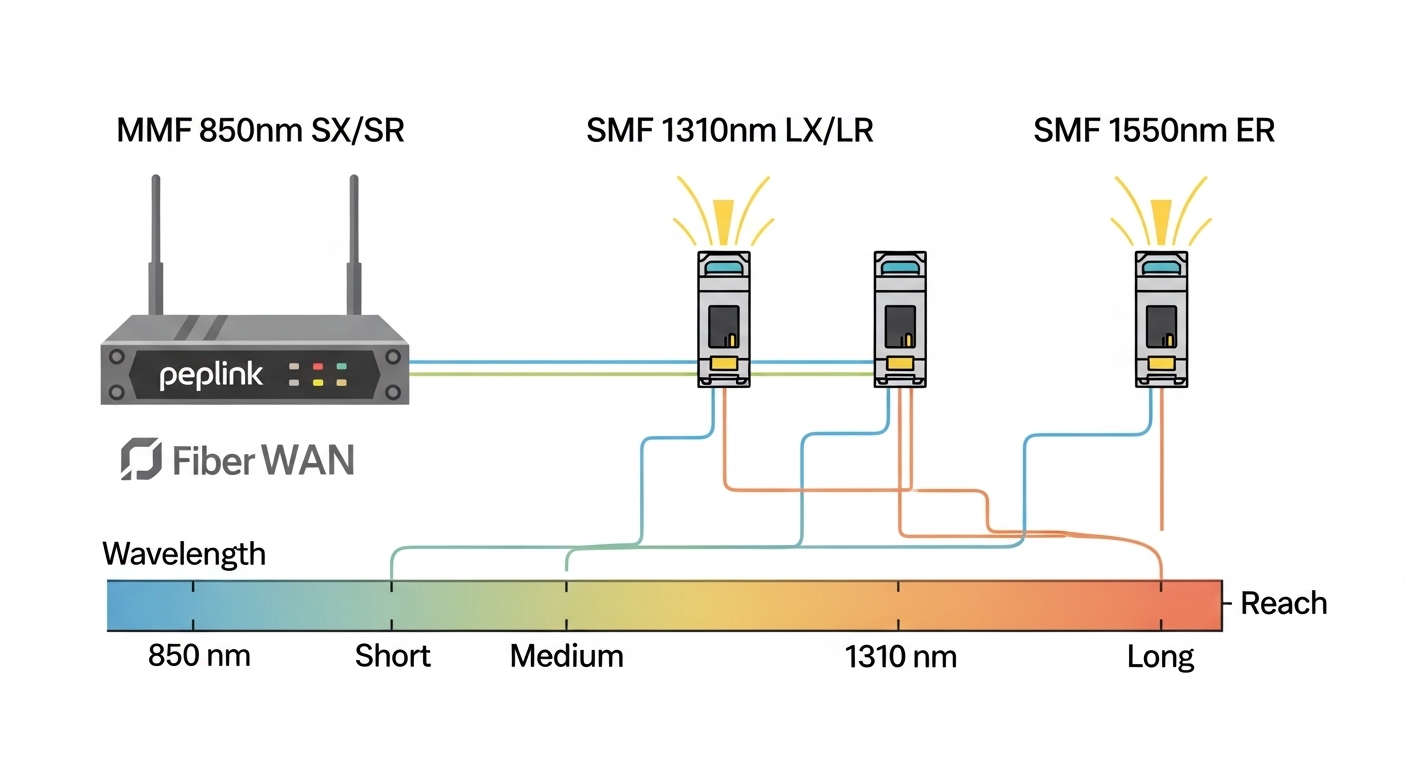
Before you touch optics, lock down the constraints that actually drive application optimization. Edge sites are where temperature swings, connector cleanliness, and switch vendor quirks show up first. I treat this like a field deployment checklist: verify the switch interface type, confirm reach requirements, and plan for DOM telemetry visibility. Then you can choose optics with confidence instead of trial-and-error.
Prerequisites checklist (bring these to the site)
- Exact interface type on the edge switch (SFP, SFP+, or QSFP) and the port speed (for example, 10GBASE-SR on SFP+).
- Fiber plant details: fiber type (OM3 or OM4 multimode), approximate link length in meters, and end-to-end loss estimate in dB.
- Switch compatibility notes: vendor transceiver support list and whether it enforces vendor part numbers or only generic SFPs.
- DOM telemetry access: confirm your network management polls DOM over I2C and that thresholds are configured (temperature, laser bias, received power).
- Environmental constraints: expected ambient temperature range and airflow (edge cabinets often run 5 to 20 C above server room baselines).
Expected outcome: You can define a target optics class (wavelength, reach, DOM support, and connector) and avoid purchasing the wrong form factor.
Convert your edge requirement into an optics spec target
Application optimization starts with distance and link margin, not marketing reach claims. For multimode 10GBASE-SR, you typically select between OM3 and OM4 based on actual length and loss. I usually compute a conservative margin: assume connector loss and patch cord loss, then compare to the optics budget from the vendor datasheet. This is where you prevent “works on the bench, fails in the cabinet” issues.
Distance and link budget method I use
Use your fiber length and estimated losses to decide whether you need OM3 or OM4. A practical field approach:
- Start with measured length (meters).
- Add estimated splice and patch losses (ask your cabling team; if unknown, assume 0.2 to 0.5 dB per mated connector pair and 0.1 to 0.3 dB per splice as a first pass).
- Leave headroom for aging and cleaning variances (I aim for at least 3 dB operational margin when possible).
Expected outcome: A specific target such as “10GBASE-SR over OM4, LC duplex, within 300 m with margin,” or “10GBASE-LR over single-mode within 10 km.”
Choose the right transceiver family and wavelength for edge use
Edge deployments often mix short-reach and long-reach links. For example, a site may use multimode inside the cabinet and single-mode to upstream aggregation. Your goal is application optimization by matching optics to fiber plant characteristics and switch behavior, including laser safety and power consumption. I also check whether the module supports the exact standard your switch expects (for example, 10GBASE-SR per IEEE 802.3).
What standards matter (so you do not guess)
- IEEE 802.3 defines Ethernet physical layer behavior for 10GBASE-SR and 10GBASE-LR.
- For optics interoperability, vendor datasheets specify compliance with SFP/SFP+ MSA and electrical interface requirements.
- DOM is commonly supported via SFP/SFP+ digital diagnostics; module-specific registers and thresholds vary by vendor.
Sources: IEEE 802.3 and Syndication of standards and guidance for general interoperability context.
Compare key specs before you buy (reach, power, DOM, temperature)
Spec comparison is where application optimization becomes measurable. You want the correct wavelength, connector type, reach, and operating temperature range, plus power and DOM capability. In the field, I care about whether DOM thresholds and alarms are consistent enough for your monitoring stack, and whether the module meets the required temperature without derating too aggressively.
| Module class (example) | Wavelength | Typical reach | Connector | Data rate | DOM | Operating temperature | Notes for edge optimization |
|---|---|---|---|---|---|---|---|
| Cisco SFP-10G-SR | 850 nm | ~300 m on OM4 (typical) | LC duplex | 10G | Yes (commonly) | Commercial/extended depending on SKU | Great for cabinet-to-aggregation within a site; verify exact DOM support on your platform. |
| Finisar FTLX8571D3BCL | 850 nm | Up to ~300 m on OM4 (typical) | LC duplex | 10G | Yes (commonly) | Usually extended industrial options exist | Often used in mixed-vendor environments; still validate switch compatibility list. |
| FS.com SFP-10GSR-85 (example third-party) | 850 nm | ~300 m on OM4 (typical) | LC duplex | 10G | Varies by SKU | Check datasheet; industrial variants may exist | Good for cost control; measure failure rates and DOM alarm behavior in your own monitoring. |
| 10GBASE-LR (SFP+ LR example) | 1310 nm | Up to ~10 km on SMF | LC duplex | 10G | Yes (commonly) | Varies by model | Use for upstream backhaul over single-mode; cleaner fiber and higher link margin are critical. |
Expected outcome: A short list of optics that meet your wavelength, connector, reach, DOM needs, and temperature requirements for the edge cabinet environment.
Pro Tip: In edge cabinets, I have seen “mystery flaps” caused by DOM thresholds that your monitoring assumes are identical across vendors. Before go-live, sample DOM telemetry (temperature, laser bias current, received optical power) for at least 24 hours at steady traffic, then compare alarm thresholds across module vendors. If the alarms are too tight, you will chase ghosts instead of fixing the real physical layer issue.
Validate switch compatibility and DOM behavior in a lab
Even when optics meet the SFP/SFP+ MSA electrical form factor, switches can enforce vendor checks or have quirks in how they parse DOM. For application optimization, I run a controlled test using the exact switch model and firmware that the edge site will use. Then I confirm link stability, error counters, and DOM visibility through the same management plane.
Lab validation steps (fast and field-realistic)
- Install the selected transceiver into the same port type used at the edge (for example, SFP+ uplink ports).
- Bring up the link with a fiber patch cord of known attenuation (use an optical attenuator if available).
- Verify physical layer health using interface counters: look for CRC errors, symbol errors, and link resets.
- Confirm DOM reads: temperature and received power should populate and update at your polling interval.
- Run a traffic test for at least 30 minutes at expected peak profile (for example, 60 to 80 percent of line rate if your edge is busy).
Expected outcome: You prove that the optics are compatible with your switch and that monitoring alarms will behave predictably.
Deploy with operational safeguards that improve optimization
Deployment is where optical performance is preserved. I focus on connector cleanliness, bend radius, and airflow around the module cage. Edge optimization is not only the transceiver choice; it is the surrounding handling workflow that protects the link budget. If you treat optics like a consumable with a standard process, your failure rate drops measurably.
Field deployment actions I recommend
- Clean LC ends using lint-free wipes and approved cleaning tools before every insertion.
- Inspect with a fiber microscope if you have recurring link issues.
- Respect bend radius guidance in your cabling standard; avoid tight loops near the module.
- Document module part numbers, serial numbers, and DOM baselines at installation.
Expected outcome: Stable optical power and consistent link behavior after the module is physically installed in the edge enclosure.
Real-world edge scenario: optimizing 10G uplinks with predictable alarms
In a 3-tier edge design with leaf switches feeding a small aggregation rack, one site uses 48-port 10G ToR switches with 12 uplinks to a regional aggregation device. The fiber plant includes OM4 LC duplex runs of 220 to 280 m inside the facility, plus single-mode LR to a backhaul router across a campus. I deployed 10GBASE-SR optics for the internal cabinet uplinks and 10GBASE-LR for the campus segment, selecting modules with DOM and extended temperature variants where the cabinet reached 45 C during peak summer. After go-live, I polled DOM every 60 seconds and set alarms based on observed baselines rather than vendor defaults, which reduced false escalations during normal thermal drift.
Expected outcome: Fewer link resets, stable interface error counters, and monitoring alerts that reflect real risk instead of vendor-to-vendor telemetry differences.
Selection criteria decision checklist for application optimization
Use this ordered checklist during procurement and engineering review. It is designed for edge environments where you must balance cost, compatibility, and operational visibility.
- Distance and fiber type: match OM3 vs OM4 vs single-mode, and verify loss assumptions.
- Switch compatibility: consult the switch vendor transceiver list and test in a lab when possible.
- Data rate and standard: confirm the optics support the required Ethernet PHY mode (for example, 10GBASE-SR).
- DOM support: ensure your monitoring platform can read DOM and that alarms match your thresholds.
- Operating temperature: prefer extended temperature optics for cabinets that exceed typical office conditions.
- Power and thermal impact: compare module power draw; lower heat helps stability in dense edge racks.
- Vendor lock-in risk: weigh OEM optics vs third-party based on warranty terms and field failure history.
Expected outcome: A rational purchase decision aligned to link physics and your monitoring/operations model.
Common mistakes and troubleshooting for edge optics
Even careful teams hit predictable failure modes. Below are the top issues I see, with root cause and a concrete fix path you can follow on site. These are written for application optimization because the symptoms often look like “network” problems when the physical layer is the real driver.
Troubleshooting failure point 1: Link flaps under heat
Root cause: The module is rated for commercial temperature but the edge cabinet routinely runs above its safe operating envelope, causing laser power derating and intermittent link loss. Sometimes the switch also enforces optics power/temperature thresholds differently.
Solution: Verify the cabinet ambient temperature with a sensor near the transceiver cage. Replace with an extended temperature-rated optics SKU and re-baseline DOM temperature and received power. If you cannot change optics, improve airflow and reduce cabinet thermal peaks.
Troubleshooting failure point 2: “Up/Up” but high CRC or symbol errors
Root cause: Connector contamination or an overly optimistic loss budget. A link can stay up while BER degrades, especially near the optics sensitivity limit.
Solution: Clean the LC ends and re-seat the modules. If available, use a fiber microscope and measure end-to-end loss. Then validate with an attenuator in the lab to confirm the optics still meet your error-rate expectations at the measured attenuation.
Troubleshooting failure point 3: DOM alarms are noisy or missing
Root cause: DOM register behavior differs by vendor, and your monitoring assumes a specific mapping or alarm threshold range. Some third-party modules may present partial diagnostics depending on platform support.
Solution: Confirm DOM reads in the exact switch firmware version. Update monitoring mappings to use the values exposed by the module and set alarms based on observed steady-state baselines. For mission-critical links, prefer optics with proven DOM behavior on your platform and keep a known-good inventory for rapid swaps.
Expected outcome: You resolve the physical layer or monitoring mismatch quickly, rather than changing unrelated network settings.
Cost and ROI note for application optimization
Pricing varies widely by OEM vs third-party and by temperature grade. In many edge programs, OEM SFP+ modules can cost roughly $80 to $250 each, while third-party equivalents often land around $30 to $120 depending on reach and DOM maturity. The ROI comes from reduced truck rolls, fewer link incidents, and better monitoring that prevents false escalations. However, TCO is not just purchase price: include warranty terms, expected failure rates, and the engineering time spent troubleshooting DOM or compatibility quirks.
My rule of thumb: if the edge site is mission-critical and maintenance windows are rare, pay for optics that are known-good on your switch platform and that you can monitor cleanly with DOM. If the site is low-risk and you can validate quickly, third-party optics can be a rational cost optimization.
FAQ
Which transceiver choice matters most for application optimization at the edge?
Distance and fiber type matter first, because they determine whether the optics operate near sensitivity limits. Second is switch compatibility and DOM behavior, because operational visibility and alarm accuracy drive how fast you detect real degradation. Choose optics that match both the physics and your monitoring workflow.
How do I know whether to use OM3 or OM4 multimode?
Start with your measured link length and estimated loss, then compare to the reach guidance from the module datasheet. If you cannot guarantee low loss, selecting OM4 gives you more margin. For edge sites with variable patching, I usually prefer OM4 when budget allows.
Will third-party optics work in enterprise switches?
Often yes, but you must confirm the switch model and firmware accept the module. Some platforms enforce compatibility checks or have partial DOM parsing. Validate in a lab with the exact switch firmware before scaling to the field.
What DOM metrics should I baseline for edge monitoring?
Baseline temperature, received optical power, and any laser bias or diagnostic flags your platform exposes. Then set alarms using empirical steady-state ranges rather than relying solely on vendor defaults. This prevents noisy alerts during normal thermal drift.
What is the fastest way to isolate a suspected optics problem?
Swap with a known-good module and test the same fiber path. If the issue follows the module, replace it; if the issue stays with the port or fiber, clean connectors and check loss/bend radius. Also verify interface error counters to catch degraded links that still appear “up.”
Do I need to worry about bend radius and handling?
Yes. At the edge, cramped cabinets and tight cable routing can damage fibers or stress connectors, reducing optical margin. Treat connector cleaning and routing constraints as part of the optics selection process, not an afterthought.
If you apply the steps above
