
When an AOC link drops in a data center, the outage can cascade fast: ToR ports flap, ECMP churns, and latency spikes. This article helps network and field engineers isolate the failure domain across optics, cabling, switch transceivers, and diagnostics. I focus on practical steps I used during live maintenance windows with 10G and 25G leaf-spine fabrics, including measured thresholds and what to verify in vendor DOM output.
Start with the symptom map: flaps, LOS, CRC, or link-only
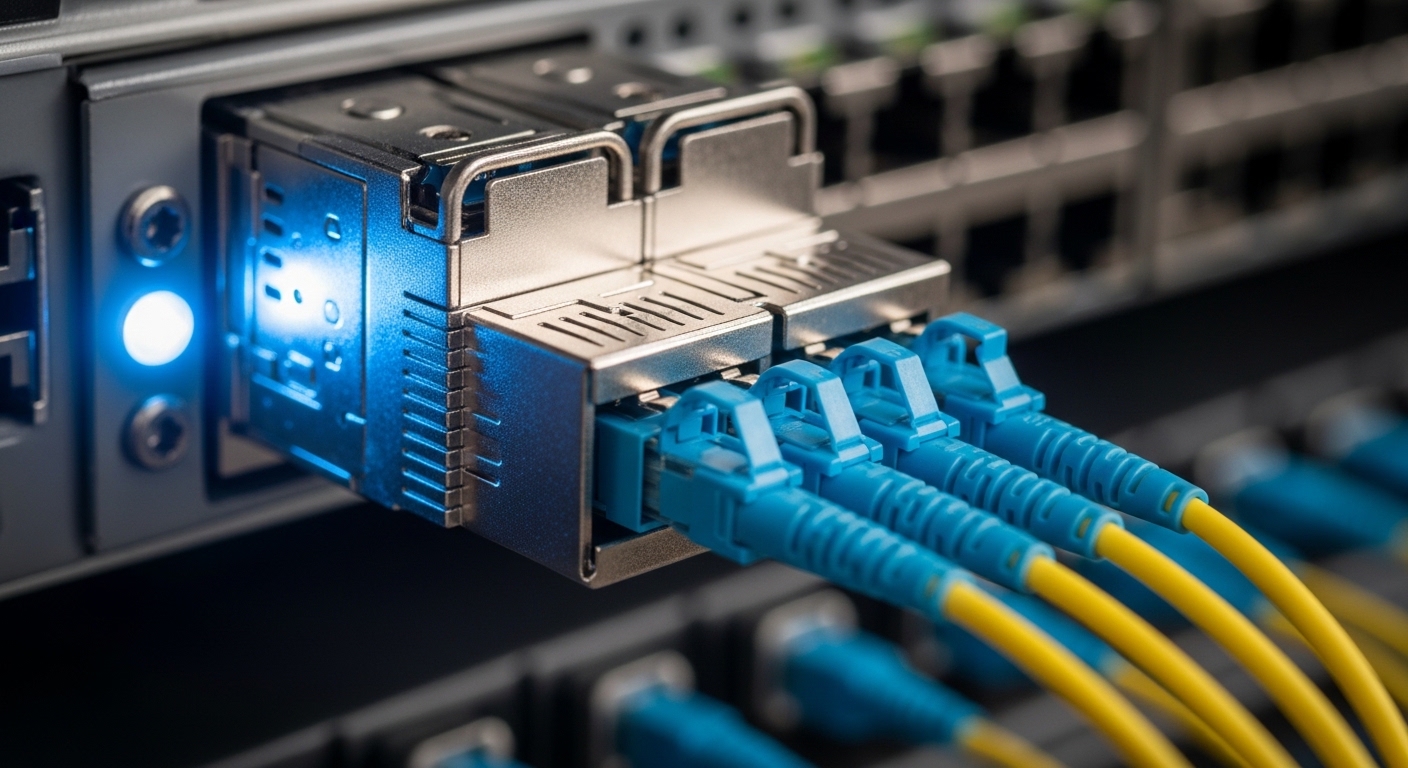
Before swapping anything, classify the failure pattern. In one deployment, we saw steady link-down on two adjacent ToR ports while the far-end stayed up; that pointed to a port-level optics compatibility issue rather than fiber damage. Capture switch counters (link events, FEC/BER, CRC, RX LOS) and correlate with timestamps.
- Link flaps: often thermal drift, marginal receive power, or signal integrity.
- RX LOS: typically optical power loss, dirty ends, or wrong polarity.
- High CRC/packet drops: usually eye margin, aging, or bad patch-cord mating.
- Only one direction fails: can be asymmetric damage or connector stress.
Best-fit scenario: You have access to switch telemetry but limited time; you need to decide whether to clean, re-seat, or replace.
Pros: Minimizes unnecessary swaps. Cons: Requires counter literacy.
Verify AOC electrical and optical basics using DOM
AOC modules expose DOM data so you can confirm whether the transceiver is alive and within spec. Pull vendor DOM fields like Tx bias current, Rx optical power, temperature, and DDM thresholds. If Rx power is near the lower threshold, you may be chasing a cabling or connector loss problem.
In a 25G cluster, our AOC showed Rx power 2–3 dB lower than the known-good baseline while Tx bias was elevated, which indicated a degraded optical path rather than a switch-side issue. Compare against a working port using the same vendor/model.
- Confirm DOM reads without I2C errors.
- Check that the switch reports the module type correctly (no “unknown optic”).
- Look for temperature excursions beyond the module’s allowed operating range.
Best-fit scenario: You can run scripted DOM polling and have at least one known-good link for baseline comparison.
Pros: Faster root cause. Cons: DOM meaning varies by vendor.
Confirm switch compatibility: AOC is not always “plug and trust”
Even when the physical connector matches, compatibility can fail due to firmware, lane mapping, or vendor-specific calibration. I have seen AOCs work in one switch generation but not another because the host expects specific compliance behavior (e.g., timing, equalization profiles, or alarm handling).
Check the switch hardware compatibility list and verify the AOC is intended for that speed and reach. For Ethernet, the functional expectations align with IEEE 802.3 electrical/optical channel behaviors; however, platform tuning still matters. Use the vendor datasheet for the AOC model and the switch transceiver support matrix.
Best-fit scenario: You’re mixing vendors during a refresh or doing partial rollouts.
Pros: Prevents repeated rework. Cons: Requires vendor documentation.
Sources: [Source: IEEE 802.3 Ethernet standards overview via [[EXT:https://standards.ieee.org/standard/]]], [Source: Cisco transceiver compatibility guidance via [[EXT:https://www.cisco.com/]]].
Measure the real reach and loss budget, not the marketing distance
AOC reach is usually conservative, but real loss comes from connector cleanliness, patch cord quality, and transceiver aging. If you are using an AOC where the site rules were for a different channel length, you can end up with insufficient receiver margin.
When troubleshooting, confirm the end-to-end path: patch panel jumpers, any intermediate couplers, and whether the AOC is being “stretched” beyond its intended run. If you have access to an OTDR or insertion loss test, validate the optical budget; if not, compare Rx power from DOM to a known-good link.
Clean and re-seat like it matters: connector contamination is a top cause
Dirty connector faces are the most common, most boring failure mode. Even if the link used to work, a vibration event or a partially seated connector can create micro-gaps that raise insertion loss and trigger CRC errors.
Use proper cleaning tools and inspect with a scope if available. Re-seat both ends while watching DOM Rx power and link counters in real time. In one incident, cleaning alone restored stable link after intermittent CRC spikes appeared under higher temperature load.
- Always clean before mating; cap optics when not connected.
- Inspect for scratches, chips, or bent pins on the cage.
- Use consistent patch cord polarity practices.
Best-fit scenario: You have intermittent errors that correlate with movement, airflow changes, or re-cabling.
Pros: High success rate. Cons: Requires discipline and tools.
Use a controlled swap plan: isolate optics vs host vs cable
Replace with a known-good AOC of the same model and speed first, then test in the same switch port if possible. If the problem follows the AOC, you have module degradation or damage. If the problem stays with the port, you likely have host optics issues (lane mapping, firmware mismatch, or a failing receiver).
I use a simple matrix during outages: two AOCs across two ports. That reduces variables and prevents chasing ghosts. If both AOCs fail on one port but work elsewhere, treat the port as suspect and open a hardware case.
Best-fit scenario: You can coordinate a short maintenance window and have spare optics.
Pros: Clear isolation. Cons: Needs spares and labeling.
Watch temperature, power rails, and airflow across the rack
AOC modules embed active electronics and can be sensitive to heat. During a summer ramp, we found that throttling correlated with elevated rack inlet temperature. DOM temperature and switch internal logs helped us confirm that the optics were operating near the upper limit.
Check PSU health, fan speeds, and whether the rack airflow path is blocked by cable bundles. If the issue appears only during peak utilization, tie it to thermal telemetry and compare against a stable neighbor rack.
Compare candidate AOC options and specs before scaling fixes
When you must standardize replacements, compare key specs and operational limits. Even in “same speed” deployments, wavelength, reach, connector type, and temperature range can differ. Below is a quick spec comparison using common AOC-style active optics examples and related transceiver baselines.
| Spec | Typical 10G AOC / 10G SR Baseline | Typical 25G AOC / 25G SR Baseline | What to check in DOM |
|---|---|---|---|
| Data rate | 10G Ethernet | 25G Ethernet | Reported line rate, link mode |
| Wavelength | 850 nm (MM) | 850 nm (MM) | Not always exposed; rely on model |
| Reach | Up to ~100 m on MM (varies by module) | Up to ~70 m on MM (varies by module) | Baseline DOM Rx power vs known-good |
| Connector | MPO/MTP or LC depending on solution | MPO/MTP or LC depending on solution | Physical inspection, polarity |
| Operating temp | Typically commercial/extended per vendor | Typically commercial/extended per vendor | Module temperature, alarm flags |
| Power | Low-to-moderate; depends on active optics design | Low-to-moderate; depends on design | Tx bias and alarm thresholds |
Best-fit scenario: You are standardizing spares across multiple data centers or racks and want predictable behavior.
Pros: Better planning. Cons: Requires spec discipline.
Sources: [Source: Vendor datasheets for active optics and transceivers such as Finisar/FTLX8571D3BCL via [[EXT:https://www.lumentum.com/]]], [Source: FS.com module listings and datasheet links via [[EXT:https://www.fs.com/]]].
Pro Tip: In many AOC incidents, the fastest confirmation is not “does the link come up,” but “does DOM Rx power return to the same band as a known-good link after cleaning and re-seating.” If Rx power recovers while CRC counts drop, you had an insertion-loss and mating issue, not a host firmware problem.
Selection checklist: what engineers weigh before buying AOC replacements
- Distance and loss budget: verify intended run length and jumper counts, not just stated AOC reach.
- Switch compatibility: confirm platform support and firmware behavior for that optic type.
- DOM support: ensure the switch can read meaningful alarms and that thresholds are not misleading.
- Operating temperature: match the site thermal envelope and rack airflow constraints.
- Connector and polarity: ensure MPO/MTP or LC type matches your patching standard.
- Vendor lock-in risk: evaluate whether third-party AOCs behave consistently across switch models.
Cost & ROI note: In practice, AOC replacements commonly cost roughly $40 to $250 per link depending on speed (10G vs 25G), length, and brand, while transceiver-only alternatives can be lower but
