
AI clusters fail in production more often from link-layer mismatches than from model code. This article helps network and infrastructure engineers choose the right AI transceiver for high-speed Ethernet connectivity by mapping optics, distance, switch compatibility, and diagnostic monitoring to concrete buying decisions. You will also get a troubleshooting checklist for the most common field failures, including marginal optics and DOM-related compatibility issues.
What an AI transceiver must match in modern switch fabrics
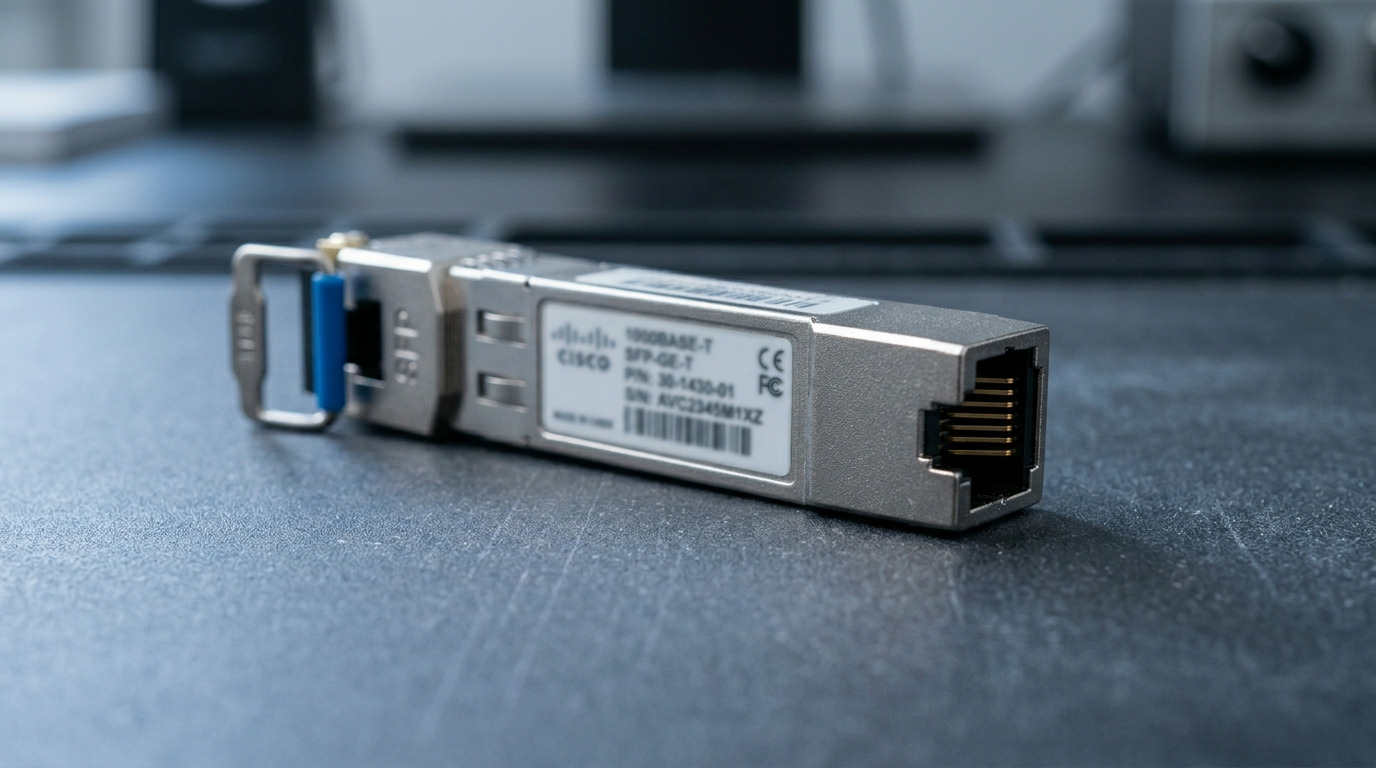
In leaf-spine and pod architectures, the transceiver is effectively a negotiated hardware endpoint for IEEE 802.3 link training, optical reach budgeting, and diagnostics. For AI workloads, you typically run 25G/50G/100G Ethernet (and sometimes 200G/400G) with strict latency and consistent BER under load. The key is to align optics type (SR/LR/DR), wavelength band, fiber type, and transceiver electrical interface with what the switch ports support.
Start by identifying the exact port speed and optic standard on the switch datasheet, then map to the transceiver family name used by vendors. For example, 100GBASE-SR4 uses four lanes at 25G each over multimode fiber, while 100GBASE-LR4 uses wavelength division multiplexing over single-mode fiber. If you mismatch SR vs LR, or MMF vs SMF, you will see link-up failures or unstable traffic.
Standards and why they matter for compatibility
Most transceivers implement optics and signaling defined by IEEE 802.3 and related clauses, but vendor implementations differ in timing, eye-mask behavior, and DOM handling. Always verify the switch vendor’s verified optics list or at least the port’s supported optic types, including whether third-party modules are supported. You can reference IEEE 802.3 for baseline Ethernet PHY behavior via IEEE 802.3 standards.
Core selection specs: distance, fiber plant, power, and DOM
Buying an AI transceiver is mostly a constraint-solving exercise. You must satisfy the reach requirement with margin, match the fiber plant (MMF vs SMF and core size), and ensure the module’s power and temperature are within the switch’s cage limits. Diagnostics matter too: DOM (Digital Optical Monitoring) affects telemetry and sometimes compatibility policies in management systems.
Technical specifications comparison (common AI data center options)
| Module type (typical) | Standard / lane rate | Wavelength | Target reach | Fiber / connector | DOM | Operating temp | Typical optical power class |
|---|---|---|---|---|---|---|---|
| QSFP28 25G SR | 25GBASE-SR | ~850 nm | ~70 m (MMF, vendor-dependent) | OM3/OM4 MMF, LC | Yes (I2C) | 0 to 70 C (COTS) or -5 to 70 C (extended) | Low single-digit mW TX |
| QSFP56 100G SR4 | 100GBASE-SR4 | ~850 nm | ~100 m (OM4 class) | OM4 MMF, MPO-12 | Yes | 0 to 70 C | Higher than 25G SR due to lane count |
| QSFP56 100G LR4 | 100GBASE-LR4 | ~1310 nm | ~10 km | SMF, LC | Yes | -5 to 70 C (often) | Higher TX power, strict budget needed |
Note that reach values depend on the exact fiber grade, patch cord quality, and channel loss budget. If you are designing for AI cluster scale, you should compute a full link budget including connector losses, patch cord lengths, and measured attenuation, not just the module’s nominal reach.
Pro Tip: Treat DOM telemetry as a link health signal, not just inventory data. In practice, we’ve seen “mystery” AI training stalls where the link stays up, but real-time RX power drift and rising error counters correlate with connector contamination or marginal MPO polarity before the BER fully fails.
Real-world deployment: AI pod networking with strict link budgets
Consider a 3-tier data center leaf-spine topology with 48-port 10G ToR switches aggregated into 2-stage 100G spine links. Each leaf has 8 uplinks at 100G, using QSFP56 100G SR4 over OM4 MMF with MPO-12 fanouts. In one rollout, we targeted 90 m maximum physical distance plus patch cords and measured worst-case channel loss at 2.8 dB using an OTDR-based workflow, leaving margin against the module’s specified receiver sensitivity. When a small subset of links began flapping during peak traffic, root cause was not the module speed: MPO polarity mismatches and a single loose bulkhead connector caused intermittent attenuation, which DOM logs revealed as RX power swings.
Selection criteria checklist engineers actually use
Use this ordered checklist to reduce procurement cycles and avoid interoperability surprises.
- Distance and fiber type: determine MMF vs SMF, OM3 vs OM4, or SMF attenuation and connector losses.
- Ethernet speed and optic standard: confirm the exact port speed (25G/50G/100G) and standard (SR/LR/DR) supported by the switch.
- Connector and polarity constraints: LC vs MPO-12, and MPO polarity rules for SR4.
- Switch compatibility policy: verify vendor validated optics list; if not available, test with your specific switch firmware.
- DOM and management integration: ensure the switch reads DOM via I2C and that your monitoring stack handles it.
- Power and thermal envelope: check module power draw and the switch cage airflow assumptions; avoid running at high ambient.
- Operating temperature: prefer extended temperature modules for cold aisle or non-uniform airflow.
- Vendor lock-in risk: weigh OEM pricing against third-party module reliability; plan a staged burn-in test.
Common pitfalls and troubleshooting that saves outages
AI environments amplify transient issues because congestion and microbursts increase link utilization and stress receiver margins. Here are frequent failure modes and how to fix them.
Link does not come up after insertion
Root cause: optic standard mismatch (SR vs LR) or speed/encoding incompatibility with the switch port. Solution: confirm the switch port supports the module type and that the transceiver label matches the required standard; verify firmware and optics constraints in the switch documentation.
Link flaps under load, but stays up during idle
Root cause: marginal optical budget due to excess patch cord loss, dirty connectors, or damaged MPO. Solution: clean connectors using approved optical cleaning procedures, inspect MPO keying and polarity, and re-measure link loss; compare DOM RX power trends before and after maintenance.
Telemetry missing or alarms for DOM compatibility
Root cause: DOM implementation differences or monitoring stack assumptions about vendor-specific thresholds. Solution: confirm the switch supports third-party DOM and that your NMS/telemetry collector is configured for the module’s DOM schema; rerun with a known-good OEM module to isolate software vs optics.
Elevated BER and retransmits after an upgrade
Root cause: switch firmware changes that alter optics calibration behavior or FEC settings. Solution: validate FEC mode compatibility, rollback if needed, and perform controlled A/B testing across a small link set before scaling.
Cost and ROI: OEM vs third-party in AI clusters
Pricing varies widely by form factor and reach, but typical street ranges are often roughly: 25G SR modules in the low tens of dollars each, 100G SR4 modules in the mid-hundreds, and 100G LR4 modules in the higher hundreds to low thousands per unit depending on vendor and temperature grade. TCO should include failure rates, RMA logistics, and downtime cost during training runs. In practice, third-party optics can be cost-effective if you run a burn-in test (for example, 24 to 72 hours of traffic at line rate) and validate DOM behavior, but OEM optics reduce integration risk for early production rollouts.
FAQ
How do I know whether I need SR or LR for an AI transceiver?
Use your physical distance plus measured fiber attenuation and connector losses to compute a link loss budget. If you are within typical short-reach distances over OM4, SR is usually appropriate; for longer campus or routed SMF runs, LR is the safer match.
Will a third-party AI transceiver work in any switch?
Not always. Even when it meets the IEEE baseline, switches may enforce compatibility via vendor validation lists, DOM thresholds, or firmware-specific calibration. Test in a staging environment and confirm DOM reads and link stability.
What DOM fields should I watch during deployment?
Focus on RX power, transmit bias/current when available, temperature, and vendor-provided alarm flags. In operational terms, trending RX power drift is often more actionable than waiting for hard link failures.
Why do MPO polarity mistakes cause intermittent AI traffic failures?
MPO polarity affects which fibers carry transmit versus receive signals in multi-fiber arrays. The system may appear stable at low utilization but fail under load as optical power margins narrow and error counters rise.
Are extended temperature AI transceivers worth it?
They are often worth it when airflow is non-uniform, when racks sit in warmer zones, or when you see repeated thermal throttling alarms. If your environment is tightly controlled at 20 to 25 C and airflow is verified, standard temperature modules may be sufficient.
What is the fastest way to isolate whether the issue is optics or cabling?
Swap one known-good transceiver pair and test with the same fiber path, then swap the fiber path while keeping optics constant. If DOM shows RX power swings tied to a specific patch/fanout, cabling is the likely culprit.
If you want fewer surprises, start with the switch port’s supported optic types, then match fiber plant and compute a real link budget before ordering. Next, validate DOM telemetry behavior and run a small staged burn-in before scaling to the full AI pod using how to validate fiber links for high-speed transceivers.
Author bio: I have spent 10+ years deploying and troubleshooting high-speed Ethernet transceivers in production data centers, including QSFP28/QSFP56 and optical reach budgeting for AI fabrics. I focus on field-measurable stability: BER, DOM telemetry trends, and connector-level failure analysis.
