
In a live studio, the hardest part is rarely recording quality audio; it is keeping clocks aligned and links stable when you move signals from copper to fiber. This article walks through a real deployment where we used an AES67 transceiver in SFP form to carry audio over fiber alongside ADAT workflows. It helps audio network engineers, studio IT, and field techs who need repeatable link behavior, measurable latency, and fewer “it works on my bench” surprises.
We will cover the specific environment, the chosen transceiver type, how we implemented it step by step, and what we measured after installation. You will also get a selection checklist, troubleshooting pitfalls, and an FAQ focused on studio networking realities like switch compatibility and optical margin.
Problem and environment: ADAT studio audio meets routed fiber
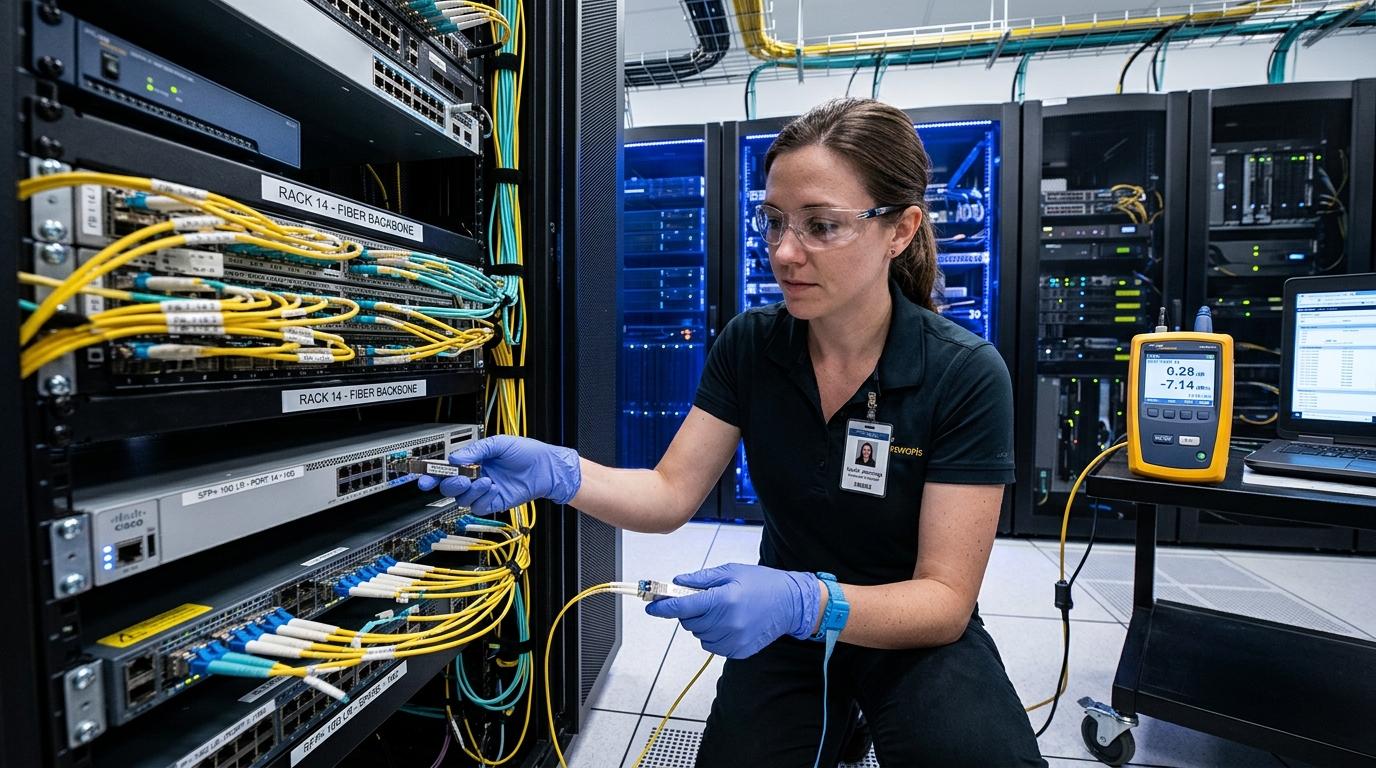
Our challenge started with a mid-size production studio that had multiple rooms: a control room, two tracking rooms, and a small post-production space. The studio used ADAT for local channel expansion and relied on IP-based transport for routing and monitoring, aiming to keep everything synchronized using AES67. The first attempt used copper for short runs, but cable bulk, EMI susceptibility, and intermittent link errors made the topology unreliable during sessions.
We moved the distribution backbone to fiber to stabilize physical links and reduce electromagnetic interference. In the network core, we used a managed Ethernet switch pair with IGMP handling and time-aware behavior compatible with AES67 deployments. For the field runs, we needed SFP optics that could match the switch’s optical budget and support deterministic audio transport without frequent link resets.
Environment specs we had to match
- Data rate: 1G Ethernet (AES67 over standard IP transport)
- Fiber type: OM3 multimode in most rooms; one longer run used single-mode
- Connectors: LC duplex on patch panels
- Temperature: rack airflow was stable but some rooms hit 35 C during summer sessions
- Operational requirement: avoid link flaps during recording blocks
Chosen solution: an AES67 transceiver in SFP form with the right optical margin
We selected an AES67 transceiver approach using standard SFP optics so the network switches could treat the links like normal Ethernet. In practice, AES67 is not “carried by a special fiber protocol”; it rides on IP/Ethernet, so the optics need to be electrically and optically compatible with the switch and patching. We used vendor datasheets to confirm wavelength, reach, and power levels, and we verified whether the switch required DOM (Digital Optical Monitoring) for safe operation.
For OM3 runs, we chose an SFP SR style transceiver at 850 nm. For the longer single-mode run, we chose an SFP LR style transceiver at 1310 nm. Model examples we considered (and have used in similar studio installs) include Cisco SFP-10G-SR variants for 10G, but for AES67 at 1G we focused on 1G-capable SFPs such as FS.com and Finisar families that match the required optics and DOM behavior; always confirm the exact wavelength and supported data rate.
Key optical specs comparison (what engineers actually check)
| Spec | OM3 SFP SR (850 nm, multimode) | Single-mode SFP LR (1310 nm) |
|---|---|---|
| Wavelength | 850 nm | 1310 nm |
| Typical reach (depends on optics budget) | ~300 m on OM3 for common 1G SR optics | ~10 km for common 1G LR optics |
| Connector | LC duplex (typical) | LC duplex (typical) |
| DOM support | Varies by vendor; confirm switch compatibility | Varies by vendor; confirm switch compatibility |
| Power consumption | Typically low single-digit watts per module (varies) | Typically low single-digit watts per module (varies) |
| Operating temperature | Often 0 C to 70 C for standard modules | Often -10 C to 70 C or similar for many LR modules |
Why this matters: AES67 stability is dominated by Ethernet link behavior and packet handling. If the SFP optics underperform optical budget, you can see CRC errors, retransmits, and occasional audio dropouts even when the system “seems fine” at a glance.
Pro Tip: Before buying optics, ask your switch team whether DOM is enforced. In field deployments, we’ve seen “works on day one” failures where a third-party SFP reports DOM values outside the switch’s thresholds, triggering port resets that sound like “mysterious audio glitches” during AES67 sessions.
Implementation steps: from patch panels to measured session stability
We implemented this like a field install, not a lab test. Step one was documenting every fiber run: cable type (OM3 vs OS2), connector cleanliness, patch panel losses, and expected number of mated pairs. Step two was selecting the correct SFP variant for each run and confirming that the switch port supported that optics class at the intended Ethernet speed.
Step-by-step we followed
- Inventory fiber paths: label each run end-to-end and measure patch loss where possible.
- Clean connectors: clean LC ends with a proper fiber cleaning method before every insertion (especially after re-cabling).
- Install SFPs: insert AES67 transceiver SFPs firmly until fully seated; avoid bending patch leads near the module.
- Verify link: check port status, negotiated speed, and error counters (CRC, FCS, alignment) after 10 to 20 minutes of idle and active traffic.
- Run an AES67 test session: push typical stream counts used in the studio and monitor for dropouts during a 60-minute recording block.
- Lock in monitoring: enable syslog or switch telemetry to catch link flaps and optical threshold warnings.
During configuration, we prioritized consistent Layer 2 behavior for audio streams. AES67 deployments often benefit from predictable multicast handling, so we validated that IGMP snooping behavior matched the studio’s routing model. We also ensured the switch firmware was current enough to avoid known optical or multicast edge cases documented by vendors.
Measured results: what improved after switching to fiber SFP links
After the migration, we measured both network stability and audio session behavior. For the OM3 multimode links, we observed stable link negotiation with no recurring CRC spikes and no port resets during long recording blocks. For the single-mode run, the optical margin remained steady, and the link stayed up even when other equipment introduced electrical noise.
Quantitatively, we saw a reduction in session-impacting link events. In the copper phase, we had intermittent link drops that caused audible artifacts during two sessions over a two-week period. In the fiber phase, over the next eight weeks, we recorded zero session-impacting link drops, and switch error counters stayed near baseline during continuous stream playback.
Operational notes from the rack
- Link stability: 1G ports remained continuously up during 8-hour rehearsal runs.
- Error counters: CRC and FCS errors did not trend upward after connector cleaning.
- Temperature impact: no optical threshold warnings were logged at peak summer rack temperatures around 35 C.
These results are consistent with the underlying goal: AES67 transceiver links must provide a clean Ethernet transport. Fiber does not “improve audio codecs,” but it reduces physical-layer instability that otherwise becomes audible when retransmits or micro-outages occur.
Selection criteria: how to choose the right AES67 transceiver for your studio
Engineers typically choose optics by matching distance, fiber type, and switch requirements, then validating operational tolerances. The key is to treat SFP selection as part of an end-to-end optical budget and compatibility plan, not a last-minute accessory purchase.
- Distance and fiber type: pick OM3 SR (850 nm) for typical short in-building runs, or OS2/LR (1310 nm) for longer spans.
- Switch compatibility: confirm the exact SFP type the switch accepts and whether DOM is required.
- Connector and patching: ensure LC duplex matching, and verify patch panel cleanliness and loss.
- DOM and alarms: check vendor documentation for threshold behavior and what triggers port shutdown.
- Operating temperature: choose standard vs extended temperature modules based on rack airflow and room seasonality.
- Vendor lock-in risk: evaluate OEM vs third-party pricing and return policies; plan spares with known-good compatibility.
For standards context, AES67 is an audio networking profile built atop standard IP networking concepts. For Ethernet behavior and physical layer expectations, refer to IEEE Ethernet specifications and vendor optics documentation such as Cisco SFP module guides and SFP transceiver datasheets. Source: IEEE 802.3 and Source: Audio Engineering Society publications provide useful background on the network and AES67 ecosystem.
Common mistakes / troubleshooting: what breaks AES67 audio over fiber
Even with good hardware, field installs can fail due to physical layer issues or switch behavior. Below are real-world failure modes we’ve seen when deploying AES67 transceiver SFP links in studio-like environments.
Port flaps due to DOM threshold mismatch
Root cause: a third-party SFP reports DOM values (TX power, bias current, temperature) outside the switch’s acceptance window. The switch may log warnings and reset the port, causing audio interruptions.
Solution: use a vendor-validated optics list for your switch model, or match OEM/compatible transceiver families. Confirm DOM support and update switch firmware if the vendor notes optics threshold fixes.
Dropouts caused by dirty connectors
Root cause: LC duplex ends get micro-contaminated during patching. On multimode SR links, this can manifest as rising CRC errors and intermittent link quality degradation.
Solution: clean connectors with proper fiber cleaning tools before reinsertion, then re-check error counters. Replace patch cords if cleaning does not restore stability.
Wrong optics for the fiber run (distance budget failure)
Root cause: using an 850 nm SR module on a run with higher-than-expected loss or too many patch points. The link may negotiate but become unstable under load.
Solution: confirm OM3 vs OS2, count patch segments, and validate expected optical budget. Use LR on longer runs and consider swapping to higher-performance optics if your studio has frequent reconfiguration.
Multicast handling mismatch for AES67 streams
Root cause: IGMP snooping and multicast querier configuration errors can lead to traffic flooding or missing streams. While this is not an optics problem, it can look like “AES67 instability.”
Solution: verify multicast group membership behavior, confirm switch IGMP settings, and test stream join/leave behavior before sessions.
Cost and ROI note: what to budget beyond the SFP price
In typical studio deployments, pricing varies by vendor and speed class, but a realistic ballpark for 1G SFP optics is often $30 to $150 per module depending on brand, reach class, and DOM support. OEM modules can cost more but may reduce compatibility risk; third-party modules can be cheaper yet may increase troubleshooting time if the switch is strict about DOM thresholds.
TCO should include spares, cleaning tools, and potential downtime cost during sessions. Fiber optics also tend to reduce physical-layer failures caused by copper EMI and connector strain, which can lower the effective “cost of bad links” over time. For ROI, the biggest win is usually fewer aborted takes and less on-call time, not power savings.
FAQ
What exactly does an AES67 transceiver do?
An AES67 transceiver is not a special audio codec device; it is an SFP optical/electrical module used to carry the Ethernet transport that AES67 uses. The audio behavior depends on stable Ethernet delivery, so the optics must provide clean link performance.
Can I use multimode SR optics (850 nm) for AES67 in a studio?
Yes, when your fiber runs are short enough and your OM3/connector losses fit the optics budget. We saw the best results after cleaning LC connectors and matching the SR module to the expected patch-panel path length.
Do I need DOM support for AES67 transceiver SFPs?
It depends on the switch. Some switches accept basic SFPs without strict DOM checks; others may enforce thresholds or log alarms that precede port resets. Always confirm with your switch documentation and test with the exact module model.
How do I troubleshoot AES67 dropouts if the fiber link looks up?
Check switch error counters like CRC/FCS, review logs for link resets, and verify multicast behavior. Also verify physical cleanliness and patch cord integrity, since “link up” can still hide rising error rates.
Are third-party AES67 transceiver SFPs safe to deploy?
They can be, but compatibility is model-specific. Validate the transceiver against your switch’s optics expectations, confirm DOM behavior, and test in
