
You are pushing higher throughput across leaf-spine or campus core links, and you are tired of guessing which optics will stay stable under real temperature, budget, and transceiver compatibility constraints. This reference compares active optical modules with passive optical modules based on operational efficiency: power draw, reach, link budget behavior, and failure modes. It helps network engineers, DC operators, and field teams standardize optics without triggering “works in the lab” surprises.
Active vs passive optical modules: what changes in the field
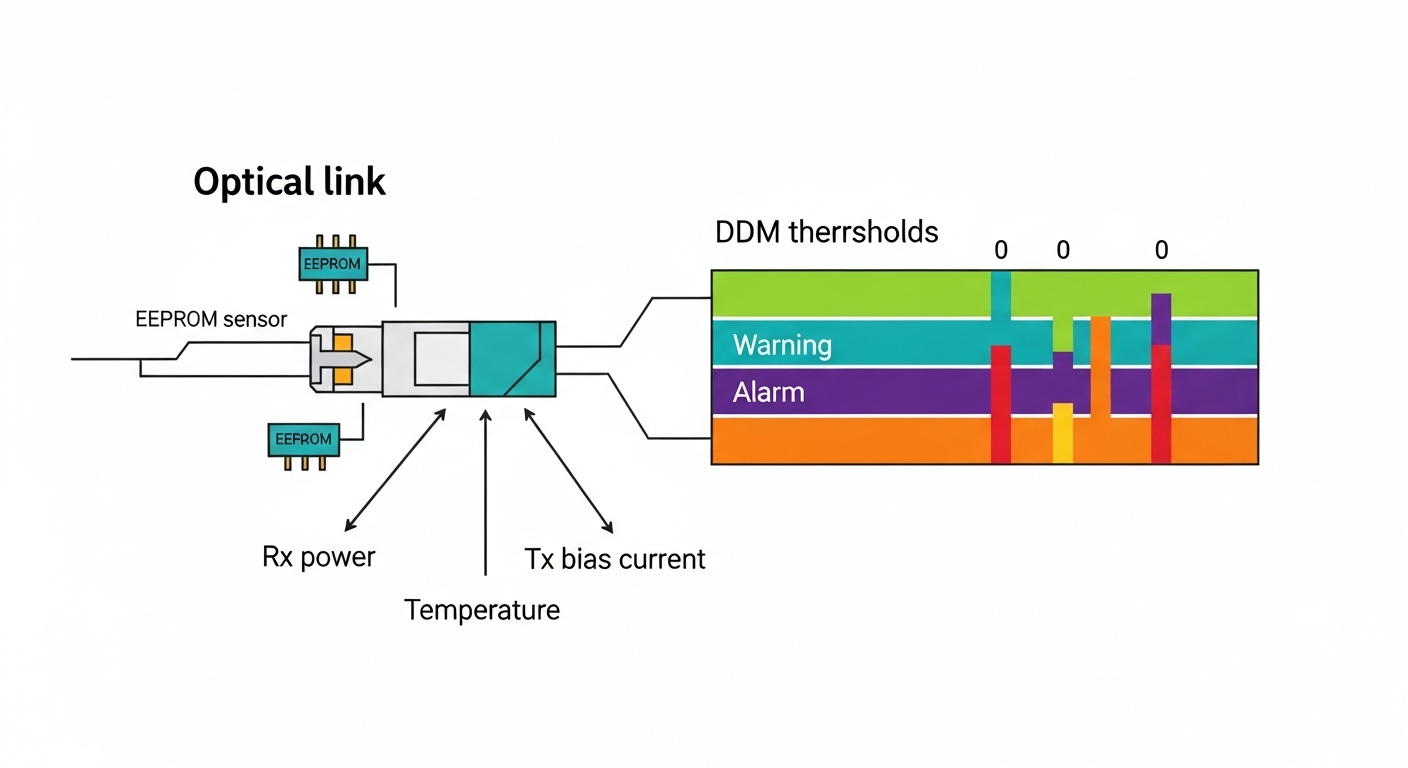
Passive optical modules (typically passive copper/fiber interconnects or passive fiber cabling with no optical electronics beyond the transceiver) rely on the transceiver’s optics and electronics to generate and detect the signal. Active optical modules (AOMs) embed electronics in the optical module itself—common in active optical cables (AOC) and in some pluggable active designs—so the module can recondition the signal and manage reach/power tradeoffs. In practice, the biggest operational difference is where the “work” happens: at the host transceiver versus inside the module.
When you deploy active optical modules in dense racks, you often reduce the burden on the host optics’ laser budget and can extend reach beyond what passive cabling typically tolerates. However, active modules introduce new variables: module firmware/DOM behavior, power and thermal limits inside the cable head, and vendor-specific diagnostics. If you run strict change control, the compatibility story matters as much as link reach.
Where efficiency is won (power, reach, and port planning)
Active optical modules can improve system-level efficiency by enabling longer reach with fewer regeneration stages, which can reduce the number of switches or intermediate transceivers you need. They also can reduce BER sensitivity to certain channel impairments by reconditioning the optical signal inside the module. That said, power draw is not free: active modules dissipate heat in the cable jacket or module head, so you must verify temperature rating and airflow assumptions.
Standards and interoperability reality check
Pluggable optics like SFP/SFP+/QSFP28 are typically aligned to IEEE 802.3 Ethernet PHY requirements and vendor-specific management via Digital Optical Monitoring (DOM). For active optical cables, you may see compliance claims based on IEEE 802.3 and vendor test reports, but interoperability can still be constrained by host optics behavior, DOM parsing, and vendor EEPROM layouts. Always validate in a pilot rack with your exact switch model and firmware.
External authority: [Source: IEEE 802.3 Ethernet working group] IEEE 802.3 overview and vendor DOM behavior guidance in transceiver documentation.
Pro Tip: In the field, the fastest way to predict stability is not the advertised reach—it’s the combination of host transceiver type, module DOM support, and actual measured optical power at the receiver after warm-up. Many “mystery CRC storms” trace back to DOM misreads or marginal laser bias that only shows up after 20 to 60 minutes of thermal settling.
Key specs that decide between active and passive
Use a spec-first approach: wavelength, data rate, reach, connector type, optical power range, and thermal limits. For efficiency comparisons, also track power consumption and whether diagnostics (DOM) are supported and readable on your platform. Below is a practical comparison template you can use during vendor intake.
| Spec | Active optical modules (common: AOC / active pluggables) | Passive optical modules (typical: passive fiber + host transceiver) |
|---|---|---|
| Where electronics live | Inside the module/cable head | In the host transceiver |
| Typical data rates | 10G to 400G (varies by form factor) | 10G to 400G (depends on transceiver) |
| Reach behavior | Often longer or more tolerant to some impairments; module may recondition signal | Limited by fiber attenuation and link budget; host laser and receiver sensitivity dominate |
| Optical wavelength | Usually 850 nm for short reach multimode; 1310/1550 nm for longer reach variants | Same wavelength families, but performance hinges on host optics class |
| Connector / interface | Integrated cable head (AOC) or pluggable interface (QSFP/SFP) | Pluggable interface (SFP/QSFP) plus external fiber connectors |
| Power and thermal load | Active module dissipates power; verify operating temperature and airflow | Lower module-side dissipation; host transceiver handles thermal budget |
| DOM / diagnostics | Often supports DOM, but EEPROM layout and thresholds can vary | DOM commonly standardized by vendor; host compatibility still varies |
| Failure modes | Module electronics degradation; thermal stress in cable head; firmware/EEPROM incompatibility | Connector contamination, fiber damage, marginal link budget, host transceiver aging |
For reference on optical link classes and transceiver behavior, consult IEEE 802.3 PHY requirements and vendor datasheets for DOM and optical power ranges. External authority: [Source: Cisco transceiver and compatibility documentation] Cisco transceiver documentation (use your platform’s compatibility matrix) and [Source: IEEE 802.3] IEEE 802.3 overview.
Comparative efficiency: how to evaluate power, reach, and BOM risk
In most deployments, “efficiency” is not just watts per port. It is the combination of (1) how many ports you need to achieve the topology, (2) how often optics get replaced due to thermal or handling stress, and (3) how quickly you can troubleshoot link issues using DOM telemetry. Active optical modules can reduce the number of intermediate hops and lower the number of optical reconnections, which improves operational time.
Decision math you can run during design
Start with a link budget and a topology constraint. For short-reach Ethernet on multimode fiber, many engineers plan around typical 850 nm OM4/OM5 performance and conservative margins. For active optical modules, validate that the module’s stated reach aligns with your channel conditions: connector count, patch panel loss, and any tight bends in cable trays. Then compute optical margin after warm-up, not just at insertion time.
Measured operational variables to capture in a pilot
- Receiver optical power at steady state (after 30 minutes).
- DOM alarms you can actually read on your switch (thresholds, warnings, and critical events).
- Switch optics temperature and any “transceiver high temp” syslog messages under full traffic load.
- CRC and FEC counters before and after link bring-up.
Real-world deployment scenario: leaf-spine with mixed optics
In a 3-tier data center leaf-spine topology with 48-port 10G ToR switches and 25G uplinks, the team planned 40 to 60 meter OM4 links across row-to-row spans. They deployed passive optics for most links using QSFP28-25G transceivers with external patch panels, but switched to active optical modules for the most congested cable routes where bend radius and connector counts were hardest to control. After rollout, the active links showed fewer “intermittent link flaps” during maintenance windows because there were fewer mating cycles at the patch panel.
Operationally, they still hit one compatibility issue: one switch model rejected a third-party active module with DOM values that fell outside the host’s expected EEPROM ranges. The fix was straightforward—use the vendor’s explicitly qualified part for that switch generation and firmware. After that change, steady-state telemetry stabilized and CRC rates stayed within baseline under warm-up and during seasonal airflow changes.
Selection criteria checklist: active vs passive for your constraints
Use this ordered checklist during procurement and during engineering review:
- Distance and loss profile: total fiber attenuation plus patch panel and connector loss; include worst-case slack and rework scenarios.
- Data rate and optics class: match IEEE 802.3 PHY expectations and your switch’s required transceiver type.
- Switch compatibility: consult the switch vendor’s compatibility matrix; confirm DOM parsing and alarm thresholds.
- DOM support and telemetry: ensure the host can read vendor DOM fields; confirm you can alert on optical power and temperature.
- Operating temperature: verify module operating range and plan airflow; active modules may be thermally sensitive in high-density cages.
- Vendor lock-in risk: if you choose active optical modules from a single vendor, validate availability lead times and warranty terms.
- Handling and field service workflow: if you expect frequent moves, active integrated cables can reduce connector wear but may be harder to repair.
- Power and TCO: compare module-side power, host port thermal budget, and expected replacement frequency.
Common pitfalls and troubleshooting tips (root cause first)
Below are concrete failure patterns I have seen during deployments. Treat them as a rapid triage guide.
“Link up, then CRC storms after warm-up”
Root cause: optical power margin is marginal at steady state; active modules may shift laser bias or reconditioning behavior as temperature stabilizes. Passive links can also drift if connector contamination is intermittent.
Solution: check DOM values for transmit power, receive power, and temperature warnings after 30 to 60 minutes; clean connectors with controlled inspection and retest with a light meter. If margin is tight, shorten fiber run or upgrade fiber grade and patch loss assumptions.
“Host shows module compatibility errors or DOM alarms you cannot interpret”
Root cause: DOM EEPROM layout or threshold values differ from what the switch expects; some hosts enforce strict vendor IDs and diagnostic field ranges.
Solution: use the vendor-qualified part numbers for your exact switch model and firmware; capture syslog messages and confirm whether the host rejects DOM fields or only raises warnings. Avoid mixing vendors within a single link group until telemetry is verified.
“Intermittent link flaps during maintenance”
Root cause: connector wear, dust, or micro-bends in patch cords; passive setups are more sensitive when multiple connectors are involved. Active optical modules can reduce connector count but still suffer if the cable head experiences strain.
Solution: enforce bend radius practices, use strain relief, and adopt a connector cleaning and inspection SOP. For recurring flaps, physically trace the cable path during the event and correlate with DOM temperature or optical power dips.
“Thermal throttling or unexpected port down events in dense racks”
Root cause: active modules dissipate heat inside the module body or cable head; in high-density cages with constrained airflow, the module reaches a higher internal temperature than expected.
Solution: verify airflow direction, clear obstructions, and check switch transceiver temperature telemetry. If needed, reduce port density per row, adjust fan curves, or switch to passive optics where host thermal budget is more controllable.
Cost and ROI note: watts, spares, and failure rates
Pricing varies by data rate and vendor qualification, but realistic planning helps. Third-party passive transceivers often cost less per port than active optical modules, while active integrated cables can carry a premium due to embedded electronics and qualification testing. In many environments, ROI comes from fewer truck rolls and faster troubleshooting: active modules can reduce connector-related failures by minimizing mating cycles, but only if they are truly compatible with the host.
TCO considerations:
- Spare strategy: keep a small pool of qualified spares for each switch generation and optics type.
- Power and cooling: active modules may increase local heat load; compare power budgets at the rack level, not just per module.
- Replacement economics: if you often reconfigure racks, passive optics with easily replaceable transceivers can lower downtime; if you often disturb patch panels, active integrated cables can reduce exposure to connector contamination.
When calculating ROI, include expected failure rates from your own maintenance history. If your team already has a low connector failure rate, passive optics may remain the most cost-effective choice.
FAQ: choosing active optical modules without regrets
Are active optical modules compatible with all switches?
No. Compatibility depends on the host’s transceiver cage requirements and DOM parsing behavior. Always validate with your switch model and firmware, and prefer vendor-qualified part numbers. If you are using third-party active optical modules, test in a pilot rack first.
Do active optical modules consume more power than passive?
Typically, yes at the module level, because active modules include embedded electronics. However, system-level efficiency can still be better if active modules allow longer reach and reduce the number of intermediate devices or patch points. Compare rack-level power and thermal limits, not only the module spec sheet.
What distance should I plan for with 850 nm optics?
For short-reach Ethernet on multimode fiber, the practical distance depends on fiber type (OM4 vs OM5), connector/patch loss, and link budget margin. Active optical modules may extend usable reach in marginal channel conditions, but you must verify with measured optical power after warm-up. Treat vendor reach as a baseline, not a guarantee.
How do I troubleshoot a link that stays up but has high errors?
Start with DOM telemetry: transmit power, receive power, and module temperature. Then inspect and clean connectors, and verify there is no fiber damage or excessive bend radius. Finally, compare error counters before and after traffic load to distinguish thermal instability from optical budget issues.
Should I standardize active optical modules across the whole fabric?
Only if you can guarantee compatibility and consistent telemetry across switch models and firmware versions. Many teams standardize per rack type or per distance class: passive where channel conditions are stable, active where cable management is constrained. Mixed deployments are fine if you document part numbers and maintain a tested mapping.
What is the safest way to pilot active optical modules?
Pick one leaf-spine block, verify reach with your measured patch loss, and run traffic for at least 48 hours including warm-up. Collect DOM and error counters continuously and document any syslog warnings. If telemetry matches baseline and errors stay within acceptable thresholds, expand gradually.
If you want the most reliable efficiency outcome, treat active optical modules as a system design choice: validate compatibility, measure optical power at steady state, and standardize your part numbers by switch generation. Next, review fiber-optic-link-budget-checklist to tighten link budgets and avoid avoidable CRC and flap events.
Author bio: Veteran network admin specializing in routing, switching, and fiber plant operations, with hands-on experience deploying 10G to 400G fabrics and diagnosing optics-related outages. Field-tested approach to VLAN-aware troubleshooting, optical link budgeting, and clean-change procedures updated for modern transceiver ecosystems.
