
800G transceiver compatibility: verify optics, optics lanes, and switch support
In an 800G rollout, the fastest way to lose a week is to install transceivers that physically fit but fail electrically, optically, or administratively. This article helps network and field engineers validate 800G compatibility across switch models, fiber types, and optical lane mappings. You will learn a practical checklist, a spec comparison you can use during procurement, and troubleshooting patterns seen during live cutovers.
What “compatibility” really means for 800G optics
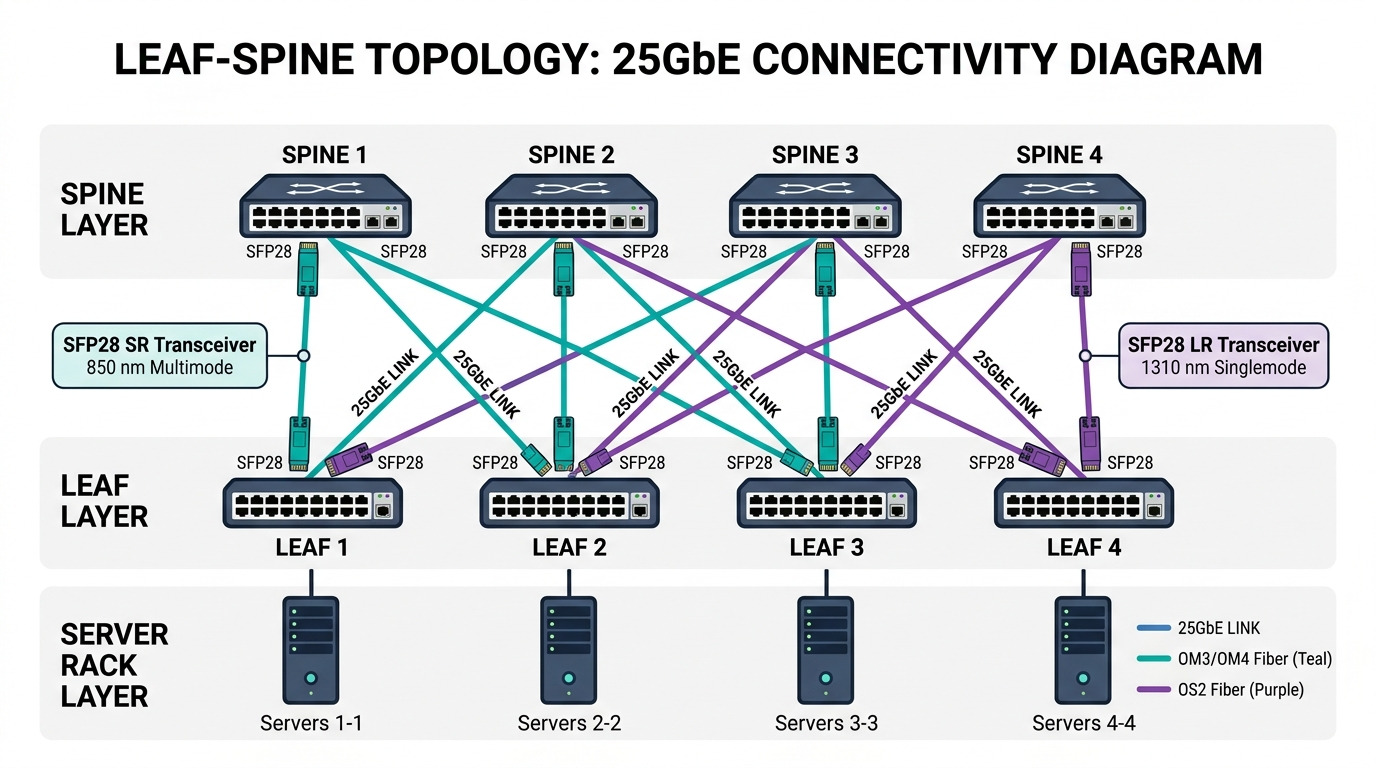
For 800G, compatibility is not just “does the module seat in the cage.” Most 800G pluggables use a multi-lane electrical interface plus a defined optical channel plan (often aligned to 4x200G or 8x100G internal mapping depending on vendor implementation). Switch vendors may also enforce requirements for DOM support (Digital Optical Monitoring), firmware controls, and supported part numbers. Even when both sides advertise “800G,” mismatched lane mapping or unapproved transceiver firmware can cause link training failures or elevated BER.
Compatibility layers you must validate
- Mechanical: correct form factor (OSFP, QSFP-DD, or vendor-specific), correct latch and faceplate geometry.
- Electrical: signal rate support, lane count, and retimer behavior; verify the switch port supports the module class.
- Optical: wavelength, fiber type, and reach class; confirm whether you need OM4 or OS2 in your topology.
- Management: DOM thresholds, temperature range, and whether the switch will read and apply diagnostics.
- Operational**: supported temperature, link training timeouts, and vendor coding requirements.
Key specs to compare before you buy 800G transceivers
Procurement teams often compare only “reach” and “connector.” Engineers should instead compare wavelength, expected receive power range, and temperature operating limits because these directly affect link margin and field reliability. Below is a practical comparison of common 800G short-reach and long-reach classes you will encounter in evaluations.
| Spec | 800G SR8 class (short reach) | 800G FR8 class (long reach) | Typical vendor examples |
|---|---|---|---|
| Target data rate | 800G (module supports 800G aggregate) | 800G (module supports 800G aggregate) | OEM and third-party vary |
| Wavelength | Multi-wavelength around the 850 nm region (exact grid varies) | Multi-wavelength in the 1550 nm region (exact grid varies) | Consult datasheet |
| Reach class | Commonly rated for tens to ~100 m over multimode (exact value depends on OM4/OM5 and vendor) | Commonly rated for kilometers over single-mode | Finisar/FS/other families |
| Fiber type | OM4 or OM5 multimode (often required) | OS2 single-mode | Verify in your link budget |
| Connector | MPO/MTP (usually) | LC or MPO/MTP depending on module family | Switch port mapping matters |
| DOM | Typically supported (read-only diagnostics; thresholds vary) | Typically supported | DOM behavior differs by vendor |
| Operating temperature | Often 0 to 70 C for commercial; some extended options exist | Often 0 to 70 C or extended variants | Match your facility profile |
When evaluating real parts, pull the exact datasheet for models such as Cisco 800G-compatible optics families and comparable third-party offerings (for example, Finisar and FS.com part listings) and then cross-check against your switch vendor’s validated optics list. If you cannot find a validated list, treat it as a risk and run a short lab validation before scaling.
Compatibility checklist you can run in a lab or during staging
Use this ordered checklist during proof-of-concept and before the first production cutover. It is designed to catch the issues that show up after the modules are already physically installed.
- Distance and fiber class: confirm OM4 vs OM5 vs OS2 requirements and your actual measured link loss (dB) with a light meter or OTDR.
- Switch compatibility list: verify the exact transceiver part number is supported by the switch OS for the target port.
- Electrical lane support: confirm the switch port supports the module’s internal lane mapping and FEC mode (if applicable in your environment).
- DOM and monitoring: confirm the switch reads temperature, bias, received power, and alarms reliably; confirm thresholds are not causing port errors.
- Operating temperature: match module limits to airflow and ambient conditions; measure front-to-back temperature at the cage level.
- DOM/firmware update policy: decide whether you will allow firmware upgrades that might change behavior between batches.
- Vendor lock-in risk: compare OEM optics pricing vs third-party, but include failure rate and RMA turnaround time in your TCO.
Pro Tip: In multiple 800G rollouts, the hidden failure mode was not “bad optics” but incorrect MPO polarity and lane ordering. Even if the connector mates, a transposed lane map can look like intermittent link training or rising BER after a few hours. Label jumpers during staging and verify lane mapping end-to-end before production.
Real-world evaluation scenario: 800G leaf-spine staging
Consider a 3-tier data center leaf-spine topology where leaf switches are connected to spine switches using 800G uplinks. Suppose each leaf has 32 uplinks at 800G using a short-reach multimode design, and you stage the rollout in two batches: 16 ports per leaf on day one and 16 on day two. Your measured patch loss for each MPO link is 1.2 dB average on OM4, and your OTDR shows no major events; however, the first batch fails intermittently with “link training timeout.” After checking switch logs, the issue is traced to one transceiver vendor batch whose DOM thresholds triggered a port inhibit under a specific airflow condition. Replacing only the affected batch restores stable links without changing fiber.
In this scenario, compatibility validation had to include DOM alarm behavior under realistic thermal conditions, not just the initial optical power levels. Engineers also confirmed that the switch OS required a specific optics coding scheme, so mixing OEM and third-party parts without a validated matrix was not acceptable.
Common mistakes and troubleshooting patterns
Below are frequent pitfalls in 800G compatibility work, along with root causes and practical fixes.
“It clicks in, so it must work” mechanical assumption
Root cause: wrong form factor or adapter geometry causes partial seating; you may see intermittent link flaps under vibration or cable stress. Solution: inspect connector seating marks, re-seat with consistent insertion force, and verify that MPO/MTP ferrules are fully seated and latched.
Fiber type mismatch that passes basic checks
Root cause: OM4 vs OM5 vs OS2 differences can still “link” briefly but fail at higher temperatures or after dust contamination worsens. Solution: confirm fiber type on labels, clean all connectors with verified procedures, then measure received power and BER after 30 minutes of continuous traffic.
Lane polarity and mapping errors
Root cause: MPO polarity swaps or incorrect lane ordering can manifest as training failures or high error counters. Solution: use consistent polarity conventions, apply labeled patch panels, and verify lane mapping using the switch’s transceiver diagnostics plus a known-good loopback test where supported.
DOM threshold or firmware incompatibility
Root cause: third-party DOM values can differ slightly from OEM expectations, causing port inhibit or alarm-driven disable. Solution: compare DOM readings (temperature, bias current, received power) against expected ranges, then standardize on a validated optics list for production.
Cost and ROI note for 800G compatibility decisions
In many enterprise and colocation deployments, OEM 800G optics typically cost more per module than third-party equivalents, but the ROI depends on downtime risk and replacement logistics. A common pattern: OEM optics may be 1.5x to 3x the third-party module price, yet third-party deployments can increase engineering time for validation and troubleshooting. For TCO, include labor for staging, testing time, spares inventory, and RMA turnaround; field teams often find that the “cheaper module” becomes expensive when it triggers multiple truck rolls or extended outage windows.
If you plan a mixed vendor strategy, run a controlled compatibility test matrix in a staging rack with representative airflow and traffic profiles, then lock the approved part numbers for the entire batch.
FAQ
Which switch ports support 800G transceivers?
Support is port- and OS-version specific. Always check your switch vendor’s optics compatibility list for the exact transceiver part number and the target port profile.
