
Buying optics for an 800G upgrade fails most often at the “it should work” stage: wrong optical type, mismatched vendor firmware expectations, or DOM readings that trigger port errors. This article helps data center, transport, and access engineers validate compatibility before procurement and commissioning. You will get a top-list of what to verify, a field troubleshooting playbook, and a practical ranking table to guide final selection.
Top 8 compatibility checks for 800G transceiver deployments
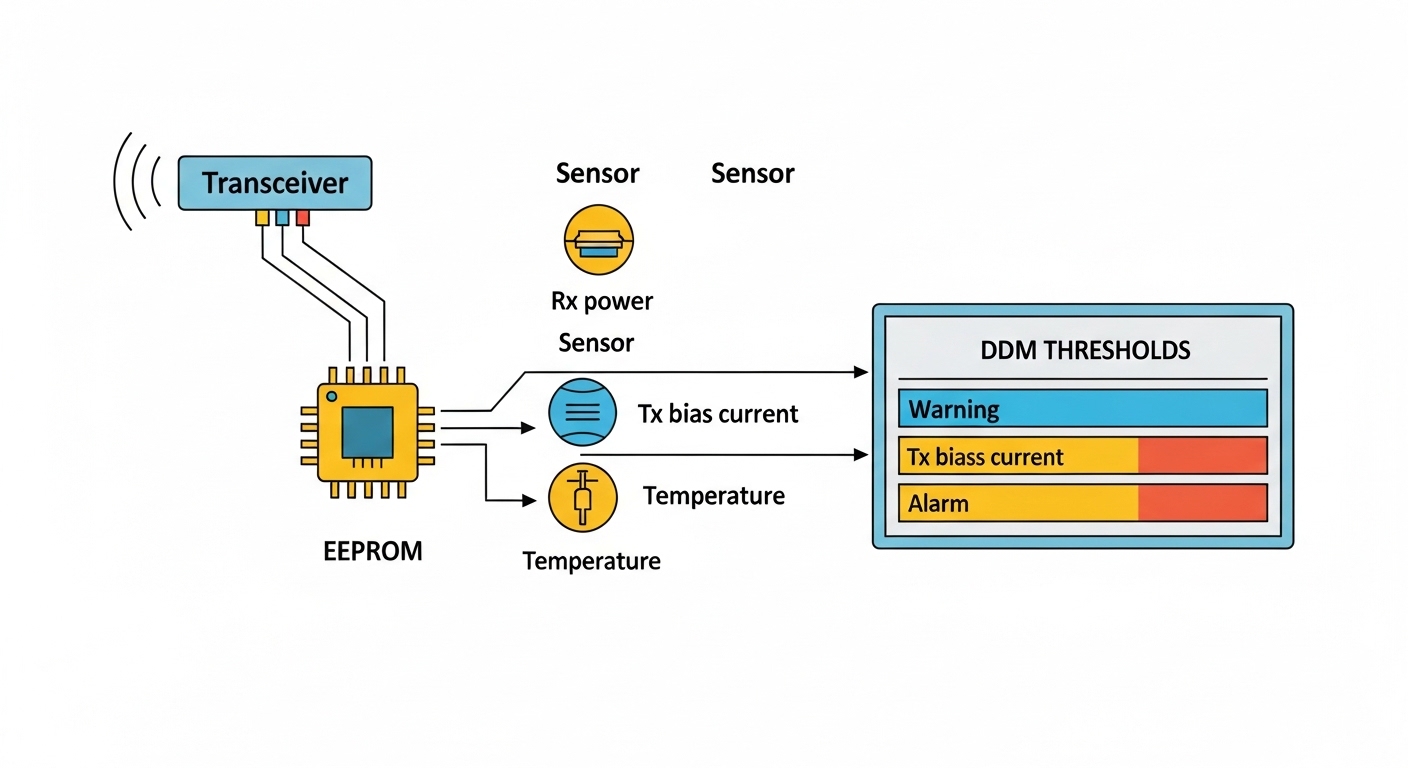
In real deployments, 800G optics compatibility is less about marketing labels and more about electrical lane mapping, optical budget, and how the switch validates DOM and forward error correction. I have seen a “perfect” optical spec still fail because the switch expects a specific host-side retimer behavior or a particular vendor’s DOM alarm thresholds. Use these eight checks as your pre-buy gate to reduce truck rolls and late-stage change windows.
Confirm the 800G electrical interface and optics form factor
First, verify the host port type and optics form factor. Common 800G implementations in data centers use OSFP or QSFP-DD style optics depending on the switch generation and vendor. If the platform supports only one form factor, no amount of optical budget matching will help.
What to verify on the switch
- Port speed mode: 800G vs split modes (for example, 400G+400G) and whether the port can downshift.
- Optics cage type: OSFP vs QSFP-DD vs proprietary high-density cages.
- Lane mapping expectations: some platforms map lanes internally for 2x400G or 4x200G optics; mismatches can cause link training failure.
Best-fit scenario: You are upgrading a leaf-spine fabric where ToR and aggregation switches are from the same OEM family, but you want to source third-party optics for cost control. You must still confirm the exact cage and supported speed modes from the switch compatibility guide.
Pros: Eliminates the “wrong cage” dead-on-arrival issue. Cons: Requires reading the platform’s optics matrix and sometimes waiting for vendor updates.
Match the fiber type and wavelength plan (SR vs DR vs LR)
Compatibility starts with optics class. Most 800G short-reach rollouts use multi-mode fiber (MMF) with SR-style optics, while longer reach uses single-mode fiber (SMF) with DR/LR-like optics. If you mix MMF and SMF optics, you will not get a stable link even if the transceiver “lights up.”
Practical fiber matching
- MMF: verify OM4 vs OM5 and whether your plant supports the expected reach at the chosen modulation.
- SMF: verify fiber attenuation, connector type, and patch panel loss budgets.
- Wavelength: ensure the optics are designed for the same nominal wavelength band for the path type.
Best-fit scenario: You are commissioning a campus aggregation where legacy OM3/OM4 exists in some rows and OM5 in others. You plan an 800G SR upgrade only in the OM5 zones, while SMF DR is used for cross-row links.
Pros: Prevents link instability caused by fiber mismatch. Cons: Forces you to inventory fiber plants, not just active ports.
Validate reach with a real link budget, not a datasheet headline
Engineers sometimes assume “spec reach” equals “your reach.” In practice, 800G optical budgets are sensitive to connector cleanliness, splice counts, aging, and patch panel layout. Compute a link budget using your measured losses and margin for aging.
Link budget checklist
- Start with vendor receive sensitivity and transmit power.
- Add worst-case patch cord loss and connector loss (including one-time field cleaning assumptions).
- Include splice loss and safety margin for temperature and aging.
Best-fit scenario: You are connecting two rows 70 meters apart in a data hall with 6 m of patch cords on each side plus 8 connectors and 4 splices. Your measured insertion loss is 2.8 dB higher than the as-built estimate, so you add margin by selecting a slightly higher-power option if available.
Pros: Improves first-pass acceptance. Cons: Requires test results (OTDR or at least calibrated loss readings).
Check DOM support and the exact alarm behavior your switch expects
DOM (Digital Optical Monitoring) compatibility is a frequent hidden blocker. Even when optics are “functionally compatible,” a switch can mark ports as faulty if DOM values fall outside expected ranges or if certain diagnostics are missing. For 800G, you should confirm that DOM reporting is supported and that the switch accepts the DOM schema.
DOM items to verify
- Supported DOM type and whether the switch reads temperature, bias current, and received power properly.
- DOM alarm thresholds and whether the host triggers an error on “soft” warnings.
- Firmware behavior: some platforms require a DOM refresh cycle after insertion.
Best-fit scenario: You are using third-party optics on a switch model with strict port health policies. You test one optic per batch and verify that DOM thresholds remain within limits over a 2-hour thermal soak.
Pros: Reduces port flaps and intermittent “link down” events. Cons: Slows procurement because you need validation runs.
Ensure FEC mode and optical/electrical performance align
800G links are typically paired with FEC (Forward Error Correction). Compatibility is not only about the optics; it is also about whether the host and optics support the same FEC expectations and signal integrity parameters. If the switch and optics disagree on FEC mode (or the optics cannot meet required BER targets), the link may train but fail under traffic.
What engineers check
- FEC mode: verify whether the host uses a specific FEC variant and whether it can be enabled/disabled.
- Optical receiver margin: confirm that your operating received power stays in the recommended window.
- Signal integrity under load: validate with line-rate traffic and error counters.
Best-fit scenario: You are deploying in a high-utilization environment where traffic bursts expose marginal optics. You run a burn-in test at target throughput and monitor BER/FEC counters.
Pros: Prevents “it works at idle” failures. Cons: Adds test time to the rollout window.
Compare key transceiver specifications before you decide
Use a side-by-side comparison to catch mismatches early. Below is a practical comparison table covering common 800G optics families and the parameters that usually drive compatibility outcomes.
| Parameter | 800G SR (MMF) | 800G DR (SMF) | Typical 800G LR (SMF) |
|---|---|---|---|
| Nominal data rate | 800G aggregate | 800G aggregate | 800G aggregate |
| Connector | MT/MPO-16 or MPO-12 style (varies) | LC duplex (varies by vendor) | LC duplex (varies by vendor) |
| Wavelength band | Short-reach multimode optics band | Single-mode nominal band | Single-mode nominal band |
| Typical reach | ~100 m class on OM4 (varies) | ~500 m class (varies) | ~10 km class (varies) |
| Operating temperature | Commercial/extended options (verify) | Commercial/extended options (verify) | Commercial/extended options (verify) |
| DOM support | Common; validate host acceptance | Common; validate host acceptance | Common; validate host acceptance |
| Key compatibility risk | Fiber plant mismatch, MPO polarity, DOM thresholds | SMF/connector loss, DOM schema differences | Budget margin, FEC/receiver sensitivity alignment |
Best-fit scenario: You are standardizing a multi-vendor optics strategy. You require a consistent spec set across sites: connector type, temperature grade, and DOM behavior.
Pros: Forces apples-to-apples comparison. Cons: Datasheets can still hide host-specific DOM validation requirements.
Pro Tip: During acceptance testing, log both “link up” and the first 15 minutes of DOM readings. Many marginal optics show stable link training but drift in received power or temperature bias right after insertion, triggering host-side port resets under real traffic.
Test with your switch model and software release, not just the platform family
Compatibility is often software-sensitive. A switch OS upgrade can change how it parses DOM, enforces alarm thresholds, or selects FEC. For 800G deployments, confirm compatibility with the exact software release on your staging rack, then lock versions during the rollout window.
Hands-on validation steps
- Insert one optic into a spare port and verify link training at intended speed.
- Run a traffic profile that matches your production pattern (not just pings).
- Check interface counters for errors and verify DOM alarms remain clear for at least one thermal cycle.
Best-fit scenario: You are rolling out 800G in phases across regions. You validate optics on the same switch hardware SKU and software build used in the next wave.
Pros: Prevents late surprises during cutover. Cons: Requires controlled staging and careful change management.
Use a decision checklist to reduce procurement and lock-in risk
Before you buy, run an ordered checklist that reflects how engineers actually prevent failures. This is also where you balance cost, vendor lock-in risk, and operational reliability.
Selection criteria / decision checklist
- Distance and fiber type: MMF vs SMF, OM grade, and connector ecosystem.
- Optics reach and link budget margin: include measured patch loss and safety margin.
- Switch compatibility matrix: confirm exact switch model and supported optics.
- DOM support and alarm thresholds: validate host acceptance, not only DOM presence.
- FEC mode behavior: ensure traffic under load meets BER targets.
- Operating temperature: match your aisle and exhaust conditions; avoid “commercial only” in hot sites.
- Connector and polarity: verify MPO polarity method or LC cleanliness requirements.
- Vendor lock-in risk: plan for multi-vendor optics testing and define an approved list process.
Best-fit scenario: You maintain a standard bill of materials across multiple data centers but allow qualified third-party optics to improve lead times.
Pros: Creates a repeatable procurement gate. Cons: Adds upfront validation effort.
Common mistakes / troubleshooting for 800G optical compatibility
Even well-prepared teams hit predictable failure modes. Here are the most common issues I have seen in the field, with root causes and fixes.
-
Mistake: Using the wrong fiber type (MMF optics on SMF plant, or vice versa).
Root cause: Optics class mismatch; the transceiver may emit but cannot couple to the receiving fiber mode.
Solution: Confirm MMF/SMF and OM grade before ordering; label patch panels and verify with a fiber test report. -
Mistake: Ignoring MPO polarity and lane mapping.
Root cause: MPO polarity mismatch can yield link training instability or high error rates under load.
Solution: Use the polarity method required by the vendor (and document it). Clean and re-seat MPO connectors and verify with the correct polarity adapter when needed. -
Mistake: “It links up” but fails during traffic due to FEC/BER mismatch.
Root cause: Insufficient optical margin or host FEC configuration mismatch; errors accumulate when traffic stresses the link.
Solution: Run line-rate tests, monitor BER/FEC counters, and re-calculate the link budget with measured losses. -
Mistake: DOM alarms causing port flaps after insertion.
Root cause: Host-side DOM parsing differences or marginal thermal behavior in the optic.
Solution: Validate DOM acceptance with your switch software release; perform a thermal soak and confirm alarms remain clear.
Cost & ROI note for 800G transceiver selection
Pricing varies widely by reach, form factor, and qualification status. As a realistic planning range, enterprise 800G optics often land around a few hundred to over a thousand USD per module depending on SR vs DR/LR and whether it is OEM or third-party. For ROI, include total cost of ownership: test labor, spares strategy, and the cost of failed commissioning. In my experience, third-party optics can reduce module cost, but the ROI improves only when you run a structured compatibility validation and keep a clean approved list to avoid repeated swaps.
OEM vs third-party: OEM optics typically have smoother switch acceptance and lower risk, while third-party optics can cut unit cost but may require more staging time and tighter DOM/FEC validation. Also watch for temperature grade differences; a small spec mismatch can increase early field failures.
External standards and vendor reference points
When you document compatibility, cite the standards and vendor guidance that matter for your internal approvals. For Ethernet PHY behavior and link operation, use IEEE Ethernet references and for transceiver behavior rely on vendor datasheets and switch optics compatibility guides. Practical DOM and monitoring expectations are also described in vendor documentation and typical module datasheets.
- [[EXT:https://standards.ieee.org/standard/]](IEEE Ethernet standards landing page)
- [[EXT:https://www.cisco.com/]](Cisco product and optics documentation landing page)
- [[EXT:https://www.fs.com/]](FS.com optics datasheets and compatibility resources)
- [[EXT:https://www.finisar.com/]](Finisar and optical trans
