
When an 800G link refuses to come up or flaps after a “successful” install, the root cause is often not the optics alone. This guide helps data center network engineers and field technicians isolate failures across optics, cabling, switch port settings, and diagnostics. You will get a practical checklist, a spec comparison for common optics classes, and troubleshooting patterns that match real leaf-spine deployments.
Start with evidence: how 800G failures present in production
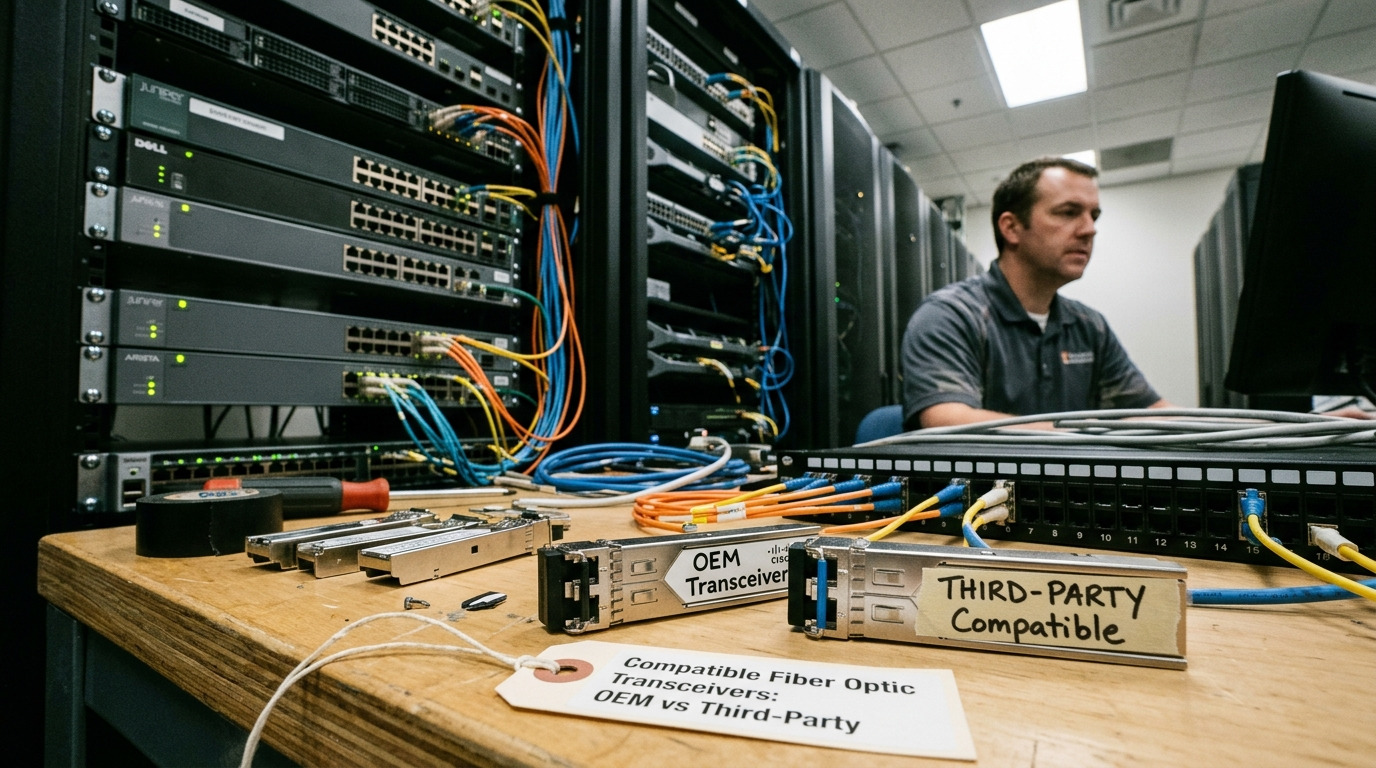
In live environments, 800G issues usually show up as one of three symptoms: link never establishes, link comes up then flaps, or it establishes but runs at an unexpected rate (for example, down-negotiation). The fastest recovery path is to capture evidence in the first 10 minutes: port admin state, optics presence, DOM readings, interface counters, and any FEC or lane-level alarms. Treat the first 15 minutes as a forensic window; changing too many variables at once makes root cause harder.
Evidence to capture before swapping anything
- Switch port state: admin up/down, operational up/down, speed and encoding mode if exposed.
- DOM/telemetry: optical power (Tx bias, Tx/Rx power), temperature, and any “unsupported module” flags.
- Interface counters: CRC/FCS errors, symbol errors, FEC corrected/uncorrected counts, and link reset reasons.
- Alarm granularity: lane de-skew failures, laser bias out of range, or “FEC mismatch” style messages.
If your platform supports it, log the first link-up attempt reason. Many vendors expose whether the port tried to train successfully, then failed during equalization, clock recovery, or FEC negotiation. That single message can narrow the search from optics to cabling or to port configuration.
800G optics and cabling: the spec mismatches that break links
At 800G, the system is sensitive to both optical budget and electrical signal integrity. A correct transceiver type can still fail if the fiber grade, connector cleanliness, polarity, or MPO/MTP mapping does not match what the transceiver expects. In practice, the most common “it should work” mistakes are wrong reach class (SR vs LR), wrong fiber type (OM3 vs OM4 vs OS2), and polarity reversal in multi-fiber trunks.
Quick comparison of common 800G optical classes
Use this table to sanity-check whether the installed optics and fiber are even in the same feasibility envelope. Exact values vary by vendor and firmware, but these ranges align with typical IEEE-aligned implementations for 800G.
| Optics class (example) | Typical data rate | Wavelength | Connector | Typical reach | Operating temp | Common failure themes |
|---|---|---|---|---|---|---|
| 800G SR (multi-lane, short reach) | 800G | 850 nm | MPO-16 (or MPO-24 depending on platform) | Up to ~100 m on OM4-class fiber (varies) | 0 to 70 C or wider (module dependent) | Polarity mapping, dirty MPO endfaces, wrong OM grade |
| 800G DR / LR (longer reach) | 800G | ~1310 nm (DR) or ~1550 nm (LR) | LC (often) or MPO (varies by design) | ~500 m to 10 km class (varies widely) | -5 to 70 C typical (module dependent) | Excess loss, incorrect fiber type (OS2 vs MM), connector contamination |
| 800G ER (extended) | 800G | ~1550 nm | LC | 10 km+ class (vendor dependent) | -5 to 75 C typical | Budget overrun, aging transceivers, temperature drift |
When you see a failure, confirm the optics class expected by the switch for that port group. Many platforms support multiple optics types per chassis, but only certain combinations are validated. If you install a module that “fits” physically but is outside the validated class, you may get training failures, FEC mismatches, or intermittent lane lock.
Pro Tip: In 800G troubleshooting, treat “optics present” as a weak signal. DOM presence only confirms the module is detected, not that lane-level training and FEC negotiation succeeded. Always correlate DOM optical power ranges with the port’s FEC and error counters right after the first link-up attempt.
Port configuration and training: the hidden causes of 800G flaps
Even with correct optics, 800G links can flap due to port-level mismatches: wrong speed profile, incorrect breakout settings, or inconsistent FEC configuration across a pair. Some switches expose only a subset of parameters, but you can still infer mismatch by observing which counters increment first after a reset.
What to verify on the switch
- Speed and lane mode: confirm the port is set to 800G (or auto that reliably selects 800G).
- FEC mode: ensure the same FEC profile is used end-to-end when the peer is a different vendor/line card.
- Interface description and mapping: confirm the physical port maps to the logical interface you are monitoring.
- Auto-negotiation behavior: some 800G designs rely on training rather than traditional Ethernet auto-negotiation; verify the platform’s training method and any “fallback” behavior.
- Power and thermal constraints: check that the line card temperature is within spec and that PSU/power budgets are stable.
If the link comes up and immediately starts incrementing error counters, suspect equalization issues or marginal optical budget. If the link never establishes, suspect FEC mismatch, incompatible optics class, or gross cabling/polarity errors. If it establishes for a period then fails under load, suspect temperature drift, dirty connectors, or fiber attenuation near the threshold.
Fast selection criteria: choosing the right 800G optics without lock-in traps
During troubleshooting, you often discover the optics were chosen without validating switch compatibility, DOM support, or temperature class. The quickest way to reduce repeat incidents is to apply a selection checklist before deployment. This is especially important with 800G because optics are not interchangeable across platforms even when they share a form factor.
Decision checklist engineers should use
- Distance vs reach class: confirm the fiber route length including patch cords and slack (not just the rack-to-rack span).
- Fiber grade and type: for SR, verify OM3/OM4/OM5 support; for LR/DR, verify MM vs OS2 and the expected core/cladding profile.
- Switch compatibility: validate the exact module model against the switch vendor’s supported optics list.
- DOM and alarm behavior: ensure the DOM is readable and that thresholds map correctly (some third-party modules use different scaling).
- Operating temperature range: compare the module spec to the line card and ambient conditions; check for hot spots near air exhaust.
- Connector and polarity mapping: confirm MPO/MTP polarity conventions and whether the switch expects “A-to-B” or a specific polarity scheme.
- Vendor lock-in risk: assess whether you will be forced into a single vendor for RMA and replacement optics; plan spares accordingly.
For reference, many deployments use known-good OEM modules or closely validated third-party optics. Examples include vendor-specific QSFP-DD style modules such as Cisco-branded optics (e.g., Cisco SFP-10G-SR is older generation; for 800G you will typically see QSFP-DD or OSFP-class optics depending on platform) and third-party optics models like Finisar/II-VI families (examples: Finisar FTLX8571D3BCL is a common 10G/25G-era reference; for 800G you must select the exact generation and form factor). Always verify the exact part number for your platform and reach class.
Common mistakes and troubleshooting tips for 800G deployments
Below are the failure modes field teams see most often when 800G links fail to train or become unstable. Each entry includes the likely root cause and a practical fix.
MPO polarity reversal causing lane training failure
Symptom: port shows “link down” or “link up then immediately down,” with few or no meaningful optical power issues.
Root cause: the MPO trunk is connected with reversed polarity or swapped send/receive fibers across a polarity adapter.
Solution: use a polarity tester and confirm the MPO key orientation, then re-map fibers to match the transceiver’s expected lane polarity. Clean the endfaces before re-seating; polarity fixes fail more often than expected when contamination remains.
Exceeding optical budget from dirty connectors and patch cord loss
Symptom: link trains but flaps under load; counters show increasing FEC corrected errors or uncorrected errors.
Root cause: connector contamination (film, dust) adds insertion loss and increases error rates; patch cords or adapters may exceed the assumed loss budget.
Solution: inspect with a fiber scope, clean with lint-free wipes and approved cleaning method, and replace questionable patch cords. Re-measure with the appropriate optical test method and ensure total loss stays inside the vendor budget for that module plus margin.
Wrong fiber grade for SR optics (OM3 vs OM4) leading to marginal reach
Symptom: link works in a short test but fails after rerouting or after temperature changes.
Root cause: the installed fiber does not meet the SR optics requirements; attenuation and modal noise increase at higher loads.
Solution: verify fiber documentation and, if needed, measure attenuation and bandwidth characteristics. For SR deployments, align optics reach class with the fiber grade and connector cleanliness, not just with “length.”
Unsupported optics on the specific switch port group (DOM reads but training fails)
Symptom: optics detected; DOM shows values in range; port still cannot establish or shows repeated resets.
Root cause: optics is physically compatible but not validated for that port group’s training/FEC profile.
Solution: check the switch vendor’s supported optics matrix for the exact platform and software version. Update switch firmware if the vendor notes improved compatibility for specific module families.
Real-world deployment scenario: 800G leaf-spine with mixed optics
In a 3-tier data center leaf-spine topology with 48-port 800G-capable ToR switches (each leaf uplinks to two spines) and roughly 35 m average cabling distance including patch cords, the team initially deployed a mix of OEM and third-party SR optics. After a change window, six uplinks flapped every 10 to 30 minutes while CPU and memory remained stable. DOM readings showed Rx power trending slightly low, and interface counters revealed rising corrected errors before each flap. The root cause was traced to a set of MPO trunks that had been cleaned inconsistently and a polarity adapter installed with the wrong orientation on the spine side; after cleaning and re-mapping, the corrected error rate returned to baseline and the flaps stopped.
Cost and ROI note: what it really costs to get 800G stable
Pricing varies widely by vendor, reach class, and certification, but in typical enterprise and colocation procurement cycles, 800G optics often cost several hundred to multiple thousand USD per transceiver. OEM modules may carry a higher unit price, but they can reduce downtime risk and simplify RMA. Third-party optics can be cheaper, yet you may spend more on qualification, spares strategy, and time spent troubleshooting compatibility or DOM threshold differences.
From a TCO perspective, the biggest hidden cost is operational: technician hours, truck rolls, and prolonged degraded performance if error rates remain elevated. A practical ROI model is to compare the cost of one additional spare optics module plus test time against the cost of a single incident that forces rollback or service interruption. If you quantify failure history, even a modest reduction in repeat incidents usually outweighs the optics price delta.
FAQ
Why does my 800G port detect the module but still not bring up the link?
Module detection usually only confirms physical presence and basic EEPROM/DOM readability. Link training can still fail due to optics class mismatch, FEC negotiation differences, or polarity/cabling issues that prevent lane lock. Check FEC and error counters immediately after the first link-up attempt, then verify polarity and connector cleanliness.
What optics tests should I run first during 800G troubleshooting?
Start with DOM optical power ranges and temperature, then inspect fiber endfaces with a scope and confirm polarity mapping for MPO/MTP trunks. After that, validate switch port configuration (speed profile and any FEC mode settings) and confirm the module is in the vendor-supported list for that port group and software version.
Can I mix OEM and third-party 800G optics on the same pair?
Sometimes yes, but it is not guaranteed. The risk is highest when the two vendors implement different training or DOM threshold behaviors. If you must mix, validate using the switch vendor’s supported optics matrix and run a controlled burn-in test that monitors corrected and uncorrected error counters.
How do I know if the issue is optical budget vs electrical training?
If the link never establishes, suspect training/polarity/FEC mismatch first. If the link establishes but error counters climb under load, suspect optical budget, connector contamination, or marginal reach. A controlled test with a known-good patch cord and a short, clean reference link can separate cabling loss from module training behavior.
What is the most common mistake that wastes time with 800G?
Swapping optics repeatedly without first validating polarity, cleaning, and port configuration evidence. This can create a moving target where you never learn which variable actually changed. Capture counters and DOM readings right after the first failure, then address the most likely physical and configuration causes.
When should I escalate to the optics vendor or switch vendor?
Escalate when you have ruled out cabling/polarity and cleaning, confirmed the module model is supported for your exact switch software and port group, and the error pattern persists. Provide DOM logs, counter snapshots, and the exact transceiver part numbers so the vendor can correlate with known training and FEC behaviors.
Use evidence-first triage: verify optics class and DOM ranges, confirm polarity and cleaning for MPO/MTP trunks, then validate switch port training and FEC configuration. Next, apply the selection checklist to prevent repeat incidents and protect 800G uptime with a realistic spares and qualification plan via 800G optics selection checklist.
Author bio: I have deployed and troubleshot high-speed optics across leaf-spine and spine fabrics, using DOM telemetry, scope-based inspection, and counter-driven fault isolation. I focus on repeatable checks that reduce truck rolls and improve time-to-recovery for 800G links.
