
You are likely planning 800G infrastructure because your leaf-spine fabric, AI training clusters, or high-throughput storage links are bumping into 400G saturation. This guide helps network engineers and data center field teams choose optics and transceivers, verify compatibility, and avoid avoidable downtime during cutovers. You will get a practical checklist, a specs comparison table, and troubleshooting steps grounded in real deployment constraints.
Where 800G infrastructure breaks in the real world: the first 3 constraints
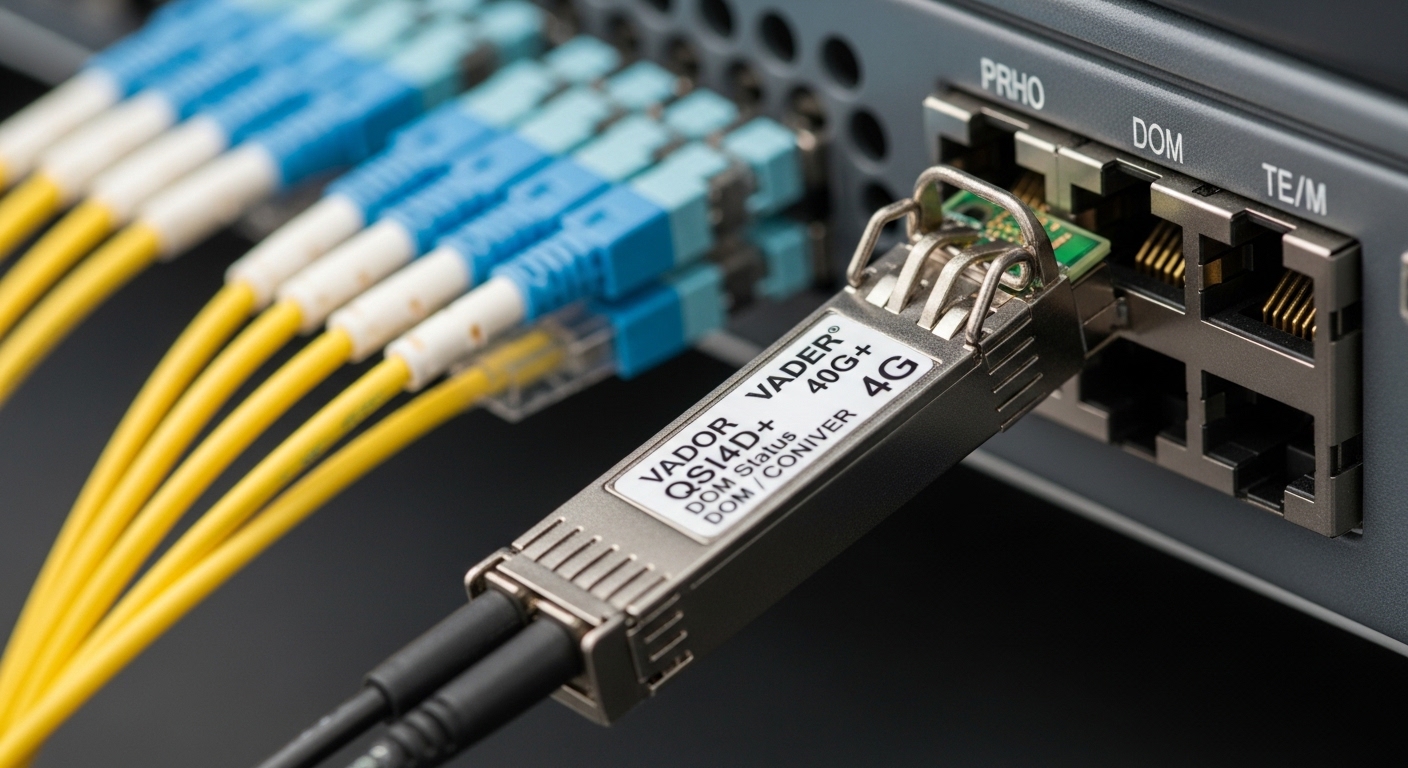
Before you pick an 800G line rate, confirm the bottlenecks that typically appear first: optics reach versus fiber plant, switch backplane and port mode support, and power or thermal headroom. In practice, a “works in the lab” transceiver can fail in production due to DOM handling, lane mapping, or vendor-specific port profiles. Treat this as an engineering readiness exercise, not a procurement exercise.
Reach and fiber plant reality
Enterprises often assume “we have multimode fiber everywhere,” but the actual mix matters: OM4 versus OM5, link length, patch cord quality, and connector cleanliness. For 800G short-reach designs, you will usually be using QSFP-DD or OSFP-class optics with parallel fibers and strict launch power and skew requirements. A quick inventory of span lengths and connector types prevents late-stage surprises.
Switch port compatibility and optic type
Many 800G-ready switches expose multiple optics profiles (for example, 800G SR8 versus 800G DR8 variants), and they may require specific transceiver vendors or revision levels to meet signal integrity targets. Even when the connector format matches, lane mapping and FEC settings can differ. Always verify support using the switch vendor’s optics compatibility list and transceiver EEPROM behavior requirements.
Power, thermal, and airflow
At 800G per port, optics and module power draw can raise inlet temperature margins. Field failures often show up as elevated error counters, intermittent link flaps, or thermal shutdown under sustained load. Use the switch’s thermal guidelines (fan speed curves and allowable inlet range) and measure actual rack inlet temperature during a full traffic test.
800G optics selection: SR8 vs DR8 style choices and what to verify
For 800G infrastructure, optics choice is usually constrained by reach and the physical layer implementation. You will commonly choose between short-reach multimode (SR8) and longer-reach single-mode (DR8) families, each with different wavelength plans, fiber types, and connector ecosystems. The safest approach is to map each uplink/downlink pair to a reach budget and then select optics that match the switch’s supported module class.
Core parameters to check on every transceiver
- Wavelength and reach (SR8 typically uses 850 nm class; DR8 uses ~1310 nm class)
- Fiber type (OM4/OM5 versus OS2 single-mode)
- Connector (MPO/MTP for parallel optics; LC for single-mode depending on module design)
- Data rate and modulation (800G uses multiple lanes; exact lane count depends on module)
- DOM support (Digital Optical Monitoring capability and vendor-defined EEPROM fields)
- Operating temperature (commercial versus industrial grade)
Practical comparison table (common 800G module classes)
The table below is a reference snapshot of widely used 800G module categories. Exact values vary by vendor and part revision, so always confirm with the specific datasheet and the switch compatibility matrix.
| Module class (example) | Target wavelength | Typical reach | Fiber type | Connector | Data rate per link | Operating temperature | Typical use case |
|---|---|---|---|---|---|---|---|
| 800G SR8 (multimode, 8-lane) | 850 nm class | ~100 m to ~150 m (OM4/OM5, depends on system) | OM4 or OM5 | MPO-16 / MTP | 800G aggregate | 0 to 70 C (check datasheet) | Top-of-rack to spine or short patch spans |
| 800G DR8 (single-mode, 8-lane) | ~1310 nm class | ~500 m to 2 km (varies by optics) | OS2 (single-mode) | LC or MPO-based single-mode design | 800G aggregate | -5 to 70 C (check datasheet) | Row-to-row or longer cross-aisle links |
| Vendor-specific 800G SR8 variants | 850 nm class | System-dependent | OM4/OM5 | MPO-16 / MTP | 800G aggregate | 0 to 70 C or broader | When switch requires a specific optic profile |
Examples of parts engineers commonly encounter include Finisar-branded 800G optics and third-party compatible modules such as FS.com SFP-10GSR-85 for 10G/legacy contexts; for 800G you should instead use the exact 800G SR8/DR8 model numbers listed on your switch’s compatibility page. For standards grounding on optical interfaces and Ethernet behaviors, use IEEE 802.3 guidance for Ethernet PHY operation and vendor datasheets for module electrical/optical limits. [Source: IEEE 802.3 Ethernet specifications] [Source: vendor transceiver datasheets]
Switch, DOM, and lane-mapping checks that prevent cutover failures
Most 800G infrastructure outages during rollout are not caused by “bad optics” in isolation. They are caused by misaligned expectations between the switch port configuration and the module’s EEPROM-reported capabilities. This is where field teams should spend time: validate DOM readings, ensure the port is in the correct optics profile, and confirm that the interface sees stable signal quality before declaring the link healthy.
Step-by-step readiness validation
- Confirm port mode: set the switch port to the intended speed and optics profile (example: 800G SR8 versus 800G DR8). Do not rely on auto-negotiation alone.
- Verify DOM fields: check laser bias current, received optical power, and temperature via the switch telemetry interface. Ensure values fall within vendor-specified operating ranges.
- Check FEC and error counters: monitor CRC/FEC-related counters during a controlled traffic run. A link that comes up but shows rising errors usually indicates a marginal fiber or connector cleanliness issue.
- Validate mapping end-to-end: confirm both ends use the correct lane mapping and fiber polarity/ordering. Parallel optics are sensitive to MPO breakout orientation.
Pro Tip: In many 800G SR8 deployments, the biggest “mystery” isn’t the transceiver model—it is the MPO polarity and dust-contaminated connectors. Field teams often resolve persistent link flaps by re-cleaning and re-terminating the MPO/MTP pair before swapping any optics, because receiver power can be just barely above the threshold while still passing link bring-up.
Selection checklist for 800G infrastructure (engineer ordering logic)
Use the following ordered list during procurement and engineering sign-off. The goal is to minimize rework and prevent a late-stage mismatch between optics, switch support, and the fiber plant.
- Distance and reach budget: measure exact path lengths (including patch cords) and confirm link budget headroom for SR8 or DR8.
- Switch compatibility list: only select optics explicitly supported for your switch model and port revision.
- Connector and polarity strategy: standardize MPO/MTP polarity handling with labeled cassettes and consistent orientation.
- DOM and telemetry behavior: verify that the switch reads the required EEPROM fields and that thresholds align with vendor recommendations.
- Operating temperature and airflow: verify module grade versus your rack inlet range; test under realistic fan speeds.
- Power and thermal impact: confirm whether the module plus switch power budget stays within thermal derating curves.
- Vendor lock-in risk: compare OEM versus third-party total cost and confirm long-term availability and replacement lead times.
- Testing plan: require burn-in or at least a structured traffic test with error counter baselines before acceptance.
Common mistakes and troubleshooting tips during 800G infrastructure rollout
Below are concrete failure modes that show up repeatedly in enterprise cutovers. Each item includes likely root cause and a field-ready fix.
Link comes up, but traffic triggers rising error counters
Root cause: marginal received optical power due to dirty MPO/MTP endfaces, damaged fiber, or a polarity mismatch. Parallel optics can be particularly sensitive to one or two lanes degrading.
Solution: clean connectors with a lint-free method and verify with an inspection scope; re-seat MPO/MTP connectors with correct polarity; if needed, replace patch cords. Then re-run traffic while watching CRC and FEC counters for stabilization.
Persistent link flaps after a cold start or during temperature swings
Root cause: thermal margin violation or module operating outside expected temperature range for your rack airflow. Another cause is fan curve mismatch after a hardware change.
Solution: measure rack inlet temperature and compare to vendor guidance; adjust fan profiles if supported; ensure no obstructed baffles; consider switching to a module grade rated for your environment. Validate again with a sustained traffic test.
Switch reports “unsupported optics” or shows incorrect DOM values
Root cause: DOM EEPROM field mismatch, incorrect module class selection, or a switch port expecting a specific optics profile (even if connector type matches).
Solution: confirm the module is on the switch’s validated compatibility list; set the port to the correct profile manually; update switch software to a version tested with the optics family. If using third-party modules, verify DOM behavior with vendor documentation.
Works at one end but not the other after a fiber move
Root cause: lane mapping polarity inversion or swapped fibers in a cassette. With parallel optics, a “mostly correct” polarity can still fail depending on lane alignment.
Solution: restore the documented polarity plan, label both ends, and verify MPO breakout orientation before concluding the optics are defective. Use a consistent cassette strategy to reduce human error.
Cost and ROI note: budgeting 800G infrastructure without surprises
In enterprise deployments, the largest costs are often not just the optics themselves, but the engineering time, testing time, and the risk of delayed acceptance. As a realistic planning range, OEM 800G optics frequently cost more per module than third-party compatible options; exact pricing depends on reach class (SR8 versus DR8), volume, and contract terms. Third-party modules can reduce upfront CAPEX, but verify compatibility lists and DOM behavior to avoid rework.
TCO planning tip: include spares strategy and lead times. If your cutover window is tight, paying for OEM availability can reduce downtime risk. Also model power and cooling impacts: even if each module’s power is moderate, higher port density can increase total rack power and fan energy, which affects operational expenditure.
For cost comparisons, use current market quotes from your procurement channel and require written compatibility confirmation from both OEM and third-party vendors. Tie acceptance to measurable counters (error-free traffic window, DOM telemetry sanity checks) rather than “module detected.” [Source: vendor datasheets and switch compatibility publications]
FAQ: 800G infrastructure readiness questions from enterprise teams
What fiber type is best for 800G infrastructure SR8 links?
For short reach, SR8 designs typically target OM4 or OM5 multimode fiber with MPO/MTP parallel connectors. The “best” choice depends on your actual link lengths and connector quality; OM5 can offer better bandwidth at distance, but you must still validate the end-to-end system budget with your specific optics and switch.
How do I confirm a transceiver is compatible with my switch?
Check the switch vendor’s optics compatibility matrix for your exact switch model and port revision. Then validate in staging by verifying DOM telemetry fields and monitoring error counters during a traffic run.
Is third-party 800G optics safe for production?
It can be safe if the module is explicitly supported (or at least validated) for your switch and if DOM behavior matches what the switch expects. Require a documented compatibility statement, test in staging, and keep a short rollback plan that includes OEM spares.
Why do I see link up but intermittent packet loss?
Common causes include dirty MPO/MTP connectors, marginal received power, and polarity or lane mapping errors. Re-clean and re-seat connectors first, then check optical power and FEC-related counters while running continuous traffic.
What operating temperature issues should I watch?
Watch rack inlet temperatures and airflow obstruction that can push modules beyond their rated operating range. If you notice flaps after a cold start or under sustained load, correlate events with temperature and fan curve changes.
What should I include in my acceptance test for 800G infrastructure?
Include a traffic duration long enough to capture thermal and link stability behavior, plus baseline error counter checks. Record DOM telemetry (temperature, bias current, received optical power) and compare against vendor thresholds for the module class.
If you want the next step after optics selection, use 800G cabling polarity and cleaning workflow to standardize MPO/MTP handling and avoid the most common 800G bring-up failures. With consistent cabling practices, verified compatibility, and measurable acceptance criteria, 800G infrastructure cutovers become far more predictable.
Author bio: I am a network engineer who has deployed multi-vendor high-speed optics in production data centers, focusing on compatibility testing, optics telemetry validation, and cutover reliability. I write with field constraints in mind: thermal limits, connector cleanliness, error-counter baselining, and operational rollback plans.
