
In a live 5G rollout, the wrong optics can turn a clean fiber plant into intermittent alarms, CRC spikes, and surprise truck rolls. This guide helps network engineers, reliability leads, and field technicians choose 5G transceivers that match IEEE Ethernet link requirements, vendor switch behavior, and real environmental constraints. You will get a decision checklist, troubleshooting patterns, and a practical way to estimate TCO and MTBF risk.
Where 5G optics fail in the field: fronthaul versus backhaul
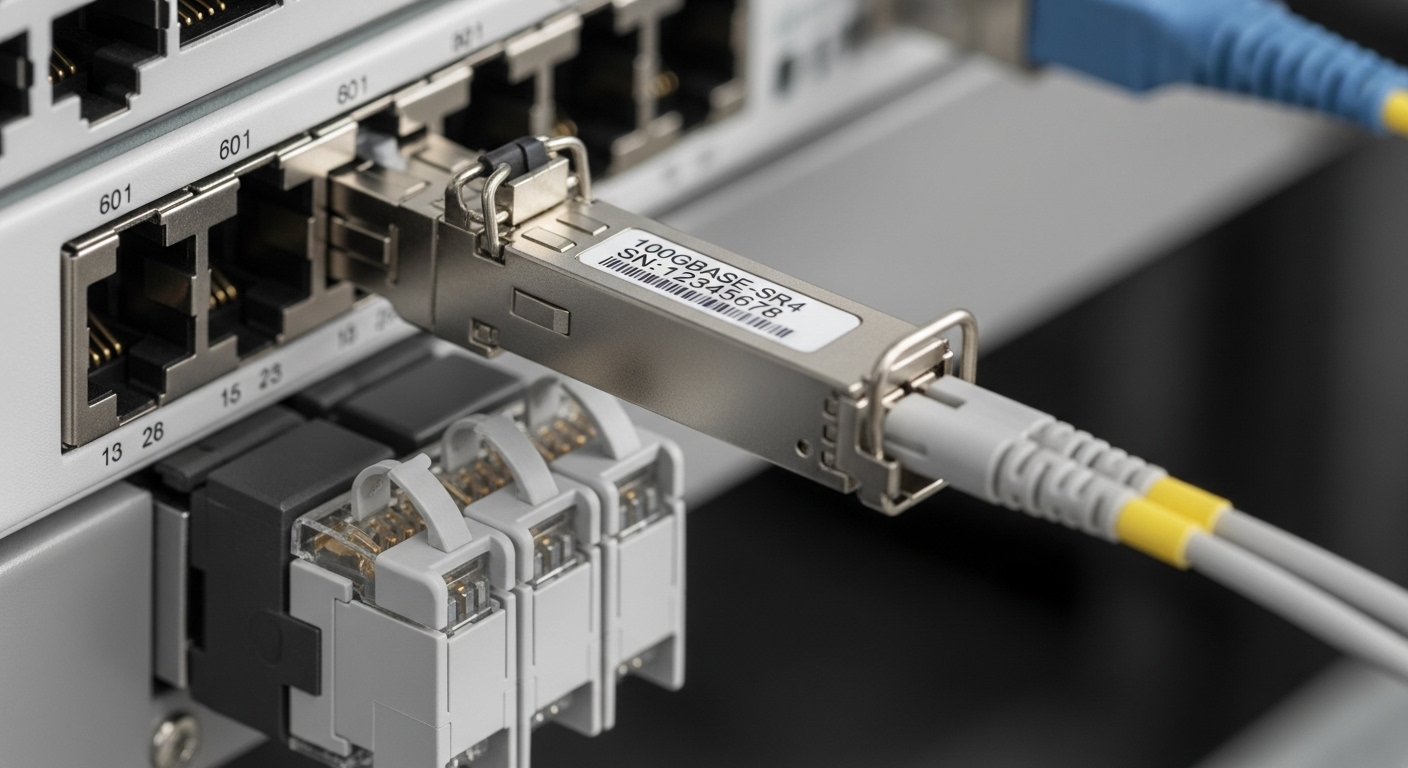
For 5G, optics split into different traffic and latency expectations. Fronthaul typically carries time-sensitive transport between distributed units and radios, so jitter and link stability matter under temperature swings. Backhaul is more forgiving on latency but can still suffer from burst errors when optics power, DOM reporting, or fiber cleanliness are off-spec.
From a reliability engineering view, you are not only choosing wavelength and reach. You are also choosing a repeatable operating envelope: laser bias currents, receiver sensitivity, and thermal behavior that must survive airflow changes in outdoor cabinets and data center row swaps. Vendors publish temperature ranges, but your plant may impose higher gradients than the datasheet assumes.
Key standards and what they imply for link stability
- Ethernet PHY behavior follows IEEE 802.3 optical interface families, including link training and receiver sensitivity targets. [Source: IEEE 802.3]
- Optical transceiver control and diagnostics use digital monitoring (DOM) registers; field tooling reads them through the switch. Compatibility varies by vendor.
- Fiber handling practices align with IEC and TIA cleanliness expectations; contamination often dominates random link drops.
Specs that actually decide compatibility: wavelength, reach, power, and temperature
Most failures trace back to mismatch: a switch expects a certain optical budget, or the transceiver reports DOM values that trigger safety thresholds. Start with the intended interface type (for example, 10G SFP+ for backhaul aggregation, or 25G SFP28 for higher density leaf links feeding gateways). Then map reach to your fiber type and link loss budget.
Quick comparison table for common transceiver families
| Transceiver family | Typical data rate | Wavelength | Connector | Reach (typical) | Tx/Rx power or budget (typical class) | Temperature range | DOM |
|---|---|---|---|---|---|---|---|
| SFP+ SR | 10G | 850 nm | LC | ~300 m on OM3 / ~400 m on OM4 | Short-reach optical budget class | 0 to 70 C (standard) or wider options | Often supported |
| SFP28 SR | 25G | 850 nm | LC | ~100 m on OM3 / ~150 m on OM4 | Short-reach optical budget class | 0 to 70 C (standard) | Common |
| SFP+ LR | 10G | 1310 nm | LC | ~10 km on SMF | Long-reach class budget | -5 to 70 C (typical) | Common |
Concrete examples you may encounter in procurement: Cisco SFP-10G-SR, Finisar FTLX8571D3BCL, and FS.com SFP-10GSR-85. Always verify the exact optical class and DOM behavior on the target switch model before field deployment. [Source: Cisco datasheets] [Source: Finisar datasheets] [Source: FS.com datasheets]
Pro Tip: In carrier environments, the “right” reach can still fail if your fiber plant has high connector reflectance or macro-bends. Before blaming the 5G transceivers, run an OTDR trace and confirm patch cord loss and cleanliness at both ends; optics often only reveal a fiber problem.
Selection criteria checklist for 5G transceivers
Use this ordered list during quoting, lab validation, and change control. It is written for reliability reviews and ISO 9001-style traceability: each decision has evidence.
- Distance and fiber type: Confirm OM3 versus OM4 versus SMF, then calculate link loss including splices, connectors, and patch cords.
- Switch compatibility: Validate with the exact switch line card and firmware. Some platforms lock optics by vendor ID or DOM thresholds.
- DOM and alarm thresholds: Confirm the switch reads Tx bias, Tx power, and Rx power without triggering “unsafe” states.
- Operating temperature and airflow: Prefer transceivers rated for your worst-case cabinet temperature and expected airflow. Outdoor enclosures can exceed indoor assumptions during midday sun.
- Optical safety and compliance: Ensure compliance with laser safety classes and vendor guidance for use with fiber plant limits.
- Vendor lock-in risk: OEM optics may reduce surprises, but third-party can be acceptable if validated and traceable. Track part numbers and warranty terms.
Reliability-minded validation steps
- Run a staged burn-in for at least 24 to 72 hours at high temperature if your risk model demands it; log DOM telemetry every minute.
- Measure link error counters under load (CRC, FCS, and interface drops). A stable link should show no sustained CRC increases.
- Use repeatable test patterns and port profiles; field failures often appear only at specific traffic mixes.
Common mistakes and troubleshooting patterns
When alarms start, speed matters, but so does root cause discipline. Here are frequent failure modes seen in deployments.
Receiver sensitivity mismatch disguised as “bad optics”
Root cause: Fiber loss or connector loss exceeds the transceiver’s optical budget, so the receiver operates near sensitivity. Symptoms: Link flaps at temperature peaks; errors rise under higher load. Solution: Re-measure end-to-end loss, clean connectors, and replace worst patch cords; re-run OTDR to confirm splice quality.
DOM alarms due to threshold differences
Root cause: Some third-party modules report DOM values that trigger switch safety thresholds, even when the link can pass. Symptoms: “Optics out of range” syslog messages, sometimes without heavy traffic errors. Solution: Confirm DOM register behavior on the target switch model and firmware; consider an approved transceiver list.
Dirty connectors and micro-scratches at the patch panel
Root cause: Contamination and physical damage increase insertion loss and can raise bit error rate. Symptoms: Intermittent errors after maintenance, door open events, or vibration. Solution: Inspect with a fiber microscope, clean with correct tools, and replace any scratched endfaces; validate with a known-good reference module.
Cost and ROI note: OEM versus third-party in a 5G budget
Pricing varies by region and volume, but a realistic planning range for common pluggables is often: OEM-style optics at roughly $80 to $250 per module, while validated third-party options may land around $25 to $120 depending on reach and brand. TCO is dominated by failure handling: truck rolls, downtime penalties, and the engineering time spent chasing “intermittent” issues.
From an MTBF perspective, your biggest ROI comes from reducing variability: choose optics with consistent DOM behavior, ensure a documented acceptance test, and keep spares matched to the approved part numbers. If you cannot validate third-party modules on your specific switch platform, the apparent unit cost savings can evaporate after field incidents.
FAQ: buying decisions for 5G transceivers
Which 5G transceivers are best for fronthaul?
It depends on your transport architecture and latency constraints, but engineers often start by matching the interface standard on the DU to the corresponding Ethernet PHY family. Validate reach and optical budget against your measured fiber loss, then confirm DOM alarm behavior on the exact switch or aggregation device. [Source: IEEE 802.3]
Can I mix OEM and third-party 5G transceivers?
You can, but only after compatibility testing with the target switch model and firmware. Mixing part numbers can expose DOM threshold mismatches or vendor-specific behavior that triggers safety alarms. Maintain an approved list and document acceptance results.
What temperature range should I plan for?
Plan for the worst-case cabinet or rack environment, not the lab baseline. Standard ranges like 0 to 70 C may be insufficient for hot outdoor enclosures unless airflow and shading are guaranteed. Use sensors to measure your real gradients before finalizing the BOM.
How do I estimate MTBF risk for optics?
Use vendor reliability data where available, but treat field reality as the primary input: your cleaning discipline, vibration exposure, and thermal cycling profile. Track failure returns by part number and module lot, and correlate with DOM telemetry trends collected during operations.
What is the fastest troubleshooting sequence for link flaps?
First verify fiber loss and connector cleanliness at both ends, then check DOM telemetry for Tx/Rx power trends and alarm thresholds. Finally, swap in a known-good reference module on the same port to isolate whether the issue is module-specific or link-plant specific.
If you are planning your next procurement, start with the checklist above and validate optics in the same switch and environmental conditions you will run in production. For related reliability planning, see optical link budget and acceptance testing.
Author bio: I have managed optical reliability programs for carrier and data center networks, including DOM telemetry monitoring and environmental validation plans. My work focuses on traceable acceptance testing, MTBF risk reduction, and field-ready troubleshooting procedures.
