
In a modern leaf-spine data center, the transceiver choice quietly decides whether your fabric stays calm or turns into a chronic troubleshooting queue. This article compares 400G vs 800G optics through the lens of how engineers actually deploy them: port density math, fiber reach, power budgets, DOM visibility, and switch compatibility. It helps network and optical engineers, data center operators, and procurement teams align performance goals with operational reality.
Top 7 decision points: 400G vs 800G transceivers in the wild
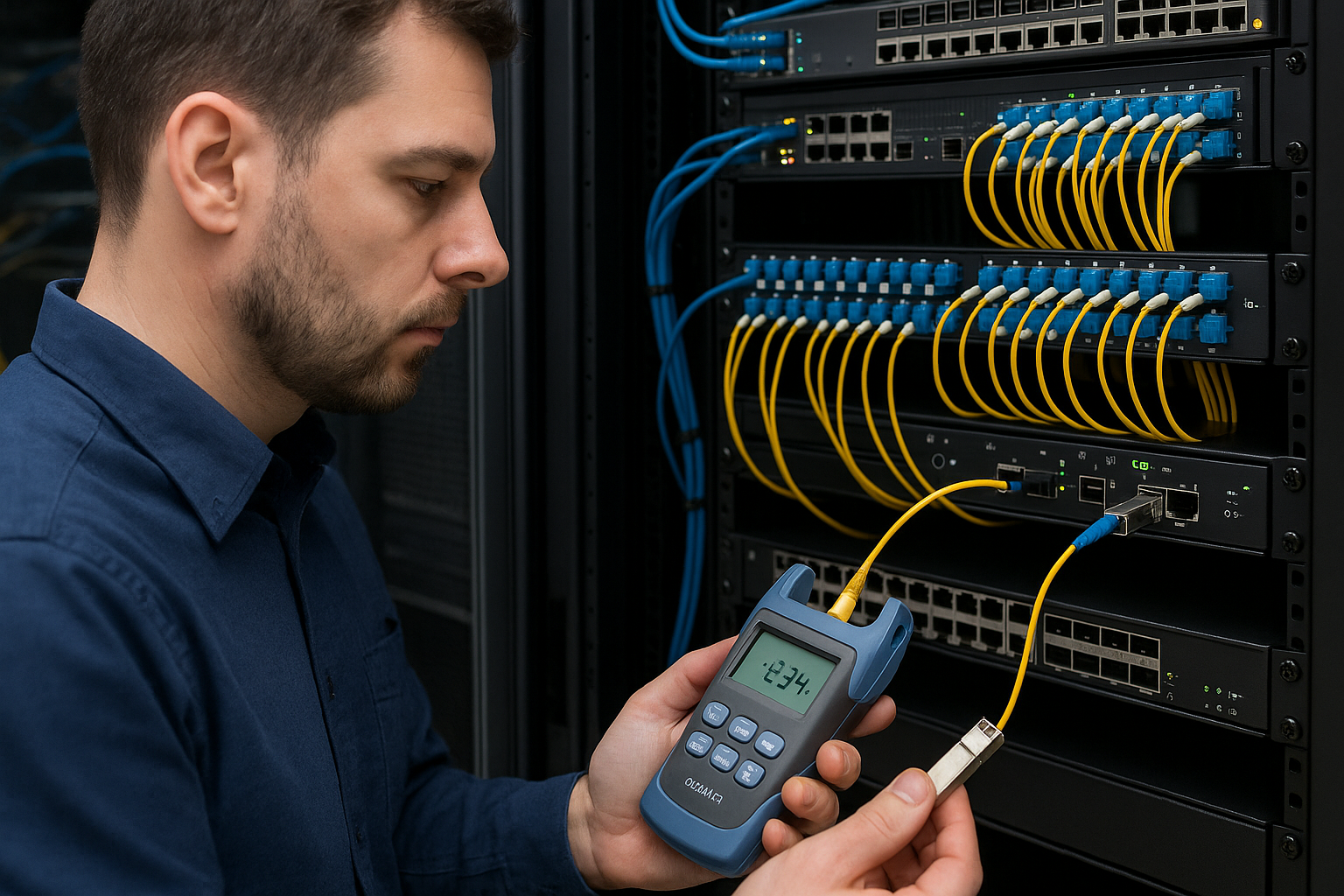
Before you even open a datasheet, engineers weigh a small set of practical constraints that determine whether 400G vs 800G becomes a smooth upgrade or a risky experiment. Below are seven field-tested selection points, each with concrete specs, best-fit scenarios, and pros and cons.
Line rate and port density: where 800G changes the wiring math
At the physical layer, 400G transceivers typically map to 8 lanes of 50G (or equivalent electrical lane groupings depending on the vendor), while 800G optics generally use a higher lane count and/or tighter lane grouping. In practice, this affects how many uplinks you can place per top-of-rack (ToR) switch and how many optics and patch cords you need. The bigger the target bandwidth per rack, the more 800G can reduce the number of active transceiver positions and associated optics inventory.
However, “more speed” is not automatically “more simplicity.” Some switch platforms support 800G only on specific port groups, with particular optics families and power modes. Engineers should confirm that the target switch ASIC supports the exact transceiver type and that the module is on the platform’s validated optics list.
- Best-fit for 400G: Stable capacity upgrades where optics are already validated and fiber plant is mature.
- Best-fit for 800G: High-density fabrics where you want fewer optics per Tbps and can meet compatibility requirements.
Pros: 800G can improve optics count and port utilization; 400G often has broader ecosystem support. Cons: 800G may be limited by switch port-group support and power/thermal envelopes.
Reach and wavelength: short-reach reality for 400G vs 800G SR optics
Most high-performance data centers use short-reach multimode or short-reach single-mode optics, depending on cabling type and distance. For SR deployments, engineers often choose optics aligned to OM4 or OM5 multimode fiber (MMF) for lower cost and easier handling. For 400G and 800G, the common short-reach families are typically labeled SR4 or similar lane-grouping variants for 400G, and SR8 or equivalent for 800G, though naming conventions vary by vendor.
From an engineering standpoint, the key variables are wavelength band, typical link distance under specified fiber grades, and whether the transceiver is designed for direct-attach cabling (DAC), active optical cable (AOC), or pluggable fiber. Always tie the module to the fiber plant spec and your link budget assumptions.
| Spec category | Typical 400G SR optics | Typical 800G SR optics |
|---|---|---|
| Data rate | 400 Gbps aggregate | 800 Gbps aggregate |
| Common “SR” labeling | Often SR4-style lane grouping | Often SR8-style lane grouping |
| Wavelength band | Usually around 850 nm for MMF SR | Usually around 850 nm for MMF SR |
| Reach target (typical) | Often 100 m class on OM4/OM5 (vendor-dependent) | Often 100 m class on OM4/OM5 (vendor-dependent) |
| Connector | LC duplex (common) for SR fiber links | Likely LC duplex with higher lane count (vendor-dependent) |
| DOM support | Commonly supported (per vendor) | Commonly supported (per vendor) |
| Operating temperature | Typically commercial or industrial variants (vendor-dependent) | Typically commercial or industrial variants (vendor-dependent) |
For authoritative grounding, engineers align expectations with IEEE physical layer behavior and vendor optics specs rather than relying on marketing reach claims. For Ethernet physical layer background, see IEEE 802.3 references via vendor ecosystem documentation and standards summaries. IEEE 802.3 standards portal [Source: IEEE 802.3]. For optics behavior and DOM concepts, validate against each vendor’s datasheet and DOM implementation notes.
Pros: If your fiber plant supports the reach, SR optics are the lowest operational friction. Cons: Reach is tightly coupled to fiber grade, patch panel quality, and vendor-specific equalization limits.
Power and thermal budget: the hidden constraint when scaling to 800G
Power is where 400G vs 800G often diverges in day-two operations. Even if the aggregate watts per Gbps looks comparable across generations, the absolute power per module can be higher for 800G, and that can stress switch airflow paths. Engineers typically evaluate both transceiver power and the chassis thermal design: inlet air temperature, fan curves, and the expected heat load per port group.
In one real deployment pattern, a company with 48 ToR switches per pod planned an uplink upgrade from 400G to 800G. They measured the rack’s inlet temperature at 24.5 C during peak load, then compared module power draw against the switch’s thermal throttling thresholds. The upgrade only proceeded after verifying that the intended port groups were not in a high-derating zone under the facility’s cooling setpoint.
- Best-fit for 400G: When you must preserve headroom in a thermally constrained chassis.
- Best-fit for 800G: When the switch platform has validated 800G thermal headroom and your cooling plan matches the expected delta.
Pros: 800G can reduce the number of modules per Tbps, sometimes lowering total optics count. Cons: Individual module power and port-group airflow constraints can force design changes.
Compatibility and interoperability: vendor lock-in is not a myth
In procurement and field rollout, compatibility matters more than theoretical performance. Many switch vendors validate optics by SKU and require specific transceiver families to work without warnings, err-disabled states, or degraded link margins. This is especially true when you move from 400G to 800G, where port group support may be narrower and firmware expectations stricter.
Engineers should verify: (1) the exact switch model and firmware release, (2) the optics part number family, (3) whether the platform requires a specific vendor’s DOM format, and (4) whether the transceiver is supported for the target distance and fiber type. When using third-party optics, plan for a validation window and keep a fallback inventory of known-good modules.
Pro Tip: Even when a transceiver “lights up,” engineers sometimes miss that the switch can negotiate a fallback equalization profile after detecting marginal signal quality. That can look fine for weeks, then fail after a patch-panel remap or a temperature shift. Always capture DOM metrics and optical receive power at commissioning and after any cabling change.
Pro Tip: Commission with DOM polling enabled, log Rx power and module temperature, then set alert thresholds. In practice, marginal links often show subtle Rx power drift before they ever produce link flaps.
DOM, telemetry, and automation: operational confidence at scale
DOM (Digital Optical Monitoring) enables engineers to observe transceiver health: transmit power, receive power, bias current, laser temperature, and sometimes diagnostics like link status and alarms. For 400G vs 800G, the practical difference is often not whether DOM exists, but how reliably it reports across vendors and whether the switch’s management plane ingests those fields consistently.
In a fleet environment, a network team may use automation to correlate DOM alarms with interface events, then trigger ticket creation. If the 800G modules report diagnostics with different scaling or field naming, automation can misclassify “normal drift” as “critical failure,” causing alert fatigue. Conversely, a mismatch can hide a genuine issue if the monitoring thresholds are not aligned to the vendor’s DOM behavior.
- Best-fit for 400G: When you have mature monitoring templates for your current optics vendor.
- Best-fit for 800G: When you can validate DOM field mapping and update your telemetry thresholds.
Pros: Good DOM reduces mean time to repair (MTTR). Cons: DOM interoperability varies; automation scripts must be tested.
Field serviceability: what your tech will actually touch
Transceivers are plug-and-play until they are not. When a link fails, the technician needs to identify the module, verify the connector type, inspect fiber polarity and cleanliness, and confirm that the replacement module is the right SKU for the port group. With 800G, the physical form factor and lane count can increase the complexity of handling, and the connectorization approach may differ by vendor.
During a maintenance window, a team may swap a module and then observe link loss until the fiber is reseated and the patch cord is cleaned. In one common root cause pattern, dust on LC ferrules causes higher insertion loss, which pushes the receiver near its sensitivity boundary. The result is intermittent errors that vanish after cleaning, only to return with humidity changes.
Pros: Both 400G and 800G can be serviced quickly if standardized connector and cleaning practices are in place. Cons: 800G deployments can amplify the impact of marginal optics or dirty connectors due to tighter link margins.
Cost and ROI: where 800G wins on architecture, not just unit price
Cost is not only the per-module price; it is also the total cost of ownership: inventory complexity, failure rate handling, spares strategy, and power and cooling impacts. In many procurement cycles, third-party optics can reduce unit cost, but the ROI depends on whether compatibility is smooth and whether DOM telemetry works as expected. OEM optics may cost more, yet they often reduce integration risk with a specific switch and firmware pair.
As a realistic planning range, many enterprises see optics pricing that can vary widely by vendor and spec. For budgeting, treat OEM 400G short-reach optics as often lower unit cost than OEM 800G, while third-party pricing can be materially lower but requires validation. If you are upgrading 48 ToR switches and need fewer optics per Tbps using 800G, the optics count reduction can offset part of the higher unit price, especially when spares are also reduced.
- ROI-friendly for 800G: When your architecture benefits from fewer optics, and your switch platform supports validated 800G with adequate thermal headroom.
- ROI-friendly for 400G: When you need predictable compatibility and can scale capacity without changing port group strategy.
Pros: 800G can lower optics inventory per Tbps and support higher bandwidth per rack. Cons: Upfront integration and validation effort can be higher for 800G.
Selection criteria checklist: how to choose 400G vs 800G
Use this ordered checklist like a field briefing. It is designed to prevent the most expensive mistakes: buying the wrong optics family, underestimating reach constraints, or discovering compatibility issues too late.
- Distance and fiber type: Confirm OM4 or OM5 grade, link length including patch panels, and connector cleanliness practices.
- Switch compatibility: Verify the exact switch model, firmware version, and validated optics list for the target port group.
- Power and thermal budget: Compare module power draw against the chassis airflow design and facility inlet temperatures.
- DOM support and telemetry mapping: Ensure the management plane can ingest DOM alarms and that thresholds match vendor behavior.
- Operating temperature class: Match commercial vs industrial transceiver variants to your rack environment.
- Vendor lock-in risk: Decide whether to standardize on OEM optics or validate a third-party lane plan with a rollback inventory.
- Spare strategy and failure handling: Plan how many spares you need per site and how you will rotate modules during maintenance.
Common mistakes / troubleshooting: failure modes that cost days
Below are common pitfalls engineers encounter when deploying 400G vs 800G optics. Each includes a likely root cause and a practical solution path.
-
Mistake: Assuming reach claims are universal across fiber plants.
Root cause: Vendor reach is based on specific fiber grade, connector loss, and patch cord quality; your plant may exceed insertion loss.
Solution: Measure end-to-end loss using a certified OTDR or insertion loss test, then validate with the exact optics SKU and a temporary known-good jumper. -
Mistake: Installing compatible-looking modules but on unsupported port groups.
Root cause: Some chassis validate 800G only on certain lanes/ASIC slices; others may come up with warnings or intermittent link drops.
Solution: Cross-check port group mapping in the switch documentation and confirm firmware supports that specific optics family. -
Mistake: Skipping DOM telemetry validation after cabling changes.
Root cause: DOM thresholds and equalization profiles can shift after remaps; marginal links may not flap immediately.
Solution: Log Rx power and module temperature at commissioning, then repeat after any fiber move; set alerts on drift, not only on link-down events. -
Mistake: Treating dirty connectors as “rare.”
Root cause: LC ferrule contamination is common and worsens with handling, humidity, and repeated insertions.
Solution: Use a fiber inspection scope, clean ferrules with approved swabs, and replace any patch cords that show scratches or persistent contamination.
FAQ: 400G vs 800G transceivers for high-performance data centers
Q1: Is 800G always better than 400G for data center uplinks?
A: Not always. 800G can reduce optics count and improve per-rack bandwidth, but it may be constrained by switch port-group support, thermal headroom, and tighter link margins on SR optics. If your platform validates 400G broadly and your fiber plant is already qualified, 400G can be the safer path.
Q2: What fiber type should I plan for when comparing 400G vs 800G SR modules?
A: Common choices are OM4 or OM5 multimode fiber for short-reach deployments, but the required loss budget depends on your patch panel and connector quality. Always validate with your exact link length and connector configuration rather than relying on a generic “100 m” label.
Q3: Can I mix 400G and 800G optics in the same switch?
A: Often yes, but only if the switch supports both optics families and each port group is validated for the installed module type. Mixing can also complicate telemetry thresholds and automation assumptions, so confirm DOM field mapping and monitor behavior per module family.
Q4: Are third-party optics a good way to cut costs for 800G?
A: They can be, but only after a validation cycle on the specific switch model and firmware you run. The biggest risk is not “it won’t link,” but “it links with degraded equalization or different DOM behavior,” which can increase error rates over time.
Q5: What should I measure during commissioning for 400G vs 800G?
A: Capture DOM metrics such as Rx power, module temperature, and any vendor-specific alarm counters. Also run interface error checks (CRC/alignment errors) and verify optical link stability under normal load, then re-check after any fiber handling event.
Q6: Do both 400G and 800G support DOM monitoring?
A: Most modern pluggable optics support DOM, but the exact fields, scaling, and alarm thresholds can vary by vendor and platform. Validate that your monitoring system interprets the DOM values correctly for each transceiver family.
In most real deployments, the decision between 400G vs 800G becomes an exercise in compatibility, thermal headroom, and fiber loss discipline—not just raw speed. If you want the safest rollout, start with validated optics on your switch platform, log DOM telemetry, and treat reach as a measured budget.
Next, compare form factors and standards expectations using QSFP-DD vs OSFP optics to align module selection with your chassis port architecture.
| Priority rank | When to choose 400G | When to choose 800G |
|---|---|---|
| 1 | Switch has broad validated 400G support and stable thermal headroom | Switch has validated 800G port groups and you need higher bandwidth per rack |
| 2 | Fiber plant is already qualified with conservative loss margins | You can re-qualify fiber links and accept tighter margin management |
| 3 | Monitoring automation is already tuned for your current optics vendor | You can validate DOM telemetry mapping and alert thresholds |
| 4 | You want minimal integration risk during phased upgrades | You can run a controlled pilot with rollback inventory and measured acceptance tests |
| 5 | Procurement prefers predictable compatibility and spares strategy | Architecture benefits from fewer optics per Tbps and reduced inventory complexity |
Disclaimer: This article is for informational purposes only and does not constitute legal advice. For contractual or procurement disputes, consult qualified counsel. Optical compatibility and specifications must be confirmed with your specific switch vendor documentation and optics datasheets.
Author bio: I have deployed and troubleshot high-density Ethernet optics in production data centers, including DOM telemetry validation and link-budget acceptance testing. I write from field experience to help teams reduce integration risk when selecting between 400G and 800G optics.
