
If you have ever watched a 400G link flap after a “successful” install, you know the pain: the transceiver performance looked fine in the datasheet, but the real optics, fiber plant, and switch optics budget told a different story. This article helps network engineers, field techs, and ops leaders validate 400G optics using measurable performance metrics, then choose between common transceiver options with a clear ROI lens. You will leave with a practical checklist, troubleshooting playbooks, and a cost-aware decision matrix.
400G transceiver performance: what actually gets measured?
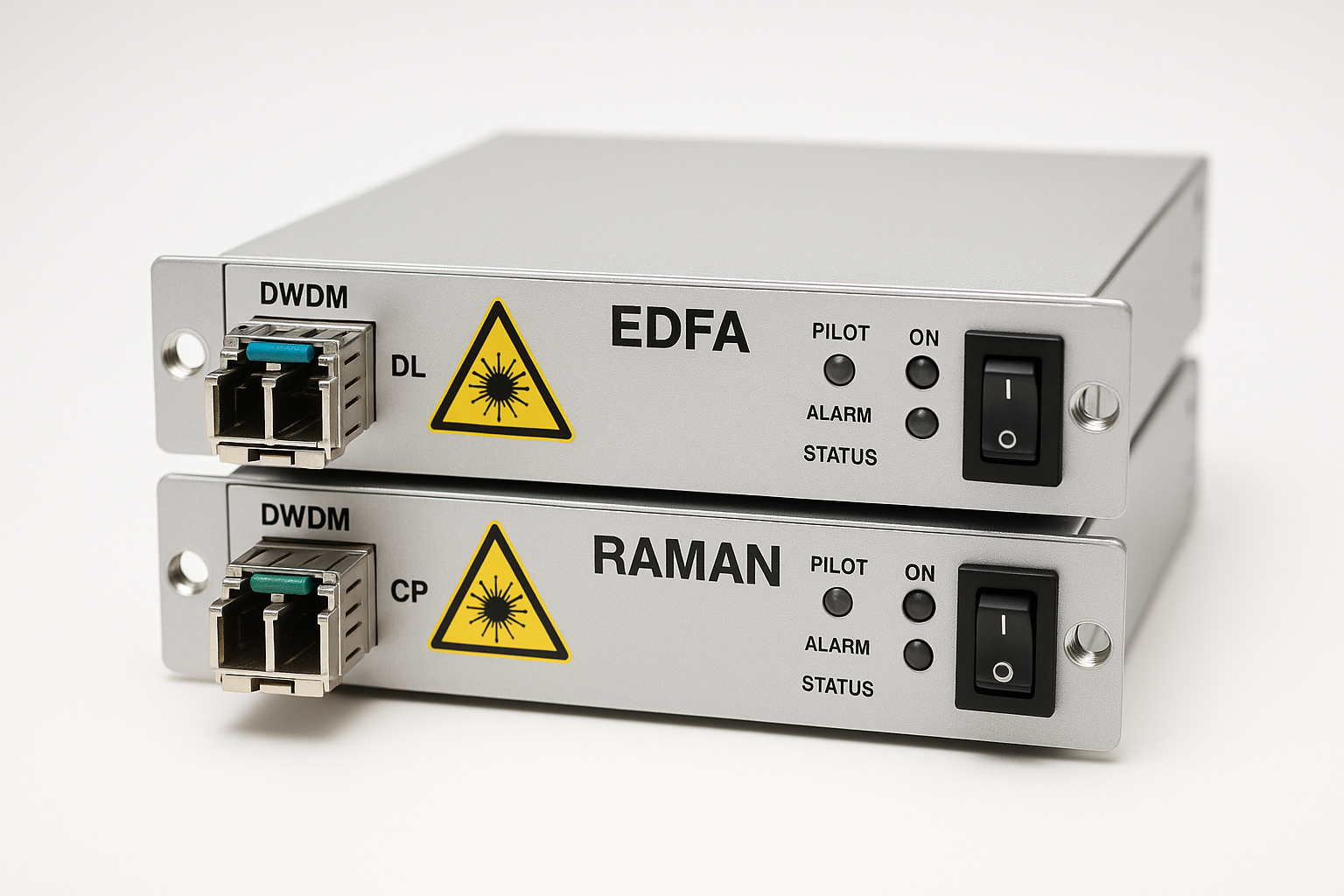
“Transceiver performance” in real networks usually means more than reach and wavelength. For 400G, engineers care about how the optics behave under temperature swings, how the link meets optical power and receiver sensitivity, and whether the module stays inside the switch’s electrical/optical compliance limits over time. In practice, you validate both the optical physical layer and the transport behavior (BER, FEC status, error counters) so you can prove the link is not just up, but stable.
At a minimum, you want to confirm these measurable items during bring-up and after any change (new patch cords, reroute, schedule updates, firmware changes). Most modern 400G transceivers expose telemetry like laser bias current, received optical power, and temperature via management interfaces (commonly QSFP-DD MSA style). Meanwhile, the switch provides counters for CRC/FCS errors, symbol errors, and FEC statistics, depending on vendor.
Key performance metrics to verify
- Optical transmit power (dBm) and receive power (dBm) at the switch port. You want to see a healthy margin around the module’s specified operating range.
- Receiver sensitivity and overload: ensure you are above sensitivity but not too high to cause saturation or nonlinear penalties.
- BER / error rate: either measured directly (lab gear) or inferred from switch counters and FEC correction statistics.
- FEC status: whether the link is operating within the FEC correction capability. “Link up” is not the same as “FEC comfortably within budget.”
- Thermal stability: confirm module temperature stays in range and that link errors do not correlate with thermal events.
Where standards and compliance show up
The industry anchors for 400G optical interfaces are rooted in IEEE Ethernet physical layer definitions and the QSFP/QSFP-DD ecosystem guidelines. For Ethernet over fiber, the general framework aligns with IEEE 802.3 for PHY behavior and link error monitoring concepts, while the exact optical parameters come from vendor datasheets and transceiver interface standards. For management and module behavior, the QSFP-DD and related pluggable interface specs (including digital diagnostics) govern what telemetry you can read and how.
Helpful references include [Source: IEEE 802.3], plus vendor datasheets for specific modules such as Cisco, Finisar/II-VI, and FS. For those who do audits, also consult ANSI/TIA-568 for fiber cabling practices and test expectations in structured cabling environments. anchor-text: IEEE 802.3 standard anchor-text: ANSI/TIA fiber cabling guidance
Pro Tip: In many field cases, “mystery instability” comes from marginal received power combined with connector contamination. If you only check optics at install time and skip cleaning verification, you may miss the slow drift that shows up days later as rising FEC correction counts.
400G SR8 vs FR8 vs LR8: performance tradeoffs you can price
When people compare 400G optics, they often start with reach. For transceiver performance, reach is only one axis. You also need to account for optical budget, fiber type and link loss, connector quality, and how the switch’s optics budget interacts with the module’s transmitter characteristics. In other words: the “same” 400G rate can behave very differently depending on whether you are using short-reach (SR8) optics for a data center fabric or long-reach (LR8/FR8) optics for metro links.
Head-to-head comparison: common 400G optical families
Below is a practical comparison to ground the discussion. Values vary by vendor and specific part number, so always confirm with the datasheet for your exact module. Still, the ranges reflect typical expectations for 400G pluggables in the industry.
| Option | Typical interface | Nominal wavelength | Typical reach | Fiber type | Connector | Operating temp range | Power / power budget impact |
|---|---|---|---|---|---|---|---|
| 400G SR8 (short reach) | QSFP-DD (400GBASE-SR8) | 850 nm (8 lanes) | ~70 m to ~100 m class (OM4/OM5 dependent) | OM4/OM5 multimode | MT ferrules (MPO-12) | Often around -5C to 70C (module dependent) | Lower optical budget; sensitive to patch loss and cleanliness |
| 400G FR8 (short reach extended) | QSFP-DD (400GBASE-FR8) | ~1310 nm (8 lanes) | ~2 km class | Single-mode | LC (often 8-lane mux/demux inside) | Similar pluggable temp range | More margin than SR; still depends on link loss and dispersion |
| 400G LR8 (long reach) | QSFP-DD (400GBASE-LR8) | ~1310 nm (8 lanes) | ~10 km class | Single-mode | LC | Similar pluggable temp range | Budget includes dispersion and aging; careful with patch cord loss |
Real examples: module part numbers used in the field
In real installations, you will see recognizable module families. For instance, a common 400G SR8 example is a QSFP-DD 400GBASE-SR8 module from major vendors; Finisar/II-VI has long shipped multi-lane 400G optics such as FTLX8571D3BCL for certain 100G/400G families (always confirm the exact speed class and connector). FS.com and other suppliers also offer 400G SR8 QSFP-DD modules (often with OM4/OM5 reach claims), including variants like “SFP-10GSR-85” for 10G optics, which are useful to understand optics budget behavior even though the speed class differs. For 400G-specific validation, rely on the exact QSFP-DD 400GBASE-SR8/FR8/LR8 datasheet for wavelength, lane count, and diagnostics.
anchor-text: Cisco transceiver and compatibility resources anchor-text: Finisar/II-VI optics datasheets
Compatibility and link stability: the switch optics budget is part of transceiver performance
Here is the uncomfortable truth: transceiver performance is a system outcome. The switch optics budget, lane mapping, and signal integrity expectations determine whether a module can meet error-rate targets in your specific chassis and firmware combination. Even when the transceiver is “supported,” the margin you have can shrink if you mix vendors, use longer-than-expected patch cords, or run in warmer-than-average racks.
Engineers should treat compatibility as a performance metric, not an administrative checkbox. Most vendors publish a compatibility matrix or transceiver support list, and many also provide guidance on which optical standards and revision levels work best with specific switch models.
What to check before you plug in
- Switch model and software version: confirm the optics feature set and FEC behavior matches the module type. Firmware updates can change error counter interpretation and sometimes optics handling.
- Transceiver type and interface standard: ensure it is the correct 400GBASE-SR8, FR8, or LR8 variant for the port breakout.
- Connector and fiber type: SR8 typically expects OM4/OM5 multimode with MPO-12; FR8/LR8 use single-mode with LC.
- DOM support and telemetry mapping: verify the switch reads vendor digital diagnostics (temperature, bias, Tx/Rx power) reliably. If the telemetry is missing or off, you lose your ability to prove transceiver performance.
- Electrical lane mapping: confirm the switch uses the same lane reversal or polarity handling required by your module and patching method.
Decision criteria / checklist engineers actually use
- Distance and link loss: calculate loss using fiber test results (dB) plus connector and splice assumptions; do not rely on “cable length” alone.
- Budget margins: aim for a conservative received power margin, not the bare minimum spec. Typical best practice is leaving headroom for aging and cleaning variability.
- Budget vs module cost: OEM modules often cost more but can reduce risk if your environment is strict about support and warranty.
- Switch compatibility: use the vendor support list; test in a staging rack if the module is third-party.
- DOM and monitoring: confirm the switch can read temperature and optical power; otherwise your troubleshooting time rises.
- Operating temperature: check both module and switch intake temps; transceiver performance can degrade near upper limits.
- Vendor lock-in risk: decide whether you can tolerate OEM-only replacements or whether third-party spares are acceptable after validation.
Pro Tip: When you read received optical power at the switch, compare it to your fiber test report from the same path. If the numbers disagree by more than about 1 dB, suspect connector damage or a patch cord mismatch before you blame the transceiver.
Cost and ROI: OEM vs third-party modules without the fantasy math
Let’s talk money, because transceiver performance decisions always become cost decisions. Typical street pricing varies by speed class, reach, and vendor, but for 400G QSFP-DD optics you should expect meaningful price spreads between OEM and third-party. In many data centers, the “cheap module” ROI disappears if it increases truck rolls, extends maintenance windows, or forces you into slower troubleshooting cycles.
Realistic TCO often includes: module purchase price, expected failure rate, spares strategy, labor for swaps, downtime cost, and the risk of incompatibility that causes repeat failures. OEM optics commonly come with tighter integration assurances and faster RMA paths. Third-party optics can work well, but you must validate transceiver performance in your exact switch model and firmware, then document the results for audit and future replacements.
What ROI looks like in a real ops plan
Suppose you need 96 optics in a leaf-spine fabric. If an OEM 400G module is priced materially higher than a third-party option, you might save on BOM. But if the third-party module increases the average time-to-repair by even 30 minutes per incident due to telemetry quirks or marginal optics budget, the labor and downtime cost can overwhelm the savings. The ROI question becomes: can you prove transceiver performance with your monitoring and test workflow, not just “it linked up once”?
For budget planning, treat spares as part of ROI. Many teams keep a small pool of “known-good” modules validated in the same chassis. That reduces mean time to restore service and prevents repeated trial-and-error during peak demand periods.
Common mistakes and troubleshooting that break transceiver performance
Even seasoned teams hit predictable failure modes. Below are common pitfalls with root causes and fixes you can apply during bring-up or when errors creep in over weeks.
Link is up but errors climb: FEC is working too hard
Root cause: Received optical power is near sensitivity, or fiber impairments are higher than expected (microbends, dirty connectors, patch cord loss). The link may still pass traffic, but FEC correction counts rise until the link becomes unstable.
Solution: Measure Tx and Rx power via telemetry, then compare to your fiber test report. Clean connectors with proper procedures, re-seat MPO/LC connectors, and if needed replace patch cords. Verify FEC status and error counters right after changes.
Works in staging, fails in production: temperature and airflow mismatch
Root cause: The staging rack runs cooler than the production rack, so the module hits upper temperature thresholds in production and laser bias behavior changes. That shifts optical power and can increase error rates.
Solution: Correlate switch port errors with module temperature telemetry. Improve airflow, confirm fan module operation, and re-check inlet temperatures. If you are near the top of the module operating range, reduce ambient exposure or adjust placement.
“Compatible” module still unstable: connector polarity and lane mapping
Root cause: MPO polarity mismatch or incorrect patching method for SR8 can cause lane-level degradation. The link may come up, but certain lanes experience higher penalty and errors accumulate.
Solution: Validate polarity using the correct MPO polarity method for your patch scheme, and re-patch following the documented method. For QSFP-DD optics, confirm lane mapping and any required polarity adapter usage.
DOM readings look wrong: you lose observability
Root cause: Some third-party optics expose diagnostics differently, or the switch firmware interprets telemetry units/fields inconsistently. Engineers then chase the wrong metric.
Solution: Confirm DOM fields against expected ranges. If telemetry is unreliable, rely on measured optical power with a calibrated optical power meter and keep a known-good baseline module for comparison.
Which option should you choose? a clear recommendation by reader type
Use this as a practical decision guide for transceiver performance outcomes, risk tolerance, and budget reality. The best “option” depends on your distance, fiber type, and how strict your ops workflow is about validation and documentation.
| Reader type | Primary goal | Recommended transceiver approach | Why it fits |
|---|---|---|---|
| Data center fabric team (leaf-spine, short runs) | Max stability and fast troubleshooting | 400G SR8 with validated MPO patching (prefer OEM or third-party proven in your chassis) | SR8 is sensitive to connector cleanliness and patch loss; validated modules reduce risk and speed incident response. |
| Metro connectivity team (single-mode links) | Reach with controlled error rates | 400G FR8/LR8 matched to link loss and dispersion constraints | Longer reach increases the importance of optical budget margins and fiber quality; verify with link test results. |
| Procurement optimizing BOM cost | Lower unit cost without outages | Third-party only after staging validation with documented telemetry and error-rate baselines | ROI improves when you avoid repeated truck rolls and keep a known-good spare strategy. |
| Ops team with strict audit requirements | Traceability and warranty simplicity | OEM modules and use the vendor compatibility list as the source of truth | Fewer compatibility surprises, clearer RMA paths, and easier compliance documentation. |
Next step: pick the optics family based on fiber type and distance, then prove transceiver performance with telemetry plus switch error counters during a controlled test window. If you want a companion topic, read fiber link testing workflow for pluggables to tighten your validation process.
FAQ
How do I prove transceiver performance during installation?
Start by checking Tx/Rx optical power telemetry and comparing it to your fiber test results for the exact path. Then confirm link stability by monitoring switch error counters and FEC status over time, not just immediately after link-up. If you can, run a short traffic soak and watch for error-rate drift.
Is “link up” enough for 400G optics?
No. A link can come up even with marginal optical margins, while FEC correction quietly works closer to its limit. Watch FEC correction statistics and rising CRC or symbol error counters to confirm the system is operating comfortably.
What matters more for stability: OEM vs third-party?
Compatibility and validation matter more than brand. OEM often reduces risk because it is tightly integrated and easier to warranty, but third-party can perform well if you validate in your exact switch model and firmware and you confirm telemetry reliability.
How sensitive is 400G SR8 to connector cleanliness?
Very. SR8 uses shorter wavelengths and tighter optical budgets relative to many single-mode options, so small connector contamination can noticeably degrade received power. Use disciplined cleaning and re-seat procedures, and re-check optical power after any maintenance.
What fiber test results should I ask for before deploying 400G?
For multimode, request OM4/OM5 performance metrics from your cabling test workflow, including loss and any fiber characterization your testing method provides. For single-mode FR8/LR8, ensure you have measured end-to-end loss and that patch cord and splice assumptions match reality.
Can I mix transceivers from different vendors in the same switch?
Often you can, but it is not guaranteed to behave identically across all telemetry fields and error counter patterns. The safe approach is to validate each vendor’s module type in the same chassis and firmware, then document the baseline transceiver performance for future replacements.
Author bio: I have deployed and validated high-speed optics in production data centers, focusing on measurable transceiver performance, optics budget math, and operational troubleshooting workflows. I write for teams who need reliability, not guesswork, and who track ROI through incident reduction and faster MTTR.
