
Upgrading a live network from 10G and 40G links to 400G migration is less about “buying faster optics” and more about managing optics format, transceiver compatibility, fiber plant constraints, and change windows. This article helps network engineers, data center operators, and field operations teams plan a low-risk path to 400G using practical decision criteria and real deployment details. You will also get a troubleshooting checklist for the failure modes that show up during cutovers.
Map the legacy fiber and switching realities before you pick optics
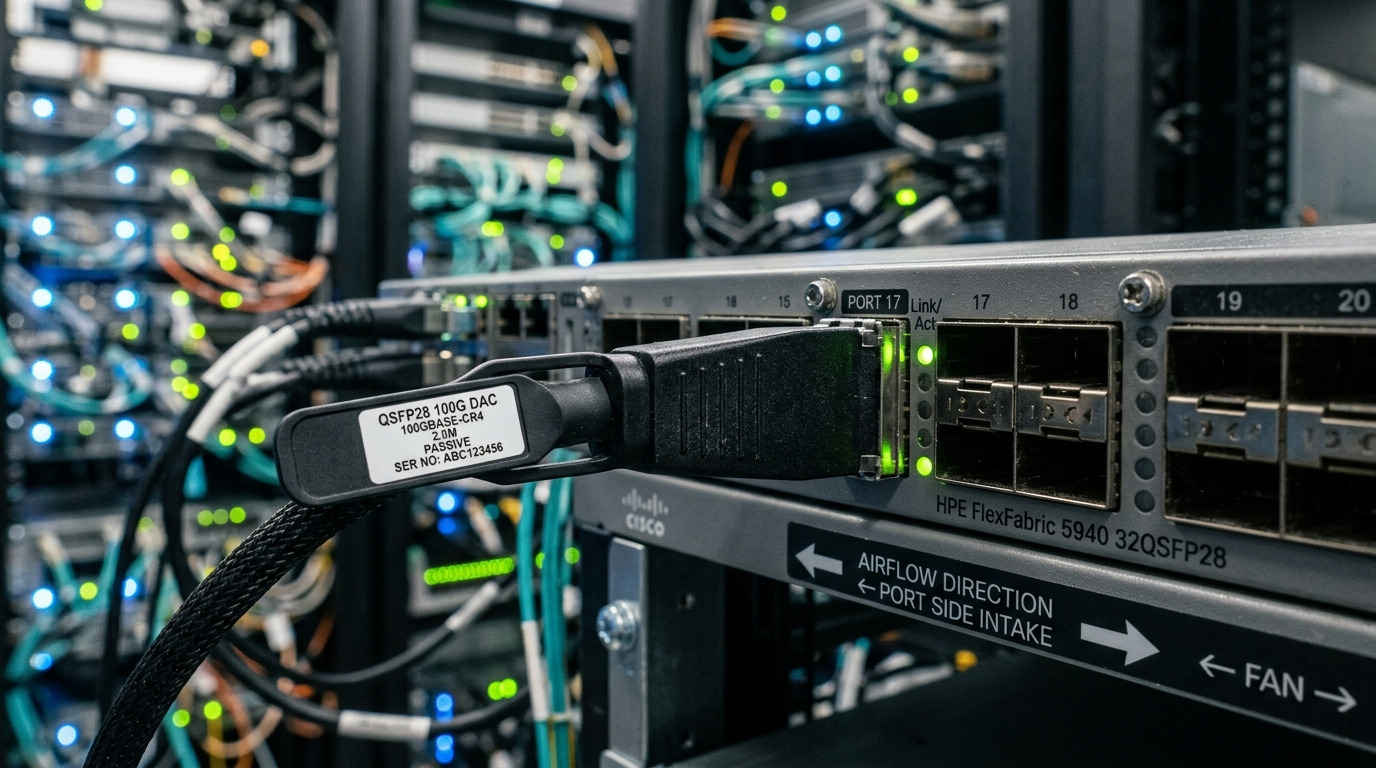
Most 400G migration plans fail early because the team assumes “the switch will negotiate” and the fiber plant can absorb any change. In practice, 400G optics selection couples tightly to port signaling, lane encoding, optical budgets, and connector types. Your first step is to inventory every hop: switch model, port type, breakout behavior, intended speed, and current transceiver part numbers. Then map the fiber plant by pair/group (for example, MPO/MTP polarity and ribbon lanes), not just by “which rack to which rack.”
For legacy environments, the common starting points are 10G SFP+ and 40G QSFP+ (often using SR over MMF). Moving to 400G typically means migrating to QSFP-DD or OSFP form factors and using either 8x56G/4x100G lane groupings on the optics side. That shift often changes how many fibers you consume per link and how polarity must be maintained. If your existing patch panels are not labeled by ribbon lane group, you will spend the cutover window untangling miswired polarity instead of bringing links up.
Build an “optics and fiber consumption” model per link
Create a spreadsheet that includes: source switch, destination switch, target port speed (for example, 400G), current optics type, planned optics type, and the expected fiber count. For example, 400G SR4 over MMF typically uses 8 fibers total organized as 4 lanes with MPO/MTP connectors; polarity handling is critical. If you are moving from a 40G SR4 link that used an MPO ribbon, you may be able to reuse the same ribbon termination strategy, but the lane mapping and polarity can still differ.
Also capture the operational constraints: transceiver temperature class, ambient air limits near the switch, and whether the switch supports DOM/EEPROM reads. Field teams often discover DOM mismatches only after shipping the batch, when a subset of ports reports “unsupported module” and stays administratively down.
400G optics choices for legacy MMF: SR4 vs DR4 vs LR4
The optics decision during 400G migration is usually dominated by reach and fiber type (OM3, OM4, OM5) plus whether you can keep the same patching scheme. Short-reach options are the most common first wave because they reduce civil work and allow phased cutovers. Long-reach options (DR4/LR4) can be viable when you have dark fiber but should be treated as a separate program because they may require different cabling, dispersion planning, and connector management.
Quick spec comparison engineers actually use
Use these baseline ranges as a starting point. Final numbers must come from the vendor datasheet for the exact module and fiber grade. Still, the table helps you quickly decide whether your existing MMF plant can sustain 400G without heroic patching.
| Optics profile | Typical wavelength | Target reach on MMF | Connector / fiber | Data rate | Typical Tx/Rx power notes | Operating temp range (typ.) | Common module form factors |
|---|---|---|---|---|---|---|---|
| 400G SR4 | 850 nm | ~100 m on OM4 (varies by vendor) | MPO/MTP, MMF (OM3/OM4/OM5) | 400G (4-lane) | Budget depends on vendor and patch loss | 0 to 70 C (commercial) or -5 to 85 C (extended) | QSFP-DD or OSFP |
| 400G DR4 | 1310 nm | ~500 m on SMF (varies) | LC, SMF | 400G (4-lane) | Budget depends on SMF attenuation and dispersion | -5 to 85 C (module-dependent) | QSFP-DD or OSFP |
| 400G LR4 | 1310 nm | ~10 km on SMF (varies) | LC, SMF | 400G (4-lane) | Budget depends on dispersion and link loss | -5 to 85 C (module-dependent) | QSFP-DD or OSFP |
For authority, confirm your baseline link requirements against IEEE 802.3 specifications for 400G Ethernet PHYs and the vendor’s electrical/optical performance tables. [Source: IEEE 802.3-2022] and consult vendor datasheets for your exact module family, for example Cisco and third-party optics vendors like Finisar (now part of II-VI) and FS which publish reach and power budget guidance.
Pro Tip: During 400G migration on MMF, the highest failure rate is not “bad optics,” it is incorrect ribbon lane polarity on MPO/MTP. Treat polarity verification as a pre-flight test: label by lane mapping, verify with a polarity tester, and record the mapping in your change ticket before you touch live patch panels.
Compatibility strategy: staged cutover with DOM, optics profiles, and port modes
Switch compatibility is where schedule risk lives. Many legacy platforms support 10G/40G optics but require explicit configuration for 400G port modes, breakout settings, and sometimes specific optics profile support. Before you order optics, run a compatibility matrix: switch model, software version, transceiver vendor/part number, and supported optics types (SR4/DR4/LR4). Do not rely on “generic QSFP-DD should work” assumptions; field experience shows that a small subset of modules can fail DOM validation or fail to match the switch’s expected electrical interface profile.
Stage the rollout like an engineering release
Use a phased approach: start with one pair of leaf-spine switches or one pod, then expand. In a typical 3-tier data center, you might pilot in a single row of racks: for example, 48-port ToR switches connecting to 12-spine aggregators where each ToR has multiple 40G uplinks today. You can replace a small number of uplinks with 400G SR4 while leaving the rest at 40G, then validate ECMP behavior, congestion thresholds, and optics alarms.
DOM and alarm behavior to verify
DOM (Digital Optical Monitoring) provides temperature, bias current, received power, and sometimes vendor-specific diagnostics. During cutover, monitor link flaps, “module not supported” events, and threshold alarms. If you are using third-party optics, verify that their DOM implementation matches the switch expectations and that the switch software version is known to support that DOM profile.
For IEEE PHY behavior and operational considerations, also cross-check link training and PCS/FEC settings for 400G. [Source: IEEE 802.3-2022] and vendor configuration guides for your switch platform.
Deployment scenario: upgrading a leaf-spine fabric from 40G to 400G SR4
Consider a 3-tier fabric where each top-of-rack switch has 12 uplinks today at 40G using QSFP+ SR4 over OM4 with MPO ribbons. The spine layer has 100G/40G capable ports and is being expanded to support 400G. The migration plan is to move one uplink group per ToR to 400G SR4 using QSFP-DD optics, consuming an updated MPO ribbon plan that preserves polarity and lane mapping. The team schedules a maintenance window of 30 minutes per ToR, during which only the targeted uplink group is drained and replaced.
In practice, you will pre-stage optics and label every ribbon with a unique identifier that maps to the exact switch port. Before enabling 400G, field teams run an optical power and continuity check at the patch panel. After the cutover, you validate that each 400G link reaches stable FEC/PCS lock within the expected time window (commonly within seconds) and that received power remains within the vendor’s recommended threshold. You then watch for microbursts and buffer pressure by comparing queue depth telemetry pre- and post-cutover for at least one full traffic pattern (for example, a peak hour).
Selection criteria checklist for 400G migration in legacy fiber plants
Engineers typically make the optics choice in under an hour, but the right decision requires a disciplined checklist. Use this ordered guide to reduce rework and to keep the rollout compatible with your switch software and fiber plant constraints.
- Distance and margin: confirm measured link loss (including patch cords, connectors, and splitters if any) and ensure you have operational margin beyond vendor minimums.
- Fiber grade and type: verify OM3 vs OM4 vs OM5 and connector style at each end (MPO/MTP vs LC). Do not assume “MMF is MMF.”
- Switch compatibility: validate exact switch model and software version with the optics profile. Build a compatibility matrix before ordering a large batch.
- DOM support and alarm thresholds: confirm DOM readout works and that the switch accepts the module class without “unsupported transceiver” events.
- Operating temperature: check module temperature class and verify airflow near the port. High-density racks can exceed safe ambient if front-to-back airflow is blocked.
- Connector and polarity handling: plan MPO/MTP polarity mapping, and ensure you have polarity testers and labeled patch panels.
- FEC/PCS and configuration alignment: confirm the switch enables the correct settings for the PHY type and that any FEC mode required by the platform is compatible.
- Vendor lock-in risk: assess whether third-party optics are supported and whether a failure requires RMA with long lead times.
Common pitfalls and troubleshooting during 400G migration
Below are frequent failure modes seen during real cutovers. Each includes a root cause and a practical fix you can apply immediately.
Pitfall 1: “Link down” right after inserting SR4 optics
Root cause: incorrect MPO/MTP polarity or lane mapping. The optics may be electrically fine, but the receiver sees the wrong lane order or mirrored polarity, preventing stable optical lock.
Solution: verify polarity with a polarity tester, then repatch using the vendor-recommended polarity method. Update the change ticket with the exact lane mapping and take a photo of the final patch arrangement for auditability.
Pitfall 2: “Module not supported” or DOM read failures
Root cause: switch software/port profile mismatch with the transceiver DOM implementation, often triggered by using optics from an unvalidated vendor batch or an unsupported module revision.
Solution: confirm software version supports 400G optics for your platform; try a known-good optics part number (from the validated list) in the same port. If it works, isolate by optics vendor batch and request a DOM compatibility statement from the supplier.
Pitfall 3: Flapping under load, then silent packet loss
Root cause: insufficient optical power margin due to patch cord damage, high insertion loss, or dirty connectors. This can show up only when traffic patterns stress link budgets and FEC triggers become frequent.
Solution: clean both ends with lint-free wipes and approved cleaning tools, then measure received optical power. Replace any patch cords with known-good inventory, and re-check vendor receive threshold compliance using measured values.
Pitfall 4: Thermal throttling or intermittent timeouts in dense ports
Root cause: blocked airflow, misaligned baffles, or modules operating near the upper temperature limit. Some modules tolerate higher internal temperatures, but switch ports may still trigger protective behaviors.
Solution: validate front-to-back airflow, confirm baffles are installed, and record ambient temperature near the port zone during peak load. If needed, spread 400G optics across adjacent ports or adjust fan profiles per the switch vendor guide.
Cost and ROI note: optics spend is only part of TCO
In most 400G migration programs, the optics line item is visible, but the real TCO comes from downtime risk, labor for patching, spare inventory, and failure replacement lead times. OEM optics can cost more but often reduce compatibility surprises; third-party optics can be cheaper but require extra validation and tighter change control.
As a practical range, enterprise and data center 400G SR4 optics (QSFP-DD) often land in the low hundreds to over a thousand USD per module depending on vendor, temperature class, and volume. Third-party modules can be materially cheaper, but the ROI depends on how quickly you can test and how likely your switch software is to accept their DOM behavior. If your failure rate during early cutovers is high, the “savings” evaporate after you factor engineer hours, extended windows, and potential SLA impact.
Also include power and cooling. 400G optics typically draw more power than 40G optics, but the net impact can still be favorable if you reduce total port counts or move to higher efficiency line cards. Track actual power draw if your power monitoring supports per-port or per-module telemetry.
FAQ
What does “400G migration” actually change in the fiber plant?
It usually changes optics form factor and the fiber lane usage pattern, especially when moving from 40G SR4 to 400G SR4 over MMF. You must validate MPO/MTP polarity and ribbon lane mapping, not just the reach. In some cases, you will need additional patching hardware or re-termination to keep polarity correct.
Can we reuse existing MPO/MTP patch panels from 40G to 400G?
Often you can reuse the patch panels if the existing labeling and ribbon polarity scheme can be mapped to the 400G lane order. However, reuse is not automatic: you still need polarity verification and a measured optical budget check. Plan a pilot to confirm before scaling across the fabric.
Are third-party 400G optics safe for compatibility?
They can be safe, but only if you validate against your exact switch model and software version with the specific module part numbers. DOM behavior is a common compatibility issue, so test a small batch in the same ports you will use for production. Maintain a validated parts list and a rollback plan.
How do we measure whether the link budget is sufficient for 400G SR4?
Use measured insertion loss from your certification results and include patch cords and connectors. Then compare expected received power against the module vendor thresholds. If you cannot measure at the exact location, treat it as a risk and plan additional margin or shorter patch paths.
What is the fastest troubleshooting path during a cutover?
Start with physical checks: connector cleanliness and MPO polarity. Next verify DOM reads and switch port status messages, then check received optical power and link training stability under light load. Only after that should you suspect a bad module.
What is a reasonable rollout order for minimizing risk?
Begin with a single pod or a small number of uplinks where you can drain traffic quickly and monitor behavior. Validate link stability, telemetry, and performance for at least one traffic cycle, then expand gradually. Keep legacy 40G paths available until 400G links show stable operation.
Author bio: I design migration programs for high-speed Ethernet fabrics, focusing on optics compatibility, fiber plant risk, and operational cutover mechanics. I have led field deployments where DOM validation, MPO polarity, and thermal margins determined success more than the raw optics spec.
Next step: build your own 400G migration compatibility matrix and fiber consumption model, then run a one-pair pilot with measured power and polarity verification. related topic:400G optics compatibility matrix
