
When a 400G link flaps or stays down, the clock is ticking: congestion, failed replication, and escalation loops all show up as data center challenges. This field-ready troubleshooting playbook helps network and cabling teams isolate whether the issue is optics, fiber path, power budget, or switch compatibility. You will get quick checks, a spec comparison table, and common failure modes with root causes and fixes.
Start with the symptom: what 400G link behavior tells you
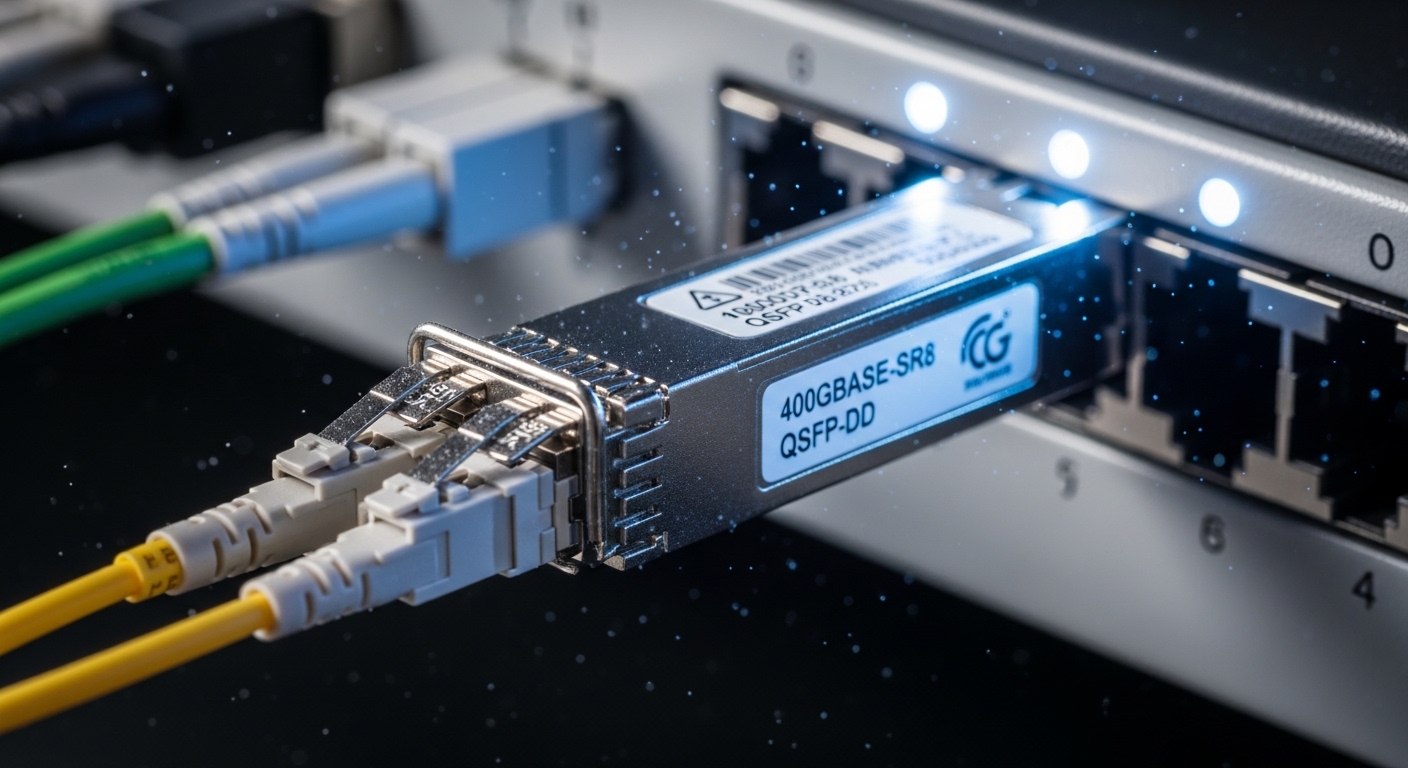
Before swapping anything, capture link state and transceiver diagnostics. On most platforms, you can read DOM fields like Tx power, Rx power, lane status, and temperature. If the port reports no signal, suspect fiber polarity, wrong wavelength/standard, or a dead transceiver. If the port negotiates but errors spike, suspect marginal optical budget, dirty connectors, or a damaged patch cord.
Fast triage workflow (5 to 15 minutes)
- Confirm the 400G breakout mode: verify the switch expects 400G over the intended interface (native 400G vs vendor-specific mapping).
- Validate optics standard: ensure the transceivers match the host port (for example, 400GBASE-SR8 or 400GBASE-DR4).
- Check DOM health: record Tx/Rx power, temperature, and any laser bias or alarm flags.
- Inspect fiber path: confirm you are using the correct fanout direction and polarity labels end-to-end.
- Run a link test: check interface counters for CRC/FEC/BER indicators if available.
Optics and fiber: the specs that make or break 400G
400G over fiber is unforgiving: one bad lane can collapse the whole link. For multi-lane optics (SR8/DR4), a single failed channel or dirty connector can push the receiver below sensitivity. Engineers often miss that power budget is not just “Tx vs Rx”; it includes fiber attenuation, patch panel losses, and connector cleanliness.
Reference comparison: common 400G module types
Use this table to sanity-check that your chosen optics align with the distance and connector type in your rack.
| Module type | Typical wavelength | Reach (typical) | Connector | Data rate | Operating temp | Notes to verify |
|---|---|---|---|---|---|---|
| 400GBASE-SR8 | 850 nm | Up to 100 m over OM4 | MPO-16 (fanout to duplex) | 400G | 0 to 70 C | Lane mapping and MPO polarity |
| 400GBASE-DR4 | 1310 nm | Up to 500 m over SMF | LC (duplex) or MPO depending on vendor | 400G | -5 to 70 C | Single-mode type and loss budget |
| 400GBASE-FR4 | 1310 nm | Up to 2 km over SMF | LC or MPO (vendor-specific) | 400G | -5 to 70 C | Check SMF attenuation and splice losses |
Concrete examples from vendor catalogs: Cisco SFP-10G-SR is unrelated to 400G, but for 400G you will commonly see optics such as Finisar FTLX8571D3BCL (model families vary by speed and reach) and FS.com SFP-10GSR-85 is likewise not a 400G part. For 400G, always pull the exact datasheet for your SKU and confirm it is the 400GBASE standard supported by your switch vendor.
Power budget math that field engineers actually use
Think of the link like a water system: Tx power is the pump, fiber and connectors are the pipe friction, and Rx sensitivity is the minimum pressure to keep the system stable. In practice, you measure the real world with DOM values and you estimate the rest with loss budgets from cabling records and connector specs.
What to calculate in minutes
- Total fiber attenuation from OM4 (SR8) or SMF (DR4/FR4) at the relevant wavelength.
- Patch panel and splice losses: include every mated connector and every splice in the path.
- Connector cleanliness risk: assume an MPO ferrule can add loss spikes when contaminated.
- Vendor margin: leave headroom for aging and temperature swings.
Pro Tip: If DOM Rx power is only slightly low but the port still drops under load, treat it as a “cleanliness and margin” issue first—400G receivers often fail late, after the error correction budget is consumed, so counters will worsen faster during traffic bursts.
Selection criteria and decision checklist for 400G optics
Use this ordered list when you are choosing replacements or planning a migration. It is designed for data center challenges where downtime is expensive and optics swaps are frequent.
- Distance and fiber type: OM4 for SR8, SMF for DR4/FR4; confirm attenuation per your cabling certification.
- Switch compatibility: confirm the host supports that exact 400GBASE standard and transceiver form factor (QSFP-DD vs OSFP vs CXP variants).
- DOM and diagnostics support: ensure the module exposes the fields your switch expects; check alarm thresholds.
- Operating temperature: validate the module temperature range matches the rack environment and airflow pattern.
- DOM vendor lock-in risk: some platforms enforce transceiver allowlists; verify with your vendor support matrix.
- Connector and polarity scheme: MPO-16 polarity and fanout mapping must match your patching plan.
Common mistakes and troubleshooting tips for 400G link failures
Below are frequent failure modes that look mysterious until you map them to optics, fiber, or switch expectations.
Port down with “no signal” after optic swap
- Root cause: wrong transceiver standard or wrong host port type (for example, DR4 optics installed where SR8 is expected, or QSFP-DD type mismatch).
- Solution: verify the module datasheet standard and the switch port capability; re-seat firmly and confirm DOM reports the expected type.
Link flaps under traffic, errors climb, then recovery fails
Only one direction works or only one side shows errors
- Root cause: polarity/fanout mismatch in MPO cabling leading to lane misalignment or swapped transmit/receive pairs.
- Solution: trace the patching map end-to-end, confirm fanout orientation, and re-terminate or re-patch according to the polarity labels.
Persistent alarms even after cleaning
- Root cause: damaged ferrules or bent fiber causing permanent microbends; also possible: ESD damage to the module during handling.
- Solution: replace the patch cord and re-verify with a known-good module; follow ESD-safe handling and use lint-free caps.
Cost and ROI note: what it really costs to keep 400G running
Typical street pricing varies widely by brand and warranty, but in many deployments 400G optics land in the hundreds to low thousands of dollars per module. OEM modules can reduce compatibility risk and often come with stronger support, while third-party optics can cut unit cost but may introduce allowlist or DOM quirks. For TCO, include: spares strategy, cleaning tools, inspection time, and the operational cost of downtime during replacements. In practice, investing in connector inspection and a disciplined patching map often beats repeatedly swapping modules.
FAQ: 400G link troubleshooting for data center challenges
Why does a 400G port show up, but counters explode only when traffic starts?
That pattern often indicates a marginal optical budget or intermittent attenuation from dirty connectors. Check DOM Rx power during traffic and inspect MPO/LC ferrules before assuming a bad module.
Can I mix optics brands on the same switch?
Sometimes yes, but compatibility depends on the switch platform and how it validates transceiver type via DOM. If the port uses allowlists, mixing can cause link refusal or unstable behavior.
How do I confirm I used the correct 400GBASE standard?
Compare the host port documentation and the module datasheet standard.
