
You notice higher application response times, but the optical link light stays “up.” This article gives practical troubleshooting techniques for optical network latency and jitter in real deployments, helping network engineers and field techs narrow root cause fast. You will learn how to correlate switch counters, transceiver diagnostics (DOM), fiber plant checks, and traffic patterns into a defensible diagnosis.
Top 8 troubleshooting techniques for optical latency
Optical latency problems usually hide behind normal link-state indicators. The key is to separate propagation delay (mostly constant) from queuing delay (variable) and retransmission (spike-prone). In practice, I start with repeatable measurements, then validate optics, then audit the network path and traffic behavior.
Measure latency where it actually changes
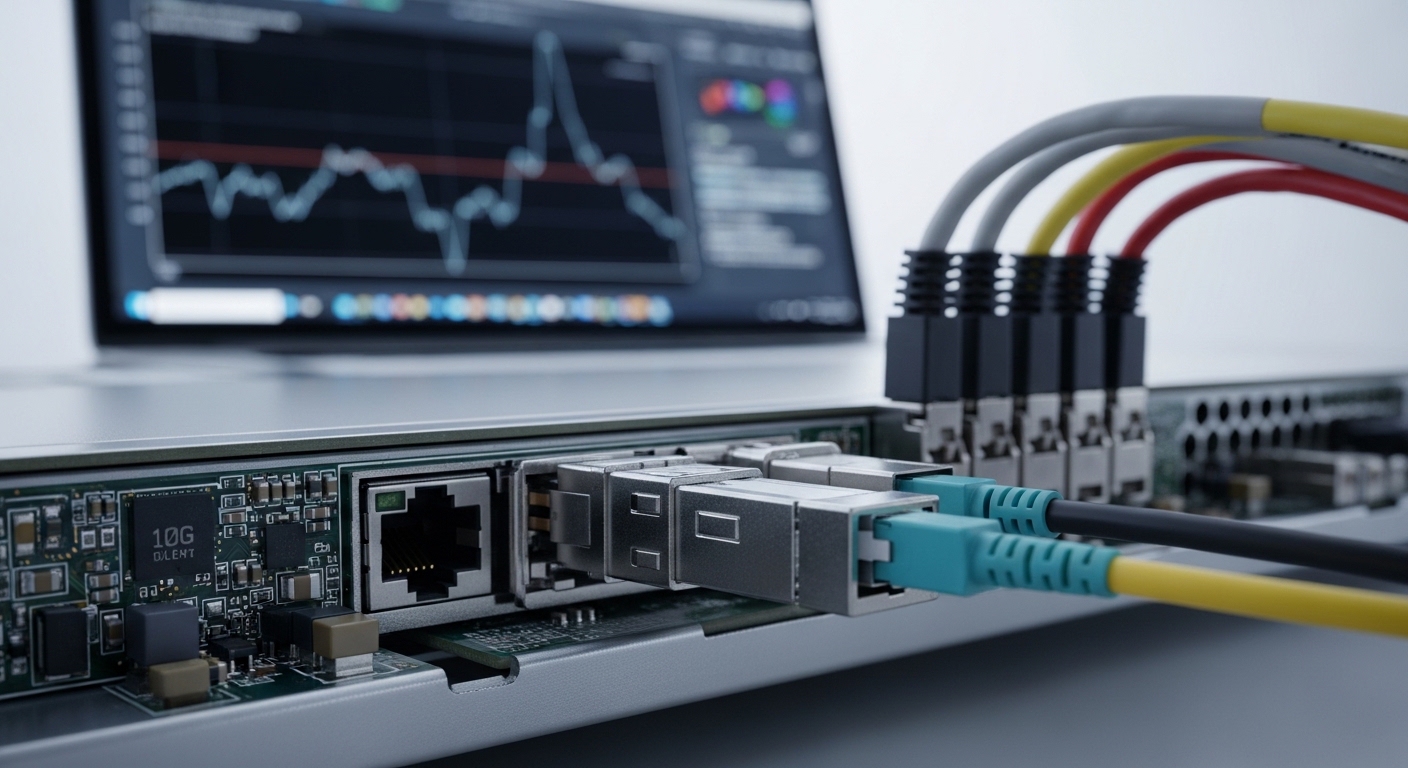
Before changing optics, confirm which hop is guilty. Use in-band telemetry where available (switch queue counters, ERSPAN/INT, or vendor latency features) and correlate with timestamps. If you only run end-to-end ping from a user VLAN, you may be measuring congestion elsewhere.
For L3 networks, run targeted tests: ICMP is simple but not always representative; add TCP-based tests (for example, SYN/ACK timing) to see whether the latency is caused by retransmits. If you operate a data center leaf-spine, compare latency between the same server pair during low and high utilization windows.
- Best-fit scenario: You see latency spikes during specific traffic patterns, not continuously.
- Pros: Fast narrowing; avoids “optics swapping roulette.”
- Cons: Requires telemetry access and disciplined timestamping.
Prove whether the issue is jitter, loss, or queuing
Optical latency complaints often start as “slow,” but the mechanism could be jitter (variation), loss (which triggers retransmits), or queuing (which inflates RTT without link errors). Look at switch interface counters for drops, FCS errors, input discard, and queue depth indicators.
In Ethernet, CRC/FCS errors and link flaps can cause higher-layer retransmissions and retransmit-driven delays. Even if the optical link stays “up,” microbursts can overflow buffers and create queueing spikes. Track ingress/egress drops and ECN/RED marks if your platform supports them.
- Best-fit scenario: Latency correlates with utilization or bursty traffic.
- Pros: Classifies the symptom into actionable domains.
- Cons: Requires familiarity with platform-specific counter semantics.
Validate DOM and optical power budget against the PHY
Transceiver diagnostics (DOM) can reveal marginal optics long before users complain. Check receive power (Rx), transmit power (Tx), bias current, and temperature—then compare against the vendor’s specified operating ranges. For example, many SFP/SFP+ modules expose Tx power in dBm and Rx power in dBm via I2C/MDIO mechanisms.
On the switch side, confirm the optics are actually supported by the platform’s compatibility matrix. Some platforms enforce DOM thresholds and will downshift or apply error mitigation modes when signals degrade. If the module is “compatible enough” but not within tight thresholds, you can get higher BER, occasional frame errors, and latency variability.
Pro Tip: If you see latency spikes without obvious packet loss counters, check FEC/PCS error counters (where supported) and transceiver Rx power trending. A slowly drifting Rx level can increase symbol errors that only occasionally cross the error-correction boundary, producing jitter without a dramatic “link down” event.
- Best-fit scenario: Symptoms started after a transceiver swap, fiber move, or patch panel rework.
- Pros: Identifies marginal optics early; supports root cause evidence.
- Cons: DOM ranges vary by vendor; thresholds are not universal.
Correlate fiber plant issues: bend loss, dirty connectors, and patch swaps
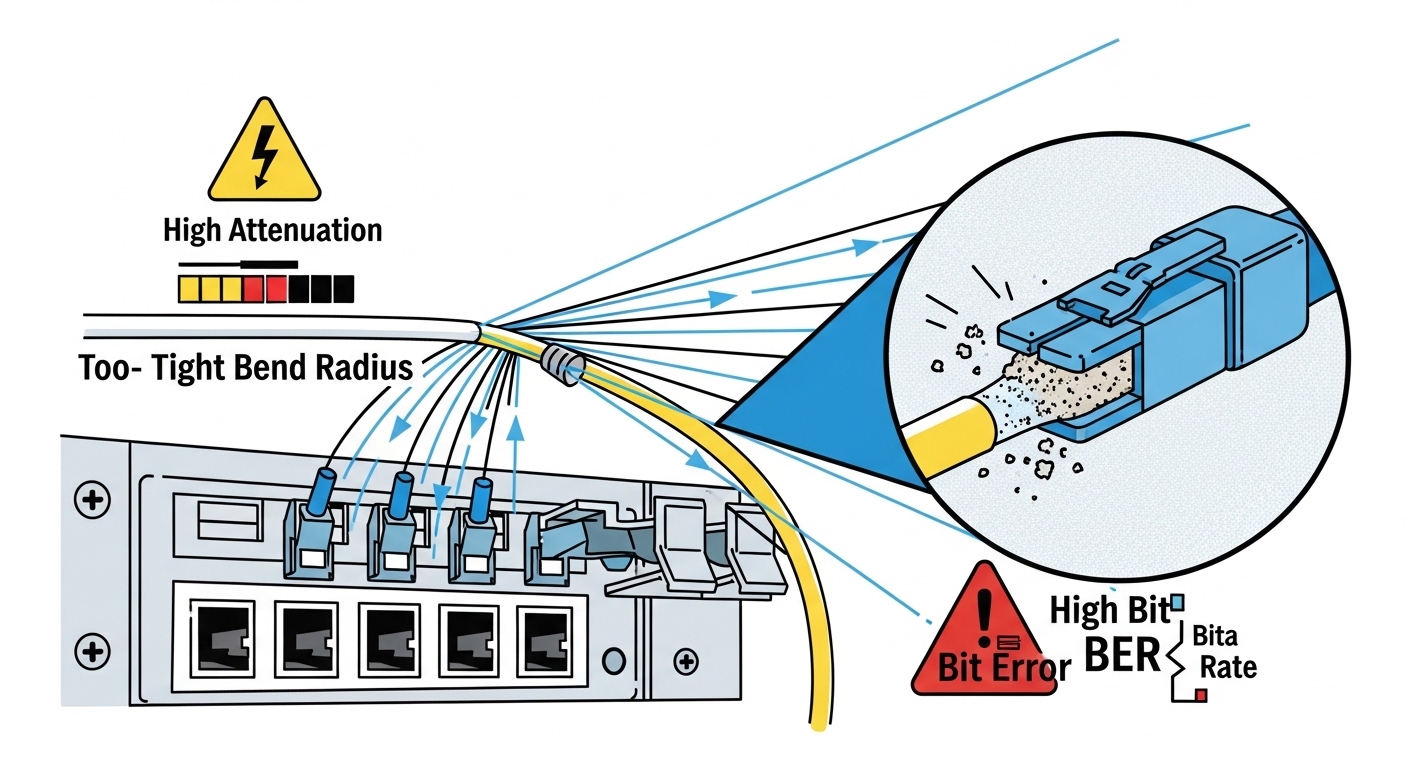
Optical latency can be affected indirectly by fiber plant problems that increase BER and force retransmissions. The most common field failures are dirty connectors, damaged ferrules, and excessive bend radius that raises attenuation. Even when link stays up, marginal links can show elevated error rates.
In deployment terms: after any patch panel change, inspect connectors under magnification, clean with lint-free swabs and approved cleaning kits, and re-seat. Then re-check optical measurements and interface error counters.
- Best-fit scenario: The issue follows maintenance work or a new patch path.
- Pros: High success rate when combined with connector inspection.
- Cons: Requires disciplined cleaning and documented before/after measurements.
Audit switch queuing and buffer pressure on the specific egress
Optical links often have ample bandwidth, yet latency still rises due to queuing at the egress port, upstream aggregation, or LAG hashing imbalance. Validate whether the latency correlates with a particular queue, VLAN, or DSCP class. On many switches, you can pull queue occupancy, tail-drop counts, and head-of-line blocking indicators.
In a leaf-spine fabric, a single oversubscribed uplink or a misconfigured QoS policy can create persistent queue growth. If you use ECMP/LAG, verify consistent hashing behavior and confirm that traffic is evenly distributed across member links.
- Best-fit scenario: Latency increases only for certain flows, tenants, or traffic classes.
- Pros: Maps symptom to a deterministic congestion point.
- Cons: Demands QoS and queue counter literacy.
Check link training behavior, FEC mode, and speed/duplex mismatches
Even when optics are “up,” PHY-layer settings can alter performance. Verify negotiated link speed, FEC (Forward Error Correction) mode, and any vendor-specific error mitigation features. Some platforms expose whether FEC is enabled and whether it is operating in a degraded mode.
Also confirm you did not accidentally create a speed mismatch. While modern Ethernet PHYs negotiate automatically, rare configuration or optics compatibility edge cases can lead to unexpected modes. If you run 10GBASE-R or 25GBASE-R variants, ensure the transceiver and switch both support the same signal format and FEC expectations.
- Best-fit scenario: Latency started after firmware updates, transceiver replacements, or cabling changes.
- Pros: Often reveals “hidden” configuration drift.
- Cons: Requires platform-specific command knowledge.
Use a controlled test to isolate the optical hop vs the network path
When you suspect optical latency, isolate it with a controlled experiment. For example, temporarily move the affected workload to a known-good patch path and run the same traffic test. If the latency disappears, you have evidence pointing to the optical hop or its immediate termination.
If you cannot move workloads, compare two parallel paths: one known-good and one suspect. Use identical packet sizes and pacing to avoid confounding queue dynamics. This is where disciplined testing beats guesswork.
- Best-fit scenario: You need proof for change management or incident retrospectives.
- Pros: Produces clear before/after evidence.
- Cons: May require maintenance windows or temporary routing changes.
Confirm standards alignment and interpret counters correctly
Finally, interpret what you see through the lens of Ethernet standards and vendor counter definitions. IEEE 802.3 defines Ethernet PHY behavior, including optical interfaces and link-layer framing concepts. Your vendor’s counters may separate CRC errors, FCS errors, symbol errors, and FEC-related metrics.
When you misinterpret counters, you can chase the wrong cause. For example, an uptick in CRC errors might indicate physical layer degradation, while a rise in drops without CRC errors suggests congestion or policing. Use vendor documentation to map each counter to the OSI layer.
- Best-fit scenario: You have data but disagree with the conclusions.
- Pros: Prevents incorrect remediation steps.
- Cons: Requires careful reading of datasheets and release notes.
Optical latency context: what “good” looks like
Propagation delay is typically stable for a given fiber length, so large latency swings usually indicate queuing, retransmission, or variable processing. For engineering sanity checks, compare expected propagation: standard single-mode fiber propagation is roughly 5 microseconds per kilometer (order-of-magnitude). That means a 2 km difference is about 10 microseconds, far smaller than typical congestion-driven spikes.
So when you see milliseconds-scale latency jitter, focus on queueing and loss. When you see consistent higher latency across all traffic, focus on path changes, routing, or processing load. Optical link health still matters, but it is rarely the sole driver of big RTT changes unless error rates are high.
Quick comparison table: common optical module types
Module choice affects reach, wavelength, and power budgets, which in turn influence BER margin and how quickly latency can degrade under stress. Below is a practical reference comparing typical 10G optical transceiver families you might encounter when troubleshooting.
| Module example | Data rate | Wavelength | Typical reach | Connector | Optical power reporting (DOM) | Operating temperature |
|---|---|---|---|---|---|---|
| Cisco SFP-10G-SR (example) | 10GBASE-SR | ~850 nm | Up to ~300 m OM3/OM4 (varies by vendor) | LC | Tx/Rx power in dBm, bias, temp | Typically commercial or industrial ranges per vendor |
| Finisar FTLX8571D3BCL (example) | 10GBASE-LR | ~1310 nm | Up to ~10 km (varies by spec) | LC | DOM Tx/Rx power, bias, temp | Per datasheet (often -5 to 70 C or industrial variants) |
| FS.com SFP-10GSR-85 (example) | 10GBASE-SR | 850 nm | Up to ~400 m on OM4 (varies) | LC | DOM Tx/Rx power | Per product datasheet |
Use this table as a mental model: if you move from LR to SR or from OM3 to a mismatched fiber grade, your power budget margin shrinks. That margin reduction can increase BER sensitivity and trigger retransmits, which users perceive as latency and jitter.
Selection criteria: decision checklist engineers actually use
Even during troubleshooting, you often end up selecting a replacement optic or validating compatibility. Use this ordered checklist to reduce trial-and-error.
- Distance and fiber type: confirm OM3/OM4/OS2 and measured attenuation if available.
- Budget and risk tolerance: OEM optics may cost more but reduce compatibility and firmware interaction risk.
- Switch compatibility: verify the exact transceiver part number or vendor list for your switch model.
- DOM and diagnostics support: confirm DOM availability, threshold behavior, and whether the switch reads Tx/Rx correctly.
- Operating temperature: validate that your module’s industrial rating fits your rack airflow profile.
- FEC and PHY mode expectations: ensure both ends support the same signal format and FEC behavior.
- Vendor lock-in risk: consider standardized form factors (SFP/SFP+/QSFP+) and your spares strategy.
- Failure evidence: keep before/after measurements (Rx power, error counters, and timestamps).
Common mistakes and troubleshooting tips
Below are real failure modes I have seen in the field, with root cause and what to do next. These are common because they look “reasonable” at first glance.
Replacing optics without checking queue drops or retransmits
Root cause: Latency spikes are driven by congestion or retransmission, not the optical receiver margin. The link LED stays green, so the team assumes optics are fine.
Solution: Pull interface queue drops, input discards, and any FEC/PCS error counters. Run a controlled test to compare the suspect path to a known-good path while keeping traffic constant.
Interpreting DOM Rx power without connector cleanliness verification
Root cause: Dirty connectors can create intermittent attenuation. DOM may show “acceptable” averages while error bursts happen during specific movements or temperature changes.
Solution: Inspect connectors with a fiber scope, clean both ends, and re-seat. Then re-measure Rx power and error counters after stabilization time (commonly a few minutes depending on optics behavior).
Ignoring speed/FEC negotiation differences across transceiver types
Root cause: A replacement optic might negotiate a different PHY mode or FEC behavior than the original. That can change how errors are corrected and how latency varies under marginal conditions.
Solution: Verify negotiated link speed and any FEC status on both ends. If your platform supports it, confirm PCS/FEC counters and ensure both sides use compatible optics.
Assuming propagation delay is the culprit for millisecond spikes
Root cause: Engineers sometimes attribute RTT spikes to fiber length changes. But propagation delay in fiber is in microseconds per kilometer, while congestion-induced spikes are often orders of magnitude larger.
Solution: Focus on queuing and loss first. Use hop-by-hop measurement or telemetry to identify where the variance begins.
Cost and ROI note: what to expect in TCO
In typical enterprise and data center environments, third-party optics can be 20% to 50% cheaper than OEM equivalents, but the ROI depends on compatibility risk and failure rates. OEM modules often reduce incident time because they align tightly with the vendor’s compatibility testing and DOM threshold expectations.
For TCO, include not just purchase price but also labor, incident downtime, and the operational cost of repeated swap tests. In practice, I have seen “cheap optics” increase mean time to repair when the switch applies strict compatibility checks or when transceiver DOM readings differ from the original module’s behavior.
FAQ: optical latency troubleshooting techniques
What troubleshooting techniques work best when the link never goes down?
Start with queue drops, discards, and retransmit indicators, then correlate with timing. Next, validate DOM trends (Rx power, temperature, bias) and check for elevated FEC/PCS errors if your platform exposes them. Finally, run a controlled path comparison to prove whether the optical hop is the cause.
How do I distinguish jitter from congestion?
Jitter often correlates with variable queue occupancy and bursty traffic, while true jitter from the PHY is less common unless the link is marginal. Use queue depth and drop counters alongside packet timestamping. If the issue vanishes on a known-good path, congestion likely moved with the traffic rather than the PHY alone.
Which counters should I prioritize on my switch?
Prioritize interface drops/discards, CRC/FCS errors, and any PHY-layer error counters your platform provides. For QoS-aware designs, also inspect queue tail-drop and per-traffic-class counters. Always map each counter to its OSI layer using the vendor documentation.
Can dirty connectors cause latency without visible packet loss?
Yes. Dirty connectors can cause intermittent symbol errors that trigger retransmissions at higher layers or increase FEC processing overhead, showing up as jitter. Because error events may be brief, packet loss counters might not spike dramatically unless you sample at the right interval.
Should I replace optics or the fiber first?
If the problem correlates with maintenance or patch changes, clean and inspect connectors first, then validate fiber attenuation if you have test gear. Replace optics when DOM shows out-of-range values or when the issue follows a specific transceiver serial number or batch. Use before/after measurements to avoid swapping without evidence.
How important is DOM support for troubleshooting techniques?
DOM support is very important because it provides quantitative evidence of optical margin and thermal/bias behavior. Without DOM, you can still troubleshoot using error counters and link stability, but you lose a fast indicator of marginal operation. Confirm that your switch reads DOM reliably for the exact module type.
Summary: effective troubleshooting techniques for optical latency combine measurement discipline, correct counter interpretation, DOM validation, and fiber plant hygiene, then end with controlled isolation tests. Next step: apply the checklist in related topic to standardize your incident workflow and reduce time to root cause.
Author bio: I am a senior network engineer with 10+ years of hands-on experience deploying and troubleshooting Ethernet optical links in data centers and enterprise WANs. I focus on reproducible diagnostics, PHY-aware instrumentation, and field-safe remediation practices.
Update date: 2026-05-01
