
When fiber transceivers vanish from distributor shelves, your topology does not care; traffic still arrives. This article lays out building strategies for resilient network construction so you can keep links up during optical supply shortfalls. It helps network architects, data center ops leads, and field engineers who must choose optics, plan spares, and debug link failures under time pressure.
Where optical shortages break networks, and what resilience really means
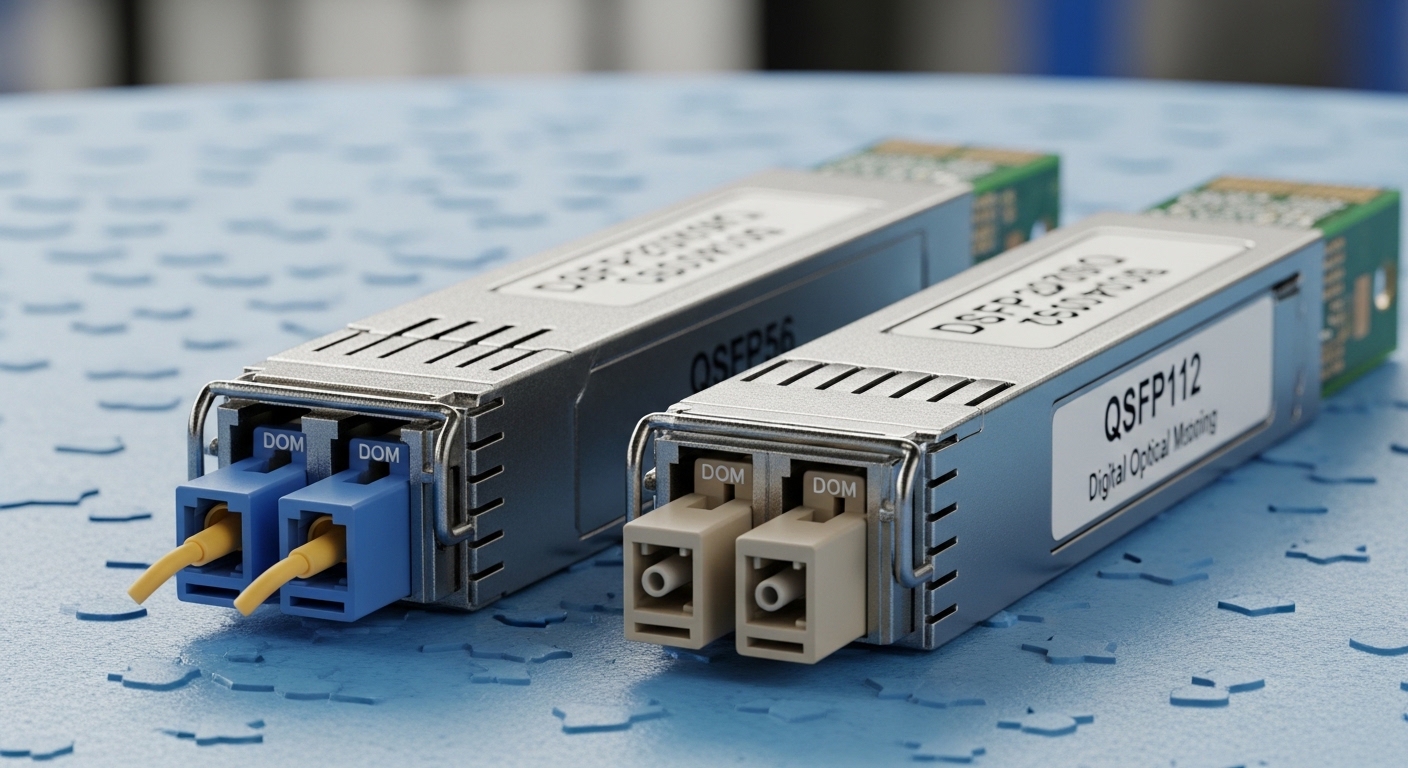
Optical supply shortfalls rarely fail the network all at once; they fail it in seams: lead times stretch, DOM programming mismatches appear, and “equivalent” optics behave differently under marginal power and temperature. Under IEEE 802.3, optical PHY requirements are strict, but operational reality adds variables: laser bias drift, connector cleanliness, and switch vendor implementation of diagnostics. Resilience means you can swap optics without triggering link flaps, and you can continue deployment when your first-choice SKU is delayed.
In practice, resilience is measured in time-to-stabilize (how fast links come up), time-to-recover (how fast you restore service after a failure), and change risk (how likely substitutions cause incompatibility). I have watched deployments stall for weeks when spares were ordered too narrowly (only one vendor, one DOM behavior), and I have also seen recovery accelerate when teams planned for multiple optics families and maintained a disciplined validation matrix.
Define your optical dependency map before you buy
Start by listing every optical interface type across your stack: access (25G/10G), aggregation (100G), and spine/backbone (200G/400G). For each interface, capture the switch model, transceiver form factor (SFP, SFP+, SFP28, QSFP+, QSFP28, QSFP56), target standard (for example, IEEE 802.3ae, 802.3ba, 802.3cd), and fiber reach profile (OM3, OM4, OS2). Then add “operational dependencies”: whether the platform requires specific DOM fields, supports vendor-agnostic optics, and enforces thermal or vendor ID checks.
Pro Tip: In many switch platforms, the most common “incompatible optics” incident is not the optics themselves, but DOM interpretation during link training. If your plan includes substitutions, validate DOM presence and key fields (vendor name, part number, wavelength, and temperature readout) in a staging rack before you rely on it in production.
Optics selection under constraints: standards, reach, and power budgets
When supply tightens, the temptation is to chase the nearest listing on a web page. Resist that reflex and anchor decisions to the physical layer: wavelength, reach, transmitter power, receiver sensitivity, and connector type. IEEE standards define the baseline behavior, but vendors implement tolerances and diagnostics differently; a “compatible-looking” transceiver may still fail under your specific link budget.
Key technical specs that decide whether a swap will work
For multi-vendor building strategies, compare these parameters across candidate optics. Wavelength (nm) and data rate must match the PHY expectation. Reach matters because fiber aging and patch panel losses accumulate; OM3/OM4 modal bandwidth decreases with imperfect cabling and bends. Power matters because receiver sensitivity and transmitter launch power determine whether the link survives real-world attenuation.
Below is a practical comparison table you can use when you evaluate substitutes for common enterprise and data center links. It is intentionally focused on engineering constraints rather than marketing claims.
| Transceiver family | Typical data rate | Wavelength | Reach target | Connector | Operating temperature | Examples (real part numbers) |
|---|---|---|---|---|---|---|
| 10G SFP+ SR | 10.3125 Gb/s | 850 nm | Up to 300 m on OM3 / 400 m on OM4 (typical) | LC | 0 to 70 C (commercial) or -40 to 85 C (extended) | Cisco SFP-10G-SR, Finisar FTLX8571D3BCL, FS.com SFP-10GSR-85 |
| 25G SFP28 SR | 25.78125 Gb/s | 850 nm | Up to 100 m on OM3 / 150 m on OM4 (typical) | LC | 0 to 70 C or -40 to 85 C | Finisar FTLF8528P3BTL, FS.com SFP-25GSR |
| 100G QSFP28 SR4 | 103.1 Gb/s | 850 nm (four lanes) | Up to 100 m on OM4 (typical) | LC (12-fiber MPO) | 0 to 70 C or -40 to 85 C | Finisar FTL4C1Q3C3, Cisco QSFP-100G-SR4 |
| 200G QSFP56 SR4 | 200 Gb/s (four lanes) | 850 nm | Up to 100 m on OM4 (typical) | LC or MPO (platform dependent) | 0 to 70 C | Vendor-specific; validate switch compatibility |
Use the table as a shortlist, then verify with vendor datasheets and the switch optics compatibility list. For standards grounding, start with IEEE 802.3 for the applicable optical interfaces and lane speeds, plus vendor SFP/QSFP electrical specifications from the transceiver datasheet. [Source: IEEE 802.3] IEEE 802.3 overview
Build link budgets that survive “real fiber”
During shortages, you may accept slightly higher attenuation links or reuse existing patch panels. Model your link budget with conservative assumptions: connector insertion loss, patch cord aging, and worst-case bend conditions. Cleanliness is not optional; a single dirty MPO polarity or contaminated LC can reduce received power enough to create intermittent errors that look like “bad optics.” When you test candidate optics, test across temperature and during realistic traffic patterns, not just at initial link bring-up.
building strategies for procurement: multi-source, spares, and validation matrices
Procurement is where resilience becomes either a plan or a prayer. Under optical shortages, you must treat optics like a controlled component: define acceptable families, expand sourcing options, and maintain a spare inventory that reflects failure modes. The goal is to prevent “single-SKU dependency,” where one vendor’s lead time blocks an entire migration.
Use multi-source families, not just multi-vendor listings
Multi-vendor is not automatically multi-source. Different vendors may implement slightly different transmitter power or diagnostics behavior, even if they claim the same reach class. A robust approach is to define “optics families” for each interface type that you will accept: for example, SR optics at 850 nm with the correct form factor and lane count, plus a validated DOM profile. Then source from multiple compatible manufacturers so you can keep deployment moving.
Maintain a spares strategy tied to your failure modes
Do not stock spares only by port count; stock by risk. In a leaf-spine environment, the leaf ports experience more churn during cabling changes, while spine optics may run steadier but are harder to access. I recommend tracking failures by time-in-service and by installation pattern: a transceiver that repeatedly fails after patch panel moves likely indicates cleaning or handling issues rather than a defective module. Stock a small pool of “known-good” optics per platform family, plus at least one spare per optics type that is staged and validated in a test rack.
Create a compatibility validation matrix you can execute under pressure
When you need replacements fast, you cannot afford long lab cycles. Build a matrix in advance that maps: switch model, transceiver part number, DOM behavior, and observed link stability (error counters, CRC rate, and link retrain frequency). Measure at steady state with traffic load representative of your peak. For example, record link stability over 24 hours at 70 percent of typical utilization, including a periodic port flap test if your operations policy allows it.
Reference guidance from vendor optics qualification and switch documentation, and cross-check with standards expectations for optical PHY behavior. [Source: Cisco Transceiver and Compatibility Documentation], [Source: Juniper Optics Compatibility Notes], [Source: IEEE 802.3]. Use the vendor’s optics compatibility matrix to reduce the probability of DOM rejection or link training failures. Cisco documentation portal
Common mistakes and troubleshooting tips when optics are in short supply
Shortages increase substitution attempts, and substitutions increase failure surfaces. The good news is that most problems are diagnosable quickly when you follow a disciplined troubleshooting flow. Below are concrete pitfalls I have seen in the field, with root cause and fixes.
Mistaking “same standard label” for “same link behavior”
Root cause: Two optics may both be “10G SR” but differ in transmitter power, receiver sensitivity, or DOM implementation. The result is a link that comes up initially but produces intermittent CRC errors or link flaps as temperature and stress change.
Solution: Validate against your switch’s optics compatibility list and test in staging with your real patch cords or equivalent attenuation. Compare vendor datasheets for launch power and receiver sensitivity, not just reach marketing. If you see CRC spikes, measure optical power levels and check fiber cleanliness before you replace again.
Ignoring polarity and MPO handling, especially with SR4 optics
Root cause: SR4 modules with MPO connectors demand correct polarity and lane mapping. In a shortage, technicians may reterminate patch panels quickly, and a single polarity mismatch can cripple one or more lanes.
Solution: Confirm polarity method (for example, using MPO polarity adapters appropriate to your cabling standard) and verify with an optical test set when possible. Re-clean and re-seat connectors; then check per-lane error counters if your switch exposes them.
Ordering “extended temperature” optics but deploying in a thermally mismatched cabinet
Root cause: Extended temperature ratings do not compensate for poor airflow or blocked vents. Some chassis have airflow paths that assume specific transceiver thermal characteristics; if the module runs hotter than expected, it may degrade or fail under load.
Solution: Use the switch thermal guidelines and measure intake and exhaust temperatures. If you upgrade optics families, re-check thermal thresholds and ensure fan trays are healthy; do not assume the module’s rating guarantees safe operation in your cabinet.
Skipping DOM verification and assuming vendor-agnostic optics will always pass
Root cause: Some platforms verify DOM vendor ID or require specific writable fields for monitoring. When the platform cannot read diagnostics reliably, it may drop the interface into an error state.
Solution: Pre-validate DOM readout on the specific switch model. If your platform supports it, enable monitoring for DOM fields and log any read failures. Treat DOM mismatch as a compatibility issue, not a “software glitch.”
Cost and ROI note: what resilient optics planning actually costs
Optics pricing varies widely by vendor, lead time, and whether you buy OEM versus third-party. In many enterprise markets, 10G SR optics can land in a broad range, while 25G and 100G optics typically carry higher per-port costs and tighter lead times. During shortages, premium pricing can appear, but the bigger cost is downtime and rework: truck rolls, emergency swaps, and the labor to validate compatibility.
A resilient program often increases upfront spend through a validation matrix, staging spares, and multi-source stocking. Yet it reduces TCO by cutting mean time to repair and preventing failed substitutions that would otherwise require additional optics purchases. In my experience, teams that budget for a modest but deliberate spare pool and rigorous compatibility testing usually see a favorable ROI once they avoid even one major deployment stall.
Operational TCO levers you can quantify
Track: inventory carrying cost, expected failure rate per transceiver family, and labor hours per incident. Also consider power and cooling impacts: optics are small, but failed links can trigger higher retransmit overhead and degrade application performance. If you model uptime value, even a small reduction in outage frequency can justify the extra planning effort.
FAQ: building strategies for optical shortages
What building strategies work best for leaf-spine data centers?
Use a per-platform optics acceptance list and validate at least two transceiver families per interface type. Stock spares that match the most failure-prone cabling areas, and stage modules in a test rack to confirm DOM behavior before deployment. This approach keeps link stability high even when primary SKUs are delayed.
Can I substitute third-party optics during a shortage?
Yes, but only if the transceiver form factor, wavelength, reach class, and DOM behavior are validated for your specific switch model. Start with the switch vendor’s compatibility guidance and then run a staging test that includes realistic traffic and temperature conditions. Avoid assuming “IEEE-compliant” means “drop-in compatible” for diagnostics.
How do I decide between OM3 and OM4 when supply is tight?
Prefer OM4 when you have budget for it, because it typically provides more margin for attenuation and deployment imperfections. If you must use OM3, ensure your link budget includes conservative connector and patch losses and validate with your actual cabling. In shortages, the cost of a marginal link failure can exceed the savings of using lower-spec fiber.
What should I check first when a new transceiver will not bring up a link?
Check connector cleanliness, polarity for MPO/SR4 optics, and correct seating. Then verify DOM readout and confirm the interface expects the same lane count and speed. Finally, inspect interface error counters and optical diagnostics to determine whether the issue is power budget, polarity, or compatibility.
Do extended temperature optics help during shortages and long deployments?
They can help if your cabinets run hot or if you have variable airflow conditions across seasons. However, extended temperature ratings do not replace proper thermal design and airflow verification. Validate thermals in your environment and follow the switch vendor’s thermal guidelines.
How much spare inventory should we hold?
There is no universal number, but a practical method is to hold spares per optics family and per deployment phase, then adjust based on historical failure rates. Focus on the interfaces that experience more cable moves and the optics that are hardest to source. Start small but validate thoroughly, then scale as you learn.
If optical supply shortfalls are testing your patience, treat resilience as a system: standards-first selection, validated substitutions, and spares that match real failure modes. For your next step, map your topology dependencies with related topic:transceiver compatibility matrix design and build a compatibility matrix you can execute under stress.
Author bio: I design high-availability optical fabrics and validate transceiver compatibility in staging racks before production cutovers. I have field experience resolving DOM and link-budget failures across leaf-spine and campus aggregation deployments.
